Burt
Members
-
Joined
-
Last visited
-
-
-
-
-
-
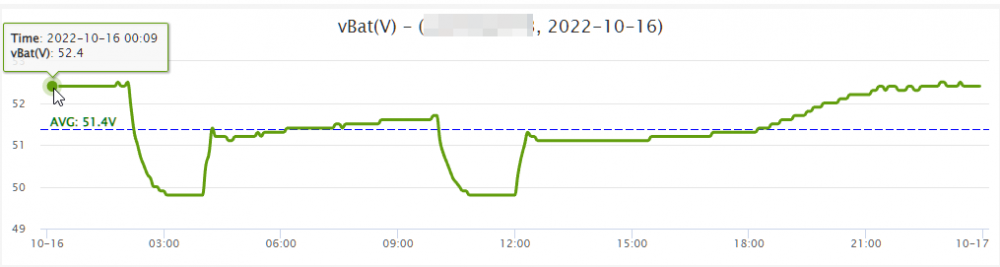
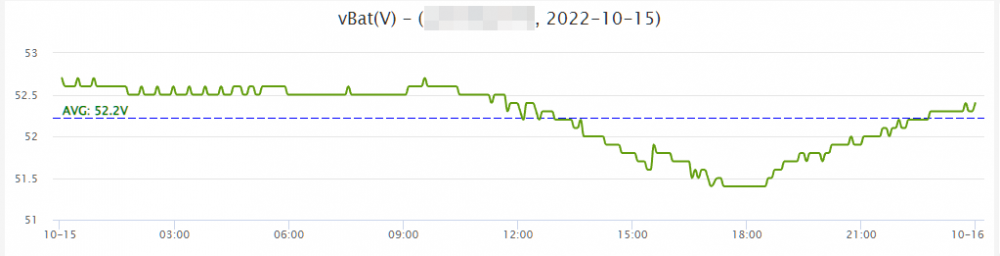
This was my Battery status (Voltage) over the last few days ,


-
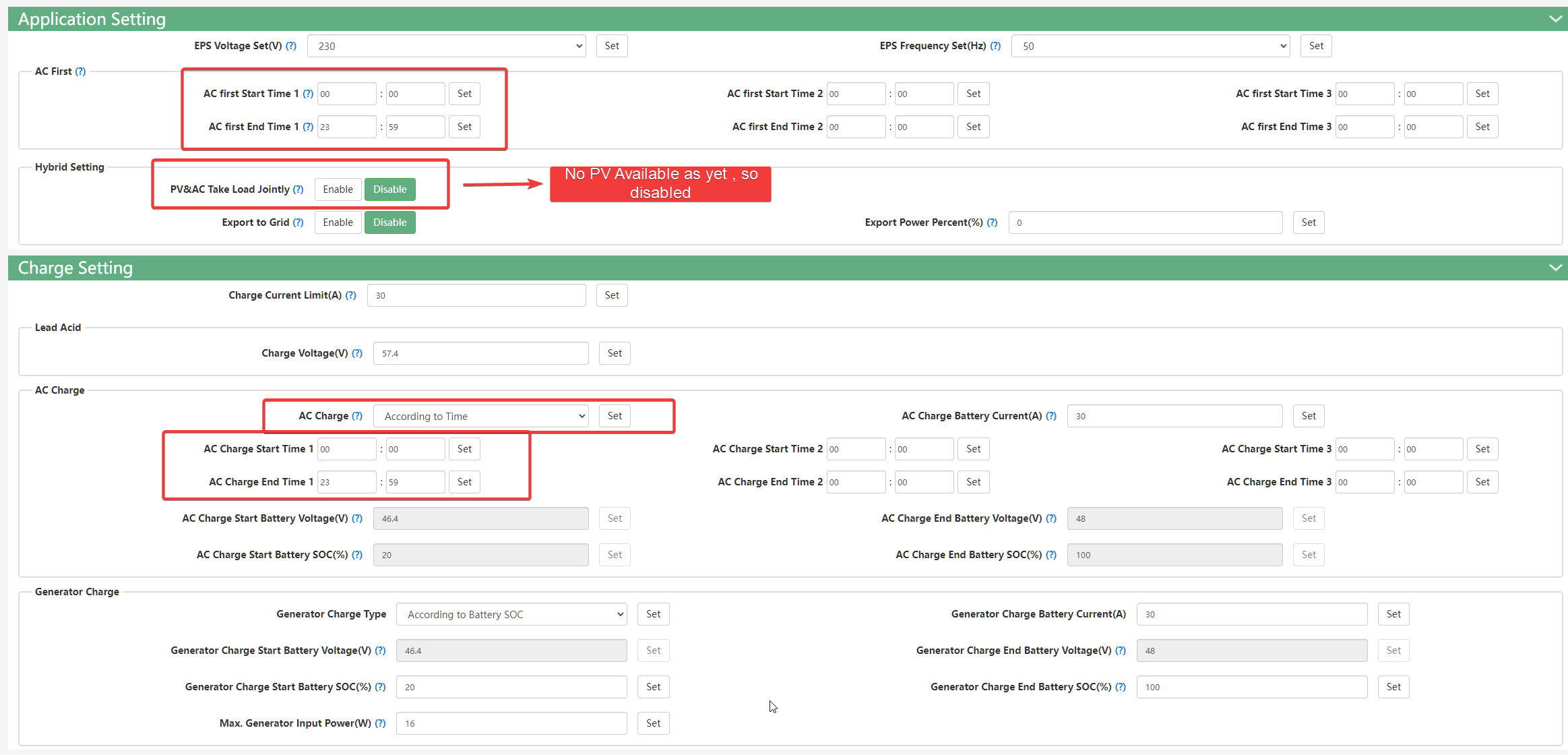
Hi , Let me know how it goes , I also see that your "AC Charge End Battery SOC% is set to" 98% Maybe try setting that to 100% ? Else from what i understand the Battery will stop charging @ 98% , Unless you have a reason for it set to that ?
-
-
-
-
-
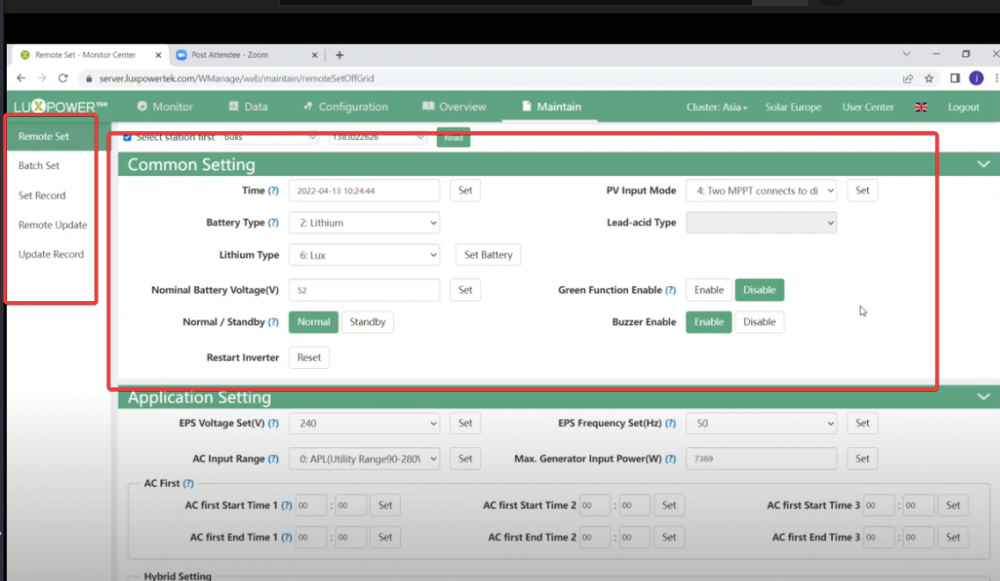
It's Also a pity that we don't have access to all the settings via the Web Management portal . Seems like only Installers have access to manage these settings
-
-
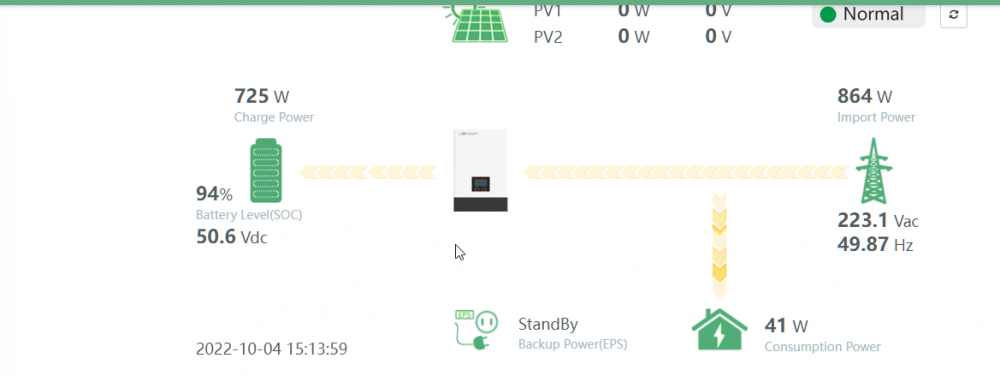
The charging portion is fine.. Whats bothering me is the fact that once fully charged it immediately starts draining from the battery again . So it starts blending battery and grid . From my understanding it should not do this . Once the battery is fully charged its suppose to go into "Bypass" and only use grid .. then once eskom fails (Load Shedding) only then should it star using battery .. If you have a look at the older posts youll see . The battery is constantly being charged and discharged which doesnt seem right. If your system is charging to only 88% im assuming you have it set to either volatge or soc ? . Mine did the same untill i changed it to time based charging. SOC setting only starts charging the battery once it has dicharged to about 90%. If you want i can take a look at the settings with you . But it almost seems like the system is ignoring the "On Grid EOD settings"
-
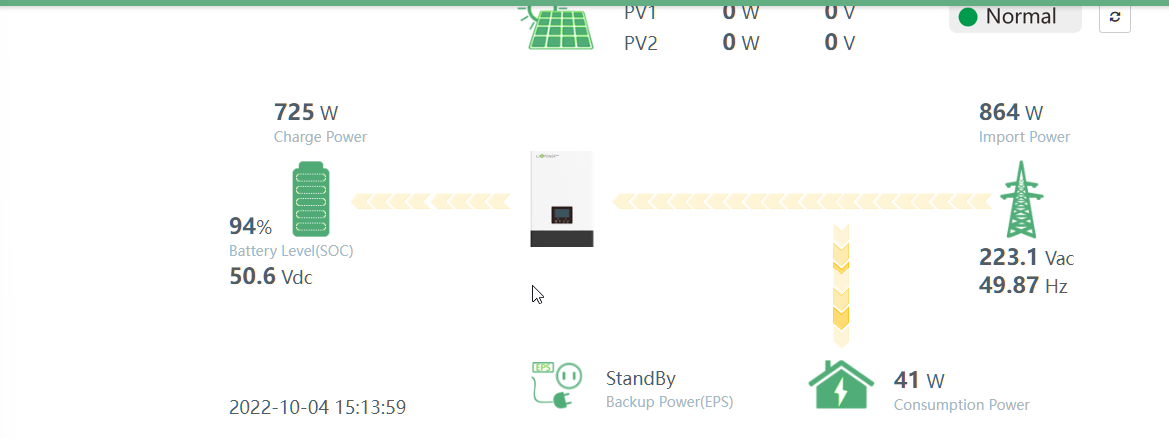
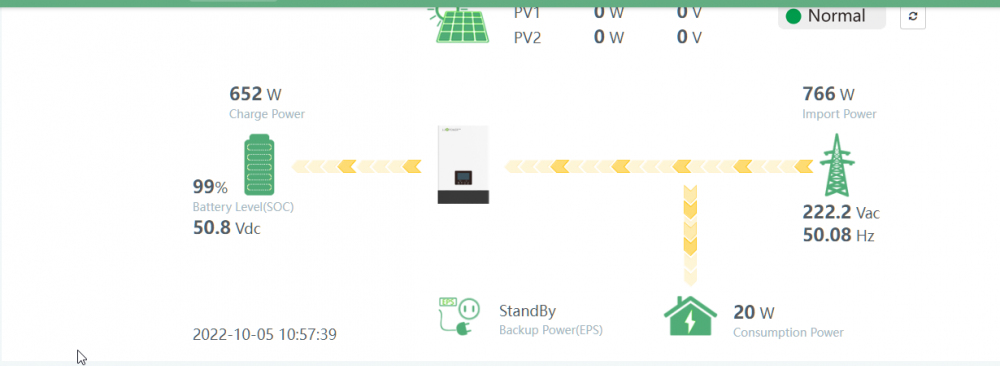
and now it's kicking into Full Charge mode ,
-
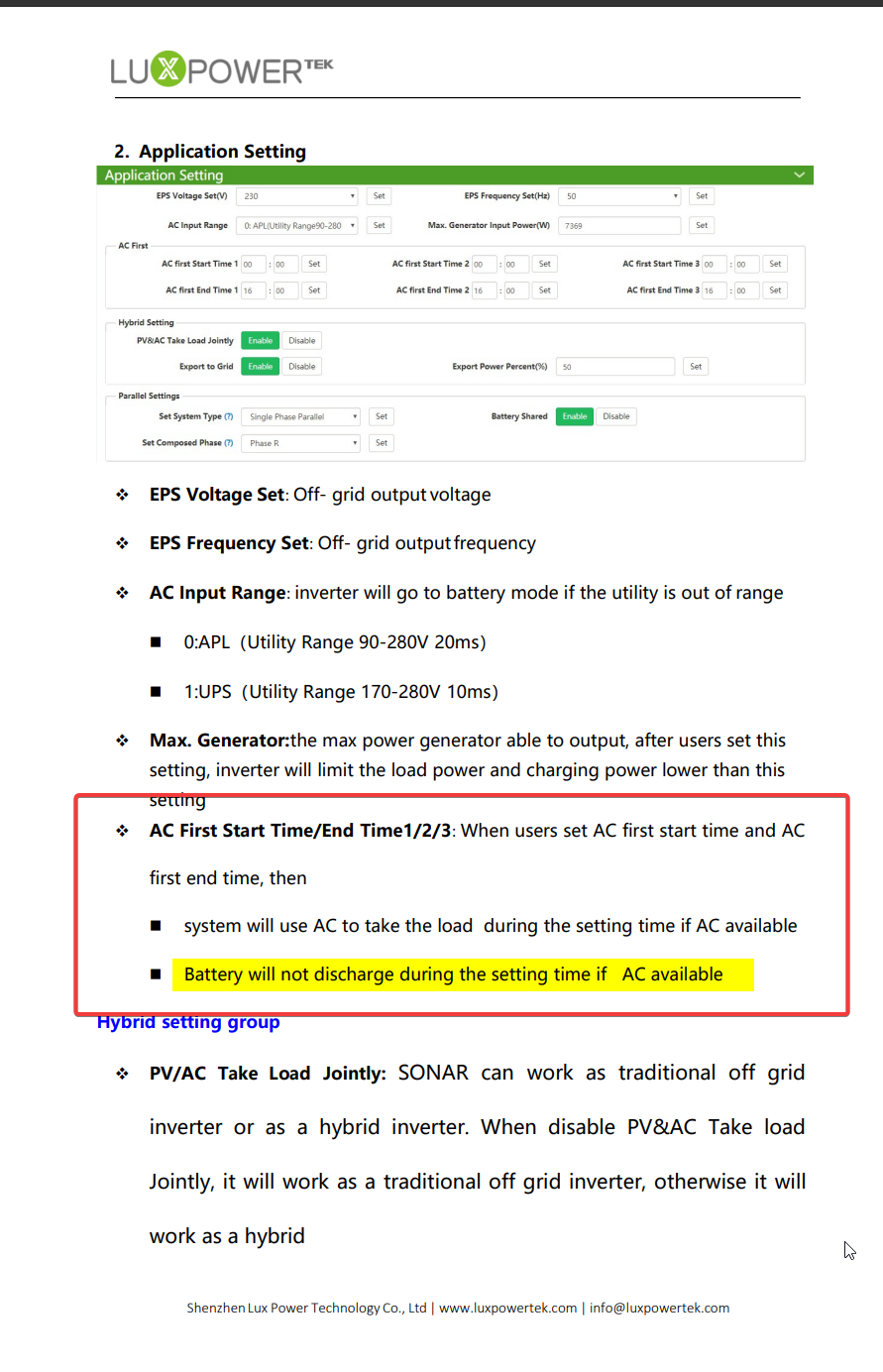
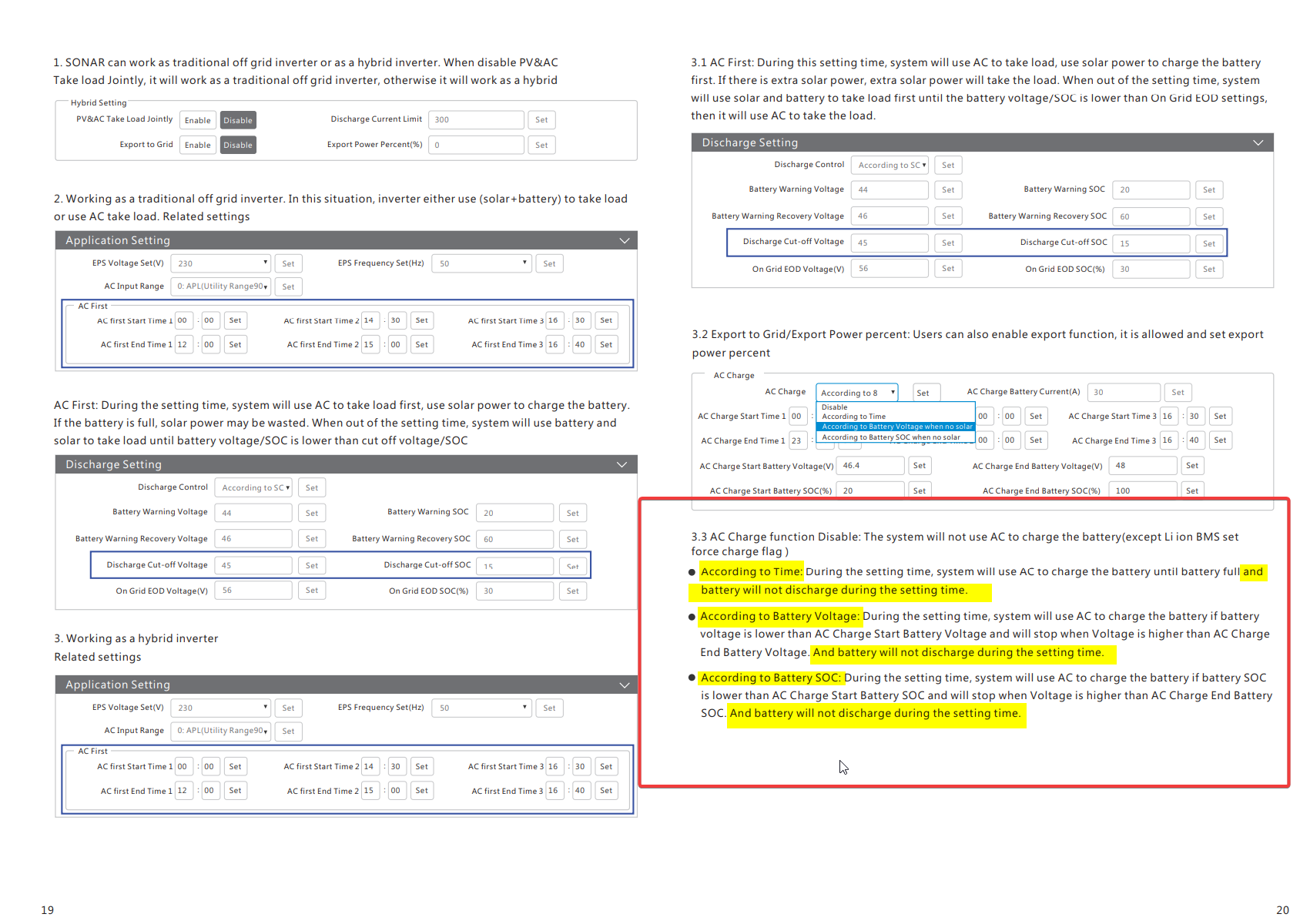
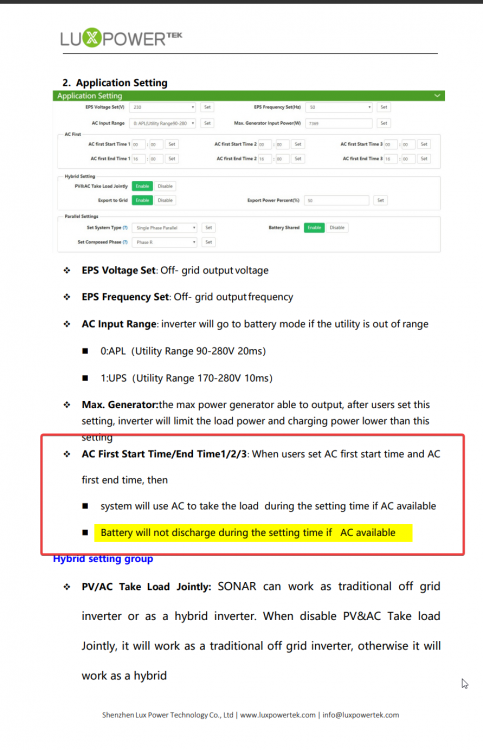
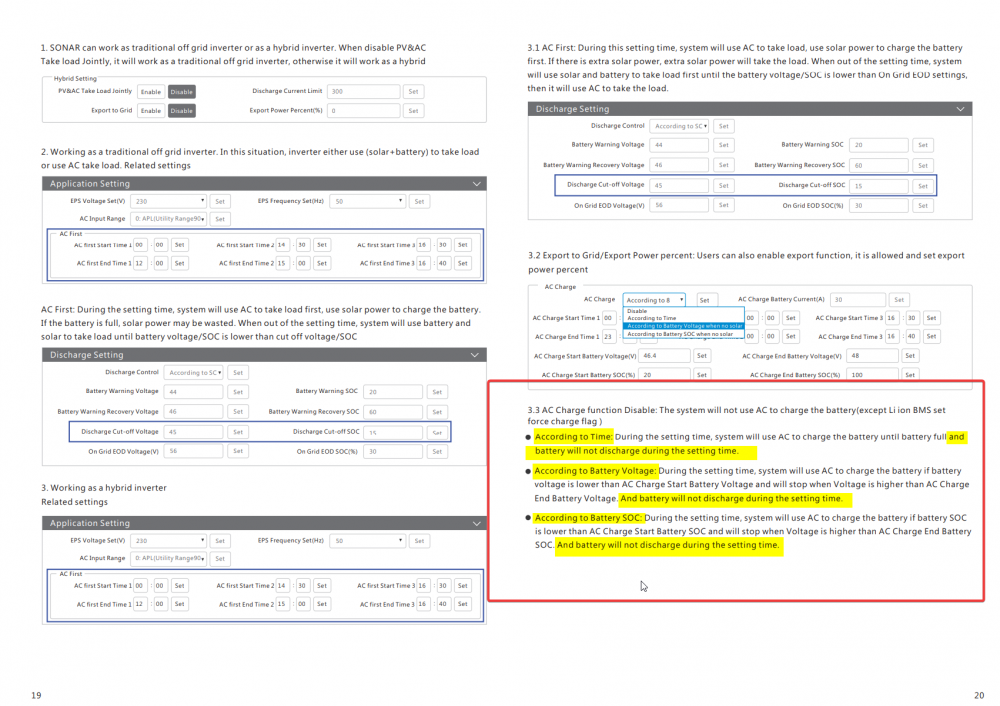
I have 2 manuals , They are too big to upload here , but according to man , and on the other manual
-
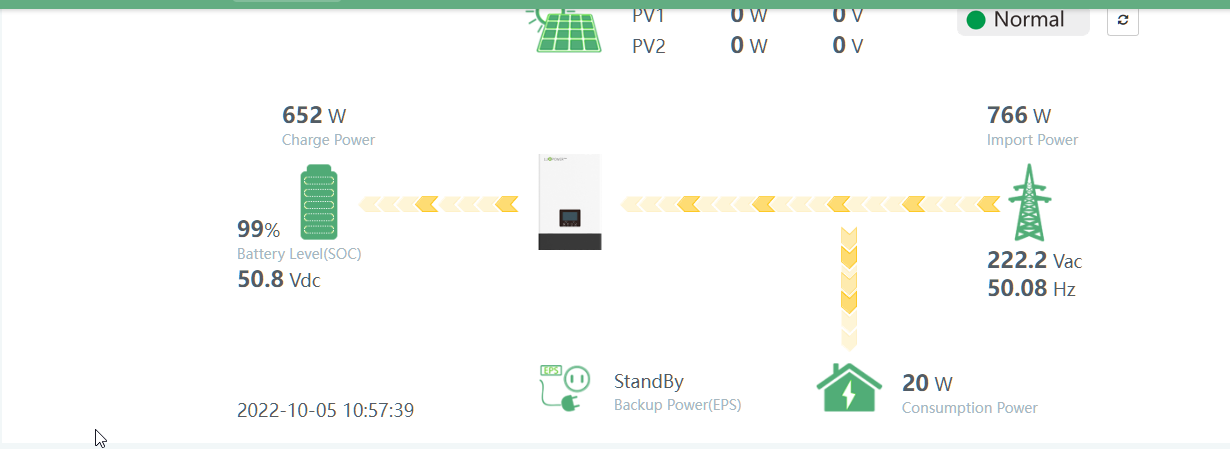
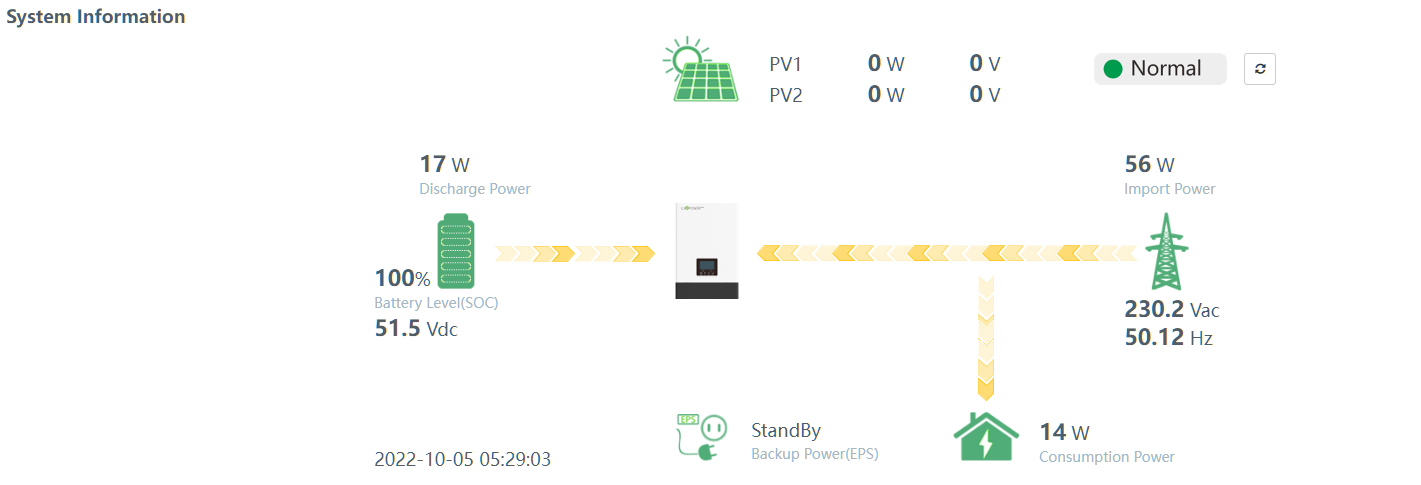
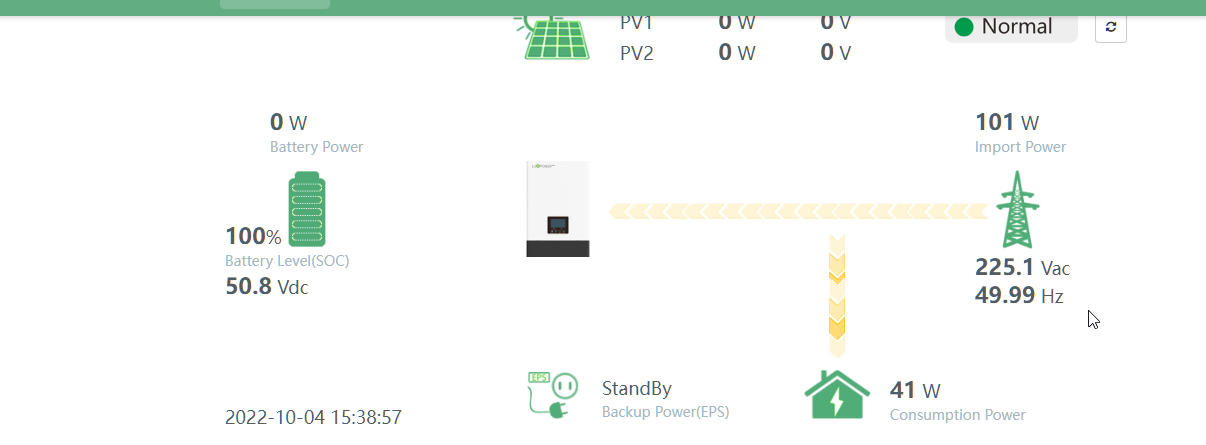
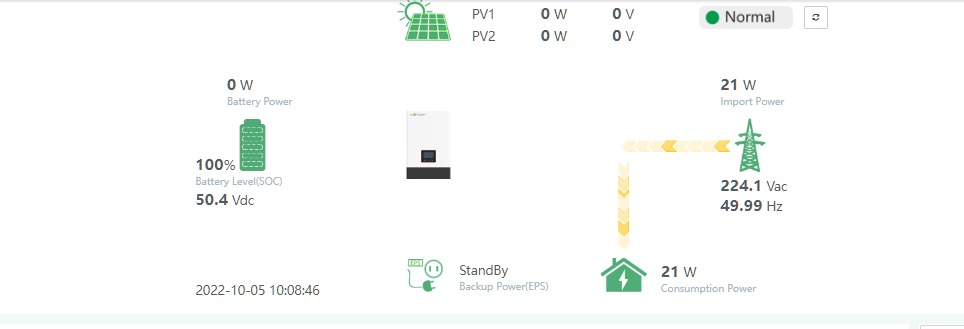
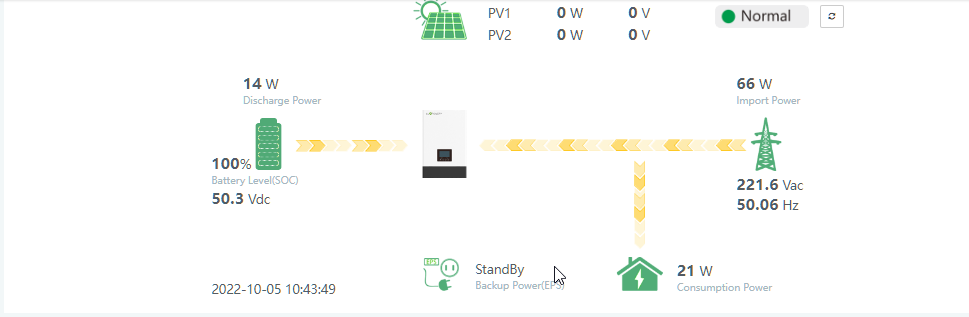
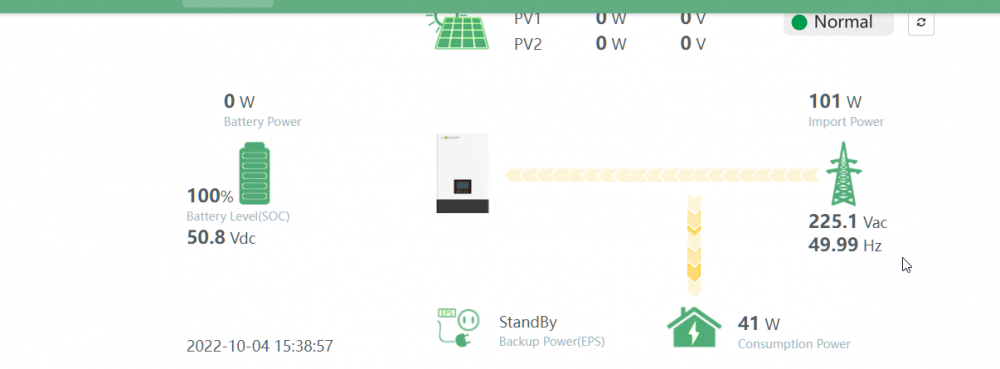
So every now and then it does go into "Bypass" but Very seldom , So you can see the BATT is full @ 100% and then it kick over to Grid only , But then a few minutes Later . It Starts Discharging from the battery again . Take a look at the Battery Voltage ,
-
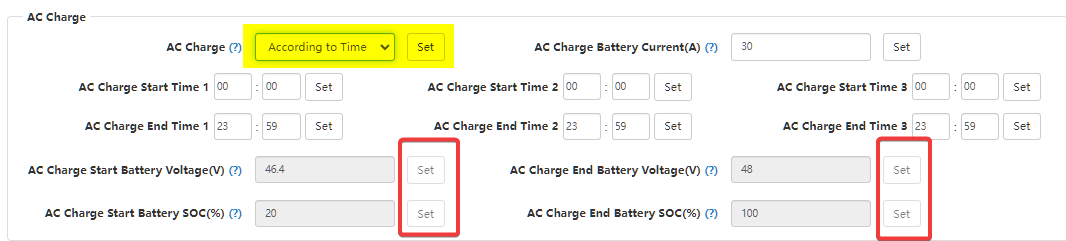
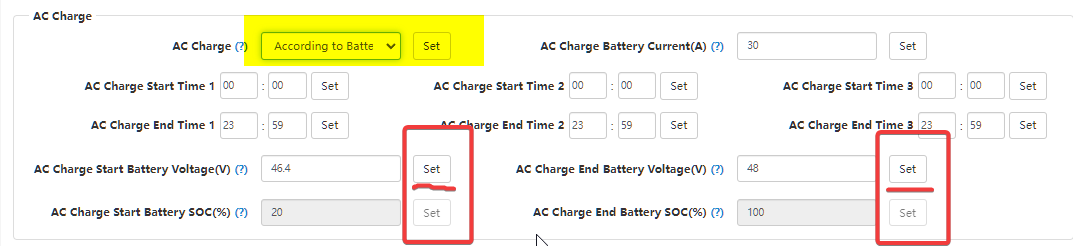
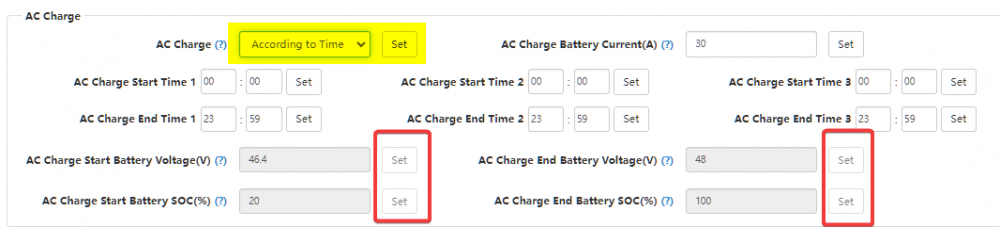
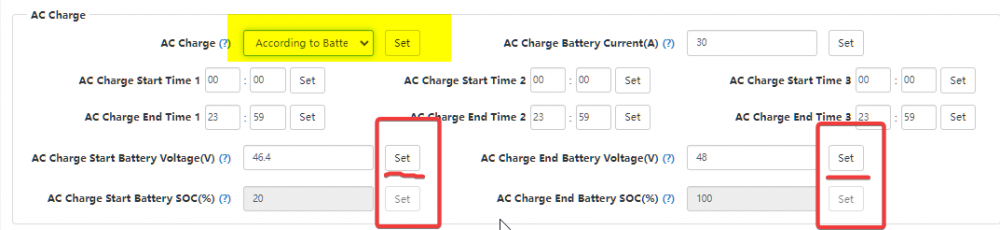
Can is still connected, I see whichever option you chose , According to Time According to Battery According to SOC Will disable to other options , Eg. If you select According to Time it will disable the Battery \ SOC options If you select According to Battery , The Battery options become available , So from what i can gather , It will ignore the other option based on what you select , So even if the CAN Cable is connected , it should go on voltage and not SOC . Unless im wrong .
-
-
I had to "Read" the settings a few times to make sure it pulls in , i Also had to "Set" it twice before it actually took
-
-
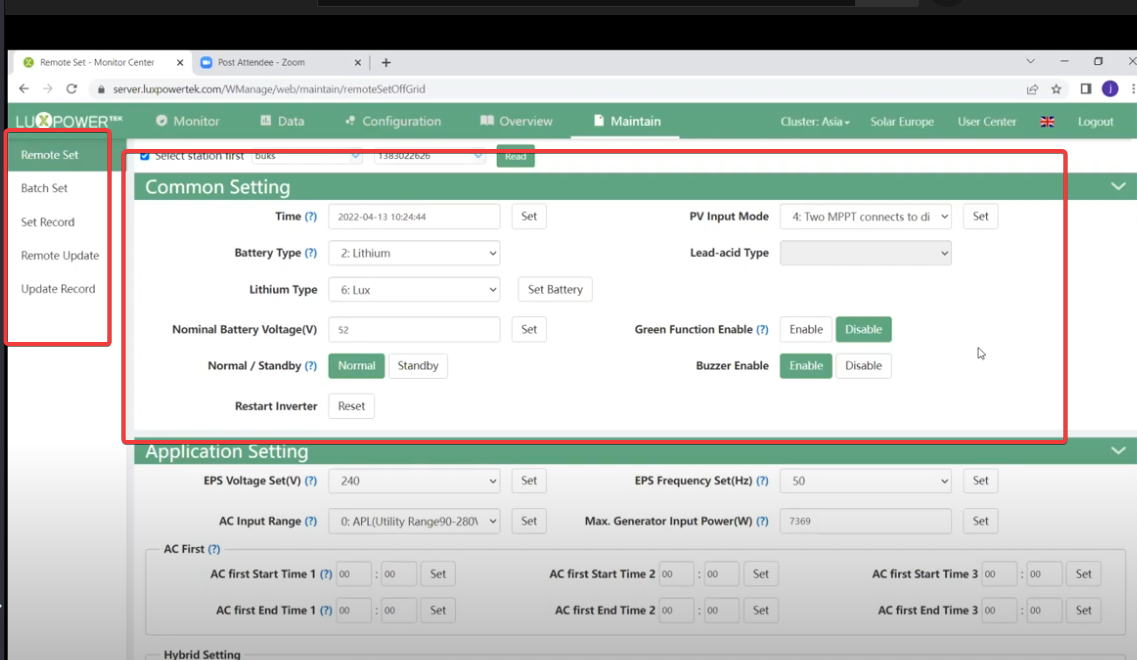
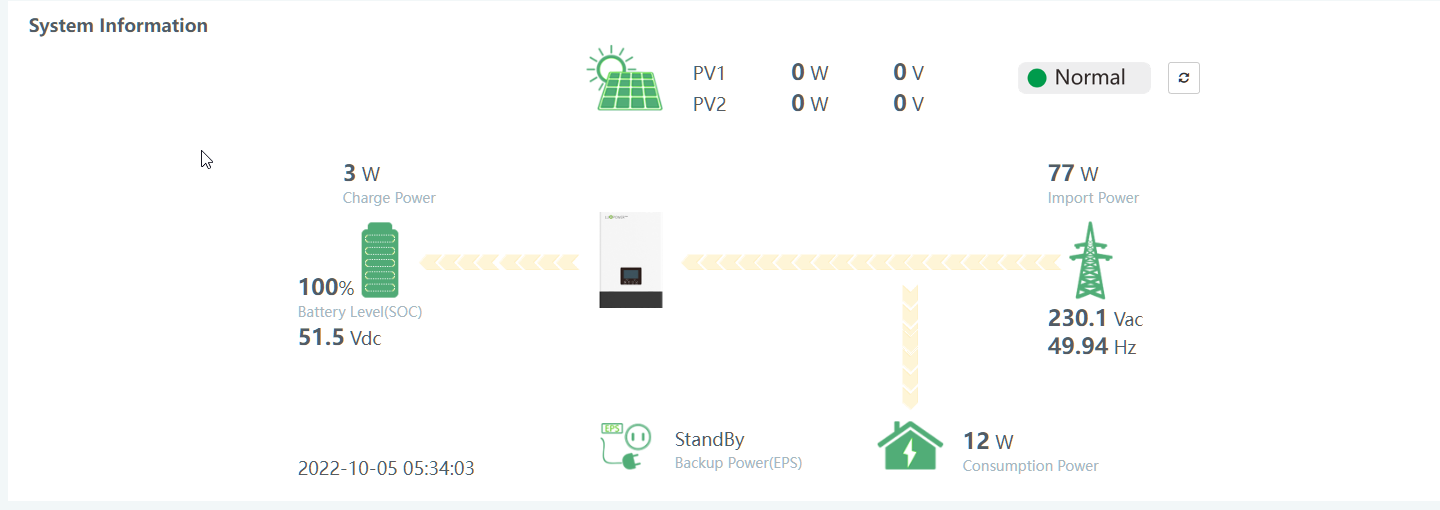
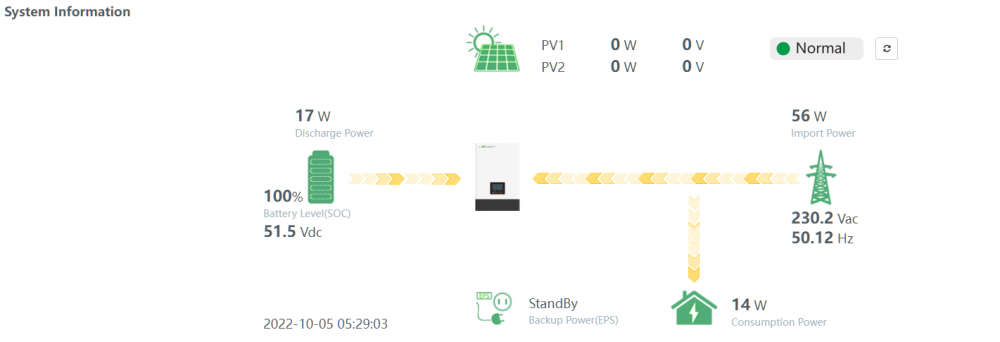
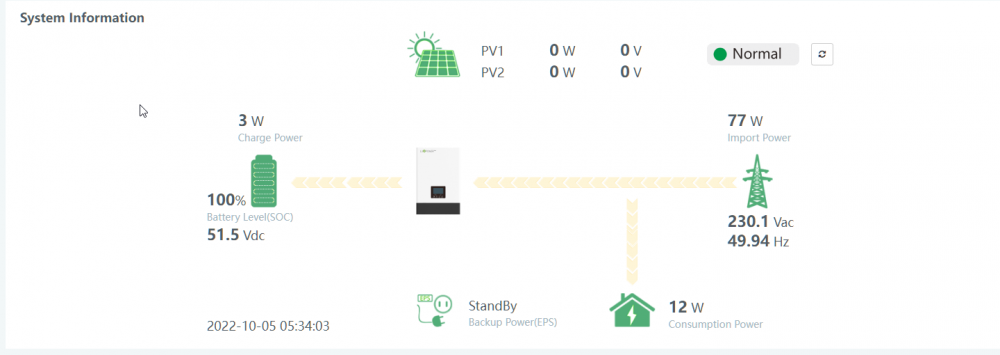
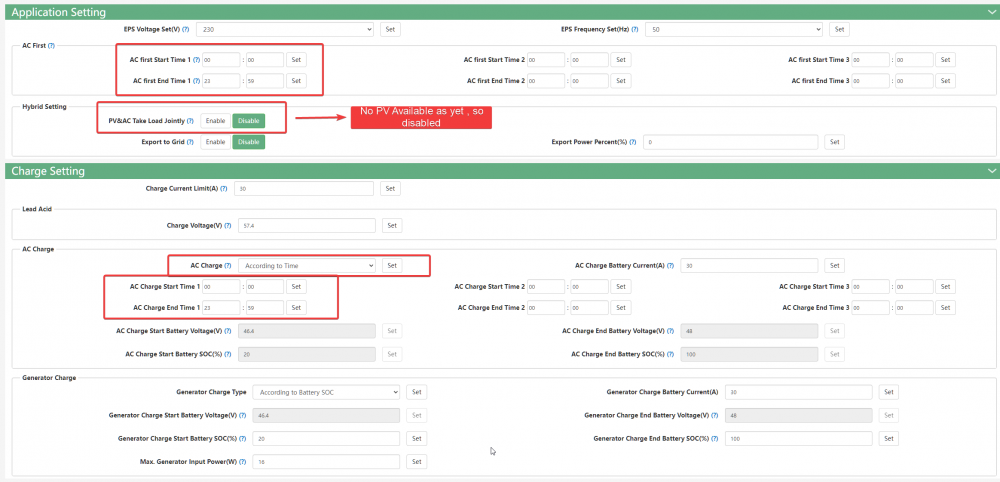
Ok so i thought id add this on here as a few people asked , Note that this seems to be working for me , your milage may vary , If you do make the changes , please let me know how it's working for you and if you pick up any inconsistencies, Do note , I've only had my inverter since 28 September 2022 , So I'm still very new to this , and running the system with the "New configuration\Settings" since yesterday only. My Setup is as follows , 1 X LuxPower SNA5000WPV 1 X Dyness B3 1 X Can\Comms Cable a Screengrab from my interface this morning , 5 Min Later It Looks like it doesn't dip below 100% on the SOC from what i can see, Whether this bad for the battery i am unsure , Hopefully someone on this Forum can comment , As for the settings , the SOC and Voltage based charging does work , On SOC however it will only start charging once your battery dips below 90% (Available) , "-10%(Used)" , and will charge back up to whatever you set it to , My issue with this however is , you wont always have 100% battery available , again , not sure if having 100% available all the time is good, bad or doesn't matter. The Settings i use is as follows . Please keep me posted on how it works out for you , Or if there is someone out there with better ideas \ suggestions \ settings \ advice ,
-
Ok , Seems to be working , i had a round of load shedding in-between as well , Drop me a DM with your details , I'll walk you through the settings ,
-
I think it might be working , Still monitoring .
-
I think i might have something @JpRoux Busy testing now
-
-
lol Also new here , so in same boat .