


Kingsway
Members
-
Joined
-
Last visited
Everything posted by Kingsway
-
Thanks. I’ll give it a go and see what happens.
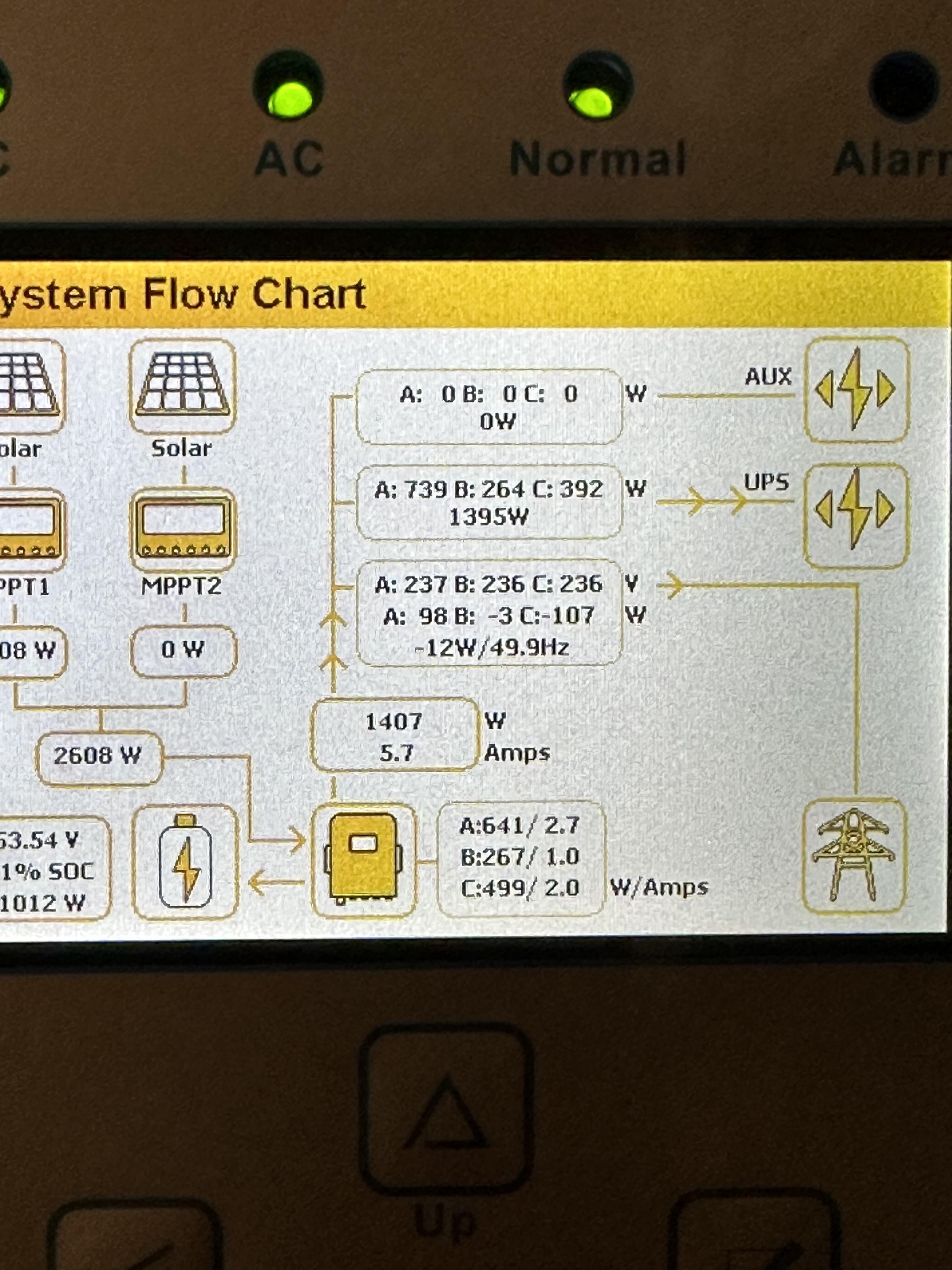
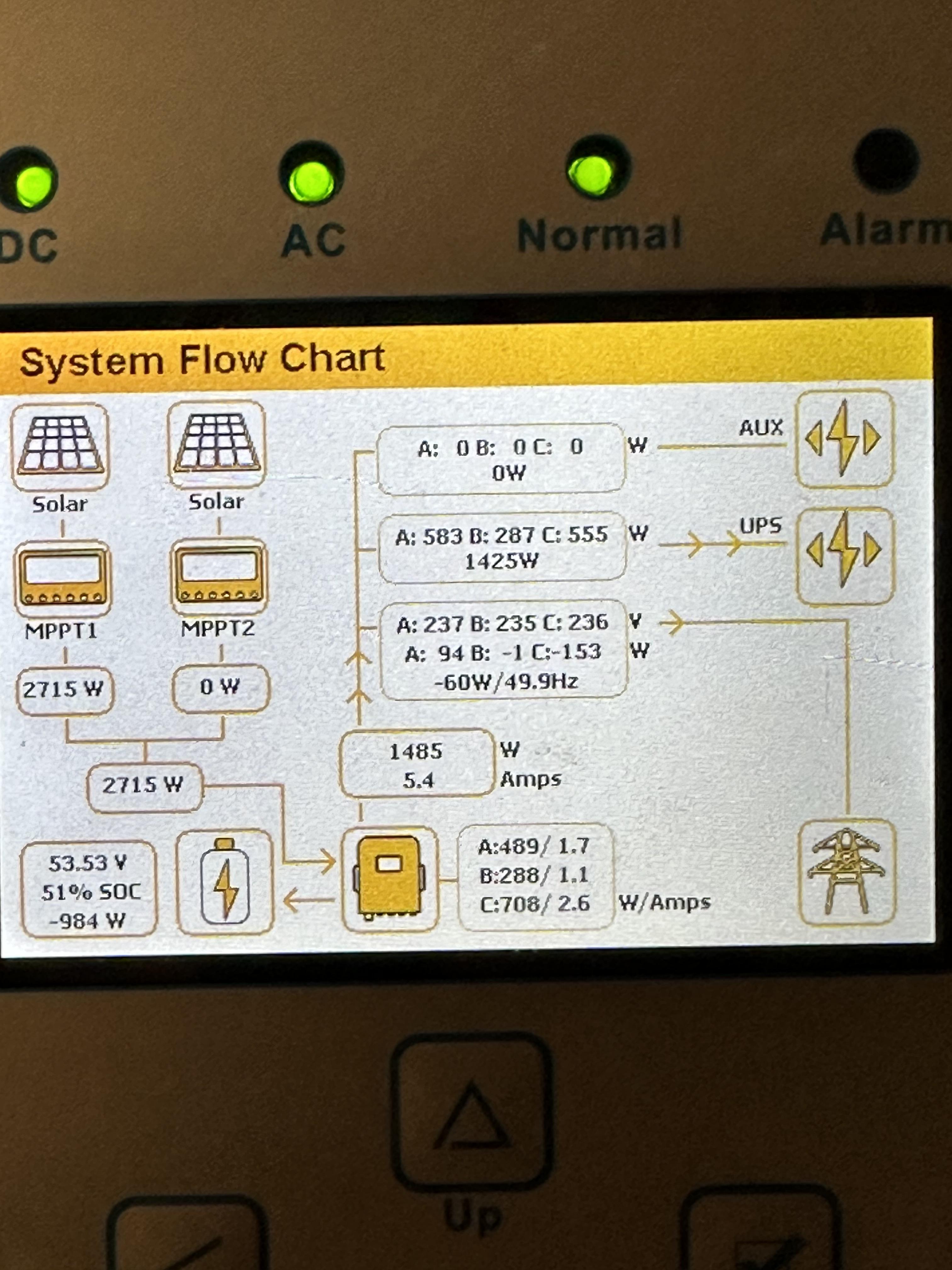
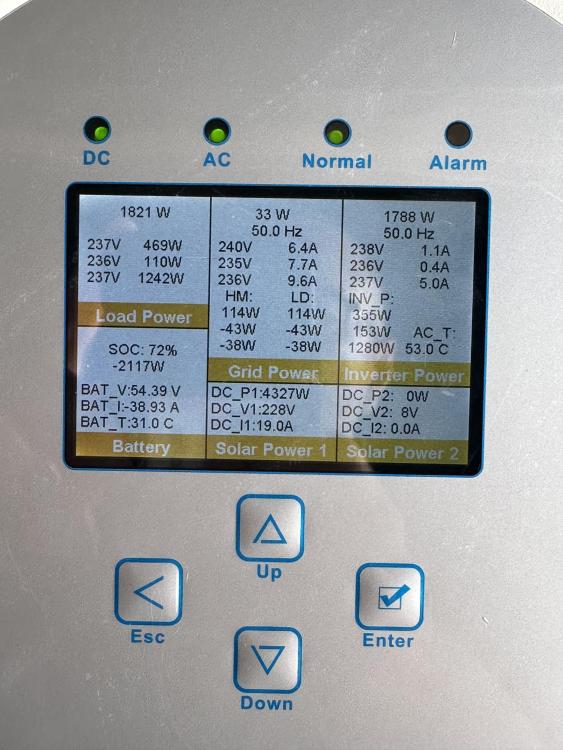 @Scorp007 the 31 export is for the month on Nov. even though its setup as no export. It still doesn’t account for the large difference though.Even on a daily basis, the consumption on the app reading is lower than actual units on the prepaid meter. The meter is using 15 units on a sunny day when the app says i should have used 2kwh. Ill get installer back to check CT coils installation@madness_za no its not setup to export to grid. I dont have a bi directional meter.Thanks. I’ll give it a go and see what happens.The entire db is connected to the inverters.Hi Folks, I have 2 12kva 3 phase inverters, 2 x 10Kw batteries and 20 panels. My entire DB is connected to the system to run the entire house. It’s been running for 8 months now. I however noticed, that despite batteries being full, enough solar production, there is a still a continuous draw from the grid. To give perspective, according the SUNSYNK app, I should have used approx 300 units from the grid, but i have purchased 900 for the month. Soc set to below 40%. Any ideas?Mine started with the same issue. 2x 12 kw I did not do any updates unless it did so automatically. Any views?
 I'll have my US 3000 available in the next 3 weeks or so. Replacing my whole system in the coming weeks. Working perfectly fine, 2 years old. I don't know how many cycles it has done. I have the growatt app, but it doesn't display the cycles.Hi Folks, So I've been running completely stable on my backup kit (growatt and pylon tech), but for the first time today the SOC Led's are blank. Every few seconds, they all flash on and off simultaneously. The 'run' light still flashes as normal. This has never happened before. Normally all the LED's are on, unless we loadshedding when the battery is running down. My FW updates were done at time of installation so the BMS was always working fine. Any ideas? ThanksStill not sorted but I live with it. I get readings daily, but just some have some hours missing here and there. I did receive another firmware update from China but still didn't help. Ps: the dongle should be flashing blue if everything is fine.No, I have Pylontech Batteries. L02STM32F030CC_SK036 - that's the bin file. I don't have PV so utilising as a pure backup. There is definitely no set pattern on when the data points stops. It's completely random and length of period for it being offline also varies from minutes to hours.I queried with Mahone on the missing data. He sent me a FW update which I deployed but the problem still remains.Hi @willietes Do you know if the FW update for missing data issue is available publicly as yet? Thanks!This may be left field, but is anyone in CT able to assist with this firmware update and setting? I’m in Plattekloof area. ThanksHas anyone tried doing the firmware update using a MacBook? Thanks@SiliconKid Thanks for a useful feed.. I have exactly the same setup and got it all working as you outlined. Do you also have the word "solar" flashing under the battery icon? Thanks - waiting patiently for loadshedding this evening.


Account
Navigation
Search
Configure browser push notifications
Chrome (Android)
- Tap the lock icon next to the address bar.
- Tap Permissions → Notifications.
- Adjust your preference.
Chrome (Desktop)
- Click the padlock icon in the address bar.
- Select Site settings.
- Find Notifications and adjust your preference.
Safari (iOS 16.4+)
- Ensure the site is installed via Add to Home Screen.
- Open Settings App → Notifications.
- Find your app name and adjust your preference.
Safari (macOS)
- Go to Safari → Preferences.
- Click the Websites tab.
- Select Notifications in the sidebar.
- Find this website and adjust your preference.
Edge (Android)
- Tap the lock icon next to the address bar.
- Tap Permissions.
- Find Notifications and adjust your preference.
Edge (Desktop)
- Click the padlock icon in the address bar.
- Click Permissions for this site.
- Find Notifications and adjust your preference.
Firefox (Android)
- Go to Settings → Site permissions.
- Tap Notifications.
- Find this site in the list and adjust your preference.
Firefox (Desktop)
- Open Firefox Settings.
- Search for Notifications.
- Find this site in the list and adjust your preference.