ccronje
Members
-
Joined
-
Last visited
Everything posted by ccronje
-
Hi Marco, have you tried rebooting the inverter? Mine sometimes does that and then a reboot helps.
-
Hi All, I'm wondering if anyone can explain this strange phenomenon that I am experiencing with my Synapse/Axpert King 5KW inverter. I have a number of light and plug circuits in my house permanently connected to the inverter and every evening the lights on one of these circuits are constantly flickering. This happens only in the evenings (never during the day) and it only happens on 1 of 3 light circuits. If I press the bypass button on the inverter, the flickering immediately stops. If I change back from bypass to inverter mode the flickering starts again. Next morning everything works fine again. Any ideas on what could possible cause this?
-
Thank you very much, that is interesting.
-
Thanks, it's a great battery. I reported someone selling stolen Averge batteries to them and they offered to sell one to me directly.
-
Thank you for responding. I have an Averge battery, which shows the SOC on it's display panel. Will post some more information next time we have loadshedding.

-
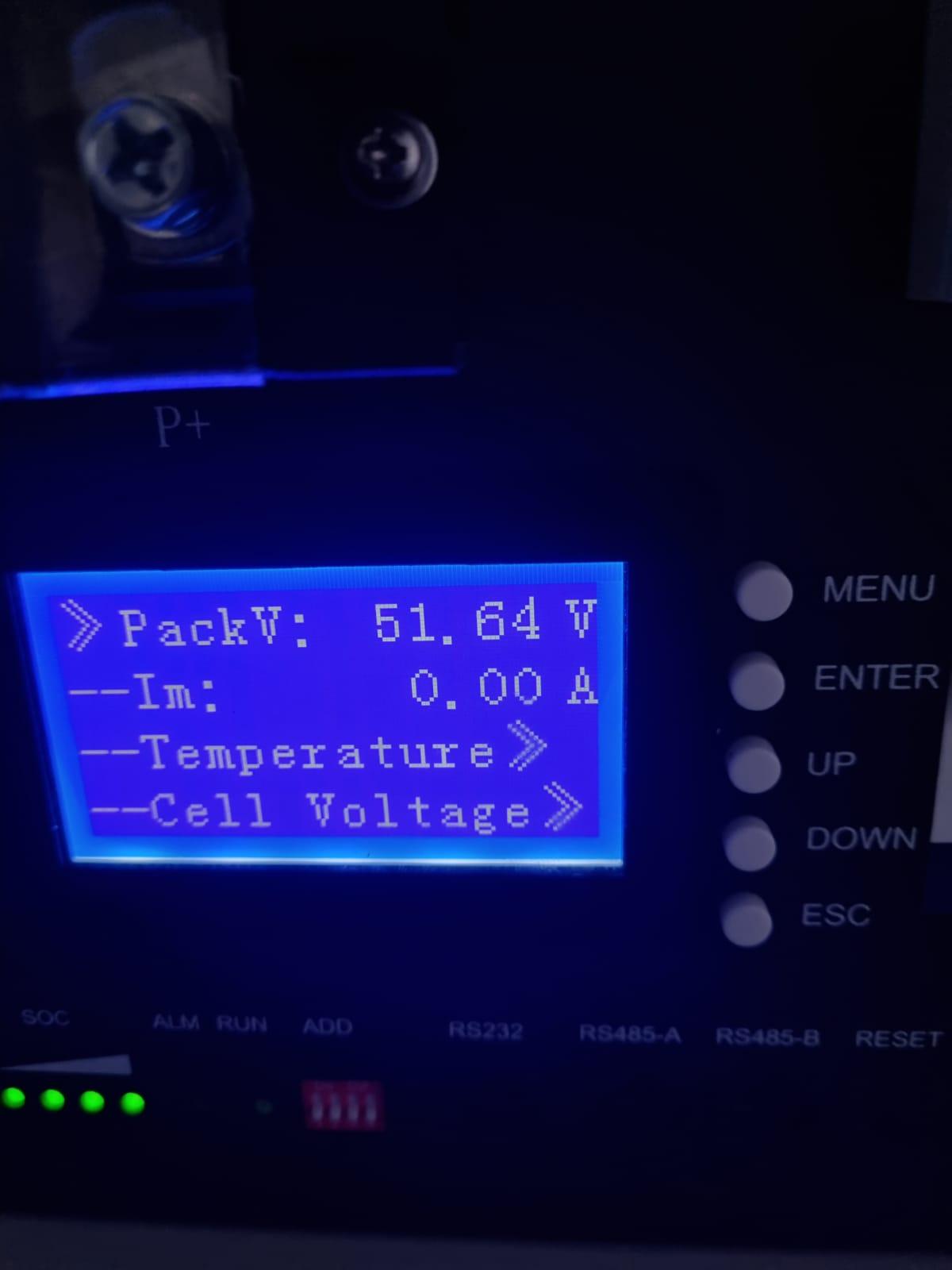
Hi All, Can anyone perhaps shed some light on how an inverter (Axpert King in this case) determines what the battery capacity is in percentage? In my settings I have a "User Defined" battery and often find that during loadshedding the inverter starts falsely complaining about "low battery". According to the inverter the battery capacity is showing as 35%, while the actual SOC of the battery is 85% and the battery voltage is around 49 volts. Any idea how this works? Chris
-
PS. I switched of my PV input for a few minutes now and switched it back on, then suddenly the inverter started using it again...must be some kind of bug (one of many)
-
I was hoping someone can shed some light on this frustrating issue that I have. I use SUB mode and while utility power is on the inverter uses as much solar power as available. However, every time we have a power failure, it for some reason refuses to use the solar power and only runs off battery. Right now we have a power failure, and as you can see in the attached photo the inverter just refuses to use the solar power for the load or for the battery, so the entire load is running of battery...it's a nice clear day with stable PV input. Setting 15 is set to SLB UCB and changing this to something else doesn't seem to make a difference. Anyway ideas on what I could be missing?

-
Is there a BMS connection between the inverter and the battery?
-
Have you tried setting 2 on SBU with setting 16 on SLB UCB?
-
Hi Machiel. What is your current value for setting 12,13 and 16?
-
Thought I would share a "fix" I have found for this issue. I have the Synapse King 5w inverter and it does the exact same thing when in SUB mode - it would work 100% fine and utilize all the available solar power for days on end and then all of a sudden for no apparent reason it will stop using solar for the load and only use about 50-60watt to keep the battery full. Once this happens it is stuck in this condition and it seems like there is nothing you can do to get it to work again. If you switch off utility power it immediately uses all available solar power, but the minute you switch utility back on it drops down to 50-60watt again. The only way I have found to get back to normal operation again is to do a factory reset on the inverter settings and then enter the exact same settings you had before. As soon as I do the reset and change output priority to SUB, it starts working as it should again, every time.
-
Thank you for the detailed response...I'll go through your recommendations.
-
I'm using SUB output priority mode, which in my understanding means that the shortfall of 15.5A should be provided by utility power and not battery. If it was SBU then what you say would be correct I think?
-
Hi everyone, I was wondering if anyone can explain this to me please. My inverter is running in SUB priority, with about 50% of the output supplied by solar power and the rest by utility power. On the inverter it shows that the battery is 100%, but that there is a battery discharge current of 4A (see screenshot from Watchpower app), while on the display of the battery itself it shows 0A. The battery would normally show -4A if it was discharging at 4amps. If I switch of the solar power the battery discharge current indicator on the inverter immediately goes to 0A. Any ideas what is going on here? Thank you Chris


-
Interesting, it seems like time of the year makes a much bigger difference on EAST, compared to North.
-
Thank you very much Calvin, these graphs really help!
-
Interesting, thank you for the info
-
Good day, I have a fairly basic question regarding my solar panel efficiency and was hoping someone could shed some light on it for me (pun not intended). I have 6 x 330watt solar panels that as far as I understand are connected in a 3s2p configuration (Make/model : Waaree Energies WS-330). In my understanding this should have a maximum possible output of 1980watt. The panels are facing East on roughly a 30 degree angle. On a clear sunny day in Cape Town winter I get a maximum output of around 800watt from the panels at the best time of the day, which is significantly less than I expected. Is this just what I should expect from solar panels that are facing East, or could it be that there is some kind of physical problem with the panels and/or the way they are connected? Would appreciate any input you may have. Thank you Chris
-
@aquarat Did you ever get a resolution for the question 1 you posted? I have the Synapse 4.0+ as well and have noticed the same thing..with setting 1 on SUB or SBU, the inverter does not use all the available solar power that is available and keeps on using utility power unnecessarily, but when I switch of utility power the PV usage goes up to the maximum and comfortably handles the load and the charging. Which software did you use to get the above solar power generation graph?
-
Thanks will look into that
-
Thank you, that is very interesting
-
Good day, I was wondering if anyone can explain this to me. I have 3 x 330watt solar panels connected to my inverter, the model as far as I know is WA-330 from Waaree Enterprises. On warm, clear sunny days I never see more than 127volts available from the solar panels and the inverter never gets more than about 650watts out of them under load. It's almost as if there is some kind of hard limit. However - on colder,cloudy days when I expect to see less power available I often see it go way above that, up to 132volts under no load and 800watts when the inverters uses it. Can anyone explain this at all...could it be that the warmer days cause some kind of loss of efficiency, or am I just misunderstanding something? Thanks Chris
-
Hi Dion, Unfortunately not, I got mine without a manual. I have the manual for the Synapse 2.4 I had before, so I just use that one as a reference...it's mostly the same, with a few differences. I've figured out what most of the settings and alarms mean, so I'm happy to send some info if it helps. Chris
-
Good day, Can anyone perhaps provide me with a copy/foto of the list of settings for the above inverter? I know it is similar to the Axpert models, but the settings don't quite correspond with the Axpert manuals I have looked at. I would really appreciate if someone can help me out. Thanks Chris