Jaco Kotze
Members
-
Joined
-
Last visited
Everything posted by Jaco Kotze
-
Suspect cell. Took the unit back to the supplier. Will see what they say

-
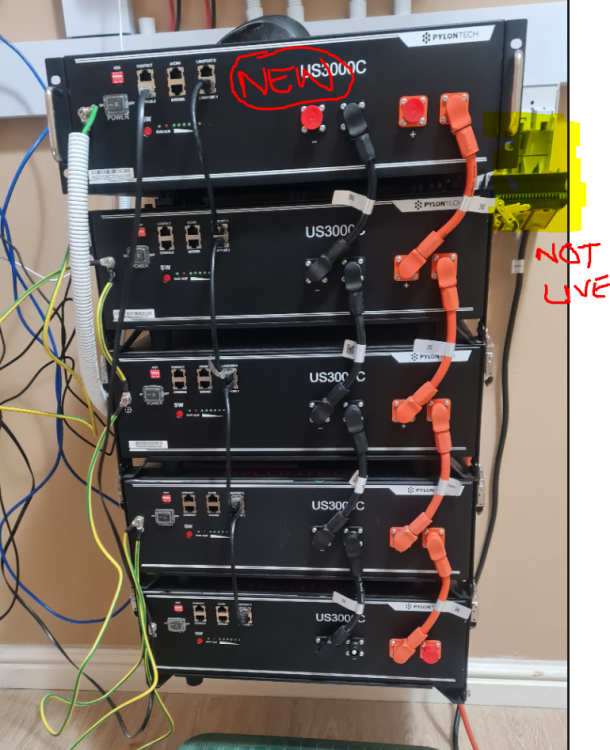
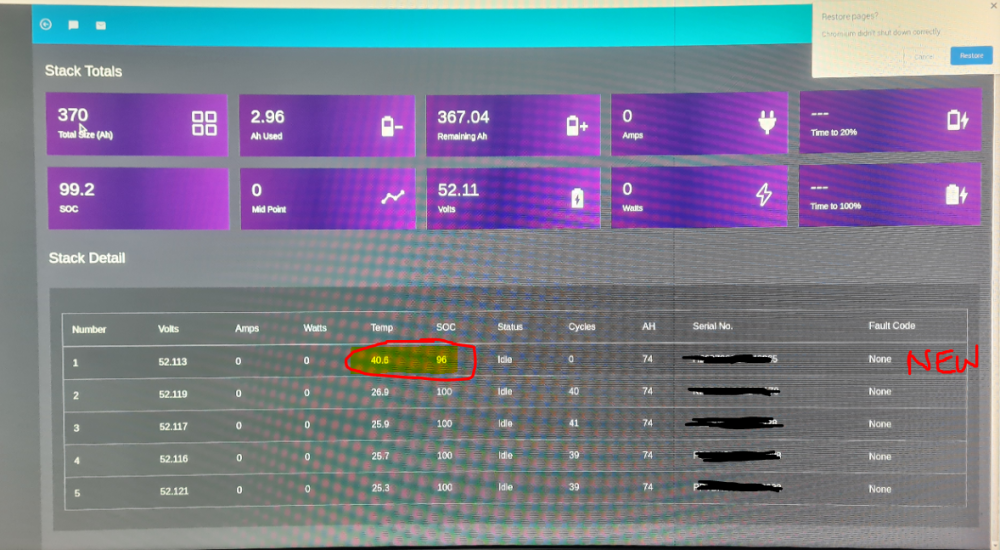
I bought a 5th US3000C. Singled it out and charged it up from 50%-96% via solar never exceeding 20 amps (around 1KWh) but went idle at 96%. I then added it to the rest of the stack as master to just run a couple of hours to sync for what its worth (disconnected). The other 4 batteries in the stack was charged to 100%. All good and well, no alarms and I did connect the stack back to the inverter and run some load for a hour or so and let all 5 charge up via solar. I have two issues. The new battery does not charge higher than 96% and the temperature remains around 40 deg where the other 4 are 100% and temps around 28%-30%. Is this battery bad?
-
Any ideas how I can get my 8KW Axpert Max 2's fans not to blow so hard or is it just the way it is? Its running 10% on average and blowing like a hair dryer. I am suspecting when I produce power from solar (around 2.7kw avg) it starts screaming like a cat on heat too. Driving me freak'in nuts!
-
Usefull app, especially around monitoring BMS
-
Are you referring to that PVmaster app? It is one of the most worse developed apps I have ever seen.
-
Hi all How do I increase my battery on-grid charge rate. At this point I am not charging fast enough to handle stage 4 of load shedding. I tried changing modes on this pvmeter but make no difference. I am now on battery backup (UPS) mode. Inverter is a Goodwe GW5048D-ES on 2 x Pylontech 3000C's Jaco

-
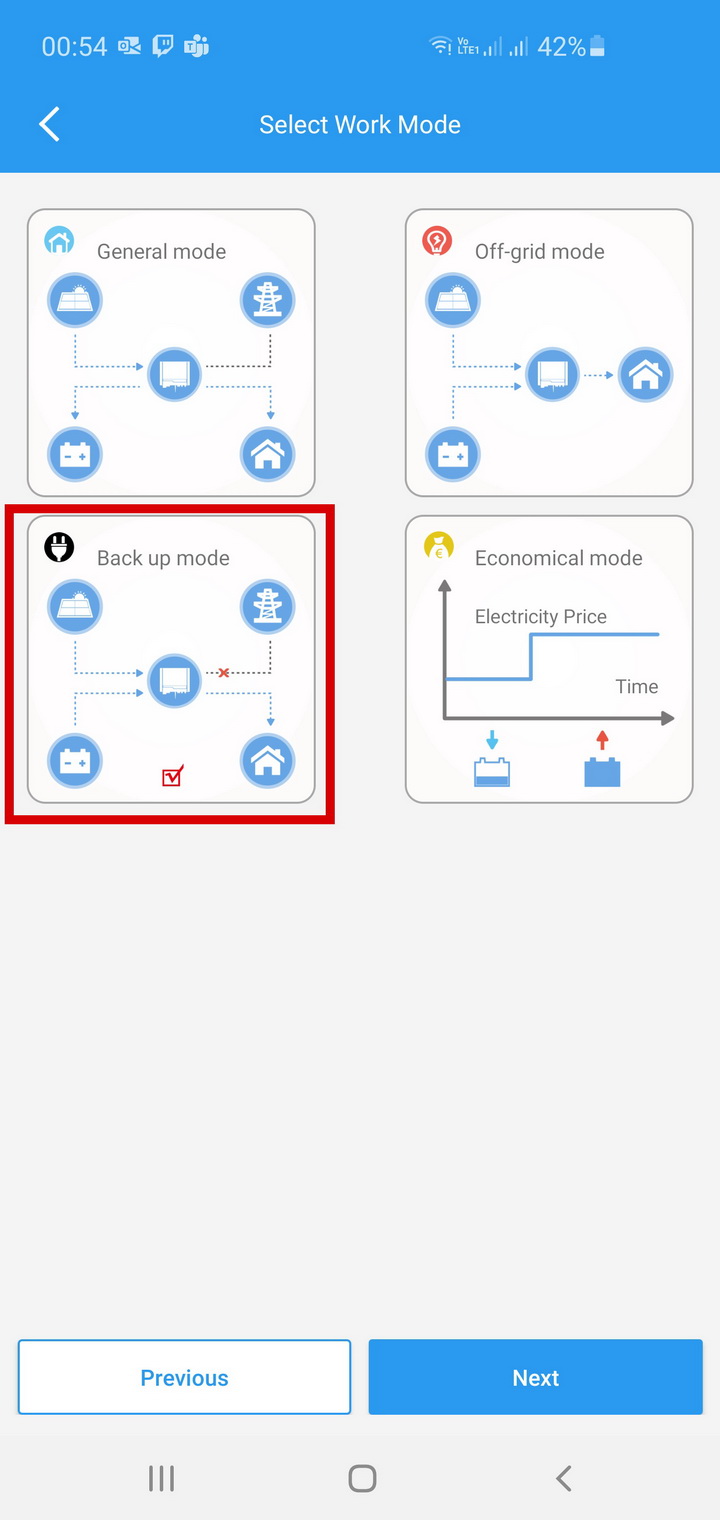
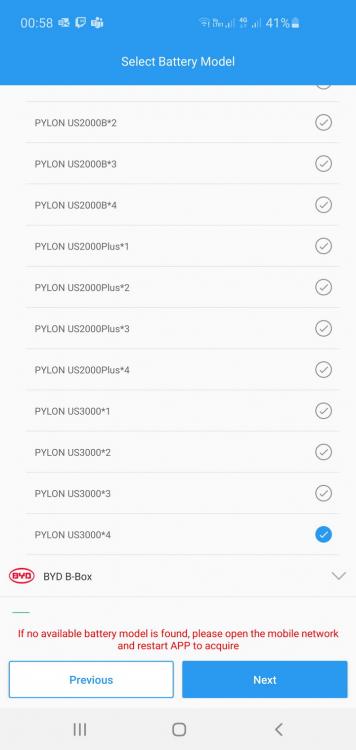
Thanks, Goodwe answered my enquiry: For reference --> Good Day Sir It is standard for backup only to charge at a slow rate from the grid. To charge at a faster rate you would need to use economical mode. You said you have two batteries but I see that you have selected 4 batteries on the PV master app. If you have two batteries please select the on with says US3000*2 Kind Regards Vaughn This threat can be closed. This solved my problem
-
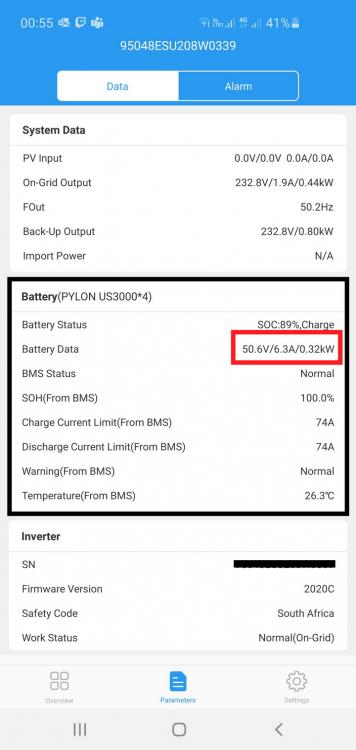
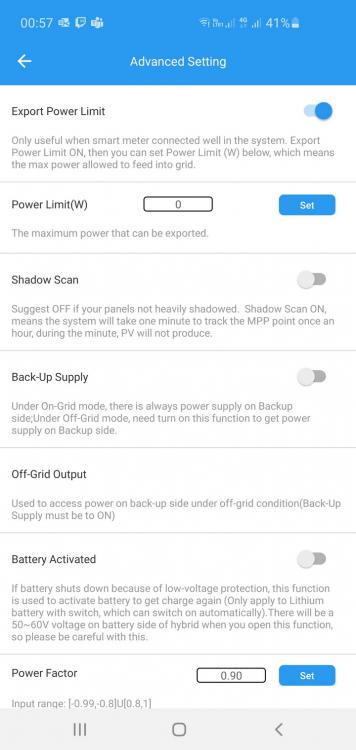
I need some advice. I have a Goodwe 4.6 ES and two Pylons 3000C's. My setup is only for backup power during load shedding. I cannot get the inverter to change the batteries at a higher rate. It is stuck at 200W. The system at my previous house was a Axpert also with two Pylons 3000s (first edition) and they where charged at 1KW. I changed configs around, change to the new Goodwe/Pylon BMS pinouts, swap them around and charge them individually. Nothing makes a difference. My setup now is charging batteries forever and I am not sure what else to do. Here is a bunch of screenshots, hope someone can shed some light.




-
Will do and check it out
-
I received some pamphlets, printed pages and whatnot to setup this two devices to work but cannot get them to communicate. The Axpert goes all crazy. Is there a nice step by step guide from any of you who did this before in getting this two entities to work as everything in the book promised? The inverter has a RJ45 underneath, not like the old a USB or printer jack. Do I need a RS485 cable between the inverter and battery? or anything else. Trying to help a fiend here with his setup and I am totally lost getting this to work.
-
Thanks for all the info, the unit was send back to the supplier. Waiting to here whats going on
-
I left them all night like the video but battery#1 still in protection
-
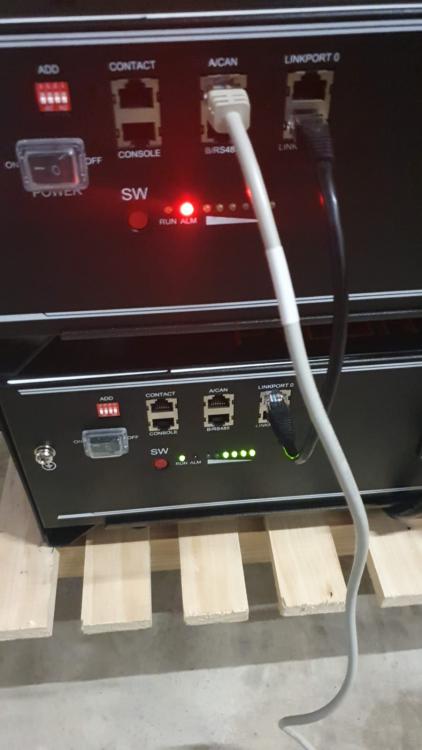
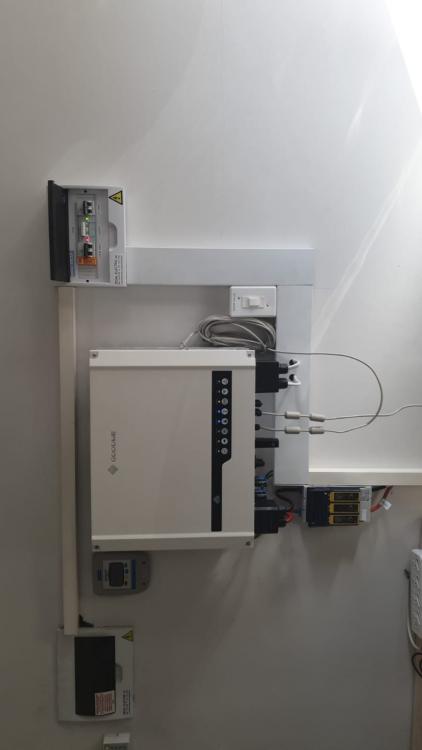
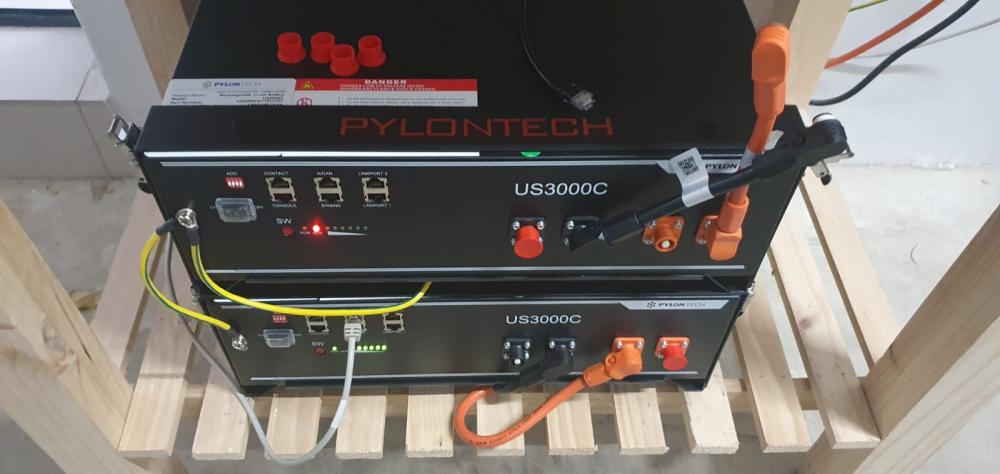
Hi, I recently bought a Goodwe ES 4.6kw Hybrid and two US3000C Pylons. I cannot get one out of protection (red light stay on). No PV, its only bought for Loadshedding backup. Battery#1 is RED, Battery#2 all green The Setup: I tried: 1) Running the inverter between "General Mode" and "Back up Mode" 2) Switch master between the battery pair 3) Play around with the dipswitches (changing obviously when off) 4) Switched between the BMS cable from Goodwe and Pylontech (in the box) 5) Fire Battery#1 on as standalone, remains RED 6) Fire Battery#2 on as standalone, all green So, if I run both batteries the inverter report BMS comms fault (see all the attached pictures), when I only run on Battery#2 all comms are successfull. The retailer I bought this from claims he never had a comeback on a pylon before, its not the battery, its the BMS cable. He claim the cable pinouts are not correct. (See email from Pylon support below) --------------------- Good Day Apologies, Kindly note that I have you on the radar to assist with your query. Kindly note if I don't pick up there will be other issues happening at the same time, I would like to respond to you in the quickest time possible. The pinouts received recently from Pylon tech need to be as below. As discussed, I have assisted one customer with the same issue that was resolved by making the new cable. Pylontech is looking to do OEM of the cable but the quicker solution will be to make up one. --------------------- I still believe the battery to be a gonner but I will create that cable according to the pin outs they prescribed but I am NOT convinced it will fixed the issue since battery#1 remain in what only looks like permanent protection with nothing connected. Any advice? Jaco Both Running: BMS Status: Comms Error when both are running Standalone BMS Status: Comms all good Current Data Comms Pinout difference between Goodwe (Grey) and Pylon (Black)




-
Hi, I recently bought a Goodwe ES 4.6kw Hybrid and two US3000C Pylons. I cannot get one out of protection (red light stay on). No PV, its only bought for Loadshedding backup. Battery#1 is RED, Battery#2 all green The Setup: I tried: 1) Running the inverter between "General Mode" and "Back up Mode" 2) Switch master between the battery pair 3) Play around with the dipswitches (changing obviously when off) 4) Switched between the BMS cable from Goodwe and Pylontech (in the box) 5) Fire Battery#1 on as standalone, remains RED 6) Fire Battery#2 on as standalone, all green So, if I run both batteries the inverter report BMS comms fault (see all the attached pictures), when I only run on Battery#2 all comms are successfull. The retailer I bought this from claims he never had a comeback on a pylon before, its not the battery, its the BMS cable. He claim the cable pinouts are not correct. (See email from Pylon support below) --------------------- Good Day Apologies, Kindly note that I have you on the radar to assist with your query. Kindly note if I don't pick up there will be other issues happening at the same time, I would like to respond to you in the quickest time possible. The pinouts received recently from Pylon tech need to be as below. As discussed, I have assisted one customer with the same issue that was resolved by making the new cable. Pylontech is looking to do OEM of the cable but the quicker solution will be to make up one. --------------------- I still believe the battery to be a gonner but I will create that cable according to the pin outs they prescribed but I am NOT convinced it will fixed the issue since battery#1 remain in what only looks like permanent protection with nothing connected. Any advice? Jaco Both Running: BMS Status: Comms Error when both are running Standalone BMS Status: Comms all good Current Data Comms Pinout difference between Goodwe (Grey) and Pylon (Black)