


Swartkat
Members
-
Joined
-
Last visited
Everything posted by Swartkat
-
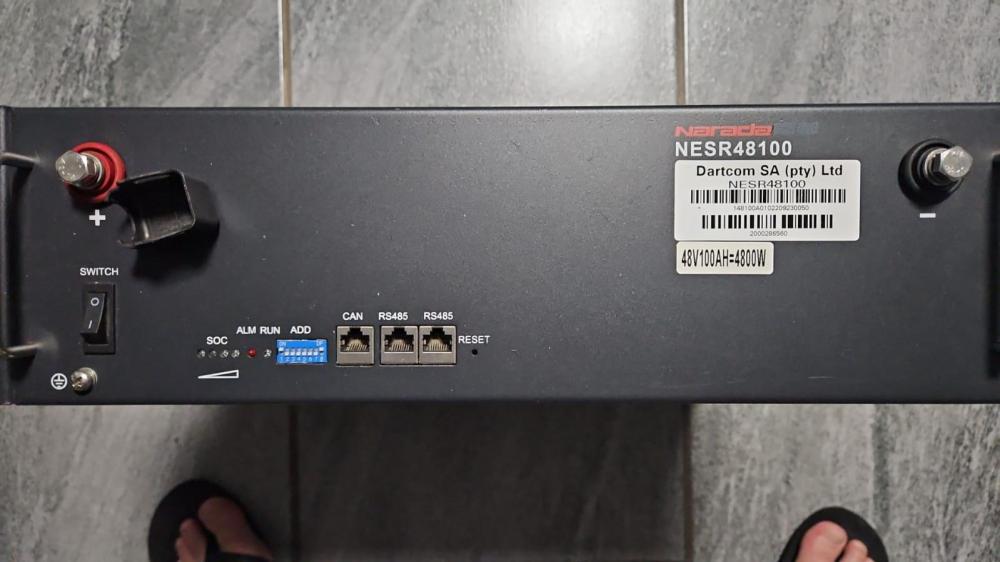
If you know of one or more of these specific units that are for sale, I'd be interested to hear from you please, preferably in the Gauteng area.
-
Reviving a very old thread here as I am looking for some guidance here to assist a friend with a Sofar 6000 (not sure ifs the ES or EP) He uses the Solarman Smart App but it is very problematic. The display will just freeze from time to time (especially during the night time hours and only wake up once pv hits the panels) That said, we're also not sure it is programmed correctly. The battery SOC almost never changes so we're not sure whether battery is being utilized or not. It has only been running four a couple of days and he is still finding his feet around it. So as a test yesterday and with good sunlight, he switched off the grid supply and left the system running. After about 2 hours he got a low battery warning and we cannot understand why? From what we can see this is a hybrid model capable of energy mixing and therefore pv should've been prioritized and only then battery and lastly the grid. He has one 5Kwh battery and the normal house loads never exceeds 2Kw at any given point. Oh yes and actual 2,4Kw coming from the panels. The installer (which was also the seller of this Sofar) did warn my friend that these units are extremely difficult to program with limited functionality, but surely it cannot be THAT difficult to program it correctly? Can anyone perhaps help with some guidance as how to program this inverter, maybe a Youtube link for it? And in your experience, is comms between battery and inverter really that much of an issue?
-
Yes I absolutely agree with you. I would hope that his inverter has the capability to use SOC instead of voltage across the battery terminals.
-
This is what I got from google. 50% SOC will be 48.8V State of Charge (%) 12V 24V 48V 100 12.83 25.66 51.32 90 12.72 25.44 50.88 80 12.60 25.20 50.4 70 12.47 24.94 49.88 60 12.34 24.68 49.36 50 12.20 24.40 48.80 40 12.06 24.12 48.24 30 11.91 23.82 47.64 20 11.76 23.52 47.04 10 11.61 23.22 46.44
-
Hi PhilFM, Thanks for this. I see where I went wrong. The available power to him is not 500W. This is what he wants to draw consistently. Happiness, it makes sense to me.
-
According to Uncle Google, at 46.4 Volt your battery is 90% discharged. Only 10% remaining thus. And you do not want to be doing that to AGM's or Gel batteries.
-
Subject to correction please, just trying to figure this out for myself also. P = V x I 500W = 48 x I 500/48 = 62.5 amps draw from a 200Ah battery bank. So 200Ah / 62.5 amps draw = 3.2 hours But then then it is completely discharged. So for 46V (and here is where I fall out of the bus lol) one must figure out what the state of charge is of the battery.
-
Racer, I have recently bought a Victron 48V 3Kva Multiplus II and some other hardware that compliment/supplement it. It is a great unit, and what I like the most about it, is the ease of use and how information is displayed on your phone for example. I am by no means saying that the other models in your budget wont do this, but I have seen some of it. The Sunsync info that is displayed for example is horrible and a nightmare. If you want a no nonsense plug and play unit, go for a Goodwe or Axpert or Mecer. Plug in and go. The Victron requires a little more from you if you are anything like me. I like to tinker, and adjust and improve etc etc. The Victron will allow this in terms of replacing components as and when you want to upgrade. That being said, the utmost important thing to consider is what you want from the system. Merely an Eskom backup for light loads? Would you like to reduce your monthly bill a little? Is it an absolute requirement that the system must pay for itself over a given time? Would you like to upgrade the system to a bigger one in a few years etc? These questions must be answered first as it will determine whether you need a grid tied inverter, an off grid inverter, a hybrid grid tied inverter, or merely a UPS. I have also just joined this forum today, but happy to share the little that I have picked up in the past month that my system has been running.
-
Thanks Solaris. The wife already mentioned she can see that my solar "hobby" has become a disease, but seeing as she is the one that is responsible for the monthly electricity bill, she is not complaining tooo hard and may even end up furnishing my mancave with all the money I'm going to save her, lol. Still feeling my way around the forum, not sure under what section to post Victron related questions? I have a question pertaining to a setting in the ESS software that I'm unsure of. Where to post this?
-
Good day everyone, My first post and intro here on this forum. I am not a complete newbie and understand a fair amount more than your average Joe, but I have recently invested in a small Victron solar system for my house and have a lot to learn in that regard. So far the system (basic and humble as it is) impresses the socks off of me. It consists of: - 48V 3Kva Multiplus II - Venus GX - BMV 712 - 150 | 35 MPPT - 4 x 12V 200Ah AGM batteries - 5 x 22V 135W panels in serie So looking forward to sharing my experiences with it and to learn a lot from the big boys here! Will now go and search for a thread where hopefully what I need to know was already discussed. Cheers everyone!


