Jackie
Members
-
Joined
-
Last visited
-
-
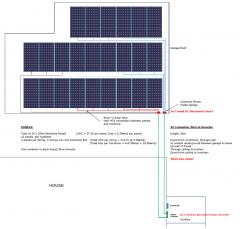 Ignore, this was part of my first planning done
 -
My PV installation: 2x Axpert 5kVa/5kW Inverters 24x 255w ReneSola Panels 4 x 260Ah OmniPower batteries BMV702 Battery Monitor Raspberry Pi3+ running ICC Software MQTT Communication with Home Assistant
-
-
Hi idb I saw your post by accident and I am not sure if you have come right with what you wanted I am currently using a Raspberry Pi3 running the software mentioned above. The software already publishes all the inverter info to a MQTT broker on that RPi. I have a second Raspberry Pi which runs it own broker which I use to subscribe to the published messages and incorporate that into my Home Assistant software. I did need to also run Node Red on the first RPi to just transfer the MQTT messages between the brokers of the RPis. Did not want to use cloud-based MQTT brokers. If you look on the website, there is a ICC MQTT software download. I am not 100% sure of what exactly it does, but it looks like it might do what you need in order to just get the Inverter info already captured. Here is a Link: https://iccsoftware.co.za/product/icc-mqtt/ Maybe this can help
-
If anyone in interested in mounting sonoff Switches in a DB, Have a look here for more info: https://www.thingiverse.com/thing:3343895 I am running my Swimming poolpump, my Borehole pump and my water pressure pump from a sub-DB using Sonoff Pows and Home Assistant. I've designed some 3d printed brackets and din rail clips for the Sonoffs so it can be mounted inside the DB but still be accessible, so if you have access to 3d printing this works well
-
Hi all I am also running my Swimming poolpump, my Borehole pump and my water pressure pump using Sonoff Pows and Home Assistant. I've designed some 3d printed brackets and din rail clips for the Sonoffs so it can be mounted inside the DB but still be accessible, so if you have access to 3d printing this works well Have a look here for more info: https://www.thingiverse.com/thing:3343895
-
Ronnie_V If you say you have 6, are you talking 6 different separate units? Is it for 48V, 12v in series? I only need one for my bank of 4 batteries Thank you