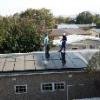
August 10, 201511 yr System consists of 48x TSMC 150 W panels 8 x 200 ah lead crystal bateries 2 banks connected in parrallel 48 V 2 x infinsolar 3 kw plus inverters Batteries is set as back up only at the moment. Runs all lights office, entertainment and bedroom socket outlets. Installation time 2.5 days.
August 10, 201511 yr Author Thank you ibiza. Will upload some more installs if I can figure out how post easier. Sent from my SM-G800F using Tapatalk
August 11, 201511 yr My question would be if you running those Infini units in parralelle, or is each unit totally seperate? Nice photo with the drone. Does the trees not give some shadow over the one block of panels?
August 11, 201511 yr Author Hi wetkit. Outputs each on own earth leakage unit feeding their circuits (took some rewiring as it's an old house and some neutrals were messed up) Inputs just running parallel and grid feeding. Tree gives minimal shadow in winter only till about 10 am. Owner wants to trim tree a little of the top for the next winter. System currently producing 42 kwh per day will increase gradually as summer comes around. Sent from my SM-G800F using Tapatalk


Join the conversation
You can post now and register later. If you have an account, sign in now to post with your account.