TeddyBear
Members
-
Joined
-
Last visited
Everything posted by TeddyBear
-
Hi there. This worked! Thanks so much
-
Thank you. I will try this when I get home and relay any updates.
-
Hi there, Nope all of them are in the "off" position (all of of them are on the side closest to the numbers)
-
Hi guys, I just bought a new hubble AM-2 battery and tried to connect them using the CAN ports as follows. My inverter doesnt read any info from the hubble BMS. I made a new cable as per their website here https://www.hubblelithium.co.za/sunsynk-hubble-setup.html with Pin 2 Being a green cable, Pin 4 being Orange and Pin 5 being Blue with still communication. I first used the Yellow cable that came with the deye and had no success and looked on their website and saw that layout. Any assistance would be appreciated inverter side

-
Here are the warranty T&Cs hubble_lithium_am-2_warranty_2021_v4.pdf
-
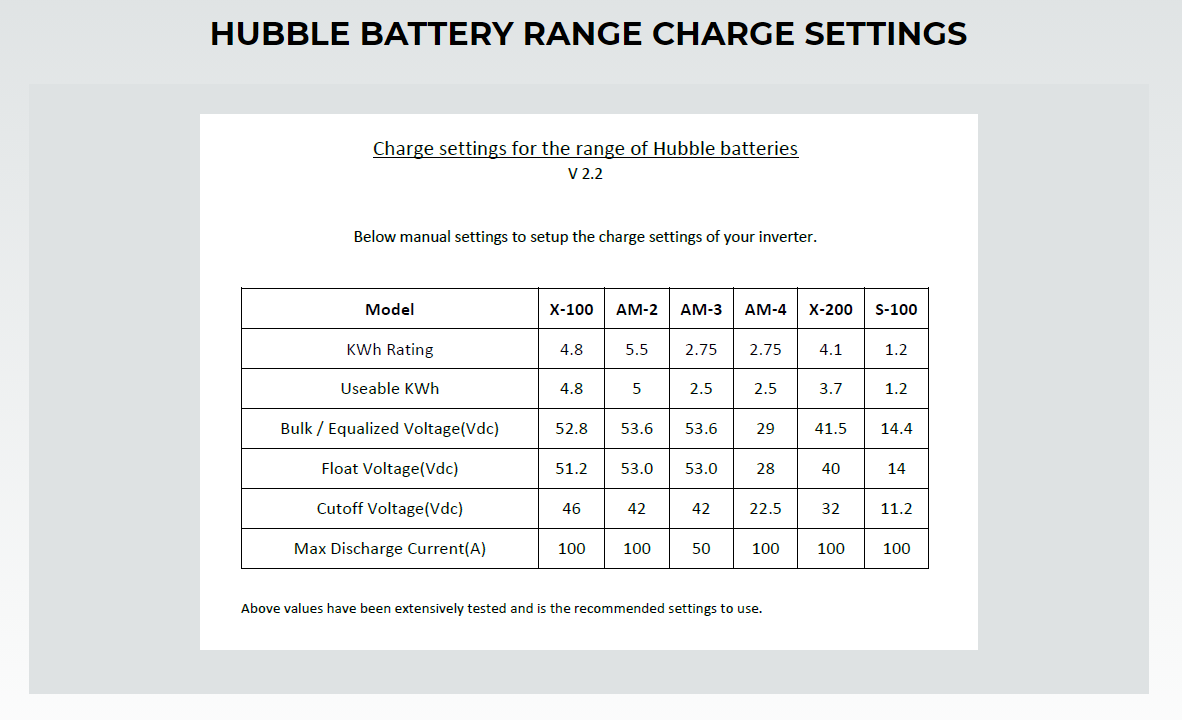
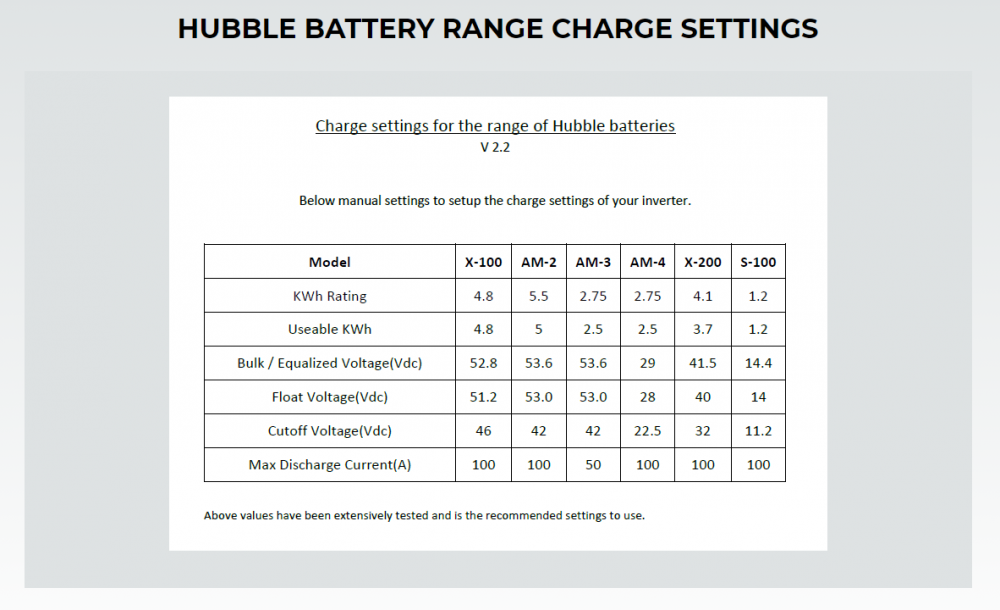
Hey bud. Cant help you with much. But here are Hubbles recommended settings
-
Currently on the solarman pro web portal in the "other" dropdown

-
Sorry to bring up this thread again. Has anyone solved this issue?