JuanH
Members
-
Joined
-
Last visited
-
This is where I am scared to sound dumb now... do I edit the py file before installing it?
-
Not yet, I looked at the link you shared the other day, and just ended up feeling real dumb 😅 I'll look at the updated docs when I get home this evening to see if I can figure it out.
-
@kellerzaI finally got around to replacing Bloubul's original NR flows and custom HA entities with your Sunsynk add-on. One thing I'm not quiet figuring out is that it only added PV1 sensors, but not any sensors for my second PV2 array. I went through the documentation on your GitHub repo, but cannot find any reason there. I'm sure I'm just doing something stupid, but hope you can guide me in the right direction?
-
-
-
 AndyWhittaker reacted to a post in a topic:
Pylontech Battery Monitoring in Home Assistant via Node-RED
AndyWhittaker reacted to a post in a topic:
Pylontech Battery Monitoring in Home Assistant via Node-RED
-
I went through all the suggestions. This was the one that was easiest and worked the best for me: https://solar-assistant.io/shop/products/sunsynk_rs485
-
-
-
-
-
Awesome, that did it. Thank you. For future posterity, it is the "Modbus SN" setting in the advanced menu. Will require a restart of the inverter to take effect,
-
Hi all, It's been almost a year since I started using these NR flows, and had no issues to date. However, this week I had my installer update my Sunsynk firmware, and now the flows are no longer working. These are the errors I am getting. Any idea where to start troubleshooting, or what might have changed in the more recent inverter firmware?: 2022, 12:29:49 AMnode: d6b15ede.669a7 msg : string[60] "Modbus Failure On State sending Get More About It By Logging" 11/13/2022, 12:29:49 AMnode: Inverter msg : error "Error: Timed out" 11/13/2022, 12:29:49 AMnode: Inverter msg : error "Error: Client Not Ready To Read At State reconnecting" 11/13/2022, 12:29:49 AMnode: Inverter msg : error "Error: Client Not Ready To Read At State reconnecting" 11/13/2022, 12:29:49 AMnode: Inverter msg : error "Error: Client Not Ready To Read At State reconnecting" 11/13/2022, 12:29:50 AMnode: Inverter msg : error "Error: Client Not Ready To Read At State reconnecting" 11/13/2022, 12:29:50 AMnode: Inverter msg : error "Error: Client Not Ready To Read At State reconnecting" 11/13/2022, 12:29:50 AMnode: Inverter msg : error "Error: Client Not Ready To Read At State reconnecting" 11/13/2022, 12:29:51 AMnode: Inverter msg : error "Error: Client Not Ready To Read At State reconnecting" 11/13/2022, 12:29:51 AMnode: Inverter msg : error Below is the Modbus settings I've always used:

-
-
Noticed my Sunsynk data wasn't updating since this morning. For anyone else who noticed the same, there is an upstream issue with the HA add-on, and using the serial port on a RPi: https://github.com/hassio-addons/addon-node-red/issues/1312
-
Can't speak for the one you linked to, but personally, after fiddling and faffing with adapters, connectors, and raspberry pi HATs, evetnually got one of these, and have had no issues for almost a year later: https://solar-assistant.io/shop/products/sunsynk_rs485
-
@finch6I got all the mentioned adapters and HATs in this thread. The easiest, simplest, most reliable, and neatest solution was just getting the cables from Solar Assistant: https://solar-assistant.io/shop Unless you want to go with any of the DIY options so you can learn from the experience, this would be my recomendation.
-
I've removed my WiFi dongle, just incase SunSynk decides to mass push this update out, in a ploy to get everyone to use their new cloud platform... Or maybe I'm just paranoid
-
A friend of mine has an Axpert inverter, and is looking into monitoring options, similar to what I did with my SunSynk and Home Assistant. I was going to suggest something like this to him: https://github.com/BionicWeb/AxpertPi But, his supplier has told him that he cannot have more than one serial/usb device on his inverter at a time, and since he has a BMS system hooked up to it, he thus cannot achieve any sort of monitoring. Can someone confirm is this is correct? He sent me this picture of his BMS connection (excuse the image quality):
-
-
The USB will most likely fail pretty soon if you keep it as the main drive, due to the amount of reads/writes. Look through the Everything Smart Home channel I mentioned earlier. There is a good guide on moving your installation onto an external (or internal if you can with the NUC) SSD drive.
-
I tried about 4-5 different options mentioned on this thread. However, the simplest and most reliable option I found was the cable for sale on the Solar Assistant website: https://solar-assistant.io/shop
-
-
Hey Saliegh. My recomendation would be to install HA OS: https://www.home-assistant.io/installation/generic-x86-64 Once done, install the Node Red add-on from the included add-on store. Then you can start with the flows in this thread. I also recomend the Everything Smart Home channel on Youtube. Loads of useful guides for HA on there: https://www.youtube.com/c/EverythingSmartHome/featured
-
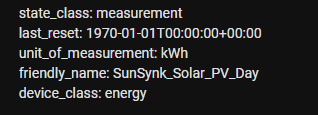
Thanks, @Bloubul7 I've given your new flow a try, but I've noticed that the entities don't update with the "last_reset_topic". I've checked the topic value, and it definitely sends an updated value over MQTT, either as scheduled, or when done manually, but the subscribing entities don't seem to pick it up. Not sure what I am doing wrong? Example of manually triggering the inject: Entity's last_rest stays the same: