


Tinmug
Members
-
Joined
-
Last visited
-
-
-
-
How many you think will be enough then?
-
-
-
-
-
47v x 4 = 188. Start-up voltage needs 150. What am I missing?
-
Sorry – double post.
-
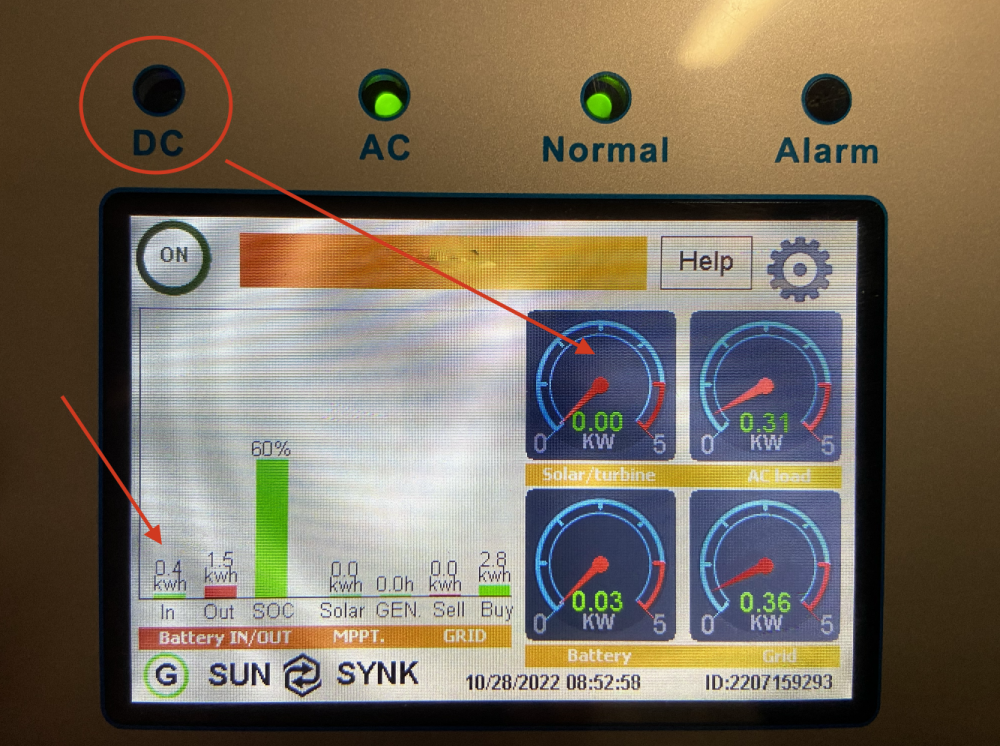
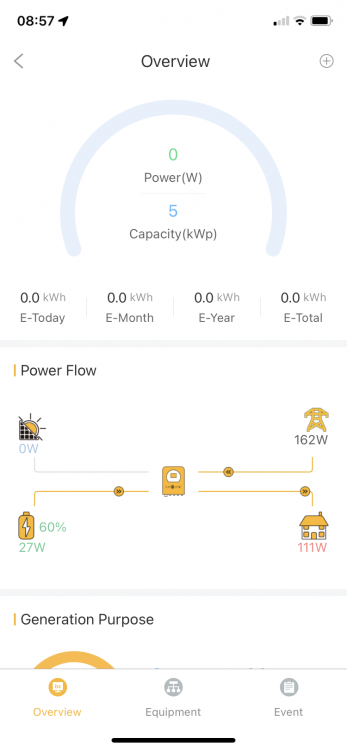
@mzezman Battery currently charged to desired level (60%); upped that to try and coax something from PV but it still sucks power only from Utility. I cannot recall ever seeing the DC light illuminated. 😑 Thanks in advance for any input or ideas!
-
Only movement from utility, nothing at all from the PV input (occasionally shows a few watts, but nothing on the app and nothing on the PV history graph).
-
Can't get any solar input?? Have 4x 540W panels – should be adequate, but at no point does the PV setup provide input.
-
-
Thanks for that. The obvious thing is to use solar where possible, so would it be correct to tick Gen in the daylight slots (and untick Grid), and leave the night-time slots as they are?
-
-
Question: On my setup all time slots have Grid ticked. None have Gen ticked. Coincidentally I appear to have zero solar input. Surely wrong?

-
-
-
-
-
The Kodak (OG 7.2) does feed the batteries just fine when no utility power available, but always injects some (50+ %) when utility power is available. I.e. it doesn't make the most of available solar energy. I've queried this before on this forum and somebody said this is normal for (this particular?) Kodak inverter. Hence my desire to switch to Sunsynk ... arguable better quality, better interface and much, much better app support.
-
My current (Kodak) inverter cannot make full use of daytime solar power (it still supplements with utility power, but during load-shedding will happily feed the battery with enough power to replenish what the house uses). So typically 25-35% solar input, the rest from Eskom. Can the Sunsynk make full use of solar input (assuming enough daylight, power draw sufficiently low etc) while still connected to utility input?
-
Yes, I have. And that's precisely where the problem comes in: I had to re-enter the password (which I've forgotten). I cannot comprehend that a) no alternative exists and b) there is seemingly no way to re-set the password.
-
No. I set the password, but never wrote it down. Cannot recall what it was. There MUST be a way to reset the password/account???
-
Sorry, don't understand? 😬


