Wannebe
Members
-
Joined
-
Last visited
Everything posted by Wannebe
-
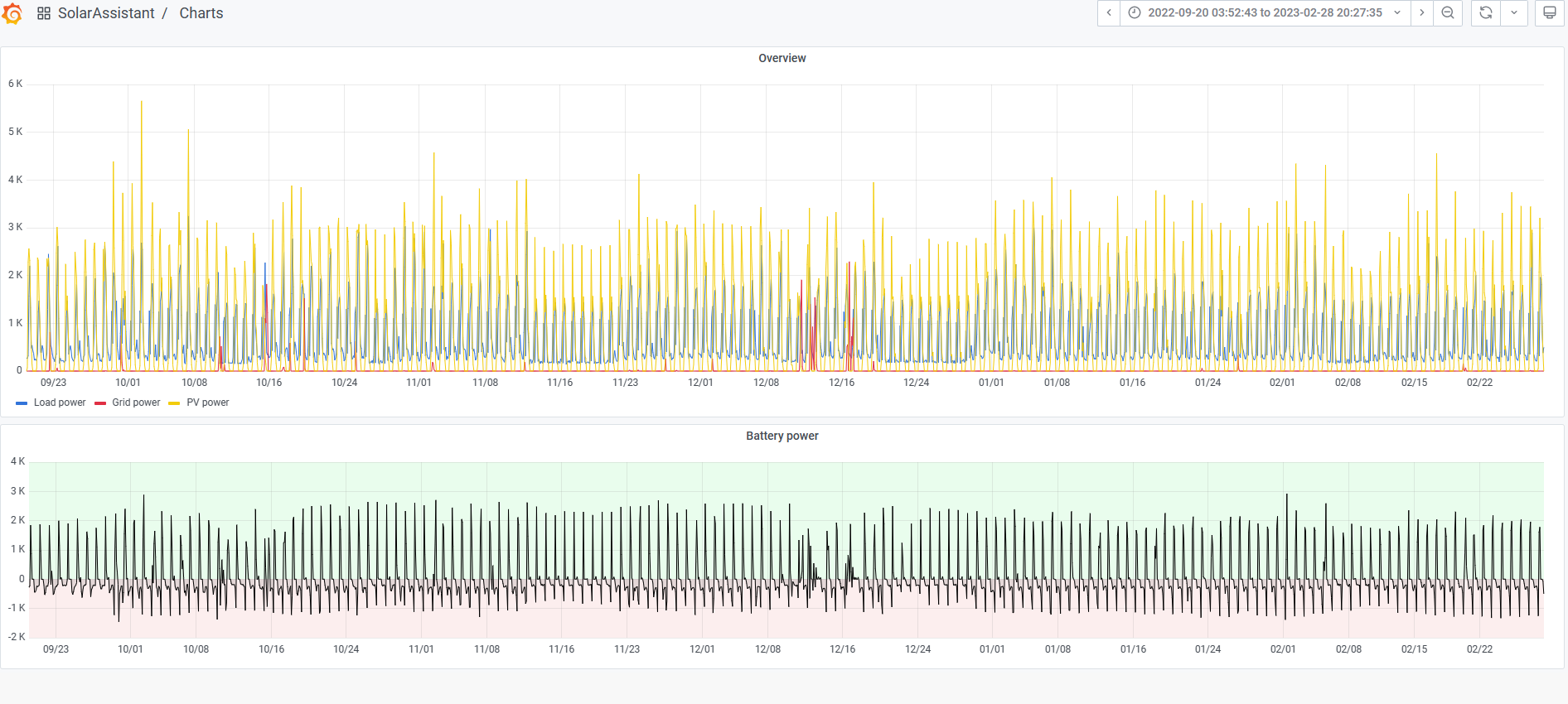
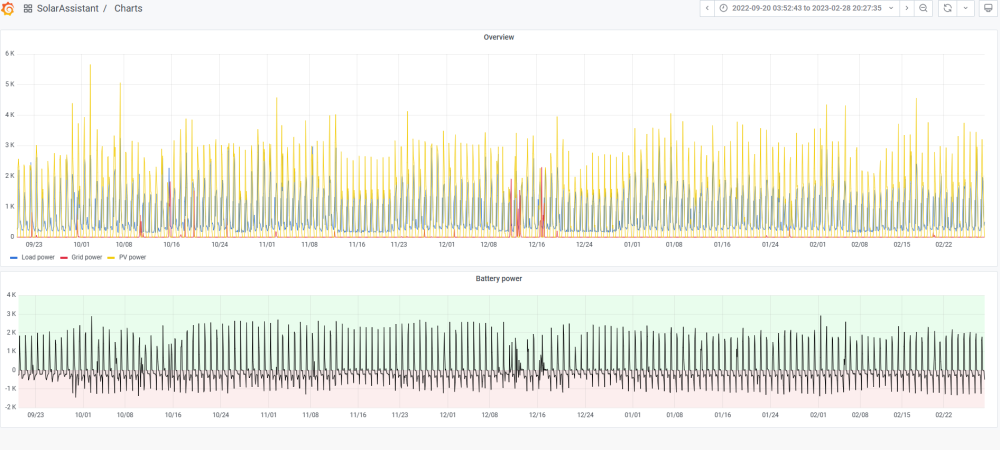
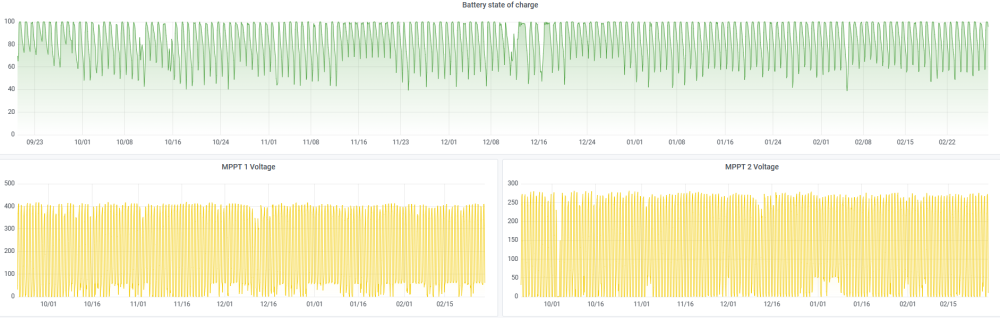
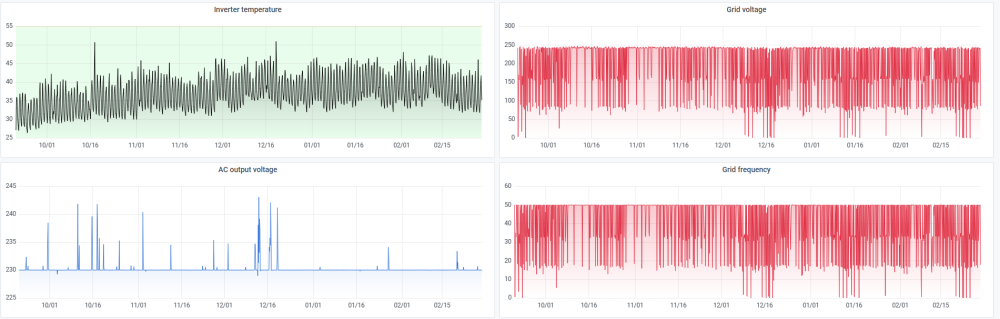
Quick update ....... System has been running flawless all these months ...... Electricity usage bill is down to less than R10 per month.
-
Double post
-
If you have Lithium batteries, then daily charge / discharge is fine. LiFePO 4 batteries are typically rated for 6,000 cycles with a 95% DoD. 6,000 cycles = 16.4 years I charge mine to 100% SoC daily and discharge to 50-20% SoC. I get it, discharge to 20%, charge back to 100% = 1 x cycle (at least that is how I understand it) My concern is, because I run my inverter SBU mode, when do all the "topup" to 100% and "small" discharges during the day add up to being an "extra" cycle ?
-
Thanks for looking / comment. Yes, that is why I was happy to find the 2kW element .... never looked at the geyser before as we are in this house only 5 years. Had no need before.
-
Hello Guys Since installing the solar, and seeing our consumption etc, I believed that the geyser could also be connected to the inverter. Connected the geyser to the Kodak OG 7.2 yesterday (now the whole DB is connected to Kodak). We found that the Geyser has a 2 kW element in it. We left all the settings on the Geysewise exactly as they were before on ESCOM. (We wanted to run a base test and see what happens) My setup is as follows: Inverter, Kodak OG 7.2, running in SBU mode. Batteries, 3 x Kodak FL 5.2, Coms connected to Kodak and charged in OSO mode (solar only) Today was not the best "solar" day in Langebaan, but we got through the day fine on a combination of Solar and Battery (see the attached .pdf) My questions are: Based on the graphs, are the batteries being charged / discharged too much / often ? Will this affect the life of the batteries in the long run ? This was now only day one of testing the setup. Fine tuning and some automation etc will be done in days to come. Many thanks PS: Now loaded a cleaner .pdf file SolarAssistant.pdf
-
I got SolarAssistant ... great app. After the initial layout to buy everything, no further costs. It also add some functionality to how one can operate the Kodak with the power management feature. I'm still learning it.
-
My system is too new to give an opinion ..... but so far I have no complaints .... it seems to do what it says on the tin as far as I can tell .... but I would not know how to test them to their full potential. I have 3 x connected in my system.
-
Have you looked at the Kodak FL 5.2 ?
-
Thanks a lot for the info. Yes, I was also worried about the sudden "jump"from 230 to 240. I have the Kodak OG 7.2 connected to 3 x Kodak 5.12 batteries.
-
What should the Inverter output voltage be set at ? 230 V OR 240 V My Kodak is set to 230 V, but when it switch over from battery to ESCOM it will step up to the same as incoming ESCOM, +/- 240 V. Which is best and why ?
-
True ..... but how else shall we make "progress" ........😉
-
Happy to say that Kodak is back, installed and all seems to be running well again.
-
Thanks. It will go back to supplier. Will be happy if that is all it takes to bring it back to life.
-
We all have to pay school fees …… right? So don’t ask …… I think (know) I have blown the DC / PV side of my Kodak. Is it repairable ?
-
Yes, I've read many threads and watch many video's on that, but at this stage still way above me ...... 😞 The journey has only started for me ...
-
My Solar Assistant arrived Friday. Set it up on Sunday. Been running the whole week. I don’t know any of the “other” systems out there besides the standard WatchPower app the Kodak came with. SA was exactly what I was looking for and very happy so far. I’m sure there are still many functions I do not even know of yet …..
-
Question 1 With the Kodak inverters, is it better to use the Solar Assistant Emulated BMS setting other than relaying on the Inverter feedback to display the state of charge of the batteries ? I have the PI only connected to the Inverter, not to the battery. Question 2 I have 3 x Kodak 5.12 FLS batteries connected. What should I input as the battery capacity (15.36 ?) in Solar Assistant for the above setting to ensure the most accurate battery state of charge reporting ? Obviously there are calculations happening here in the software based on Amps etc, so I think this value is critical to get right or else all will be offset by the "error".
-
I think it was a good "solar" day in Langebaan today ....... not knowing any better ..... the system got a good working out ..... And it seems that Solar Assistant is also working just fine. Some notes: No Clouds all day, Cool breeze going, Solar Assistant Emulated BMS setting activated At various stages during the day: Base Load + Battery Charging + Swimming pool + Washing Machine + Tumble Drier + Dishwasher + coffee machine, sometimes 3/4 together. Anything that the experts might see that might be concerning ? Really appreciate you taking the time ...... Albert SolarAssistant.pdfSolarAssistant1.pdfSolarAssistant2.pdfSolarAssistant3.pdf
-
Thanks
-
Today's results .... mmmmm ... clearly having too many coffees .....

-
Solar Assistant installed and up and running 24 hours now. I notice the following message in the Config page though ......... Should I go ahead and update ? What changed ?

-
Maybe a stupid question, but is there any way of getting the historical data from the WatchPower app in the database of the solar assistant ?
-
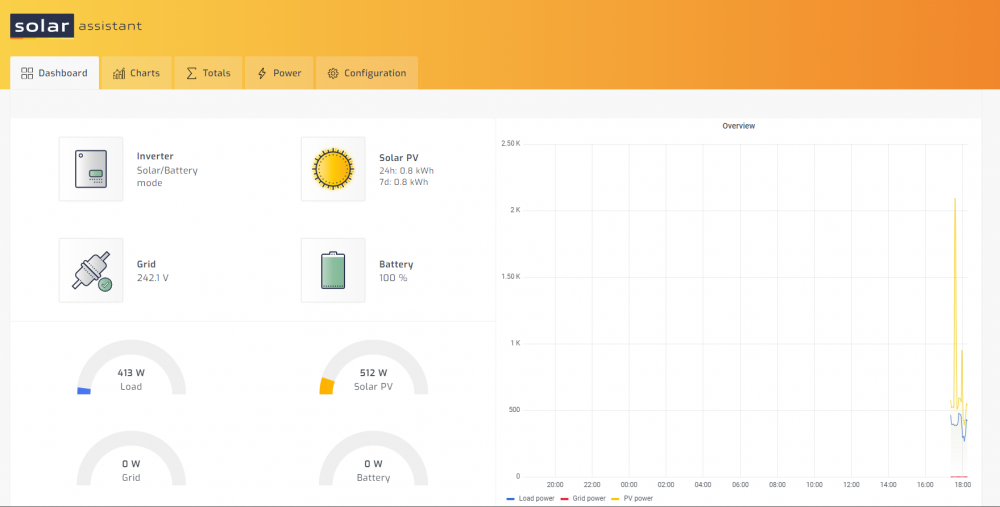
Guys, my PI and solar assistant is up and running .... I think ..... 🙂 Now to collect data and figure it out all .......
-
Got the magic box full of tricks today (Thanks Solar Assistant !) ...... will look to setup everything next week. Pi + charger + cables etc ..... Cannot wait.
-
@Afrikaner Let me get my solar assistant up and running, then I would like to please discuss with you more on my setup please. I’m also not 100% happy with this setup as I do notice some “strange” operation sometimes. You seem to have a lot more experience than me already 😁