aamilev
Members
-
Joined
-
Last visited
Everything posted by aamilev
-
Hi, I have 2x11kWh to ANENJI Hybrid Inverters working in parallel and still cannot get any output data except from Wi-Fi Module via dessmonitoring.com server. You can create Sensors from dessmonitoring.com server queries (ask ChatGPT) but that is in 5 min intervals reading which is not useful. I already break on of the Communication Board while trying to use RS485 and RS232 for Data reading via USB Converters but ANENJI send me new one free of charge and I suppose to get it shortly. If You have any experience will be great if You share also.
-
Thank You very much for advice. Unfortunately, I have no idea from where to take spare Control board.
-
Hi @Macarxp, I have absolutely the same setup of 2x11kW TommaTech Inverter in parallel and I face absolutely the same issue that 1 of Inverters (actually the Sleeve one) after each Restart (shutdown all Power supplies completely or Restart after Error with "Weak Battery" for instance) change its Serial Number and shows Lower Battery Voltage (also Lower: Grid Voltage, Output Voltage and Bus Voltage). I restoring Original Serial Number and calibrating Battery after each Restart but this is not solution of course and I am looking also for proper/final solution. I am afraid that this is hardware problem but not software one.

-
Sollar assiatnt show those options but without command avaiable. Other monitoring software don't show those options. Today I had quite good PV performance with my System: I guess that switching from SBU to SUB last day was due to single Inverter issues.
-
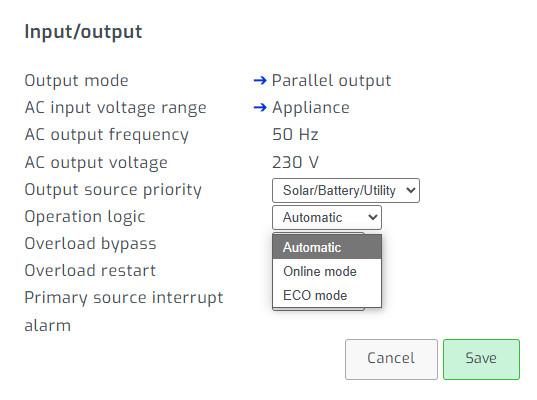
@Coulomb, Can You tell us what is difference between the 3 operational Logics?
-
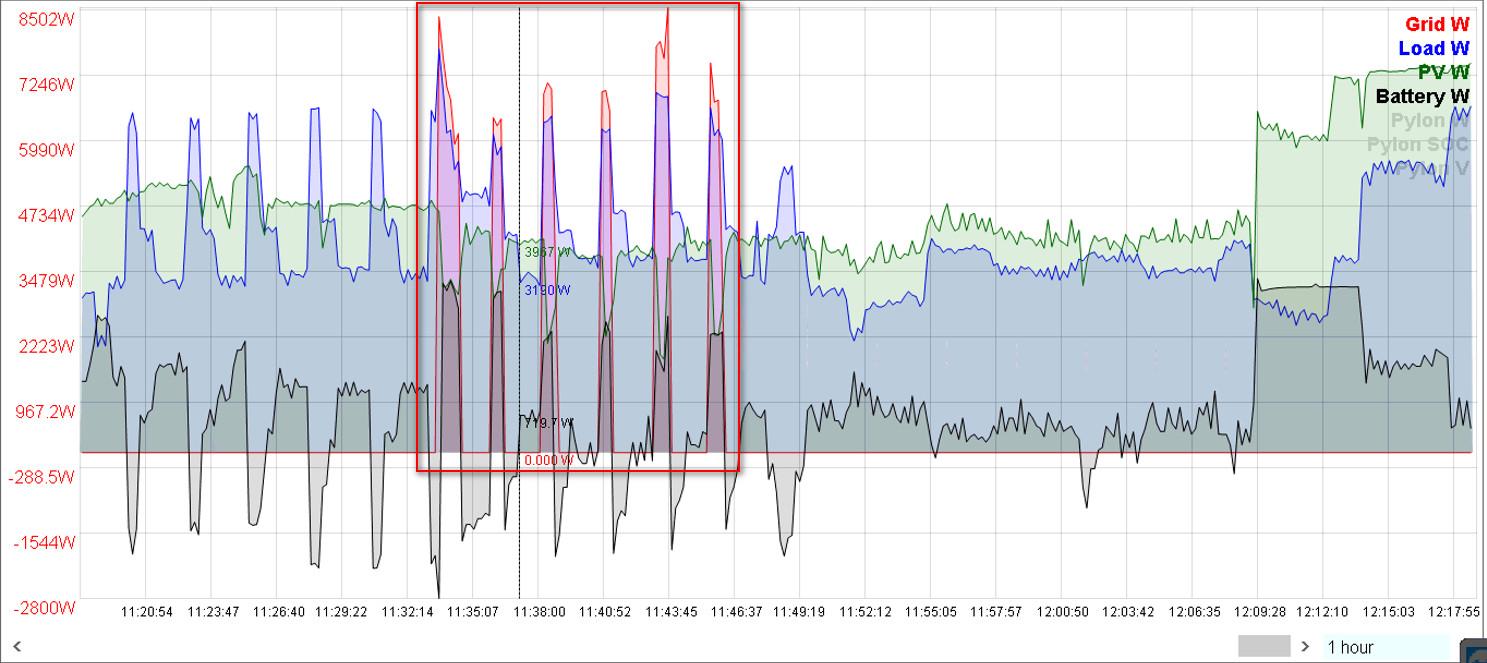
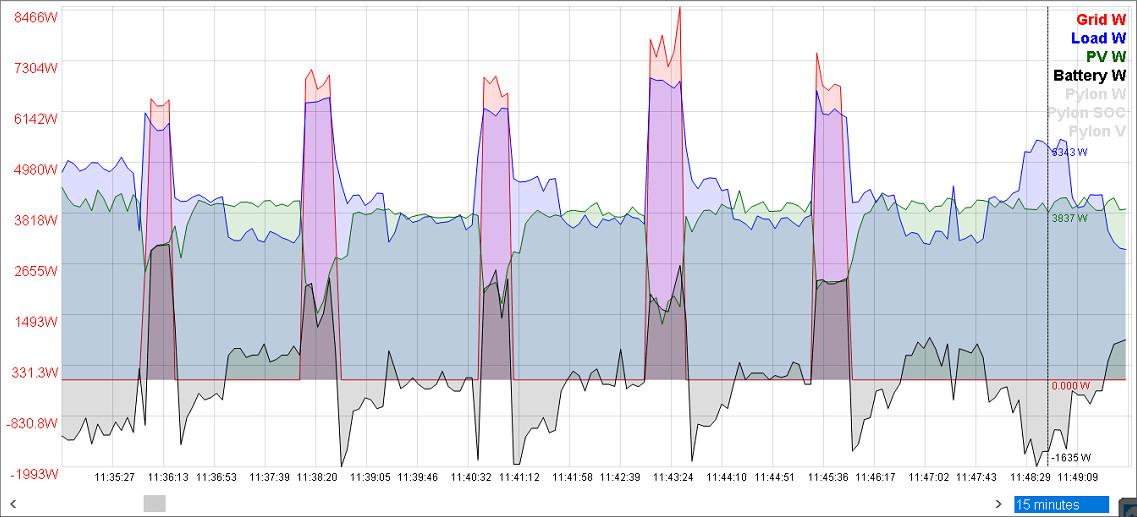
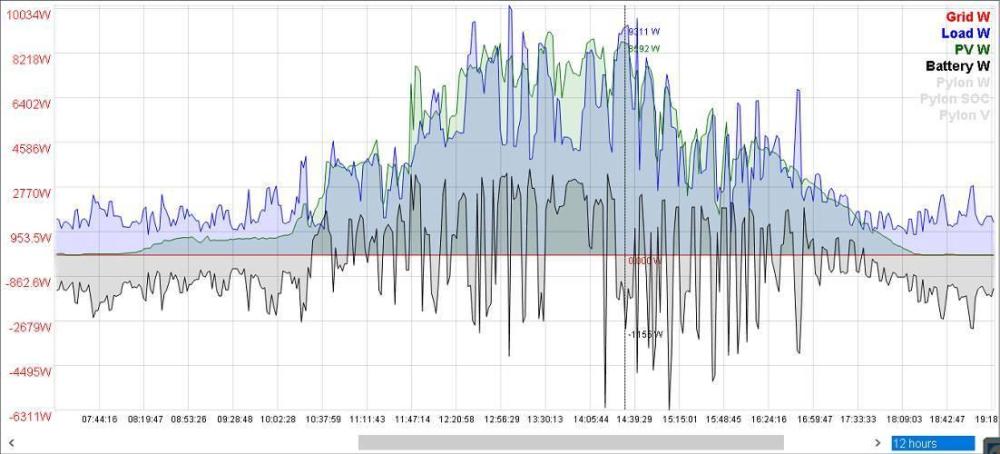
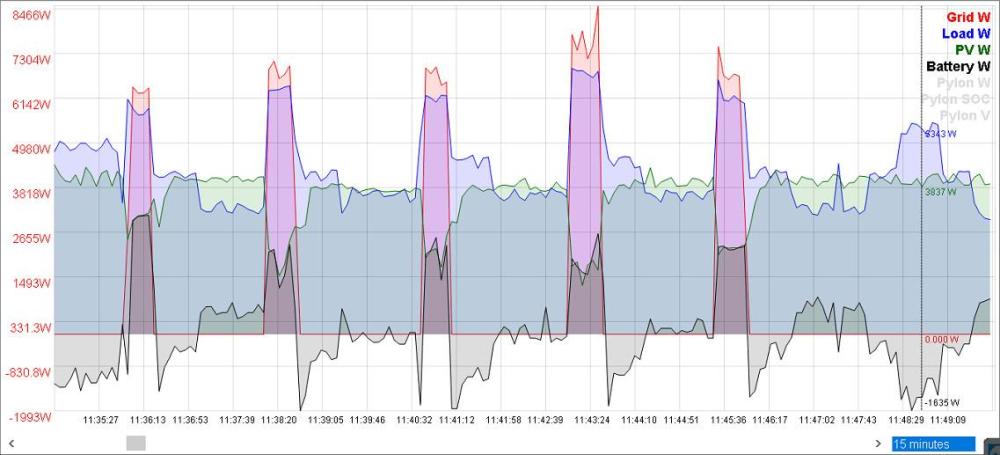
Those Peaks camming from the Oven (it is working like this). Yes, FW version 73.78 is much faster than any other till this moment and looks like algorithm allows now Grid Power to help quickly in some case BUT If You look much closer will see that when Switch to SUB the PV Power goes down (loose PV Power):

-
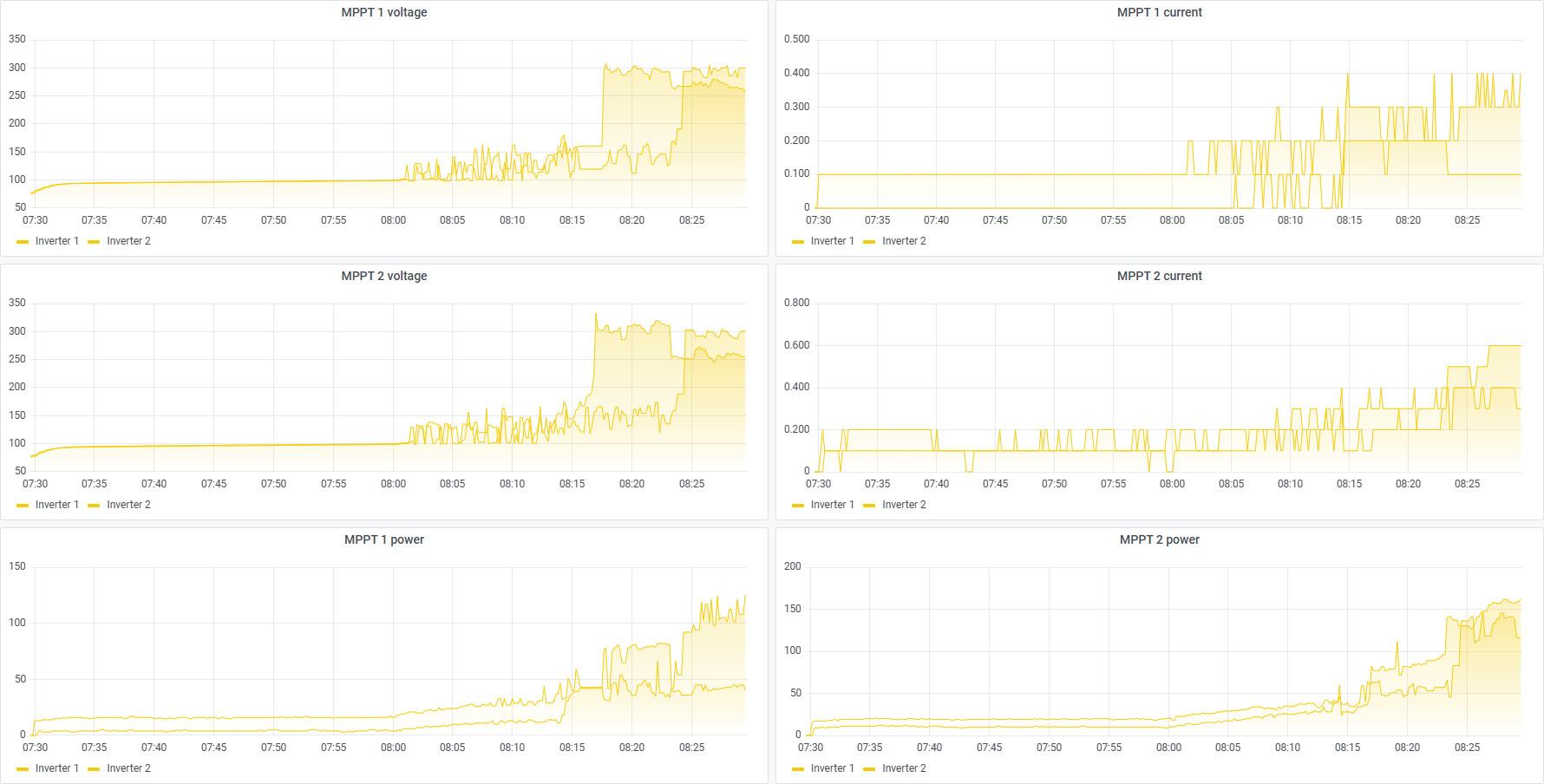
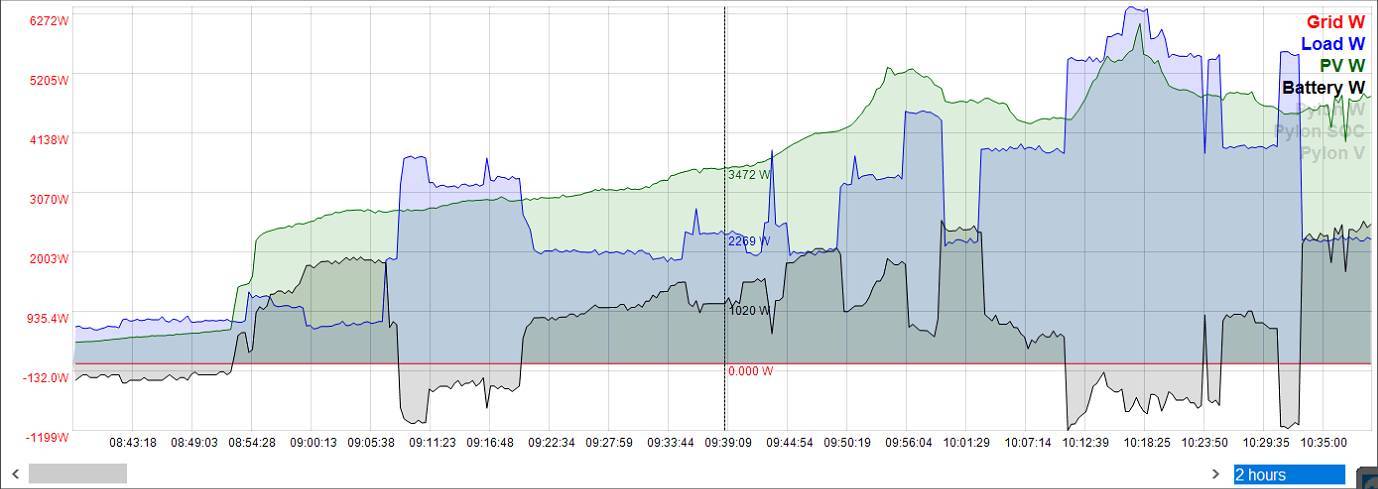
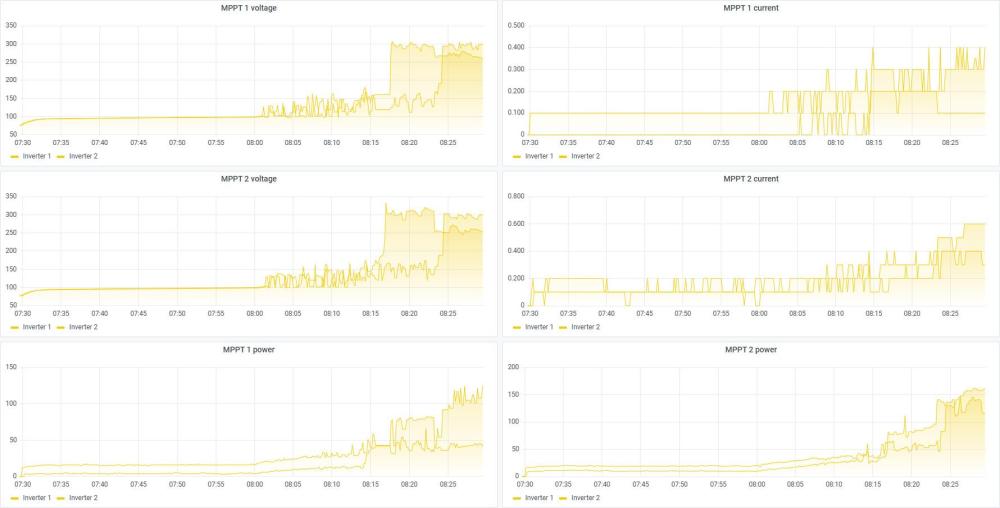
This PV parameters from this morning with 273.78 FW: Actually, not so bad compare with older FW versions till this moment in test.
-
I get some strange behaviours with FW 273.78
-
This is Results from this morning with 273.78

-
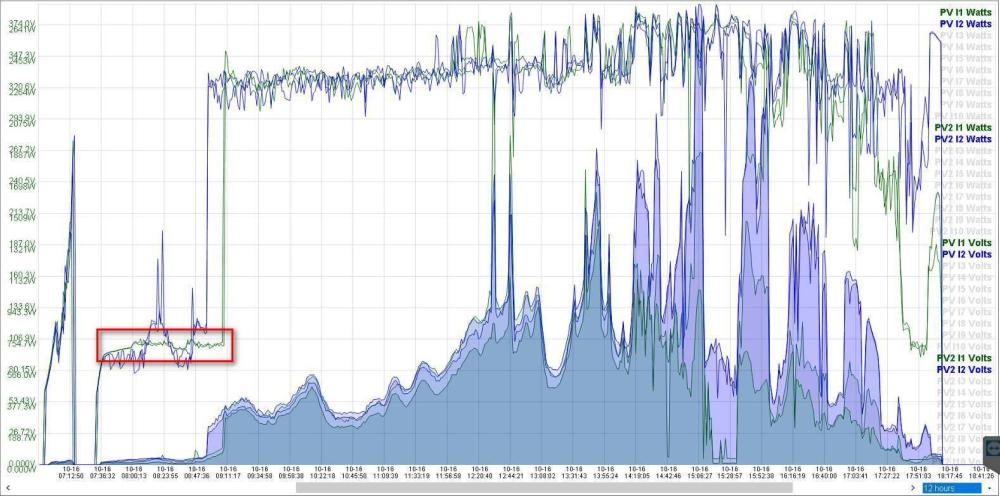
No, I don't mixed, I am sure it was 73.78. Please see below Print screen I made with 73.78 FW. Tonight I will install 273.78 and will share results too.
-
Hi, Thanks to @Coulomb advice I was able to set my Serial Numbers back to originals with Command ATE1 and SID14XXXXXXXXXXXXXX000000 after that, where XXXXXXXXXXXXXX is the Orginal 14 digit Serial Number from Inverter Label. Just be aware that ATE0 to close connection to Inverter is not working at all and Maybe You need to re-flash Your Firware.
-
Maybe I should try 273.78 as I had again 90V staking issue with Original 73.78?
-
@Coulomb - Patch of which Firmware You think will be the best to install? 73.06 - currently installed and I have not find a patch of this Firmware 73.63 /273.76 / 373.76 73.78 / 173.78 / 273.78 / 573.78
-
Yes, they are working fine for the moment but with that fake 55355535553555 Serial Numbers.
-
Good day @Coulomb, I have the same problems. I have 2x11k MAX Plus HV 48MPPT working in parallel since 6-7 months which were flashed with original TommaTech (TT) Firmware 73.06. Suddenly one good morning one of Inverters change its SN to 55355535553555. Few day latter other Inverter change its SN to 55355535553555 too. I tried to flash but unsuccessfully with Error Code 32. I read somewhere that if You cannot complete flashing Inverter Firmware You have to re-flash first the Display and after that to flash Inverter. I try to re-flash the Displays but also successfully up to 50% of process only. Briefly, an Specialist here in Bulgaria was able to repair somehow my Displays and after that I was able to re-flash my Inverters to 73.06 again successfully. Unfortunately, few days latter I got shut down of Inverters with Error Code F90 of one of Inverters. I re-flashed that Inverter with 73.06 again and so far everything is working let say fine BUT problem with incorrect SNs remains. Speaking honestly I thinking that main problem is in Displays themselves. Year ago when I was working the Systems with 2x7.2k MAX Plus HV 48MPPT and I had some problems with Inverters the TT Support send me Software Tool for restoring Serial Numbers of that 2x7.2k MAX Plus HV 48MPPT Inverters. I can send You that software to You. My questions is: Can You find out How that Software configure the Serial Numbers? so that to recover Serial Numbers for my Inverters? That will be really Highly appreciated. Thank You very much in advance!...
-
Yes, I am able to change all Inverter Setting via Mobile App and Dessmonitor.com
-
I am sorry for late reply. TT updating their Dataloggers remotely by themselves, no need to do anything. I saw today Version is already 2488.
-
Please be aware that I fugured out that 12.21 is not applicable for both Chipsets! I tested myself without success and return back to 112.19. I chaged my Invertors to 11kW and Display doesn't matter the Inverter Rating. Displays can be changed.
-
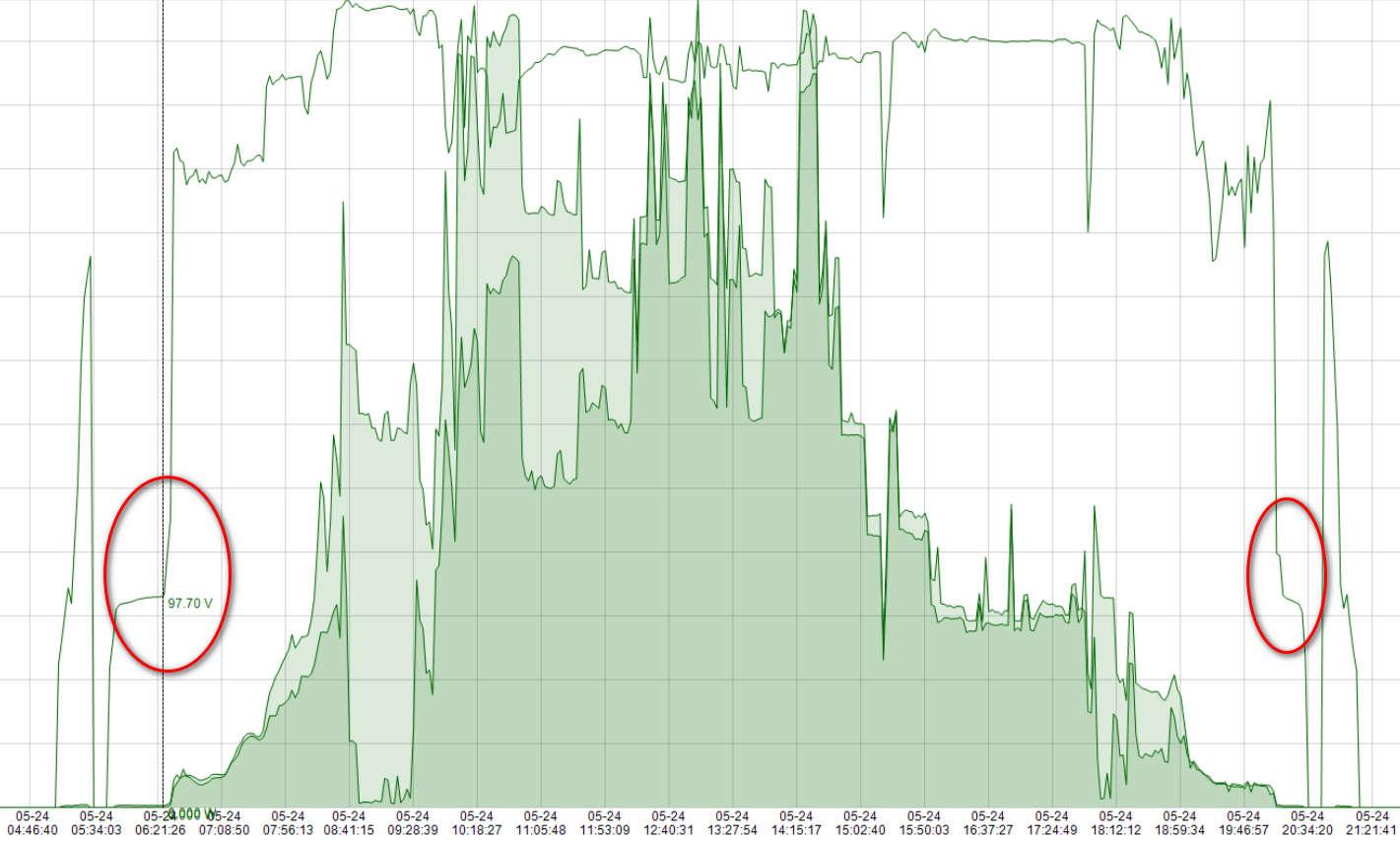
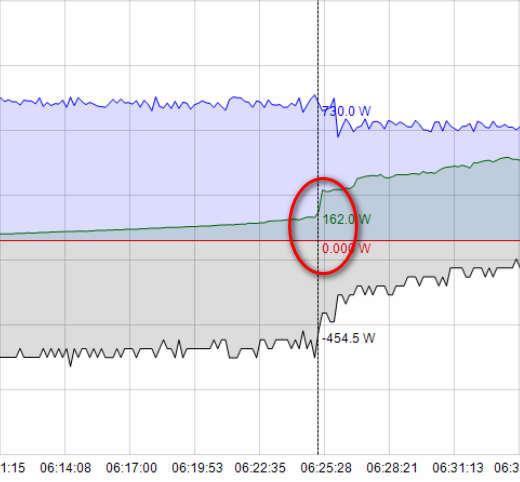
One more issue which I found with verion 91.70 is that from MultiSIBControl 1.7 cannot be Save Parameter "Max. Utility Charging Curent (A)". "Max. Utility Charging Curent (A)" can be set Locally or from WatchPower only. Also, I observe a jump at about 150W which is equal or about 97V.


-
Does somebody has newer Firmware for Voltronic Axpert MAX 11kW then 91.70? Thank You in advnace!...
-
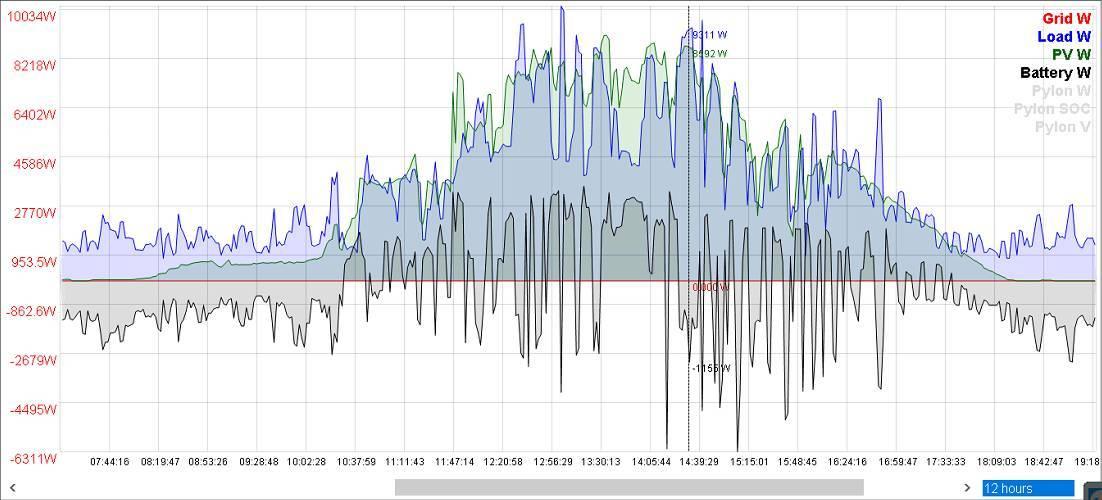
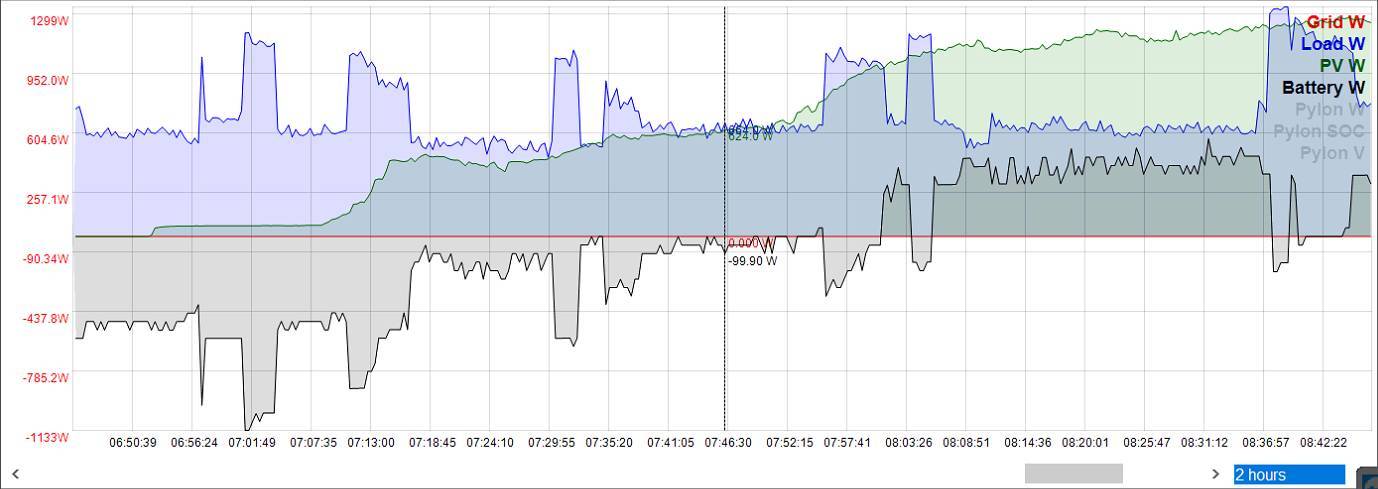
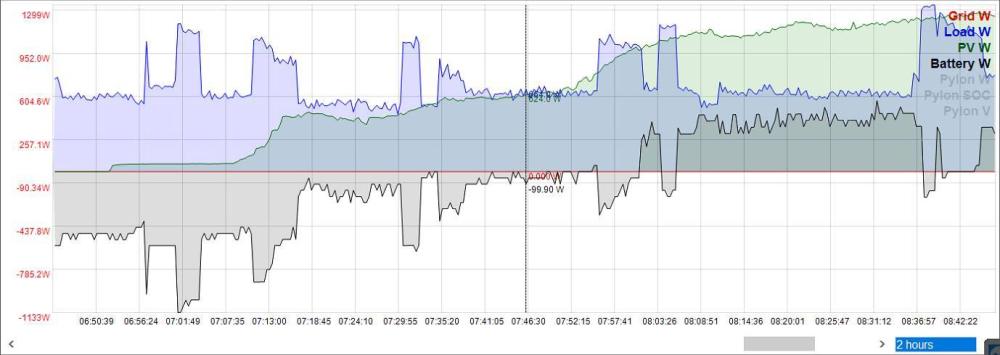
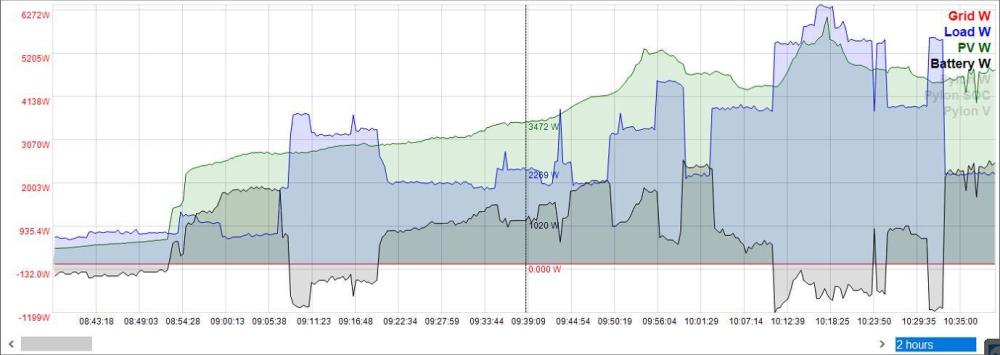
Hi @Coulomb, I was running 69.61 who was sent to me by TommaTech to solve problem with EPROM Error. However, so far EPOM Error did not appear again. All fine with that looks like. 269.91 is working excellent so far! I never had at 08:00h 1000 W PV production before! You can see How was previous day with not patched 69.61 firmware:
-
I instelled patched Firmware sucessfully but get Eprom Error on both Inverters after that. I delete Error messages and will look tomorow if that Eprom Error appear again.
-
THANK YOU VERY MUCH @Coulomb!!! Highly apprectaed Your great job in this regard. I am going to istall right away I hope sucessfully tonight and leave my comments once I get some expeinince of course.
-
THANK YOU in advance!...
-