RobO
Members
-
Joined
-
Last visited
Everything posted by RobO
-
But it's resetting during the day as per the previous graph, just after 2PM. Today it reset twice during the day: Might request a firmware upgrade on the unit and don't want to hijack this thread (sorry!) 🙂 Thanks for checking it though!

-
@slipx it does! And shows correctly on the inverter console Added your local sensor, thanks! All 3 compared. Wonder what is going on:


-
Hi @Sc00bs Shows 7.3kWh for yesterday. As a test, yesterday I created a Utility Meter helper (Daily cycle), referencing the Total PV energy readings (Modbus address 96) and this reports correctly for today.
-
Hi, Firstly thank you @Sc00bs @slipx (and anybody else that I have missed) for your contributions! Much appreciated! Having an issue with the PV energy readings, wondering if anyone else has seen this happening? Sunsynk 8kW (2x PV strings) with the ESP32 and the shield from Smart home integrations. Today for example, the Sunsynk app reports 7.3kWh but I get 5.3kWh readings, as below. However in the Energy Dashboard, I use the Total sensors for PV as source (Modbus address 96) and this reports correctly for today: ESPHome log: [20:06:04][D][sensor:094]: 'Solar PV Day Energy': Sending state 5.30000 kWh with 1 decimals of accuracy Sensor: - platform: modbus_controller #108 PV Day Energy modbus_controller_id: inverter name: "${name} PV Day Energy" id: sunsynk_pv_day register_type: holding address: 108 unit_of_measurement: "kWh" accuracy_decimals: 1 device_class: energy state_class: total_increasing filters: - multiply: 0.1 value_type: U_WORD The time is correct on the inverter. Any thoughts please? Thanks in advance. Rob

-
I use Card Mod, from HACS, maybe there's another way: https://github.com/thomasloven/lovelace-card-mod With the below in your YAML for the Sunsynk card: card_mod: style: | ha-card { border: none; }
-
@TaliaB - To confirm, this to include the Shunt, Fuse and Battery Switch?
-
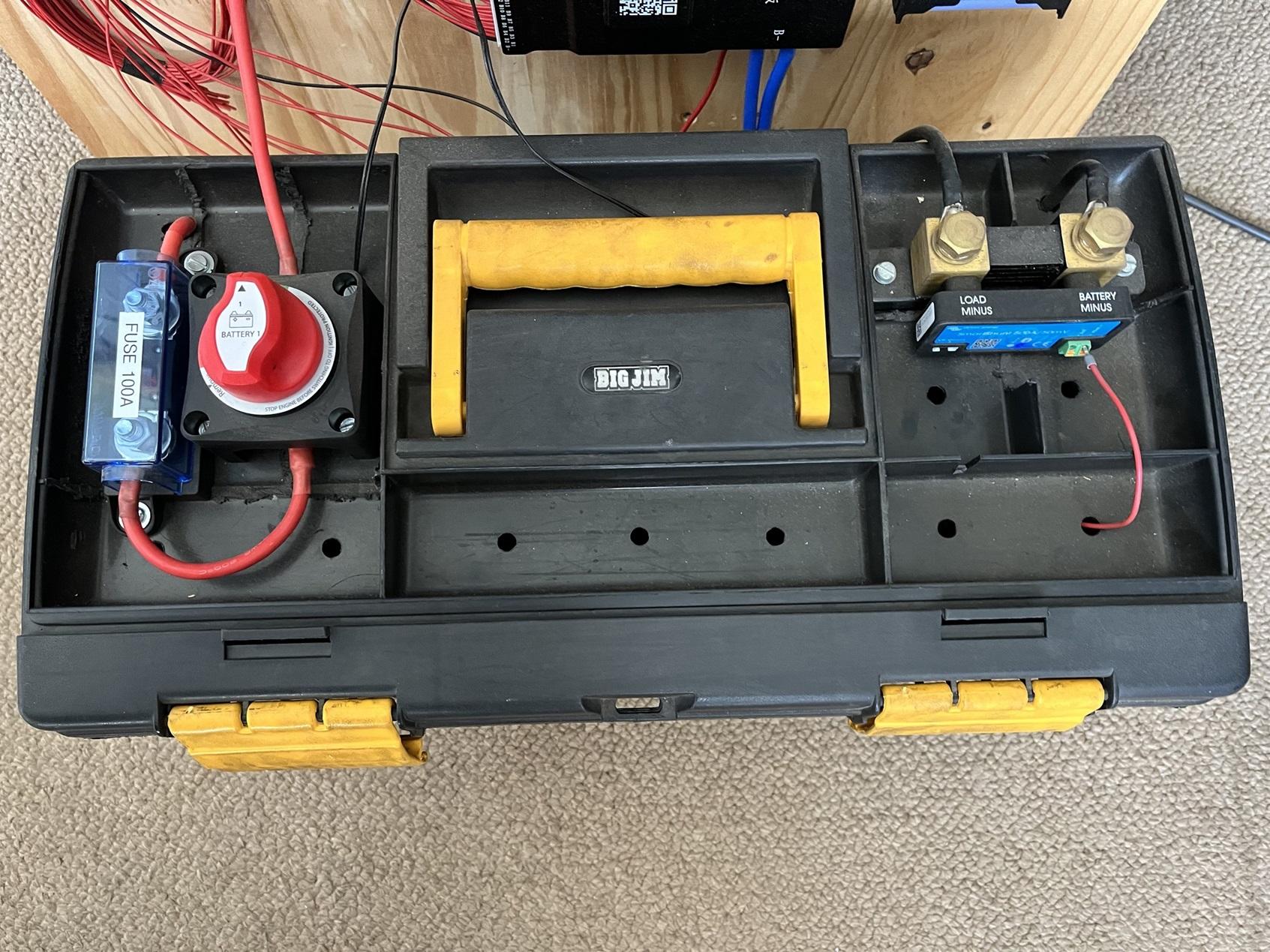
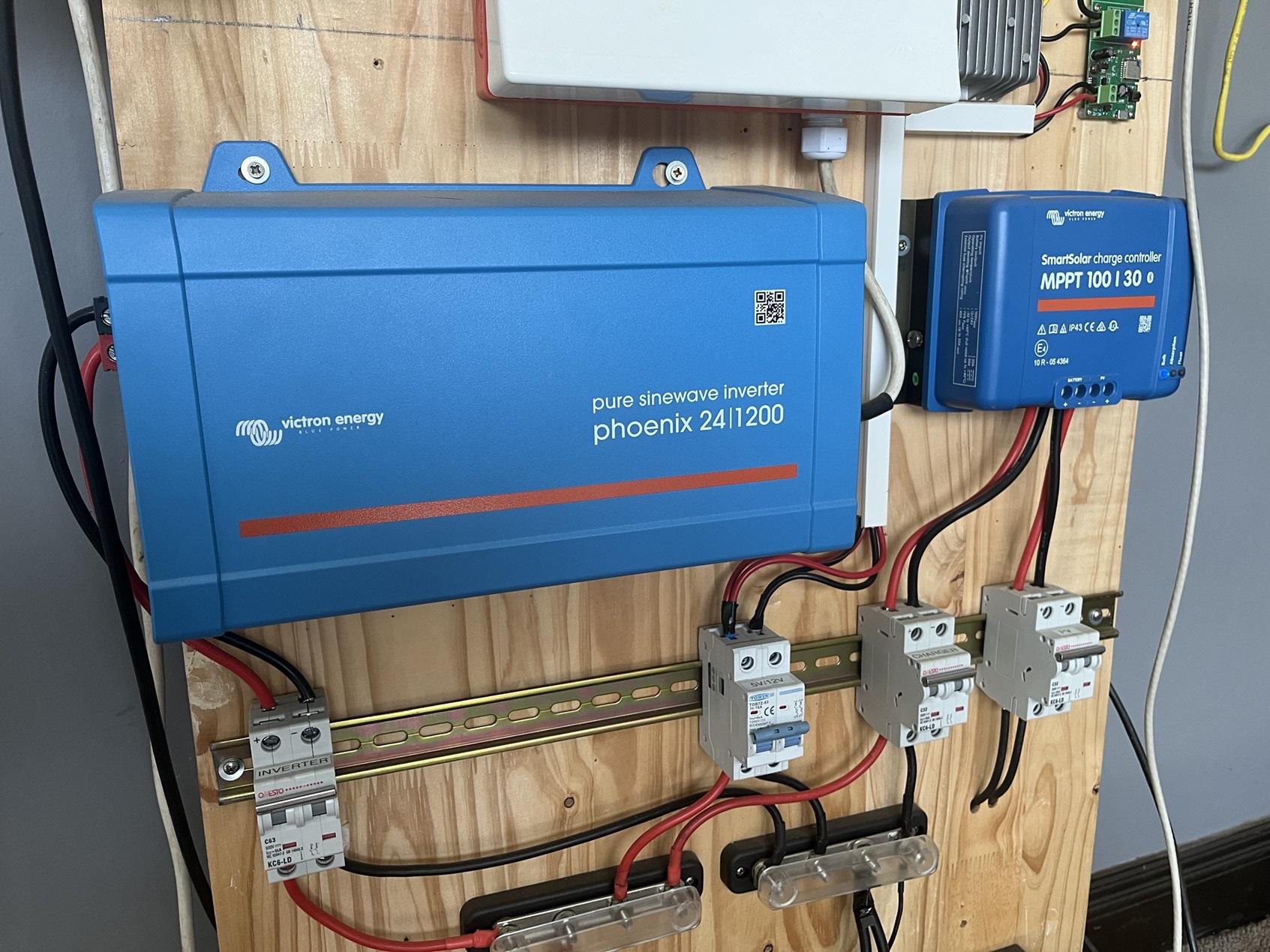
Items: 100AH 24V LBSA DIY Lithium kit (8 cells): Includes Daly BMS and all Bluetooth components with LCD display Currently using JK BMS. 209 cycles at time of writing according to BMS (see pic) - probably more like 230/240 cycles since I replaced the Daly quite soon after purchase. Was primarily used to run internet, PC, wireless and TV plus being a hobby/learning exercise. Cells housed in a toolbox, with 100A fuse, Victron Battery Switch and Victron Smartshunt mounted on the box - see pictures. Will consider selling specific items separately in the list and happy to answer any questions. Can send more pics if required. Includes: JK BMS - JK-B2A24S20P Daly BMS Victron 100/30 MPPT 12/24 Victron Phoenix 24/1200 Inverter Victron Smartshunt 500A Victron Battery Switch - 275A 2x Victron busbars 4x DC circuit breakers 1x AC circuit breaker + DB box Kingstar Automatic Transfer Switch - 63A 2x Canadian Solar 405W panels - HiKu Super High Power Poly Perc Module +-20m of solar cables with MC4 connectors on one end Additional parts and cables included - MC4 connectors; busbars etc. Age: Just under 2 years Price: R22 000 Payment Method Accepted: EFT/eWallet or similar (on collection). Warranty: Passed Packaging: Victron kit with original boxes and manuals. Condition: Used for almost 2 years with low load requirements - very good condition. Location: Pretoria East Reason: Went full solar and moving. Shipping: Not available Collection: Available - Pretoria East Thanks, Rob


-
Hi. I use this one: https://www.robotics.org.za/HPS3010D?search=power supply
-
Thanks, understood. My thinking was since I have everything on essentials/load it should be outputting whats configured but not the case.
-
Thanks - appreciate the response.
-
Hi All, I recently had a full solar system installed and it's been a back and forth with the installer due to some minor issues and observations (with no definitive answers from them) and looking for some clarification and advice please. Sunsynk 8kW/FreedomWon 10/8 with everything on the essentials side (supposedly). 1) Incoming voltage from Eskom usually hovers around 250V. Initially, output voltage on the inverter was set to 230V and I noticed when load-shedding kicked in some of my relays (Shelly 1 for example) would stop working. I then decided to increase the output voltage on the inverter to 240V - this fixed the issue with the relays however it let me to investigate further. I discovered that when there is no load-shedding, all outlets measure around 250V. My questions are: If I have everything on the essential side, should all the outlets see 240V or 250V? My logic would say 240V no? And if 240V, does that mean there is some "loop" somewhere or the DB not wired correctly? The DB is not split and from what I understand from the installer, they took the incoming feed back to the inverter, then feed the essentials back to the DB. The inverter is around 10-12m from the DB. It's quite a small DB and hard to make out the wiring, without taking everything out. When load-shedding kicks in, all lights will flicker - probably due to the voltage drop - but should it given its all supposed to be on the essential side? In case it's relevant I can confirm there is a permanent neutral-earth bonding, whether it's done correctly I could not say but after getting them to add the bonding, I don't have some dim lit LEDs anymore when there is load-shedding. 2) I have a booster pump (1.1kW) that supplies the house water from a JoJo tank. From monitoring I did via a smart relay, it typically peaks to around 1.5kW for a short while, then drops down. Whenever a tap is turned on or anything else that demands water - all the lights will flicker for a moment. This does not happen with any other "heavy" loads. Any pointers what this could be please or is this expected/normal? Many thanks, Rob