Haysdb
Members
-
Joined
-
Last visited
Everything posted by Haysdb
-
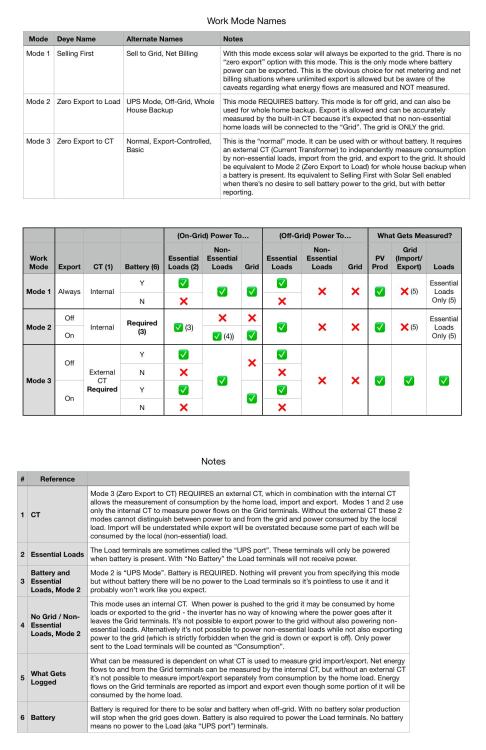
I would be extremely grateful for any corrections to this, or suggestions to make it more clear. I call the modes Mode 1,2,3 because the names Deye gives them make my head hurt. Zero Export but allow export. Aaaaagh. What’s funny though is that I’ve yet to come up with better names so I think the solution is to just give them generic names.
-
I know I’m being pedantic to point that out, but the Deye Work Modes have run me in circles for MONTHS. Zero Export but Allow Export? Whaaaaaat?
-
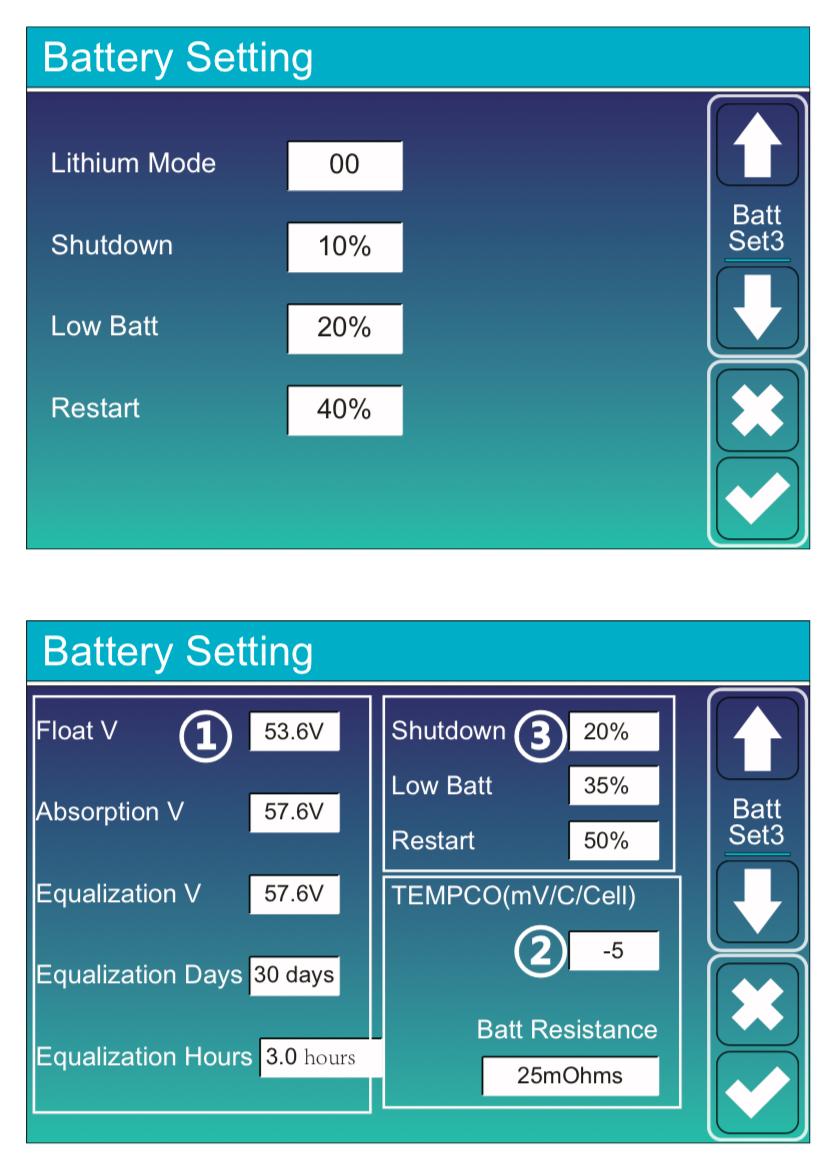
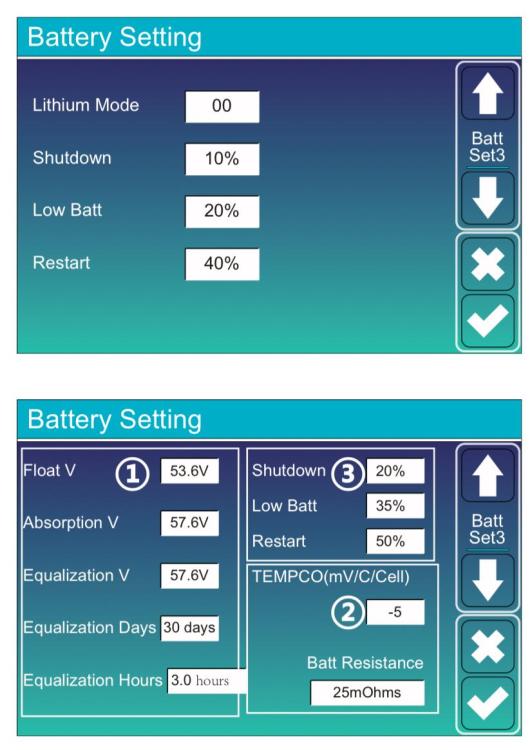
If I don’t want an alarm I should set it to or even below Shutdown? I EXPECT to hit this limit and I don’t need an alarm to let me know I have.
-
What does this sentence from the Deye inverter manual mean? How would the inverter be configured to use grid power before battery? It could be forced with Time of Use and setting the minimum battery SOC high. Is there another way to set the grid priority higher than battery? There is Load and Battery priority, but I thought this just applied to where excess solar would be used first.

-
Selecting “Lithium” for Batt Mode is mutually exclusive with “Use Batt V” and “Use Batt %” so presumably % is used for other settings? What other battery settings apply when Batt Mode is Lithium? For example are the setting for Float, Absorption, and Equalization ignored? The BMS has a voltage setting to stop discharge. The inverter setting “Shutdown” is in case you want to use a more conservative value than the BMS?

-
Whether an inverter can be “overloaded” depends on how it’s connected to the grid, isn’t it? If it’s connected to the main panel via a breaker I don’t see how it could ever be overloaded since it’s merely providing supplemental power. If the grid runs “through” the inverter (which is how mine is configured) then you will be limited by the passthru capability of the inverter. Please correct me.
-
Smart Load apparently works differently than I thought it did. I thought the purpose was to power devices when excess solar is available, with supplement from the grid if configured that way. I assumed this meant it would not be powered if PV is less than load. Back to the user manual for me.
-
This isn’t necessarily true. Deye inverters can do zero export with no external CT in “Zero Export to Load”. The “catch” is that in this mode “only” essential loads will get power when in zero export mode. There is still a CT but not one external to the inverter.
-
That’s a valid point. I’d still like to know for sure that the Load terminals are only ever powered if there is a battery. I think this seems likely, but I keep getting bitten in the ass by my assumptions. ChatGPT gave a sensible sounding hypothesis for requiring battery for the Load terminal: “The load terminals may be left unpowered to avoid providing unreliable or unregulated power to critical loads.”
-
I’ve seen the specs on some batteries say something like 6000 cycles at 80% DoD, 5000 cycles at 90% DoD. The info I’ve found online about that is absolutely all over the map, from issuing dire warnings about discharging past 20% and others showing graphs indicating it just not that dramatic. The batteries I’m getting say “Up to 100%” for DoD, whatever the hell that means.
-
Does it work like this on all of the modes? No battery = no power on the Load terminals? The Deye manual sure doesn’t make this clear, saying that for “Zero Export to CT” power is supplied to both the backup load and home load, with no caveats about requiring a battery.
-
What I’ve been told is the number represents a generation. Sometimes multiple generations are available simultaneously to hit different price points. However, 04 seems to be something a bit different - more compact with passive cooling. Maybe? I don’t know about them serving different power requirements. This is the first time I’ve heard that, but it’s possible. i have an inverter that’s a 05, which would make it the latest among the single phase 10k units, but it’s not listed on any of the Deye websites so I don’t know if it’s not available anymore or what. An 02 generation is still listed.
-
What do you anticipate will be different between these two modes? That Zero Export to Load will only use solar and battery to power the Load terminals and not the home load, and that zero Export to CT will power both?
-
What does “UPS port” mean exactly? That it uses only battery power and not PV directly? What are the implications for whole house backup where the main panel is connected to Load and only the grid is connected to Grid? I think that in that scenario Zero Export to Load and Zero Export to CT are effectively the same. If there’s a practical difference I’d like to know what it is. I don’t have a battery yet so I can’t experiment.
-
I use the Deye Cloud app on my phone to change settings. Device tab at the bottom of the screen, Professional Settings.

-
There is a place in the settings that specifies voltages for low battery cutoff. I’ll be dealing with this myself in about two weeks. I’ll try to comply with the “20% rule” but I’m not going to obsess over it. If I lose some cycles, so be it, I suspect my batteries will calendar age to end of life before I wear them out from cycling.