


Henk
Members
-
Joined
-
Last visited
-
Hi Stanley, do you know which cells are being used in the BN13V-310-4k_NG from them? Are BN still using the 123Smart BMS? Regards Henk
-
-
Hi Hannes, nope the pictures I downloaded from Victron and Internet
-
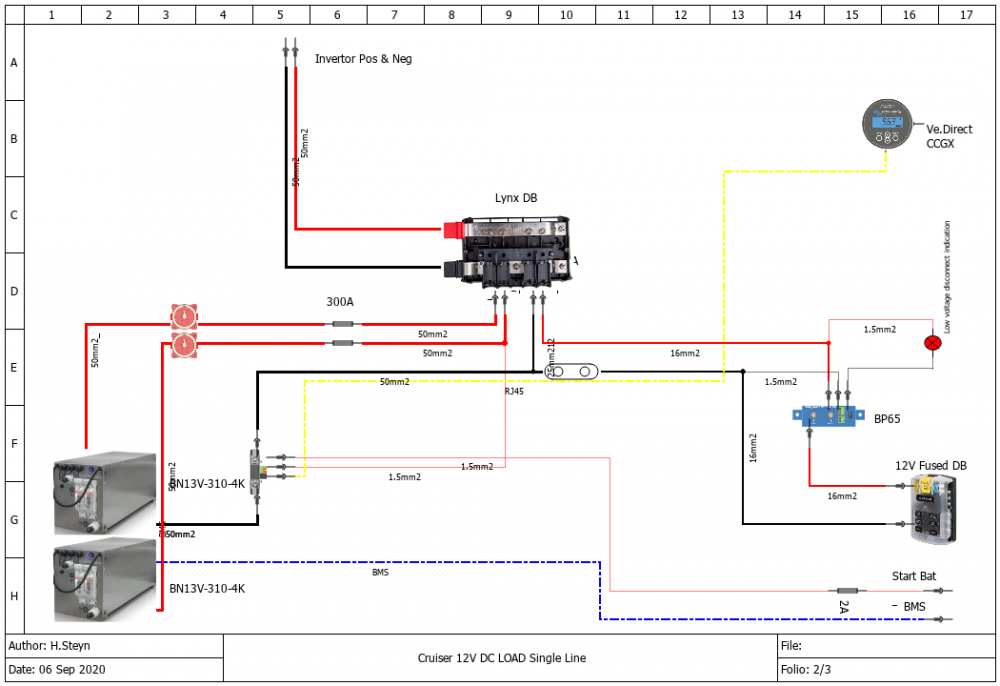
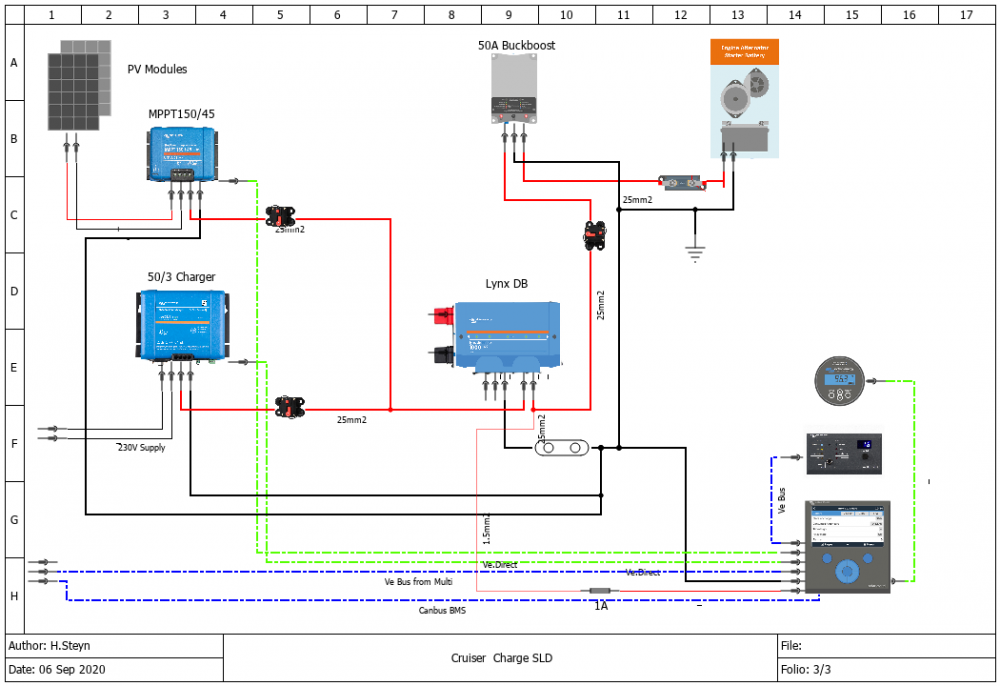
Hi Hannes I used https://qelectrotech.org/download_windows_QET.html
-
-
Once I have the roofrack sorted I will add more panels, idea is to go to around 1500Wp but space is an premium.
-
-
-
Hi Louisvdw, I will be using both, to fully charge the two BN was thinking the Multi will be slow with only 80A, that's why I added the Phoenix, as for the MPPT, I will expand the panels in future, currently I have 3 x 100W in a mobile arrangement with 2 x 100W fixed on the roof
-
I have an Toyoya Landcruiser 70 series which I have converted for overlanding, I have design my electrical system, now just waiting to get home to start the build. Parts procured: 500Wp PV Panels 12/2000/80 Victron Multiplus 150/45 MPPT 50A Phoenix smart charger 50A Buckboost BMV 712 GX Remote panel CCGX Lynx Distribution DC Fuses and CB 2 x BN13V-310-4K Blue Nova batteries Still need to get the AC distribution board with CB and RCB Camper and the design idea
.thumb.jpg.3649a0cce954b10249b44cdce3b49db4.jpg)


.jpg.9fcdeb30c0f63e39f4313d9c3fb2d4ac.jpg)


