


Flarkit
Members
-
Joined
-
Last visited
Everything posted by Flarkit
-
A full restart sorted the issue out
-
duplicates deleted
-
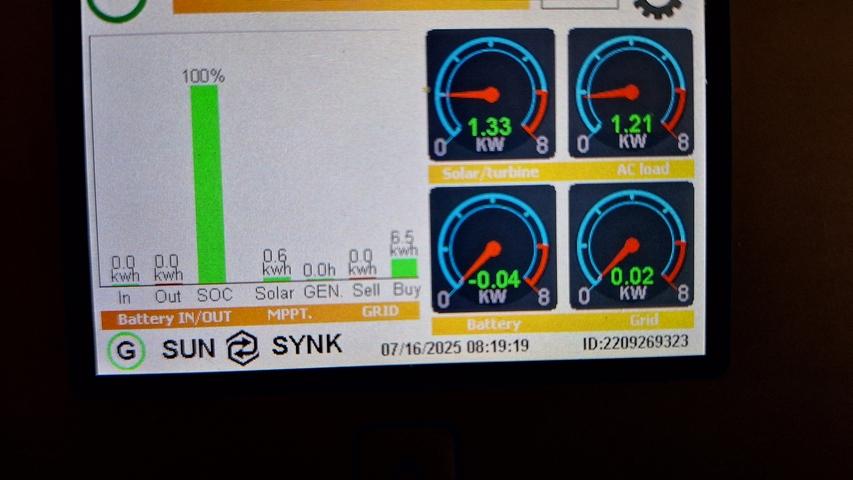
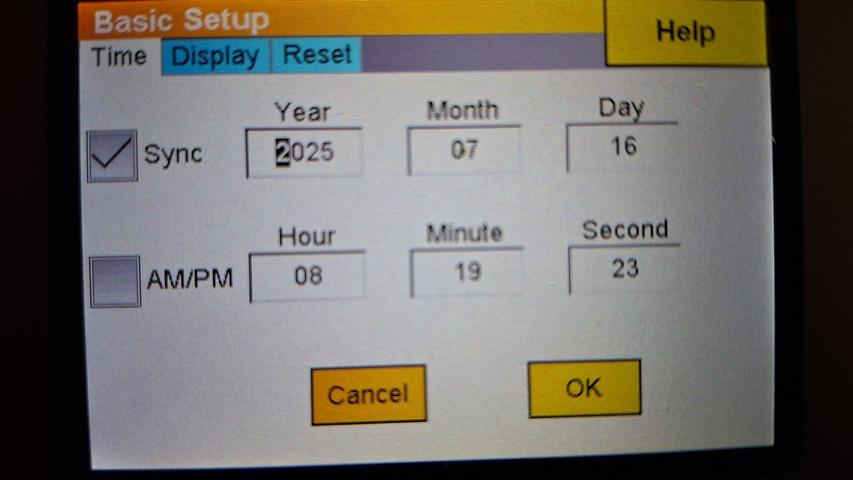
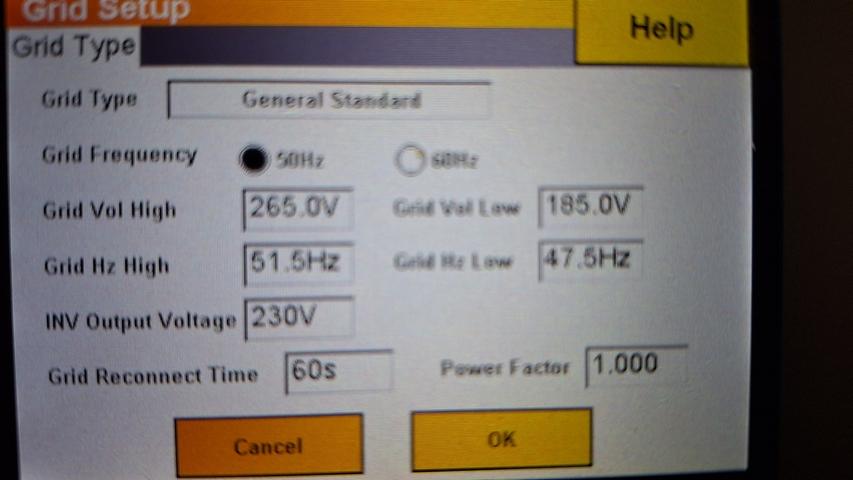
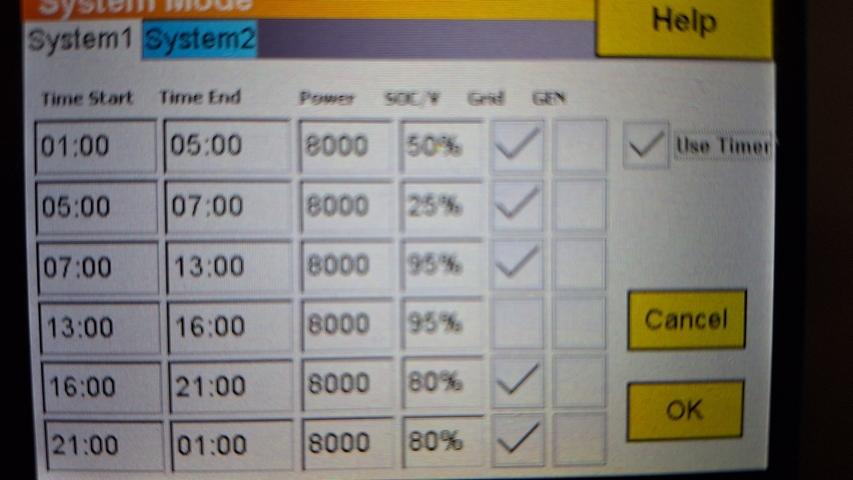
Hi, 10 days ago our prepaid electricity ran out and our inverter shut off when the batteries had run down to the 13% minimum level. The inverter alarm activated, so I shut the unit off (green button) for 1 minute while reloading electricity units and switched the inverter back on. After that I've noticed that my inverter is not using the batteries to supply power to the house. The batteries are at 100% at night, but the electricity grid is being used to supply power instead. The solar panels + grid are used during the day. How do I ensure that the batteries are used at night, rather than the grid?


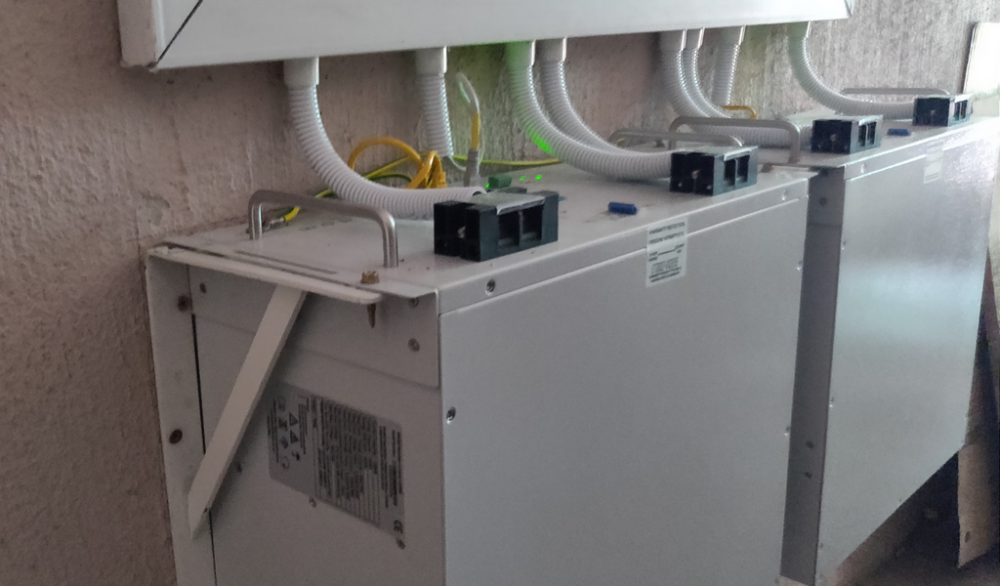
 The OP doesn't mind hosting an informative discussion, at all 😆Meaning replace the current ones with wider brackets? I was surprised to see 3 screws in each bracket, but perhaps this is per specJust your regular L-brackets, for the batteries: 2 per battery:
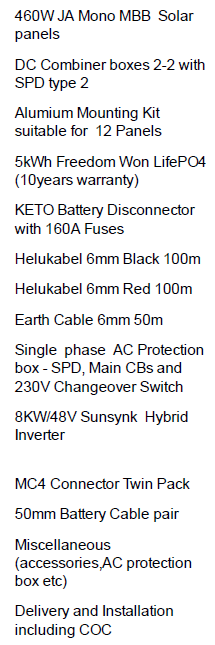
 Here's the invoiced list: @Steve87 I noted there's mention of 2 sets of 50mm Battery Cable pair...
 Cudub have been great through the whole process. These queries are worth checking though, thank you!Thanks, BGR. Pardon my lack of terminology, but does this refer to earthing the panels? If so, I've queried it with both the installer and the CEO. Apparently this is either done via rods in commercial installs, or using the house's own electrical earthing used by the grid. Does this make sense @Steve87?I can only add my experience, I was very lucky to find an excellent installer who quoted me and installed my setup within 2 weeks of my request for a quote. This week they're not replying to calls or Whatsapp messages and I hardly blame them, when seeing how many of my colleagues are trying to jump onto the solar wagon now. Hang in there, it's worth using a well-regarding company with a proven record, rather than rushing out and using a fly-by-night operationThe Powerforum store is a good start, and you'll receive excellent advice as well.I had an 800W inverter with 2x 150Ah lead acids for a similar purpose: 2 laptops, wifi router + ONT, alarm system. It ran very well for a year, then the batteries would only last for an hour intermittently. Stage 6 gave me nightmares. Took me a year to reach the last straw and cough up for an 8kW inverter, 12x 460W panels and 10kWh lithiums. I have the battery backup still sitting there quietly, hopefully able to stand in for the basics if ever the lithiums run down and there's no sun nor grid, nor access to a generatorAvoiding replying to that thread, with the hair-pulling going on. The sheer peace of mind alone, from having almost no issues with load shedding, makes it worth the cost to get a decent solar setup. While the doomsday-prophets are spitting and shouting, I'm running my household and not stressing about potential appliance failures anymore.Thanks. The guys from Cudub did a great job and sorted me out in a short time. By day 2 I'd already missed a midday load-shedding slot completely. Really wish I'd woken up and had this done ages agoInitially I'd opted for a 5kW Sunsynk with a single 5kW Lithium battery and 3.6kW of panels, as a slightly more budget-friendly route. The plan was to expand the panels and batteries in a few months. Then I thought it would be prudent to get an 8kW inverter and the rest just tumbled in after. A quote from Cudub Holdings for the 8kW inverter, 2 Freedom Won eTower batteries and 12 460W JA panels was competitive and the whole experience was great. Equipment delivered 2 days after accepting their quote, I paid the deposit the following morning and was called at 7h00 the morning after with an offer to install that same day due to a cancellation. The installer from Cudub Holdings practically danced with joy seeing our single large north-facing roof:Thanks for that. It stayed in Storage mode today, on 94% SOC. So I'm going to see what the behaviour is after today's full 4.5 hr load-shedding. The "low tech" option to add a little extra load is reasonable, if a bit counter-intuitiveTo date it's kept our laptops and routers running like a charm for 3 load-shedding slots. I've hooked up a MK3-USB interface and noticed that after 2 of those, the inverter had switched to "Storage" mode, which I'd only expect if there's been no load with full batteries, within the past 24hrs. The first was after a 2-hr session at night. The next morning I saw that the inverter was in Storage mode. I shut it down and after restarting, it ran the absorption charge setting and then switched to float, as expected. The next one was after a 4-hr load-shed, it switched to Storage mode although the battery was on 89% SoC. A restart again resolved this. I'm going to speak to the supplier about this. Some googling indicated this could happen if the voltage had not dropped sufficiently to trigger the correct sequence. I'm a bit nervous that this could cause the batteries not to be fully recharged during consecutive load-shedding events, without intervention. Next up I've connected a Raspberry Pi loaded with the Venus software image, so that it's easier to see what's ticking.I have 2x 180Ah (nominal rating is 150Ah) in parallel, so that puts me over the 200Ah mark? These are GEL, not LFP though. I'll just order a proper 80A fuse to be safer.Connected up the "power trolley" yesterday, in time for a 2-hr load-shed last night. Ran our 55" LED, a lamp and 2 routers fine. I'm not finding many local source for a DC circuit breaker for the batteries. I've had suggestions from the 80A fuse in the diagram, to a 40A AC/DC breaker at a local electronics shop. How do I identify which rating is best? E.g 80A DC circuit breakerThanks, I'm considering organising a qualified sparky to hook this all up, to be on the safe sideI'll be following this, kindly provided by the Victron supplier. I wasn't aware I'd need surge arrestors, guess one learns as you go too
 Hi "Blue team", Here's my plan for a power trolley, as backup power for work-from-home: - Victron MultiPlus 12/800/35-16 - 2x Omnipower 180Ah AMG/Gel battery bank - 6A, 1-Pole, 6kA Input & Output Breakers - 25A On-Off-On 1-Pole Change Over Switch - 25mm2 Cables to battery bank - 2.5mm2 20A AC leads from Eskom and to the load (I plan to mount the inverter to the cabinet's lid )
 So, googleing the fuse question, things are clearer: I just need to include a fuse holder and 125A fuse, splitting the +ve cable from the battery to the inverter using 2 cables.Awesomely helpful, thank you! I've overspecced our use at 500W (close to 300W), so I'm not too worried about getting to 50% DoD within our 4.5hr level 2 periods To be clear, fuse the cable from the inverter to battery, or between the batteries? I'm ordering 25mm cables for all connections, which are premade with lugs. Modifying those to include fuses could be interesting


