Muchachos
Members
-
Joined
-
Last visited
Everything posted by Muchachos
-
Item Wanted: Canadian Solar 410W HiKu SUPER HIGH POWER POLY PERC MODULE( CS3W-410P) Packaging Essential: No Desired Age: 3-4 years Location: Gauteng Willing to accept a shipped item: Yes Ballpark/Budget Amount: R1000 Need more power from my existing array, and 2 additional panels is all the MPPT can take. Bets regards,
-
@Gary Waterworth, thanks. Do I need to do any coding change and/or enter debug mode or will this be in the existing attributes that I see on the on developer tools?
-
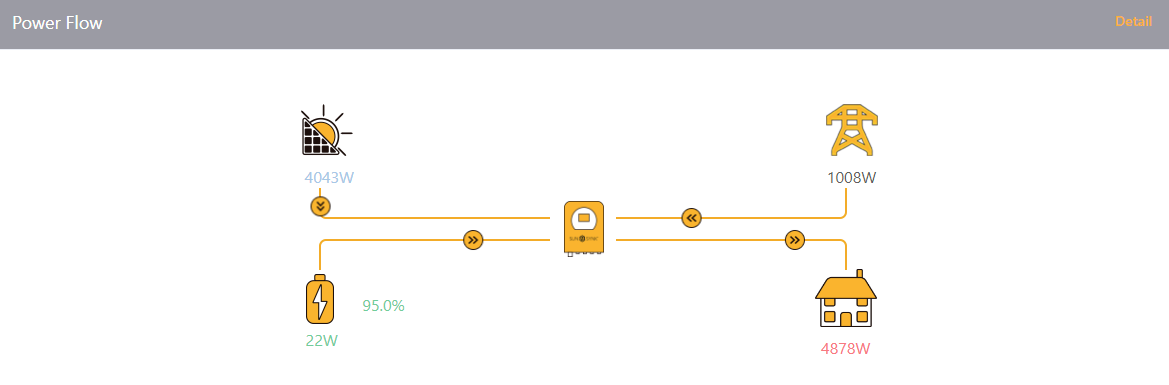
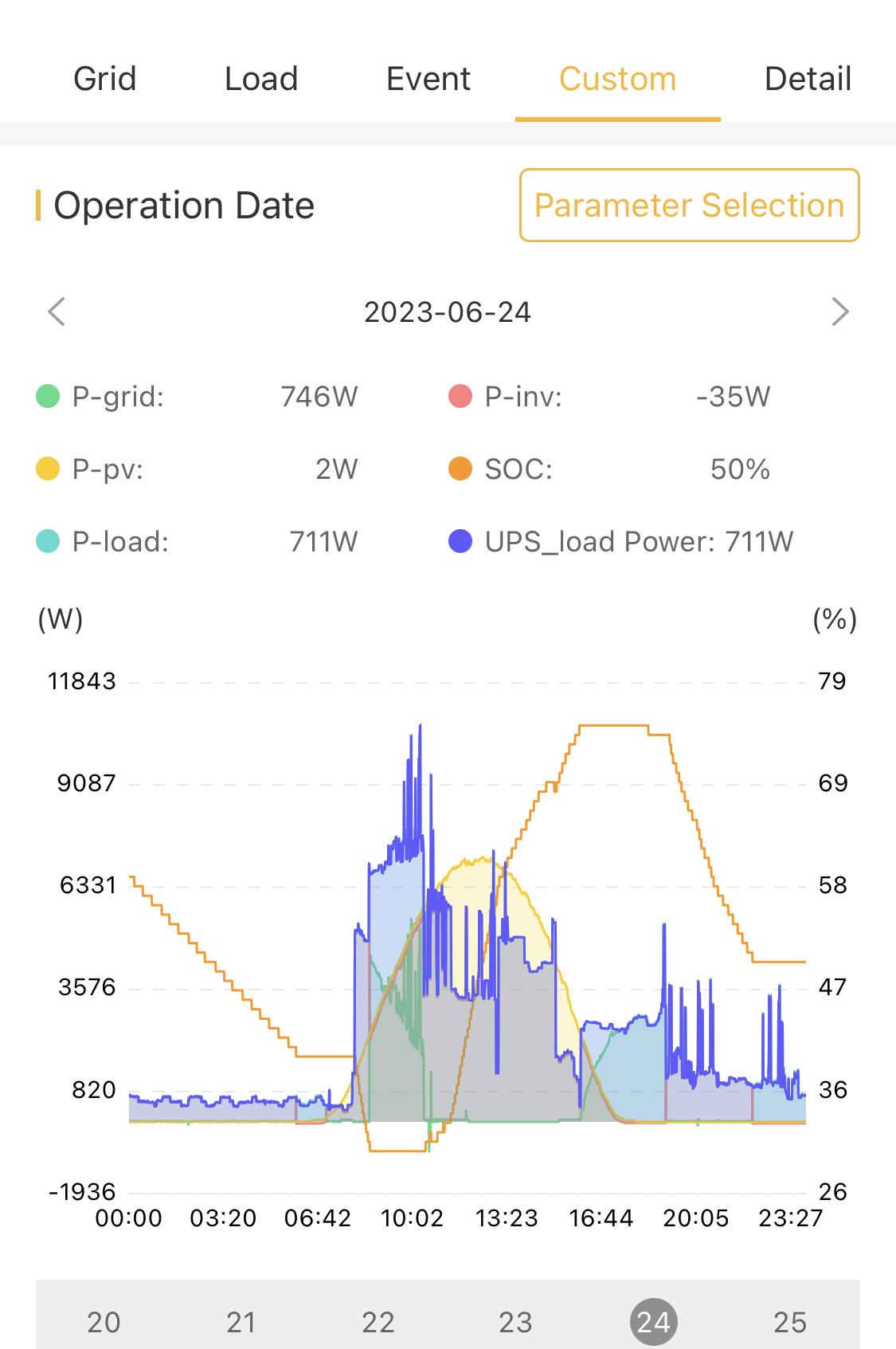
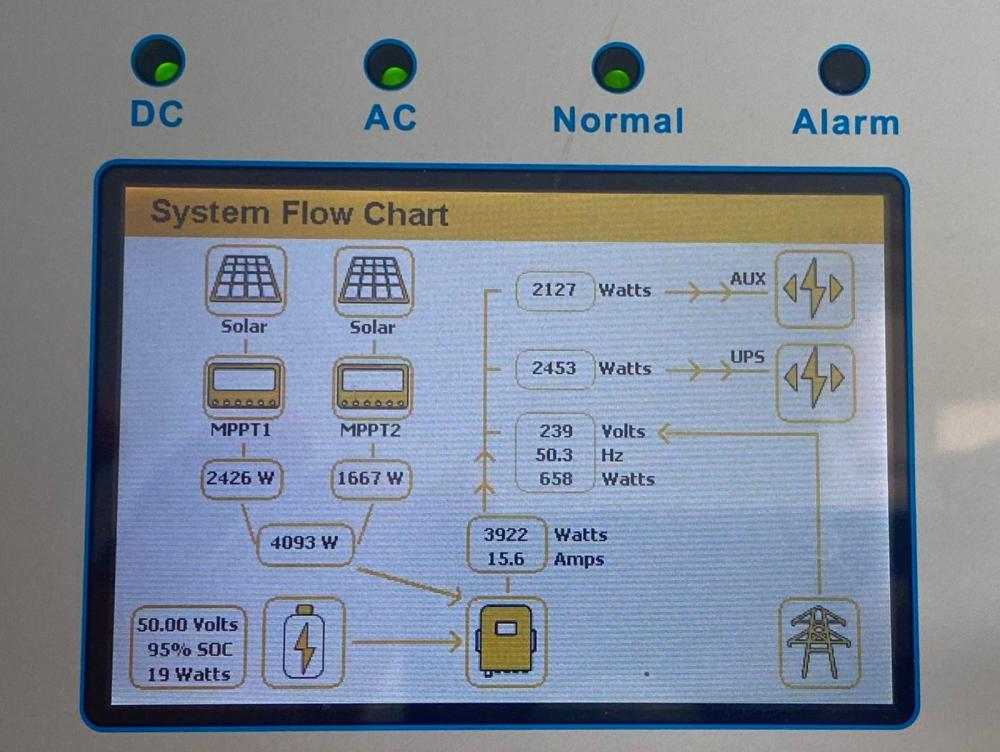
This is the flow on the website This is the flow on the inverter display.

-
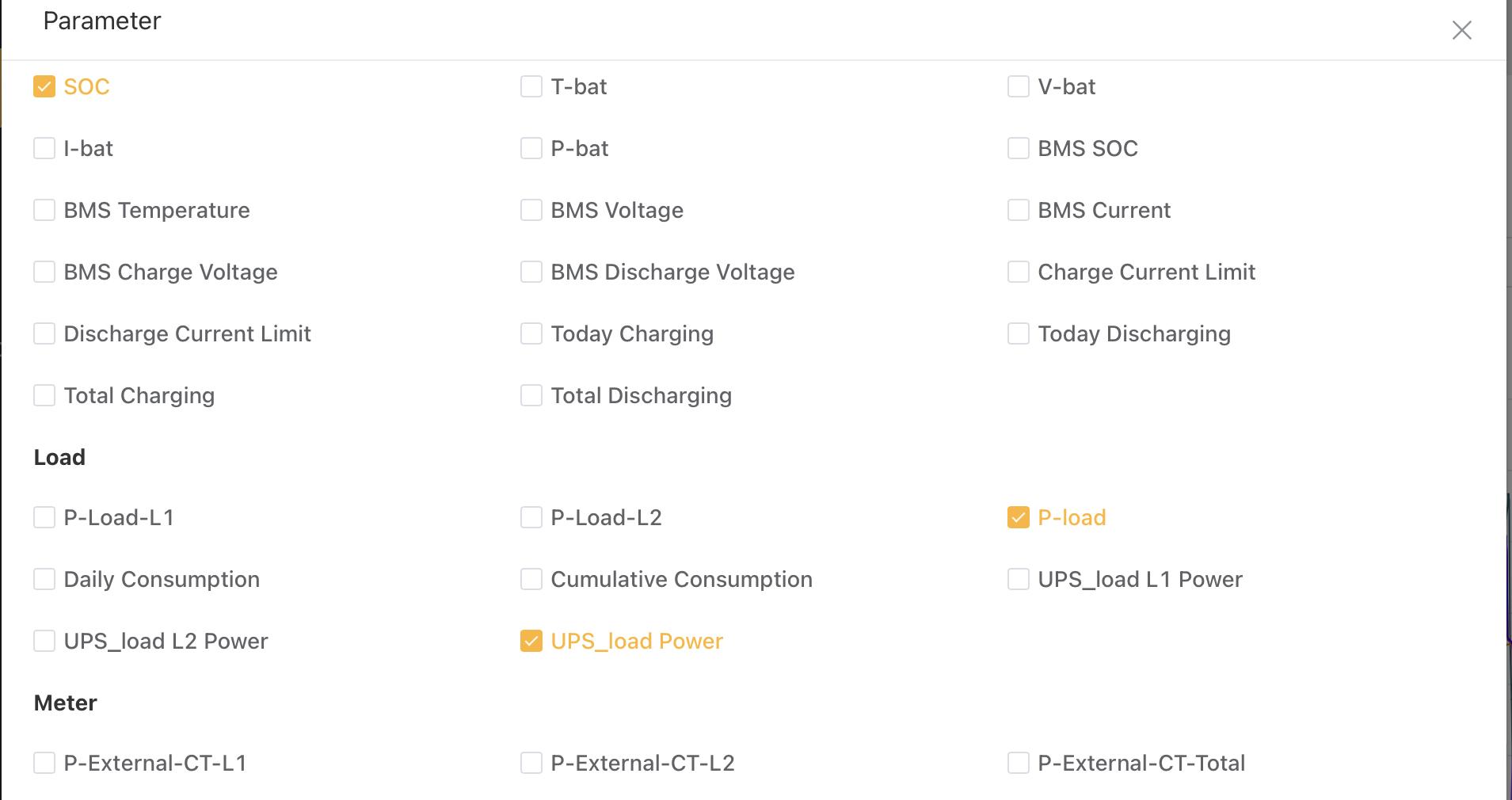
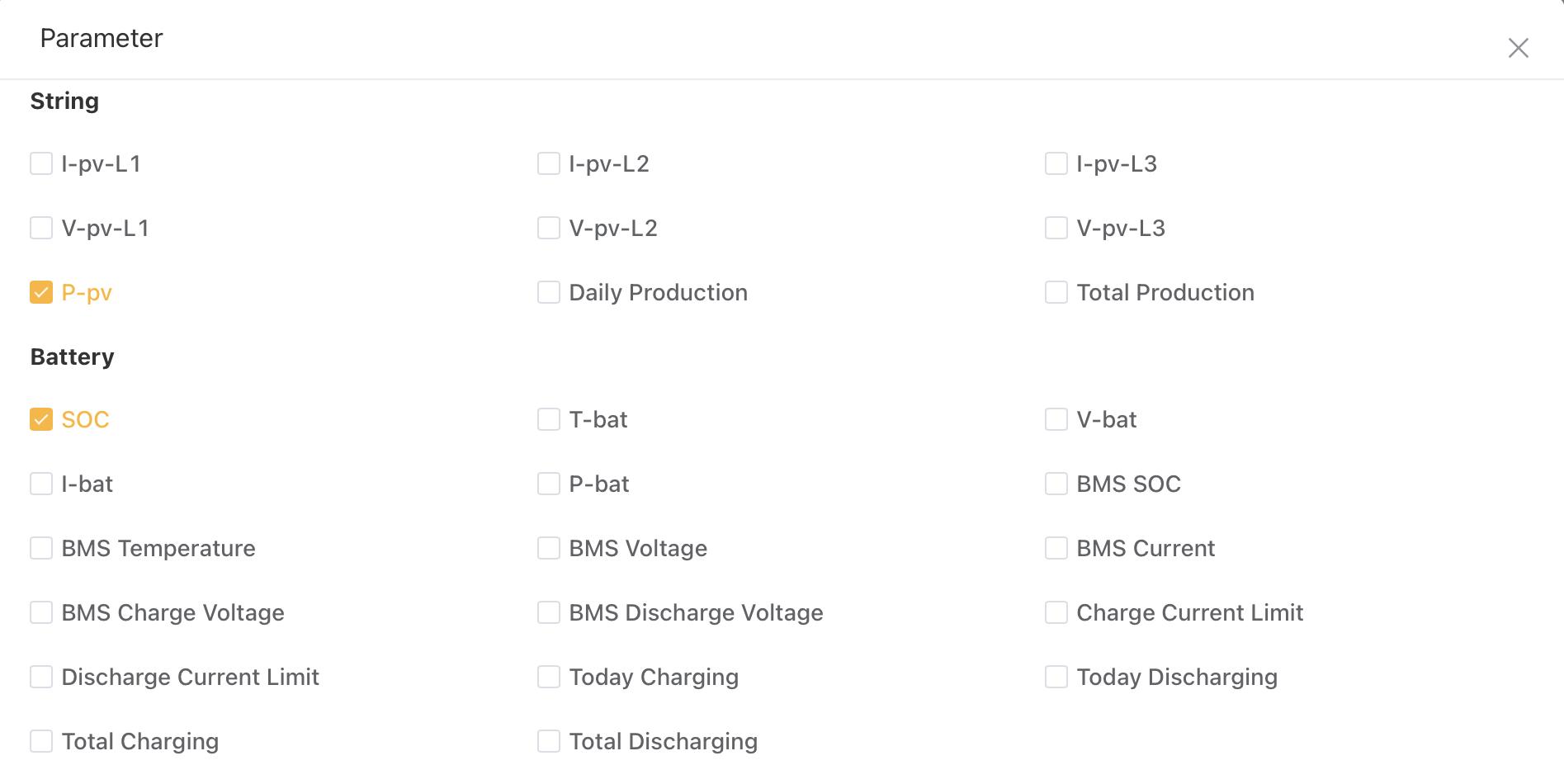
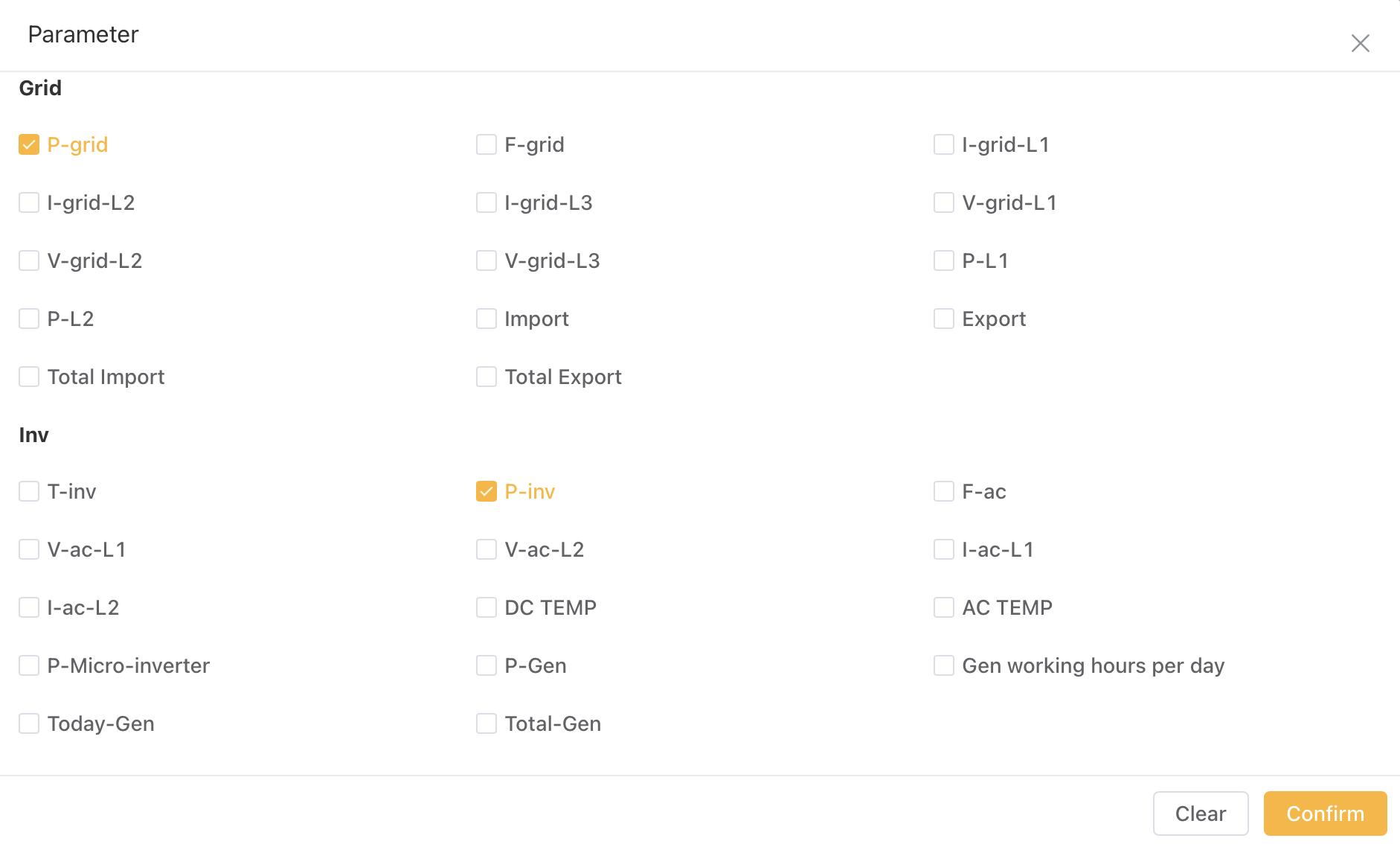
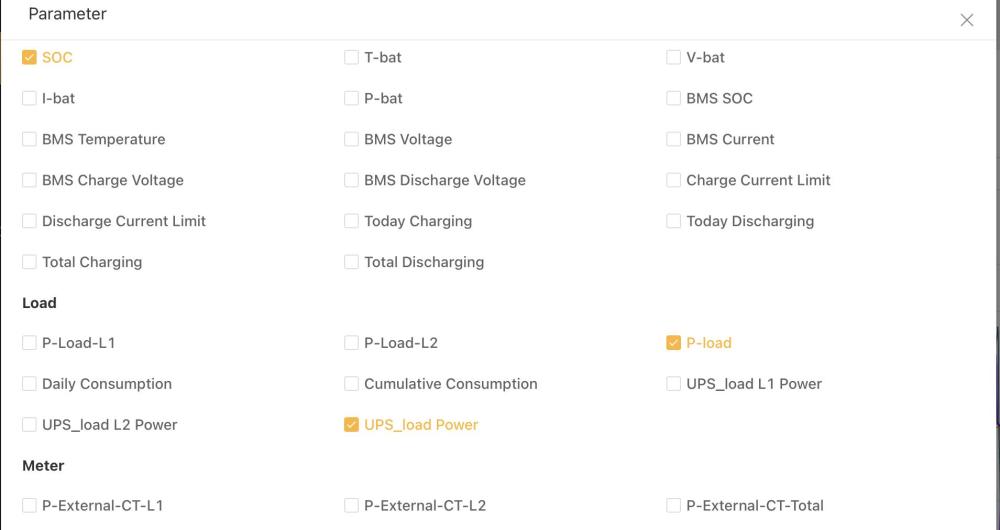
The same are all the parameters available on the website.


-
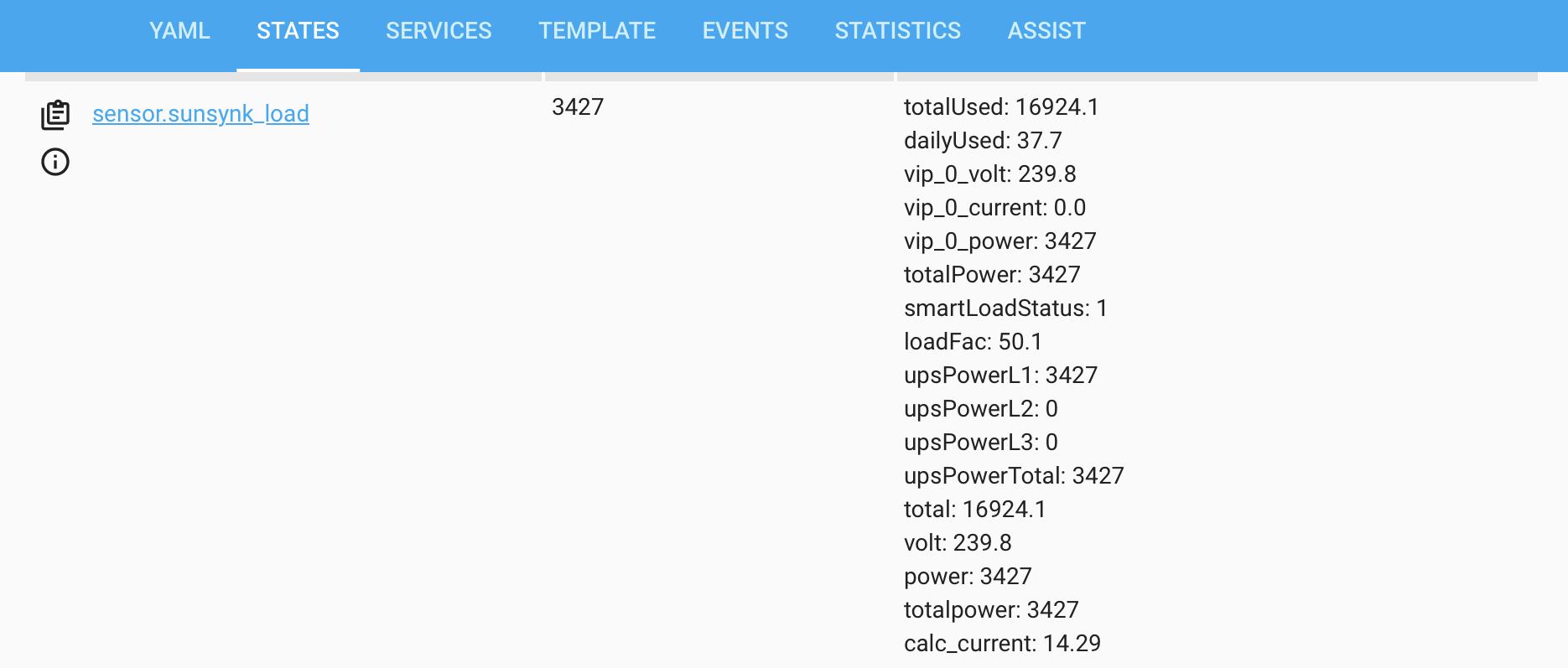
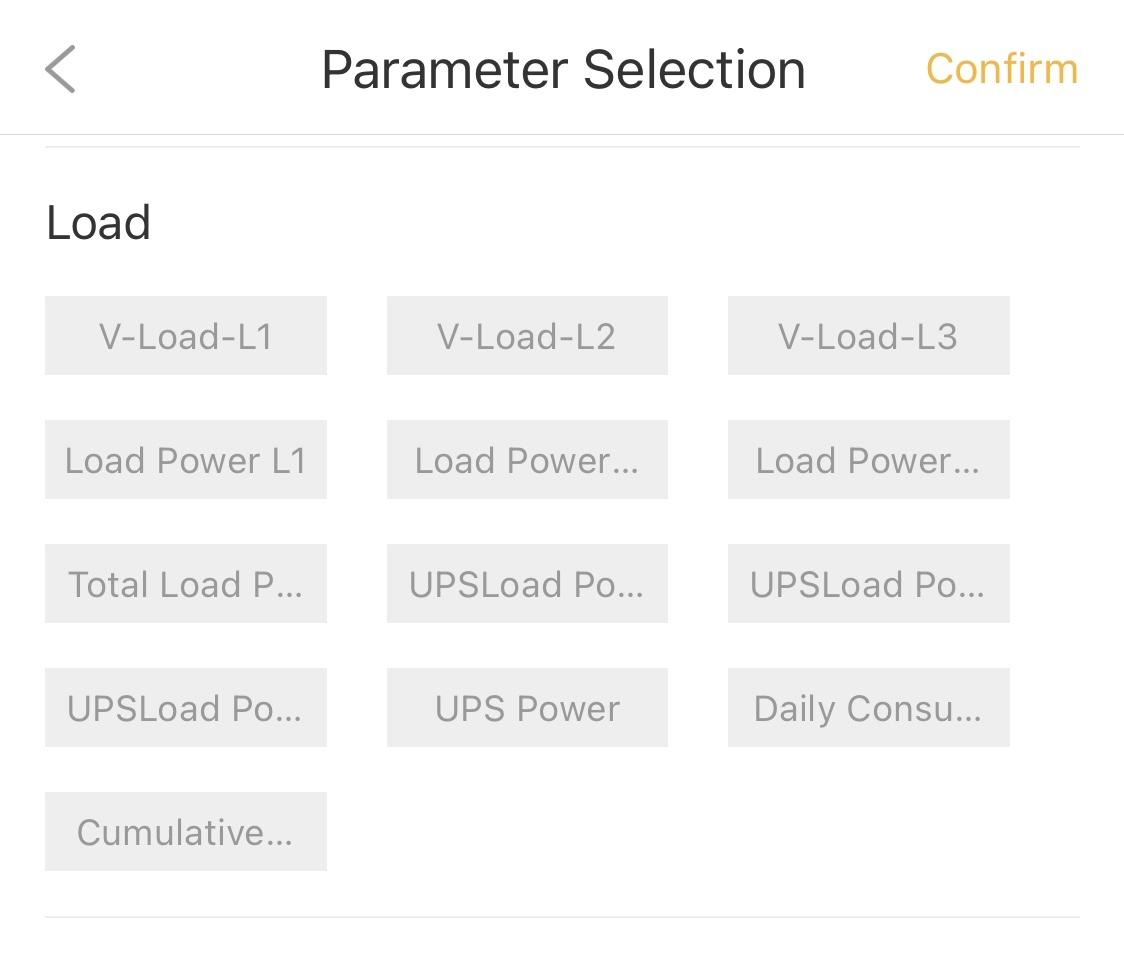
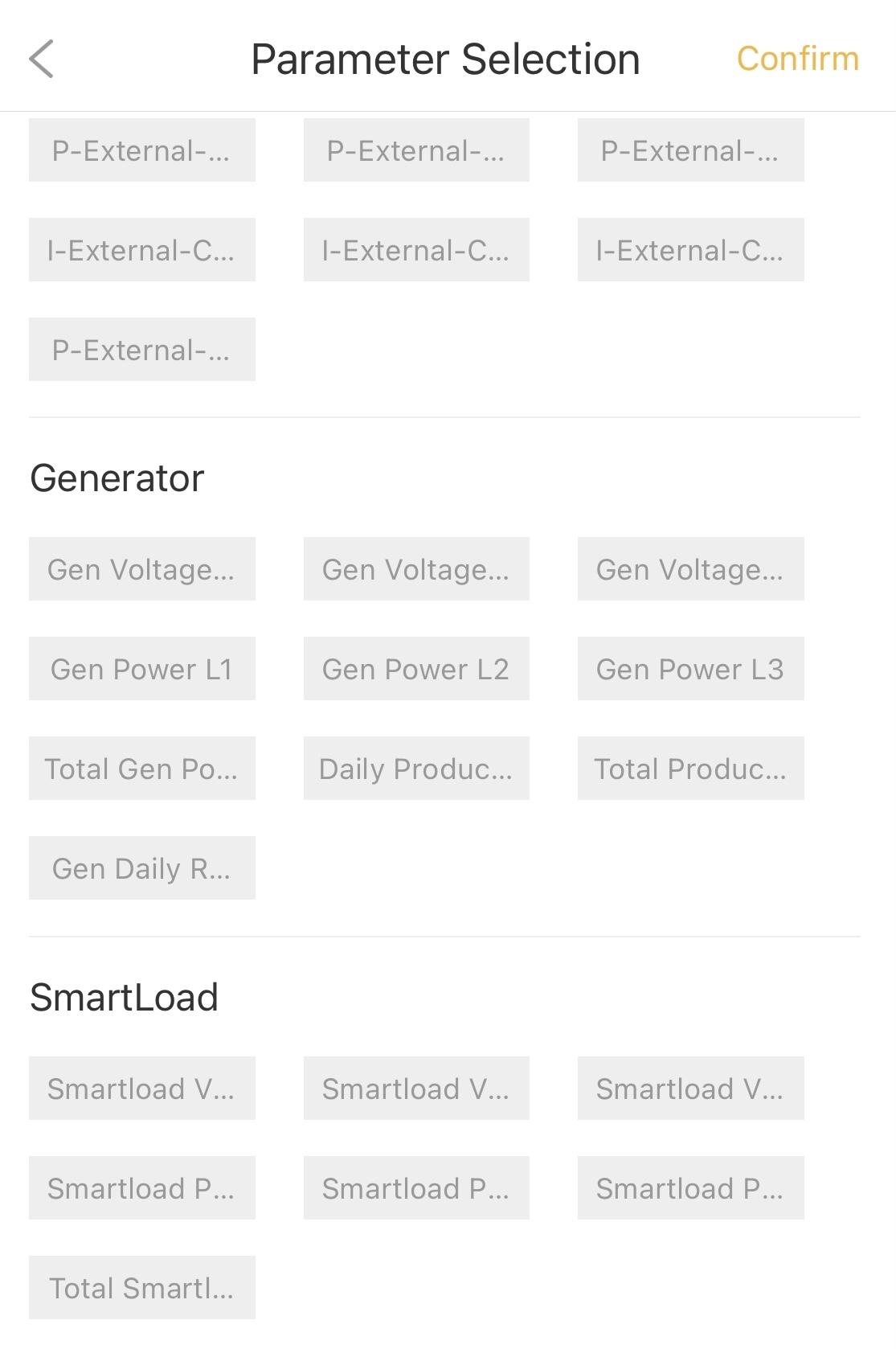
@Gary Waterworth, I checked all the sensors and the ones that look relevant are these ones. This one seems to me the output of the Sunsynk inverter output function. The value for poweraux is set to pInv which is the total solar produced by the inverter and results in the totalpower being set pInv +pac. This is when the pac is actually being supplied by the solar so it part of the pInv and not additional to. The flow and load sensors have data but not the poweraux data. My assumption is that since the parameter section of the custom data has no smartload data like the sunsynk 12k three phase has there is no way of getting this data except for asking sunsynk to add this data.


-
@Gary Waterworth, been away for a bit. I had a look at the node red configuration and the only data I see with my limited node red skills is the following code from the Sunsynk inverter output sensor. What do you recommend I do to see what other attributes are part of the payload so that I can try to set additional attributes for this sensor?
-
I am in Region 1 but could arrange for access to Region 2 as well. Which region will work best for you?
-
@Gary Waterworth, how do I get the UPS_Load_Power from the Gather Flows? What logic would I need to add? Would visitor accees to an 8K and a 12K system help?
-
You would expect the smaller inverters to have the additional parameters since there is many people wanting to get the most value out of smaller inverters. 🤦♂️
-
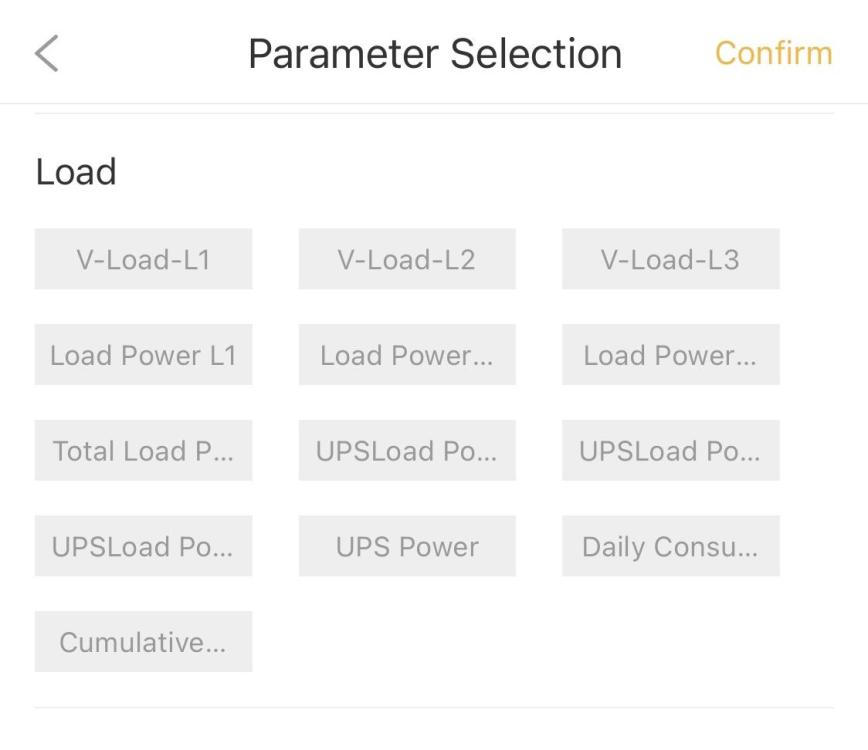
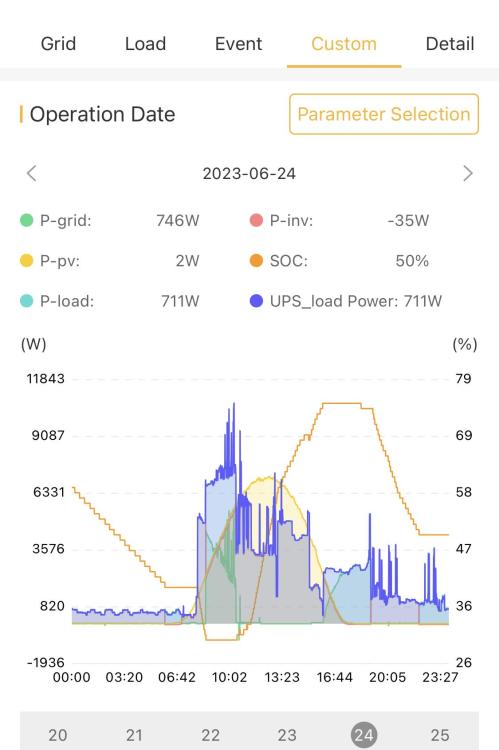
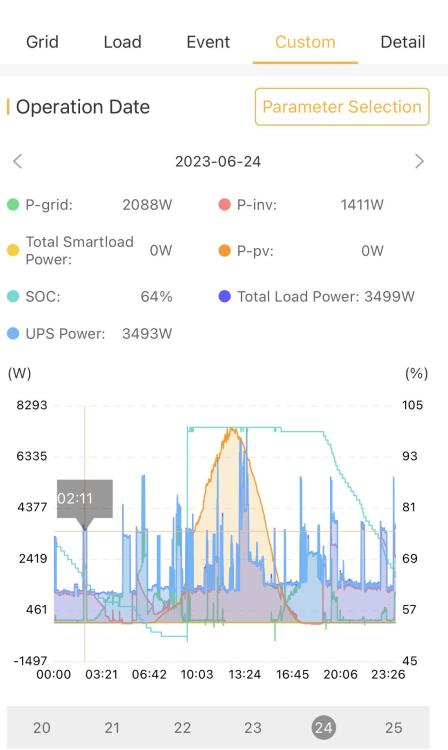
@slipx, there is a UPS_Load_Power variable in the load parameters section on the portal. Because I run all my loads except the gas stove as UPS, this variable and load are the same. I have access to a Three Phase 12K inverter and this has a smart load parameter section. It just that this is not being used. Not sure why Sunsynk think it’s best to have the Smart Load parameter for the Three Phase inverters and not the Single Phase. Not even the 16KW Single Phase has the smart load parameter.

-
@Gary Waterworth, I have my inverter configured with AUX output. I noticed that the entity for aux_power is using the ouput value for the MPPTs. - name: "Sunsynk Output Aux Power 166" state: > {{state_attr('sensor.sunsynk_output', 'poweraux')|float(0)|round(0)}} unit_of_measurement: W This is the Power Card and Inverter display looks. What do you recommend for a fix?


-
Thanks @Sc00bs, checked and I only have the gather flow enabled. Will get my installer to check the battery.
-
Thanks @Gary Waterworth, I thought I did not implement the automations as my automations.yaml is empty. How do I check if the automations are enable so that I can disable them?
-
Hi @Gary Waterworth and @slipx, I am new to the HA and NodeRed but thanks to @Sc00bs I managed to get HAos running on a VirtualBox VM with NodeReed, Sunsynk Data Logger and the power flow card working. I just have one problem, ever since NodeRed connected to my inverter the SOC is stuck at 60% and it is not charging or discharging the inverter. Any idea what could be the problem? thanks
-
-
I am using a Shelly Plus 1PM for my pool pump. Its been working for the past 6 months with no issues. I actually prefer it to the Sonoff that I am using for my geyser. https://www.takealot.com/shelly-plus-1pm-single-pack/PLID70295592 If you wan to measure the temperature of the water you can attached the Shelly Temperature Add-On to you Shelly Plus1 PM and the same devices will give you WiFI control, energy metering and temperature sensing. https://www.takealot.com/shelly-temperature-sensor-addon/PLID71888767
-
Hi, I am using a sonoff TH20Elite to control my 150lt geysers. The temperature sensor is connected to the TH20 using the extender cable. The TH20 has intermittent temperature reading. Is anyone else experiencing the same problem? Regards,

-
@Superfly, what do you mean by “15s”?
-
Yes I am.
-
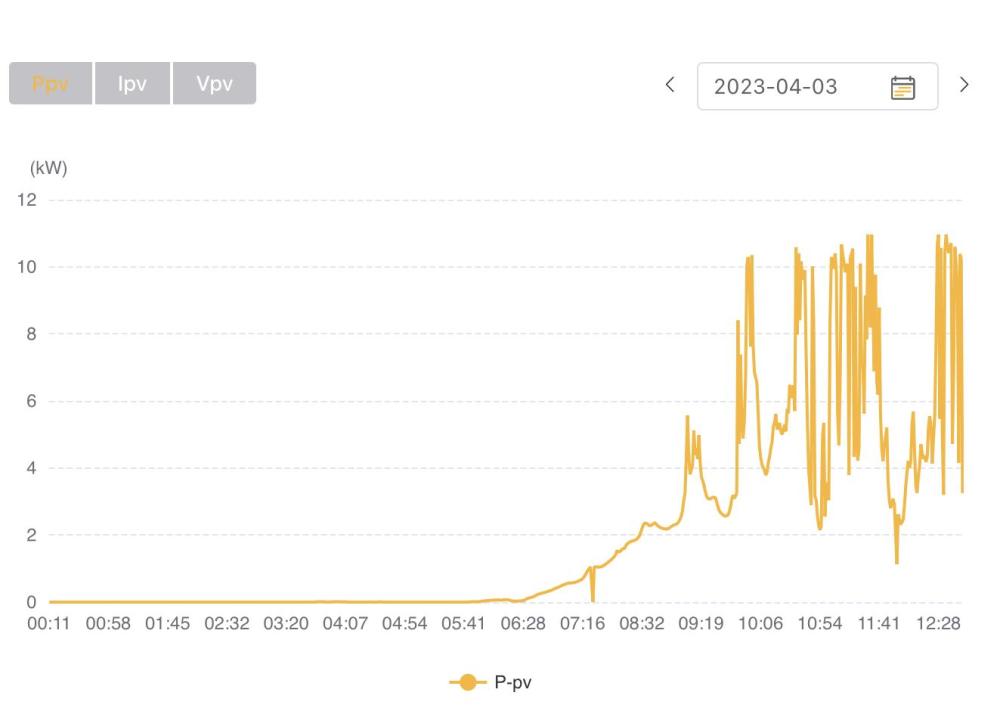
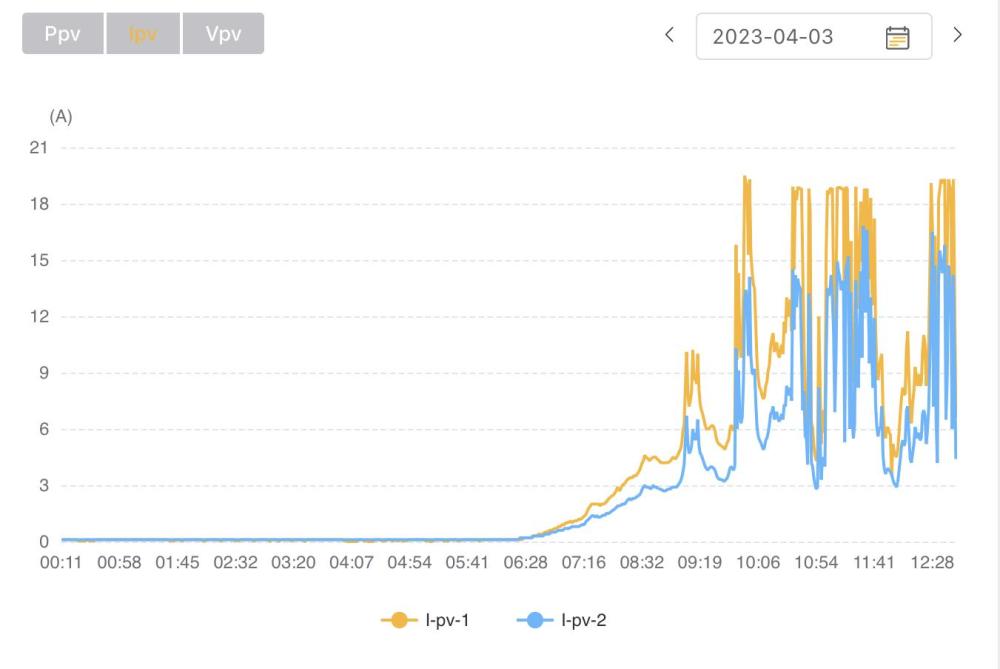
Managed to get my inverter software upgrade to 6.0.2.2 this morning. The inverter seems to have gone past the 9000W production but today is cloudy so will wait for clear skies to confirm.


-
Still waiting for the upgrade to be done. The inverter has not tripped which is a good thing. Seems like there is DC limit somewhere. 🤔
-
The inverter is 8 months old. Requested the FW update and will see how it performs afterwards. Is the inverter clipping for AC only or does it apply to both AC and DC?
-
The software version on the inverter is M 6.0.1.4 / S 1.7.2.4 / C E.4.2.4 What is the latest firmware?
-
Yeah. I am not expecting so too and the graph indicates that.
-
I can export to the grid and the batteries are not fully charged.