DanieT
Members
-
Joined
-
Last visited
-
Hi Geoffrey, Yes, we made a cable according to the pinout in the Blue Nova manual and the same pinout was confirmed by the Blue Nova technical support. If this new cable was connected, the Goodwe inverter showed the batteries as 0% capacaty and therefore overgharge. The 0% never changed. We disconected it when the voltage was at 56Volt. When the coms cable was disconected VP Master showed 56Volt and discharhed the batteries back to the preset 55Volt. Goodwe now keep the battery voltage between 54 and 55volt. PV Maseter show nothing else. Battries work as stand alone.
-
Any progress?
-
Cef, Thanks for the quick reply. I have a router 5 meters away. Signal is 6 to 10 Mbps at the inverter. I can't log onto SEMS as the first installer removed my name from his guestlist. David Hvenga from Goodwe said my plant is visible on the cloud but my system show offline. Is there a way to reset the system to remove my plant from the original installes profile? The only option to set the BMS is self define for the Blue Nova batteries.
-
Very interesting but way above my mechanical abilities.
-
Cef, What communication route are you using to connect to the Goodwe, via PV Master or SEMS? Is it possible to connect wired? My reason for asking is the unreliable WiFi that stop working whenever the system resets.
-
-
I have a setup that was suggested by an installer what I call totally incompetent. That's a Goodwe ES with two Blue Nova 5.2Kwh batteries. The sad part is there is no communication between the inverter and batteries at all. I now rely on the Blue Nova BMS. SEMS is not working as my plant is registerred on his profile and is offline. Not much help from Goodwe and no other installer want to thouch this combination.
-
Very nice and professionally done.
-
Yes, I believe so. It could be made up. From what I understood, neither Goodwe nor Blue Nova supplies an adapter / changeover cable to rectify the problem. To me that should be an off the shelf accessory.
-
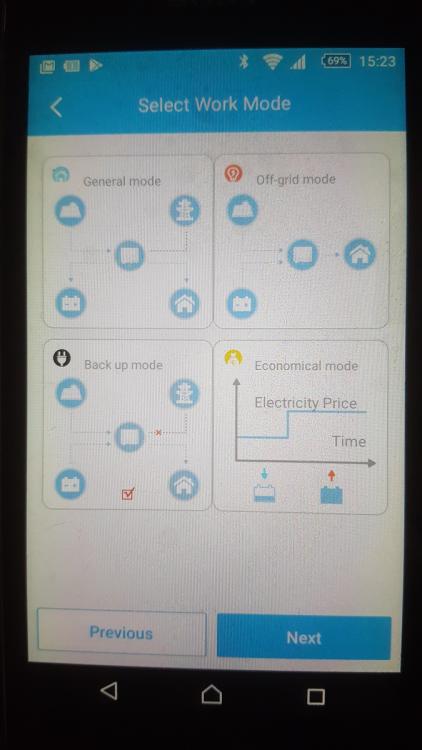
Mike, Goodwe BMS indicate CAN_H on pin 4 and CAN_L on pin 5. Blue Nova CAN Bus indicate CAN_H on pin 7 and CAN_L on pin 8 The BMS was set to Back-up mode in PV Master. So I belive there is no communication. The coms cable is currently plugged into the Goodwe BMS port.
-
Cef, Any news on your project yet?
-
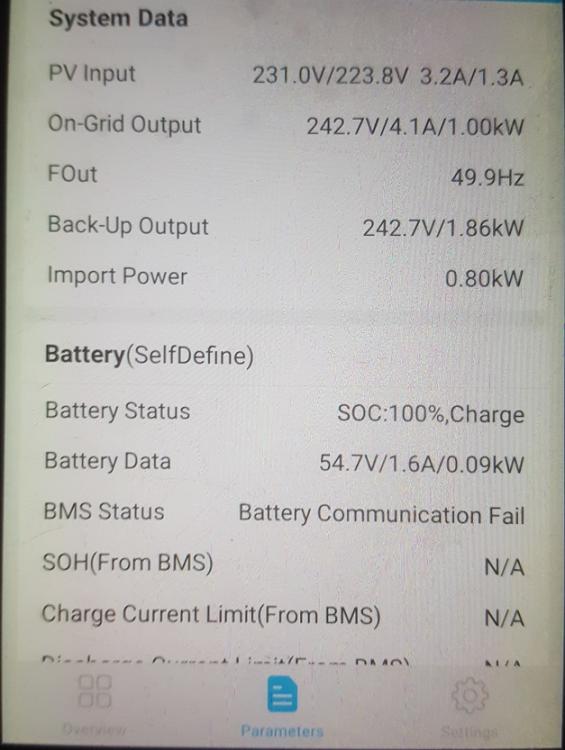
I recently had a complete solar system installed at my house in Pretoria. 12 X 410W Canaidian panels, Goodwe GW5048D-ES inverter, 2 X Blue Nova BN52V-100-5.2k batteries. Sadly the installer never came back. The system works but is currently set to BackUp mode, so the batteries don't discharge. The PV Master overview shows: BMS status: Battery Communication Fail. Battery Selected: Self Define The goodwe Manual indicate: CAN-H on Pin 4 CAN-L on Pin 5 Blue Nova Manual indicate: CAN-H on Pin 7 CAN-L on Pin 8 The Communication cable is plug in at BMS and CAN is open. Is there anybody here that could help with the protocall setup to fix the BMS communication?