


BSLBATT
Members
-
Joined
-
Last visited
-
 Osama Amin Al-Yamani reacted to a gallery image:
306728962_3362741020673686_3778972910462427385_n.jpg
Osama Amin Al-Yamani reacted to a gallery image:
306728962_3362741020673686_3778972910462427385_n.jpg
-
-
-
-
-
-
-
-
BSLBATT has been added to the Solis S6-EH1P(3-6)KL compatibility list. https://www.bsl-battery.com/bslbatt-joins-solis-compatibility-list.html
-
-
-
Thanks very much, Jason
-
Win amazing prizes by answering our customer satisfaction survey, open to all. How does it work? 📘 Log on to the BSL corporate website to answer customer satisfaction surveys no later than the first 25 days of December, including Christmas! Starting today, visit the BSL official website, and you will find a link to the satisfaction quiz questions in the Banner button on the home page. The questions are quick and fun, and they're all multiple-choice, so you shouldn't scratch your head too much. The first prize will be awarded to the person who has answered the most questions correctly at the end of the 25-day period. For the best chance of winning the first prize, be sure to enter the contest as soon as possible! Don't give up if you miss a day! What are the prizes? 3 x Smart Lithium Battery Balancer 10 x Toolbox with pre-installed installation tools 100 x BSLBATT exclusive clothes 1000 Surprise Box! Good luck! Hope to see you at the link: https://bslbatt.com/customer-satisfaction-questionnaire-lithium-solar-battery/

-
BSLBATT changed their profile photo
-
We are building an anti-counterfeiting system where you can get information about the battery, including whether it comes from BSLBATT, when you enter your battery code on the system
-
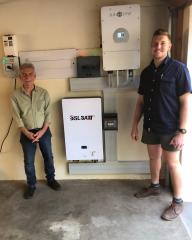
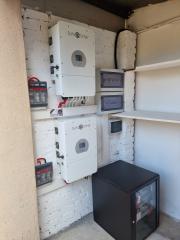
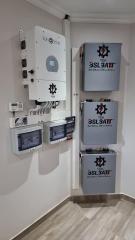
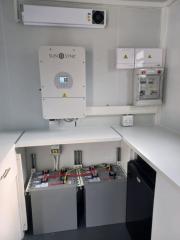
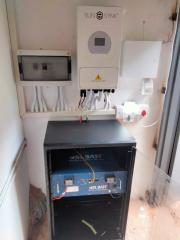
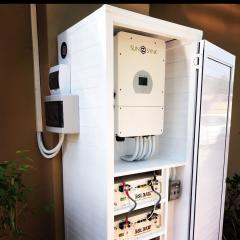
Excellent BSLBATT installation in South Africa
-
 c68cc3a7-49d4-4071-adba-7d33082a69e2.jpg
-
 BSLBATT SOLAR BATTERY.jpg
-
 306728962_3362741020673686_3778972910462427385_n.jpg
-
 306497810_514699277325621_3271491944763324190_n.jpg
-
 306273642_5750526578331847_8484248101313699494_n.jpg
-
 298508352_363314889326156_8742400672996754914_n.jpg
-
 297121436_363314979326147_6227580859944166442_n.jpg
-
 274595253_114895494454764_8657784735332633289_n.jpg
-
 271924251_103399435578192_8630477978616994404_n.jpg
-
 266373311_421785056248269_3188674511706921300_n.jpg
-
 263846451_3147877072160083_5372411768782581862_n.jpg
-
 245544019_4515910355151264_5614285579706872087_n.jpg
-
 244687481_3104428189838305_3958970517572843681_n.jpg
-
 243006186_3093590470922077_6248385033512104151_n.jpg
-
 221795208_2219621284844477_4486779012519918973_n.jpg
-
 211976898_347168047028712_4511859935651067300_n.jpg
-
 204045973_892659451283953_1009019661689064673_n.jpg
-
 182256970_2152818928191380_2966656336755255130_n.jpg
-
 178705519_2982690052012120_5097988359140297032_n.jpg
-
 117841069_1254276224949345_2872102336608246511_n.jpg
-
-
Recently, our company has received several complaints from consumers and distributors about suspected counterfeit products, which have been verified by our company and confirmed to be counterfeit products of our brand. In order to ensure the legitimate rights and interests of consumers and to maintain the goodwill of our company and the normal business environment of the South African market, the company hereby solemnly declares that: https://www.bsl-battery.com/bslbatt-lithium-solar-batteries-south-africa.html BSLBATT does not give warranty service for counterfeit products!
-
Yes they will comm together
-
BSL 51,2V 135AH SPECIFICATION SHEET
-
When inputting a PI or similar monitoring device into the RS232 port prevents the BMS from learning the floor and ceiling of the battery. We find in theory that this protocol produces a programming state instead of a learning state with the BMS. We believe using the RS485 which requires the PI to adapt a different protocol is the best way to go.
-
BSL 51,2V 200AH SPECIFICATION SHEET
-
BSL 51,2V 160AH SPECIFICATION SHEET
-
BSL 51,2V 120AH SPECIFICATION SHEET
-
BSL 51,2V 100AH SPECIFICATION SHEET


