Tejota
Members
-
Joined
-
Last visited
-
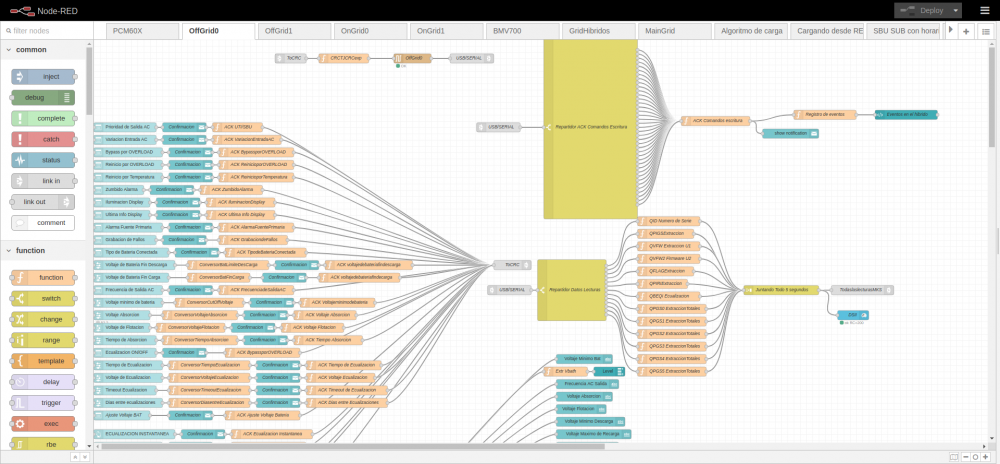
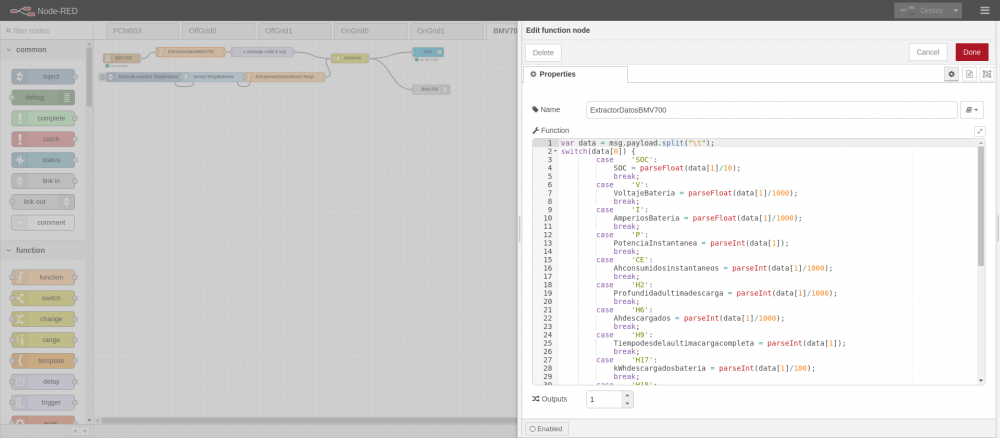
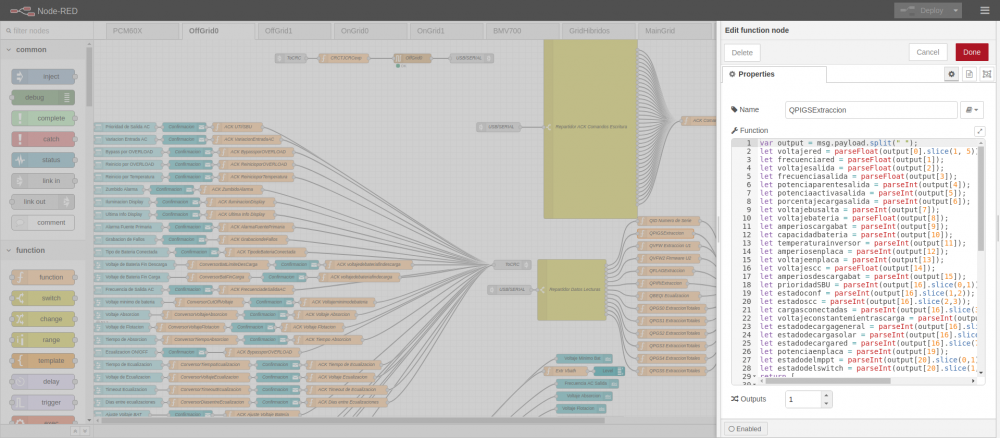
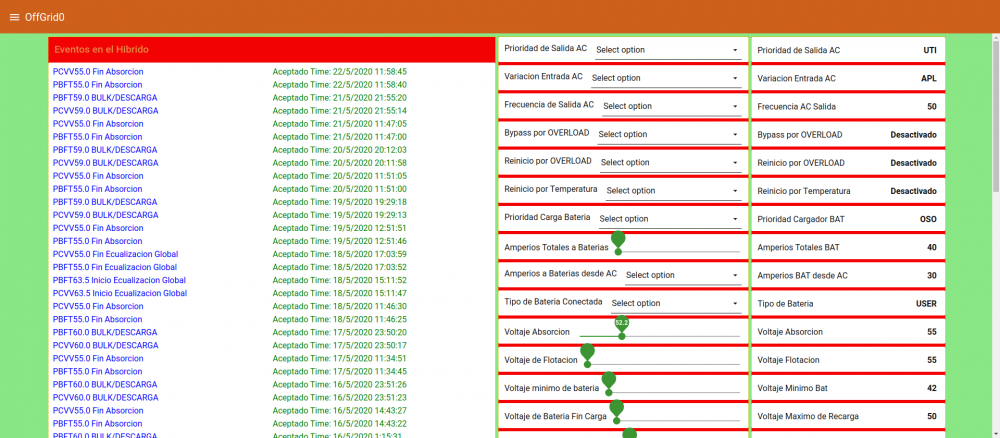
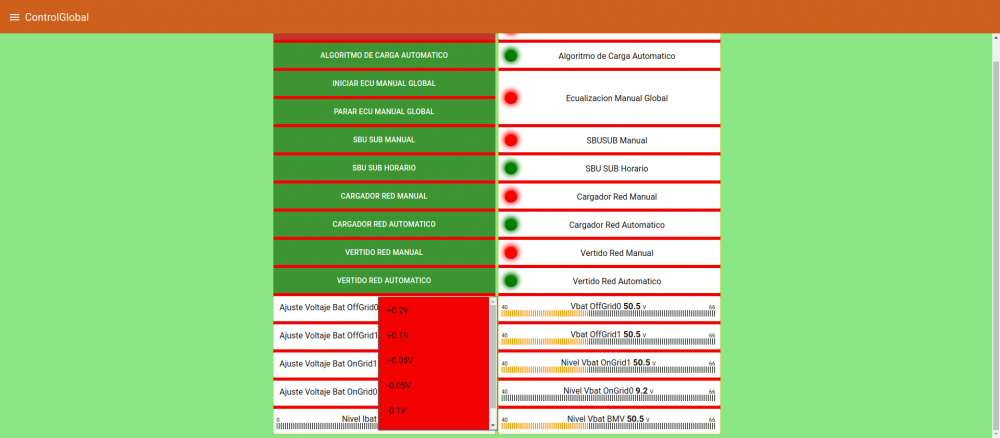
To get inverter data from node-red directly is better on rj45 serial port. HID node has got problems to install. You need serial node, crc node (function) and parsing data answer (function). All my FV installation is on node red (monitoring and control). Dashboard node red is awesome. A few screenshots of my flows and dashboards: Notice that in FV installation are several inverters (even ongrid infinisolar), pcm60x, bmv700, grid sensor sdm230 eastron, Own Charging algorithym on all solar regulators (pip, pcm60x, infinisolar), etc etc etc.... node red joins everything. Here PIP5048MS flow offgrid0 Extracting data from BMV700 Extracting data from 5048MS in QPIGS command on function node. Dashboard control (right) and logging events (left) on 5048ms (offgrid0 inverter). Control BTA to fine battery voltaje adjust on each inverter and globals command to ecualization lead bank battery, charging battery from grid, etc, etc etc...
-
-
-
-
LCD panel is locked. To unlock press three left function keys simultaneously for 3-5 seconds.
-
There are two variables without values or format error. invertermode hasnt got value and battery_timetominute sometimes gives 00 and sometimes gives :1 . When it gives :1 json error is reported to log.
-
Are black circle values correct? Battery Info yes, but inverter value Battery Output Amps must be similar to Battery Amps Load from BMV700.

-
Perhaps in cluster, loop values in one column are not the best shown info. If you have got two inverters you have a loop of two values, then it may be OK, but 4 loop values in one column not.
-
-
-
Ok, Don. I supossed something like that. I have seen several incorrect values. Take a look: Black circle PV total cannot be zero when MPPT1 is 6544W Red circle PV Amps Total = 23 is not correct because there are 108 battery inputs amps. EmonCMS inputs are correct ---> My emoncms dashboard

-
What does it means ?? Is this value correct? Manual says: Total amount of energy drawn from the battery The other value I think is correct: Battery Charge Energy, because at 100% SOC is total amount energy absorbed by the battery. Any explanation? Regards

-
Tejota changed their profile photo
-
Same here.... Same error: Format error, json value is not numeric. All of 25 inputs have got json value numeric. Any explanation?
-
-
-
-
Good work guys.... Waiting new version to test my big cluster (4 invs). Bufff new cluster inputs in emoncms.... awesome..... dashboards will be very nice.
-
Cluster: 3 Axpert 5kva (2014) + 1MPPSolar 4Kw (2016) At 14:00 Cluster was changed manually from Uti to SBU mode.