cp69
Members
-
Joined
-
Last visited
Everything posted by cp69
-
Question I have with this solis s6 inverter. I can feed back to the grid no problem but what I don't want is to feed back during load shedding or outages. Is there a setting on this inverter to do this?
-
Is this possible? I have a solar geyser which we don't use so I was thinking to connect it up to our electric geyser so it gets fed with warm/hot water, reducing the time the element runs. I would need to pressurise the outlet of the solar geyser obviously but has anyone done and have some feedback for me?
-
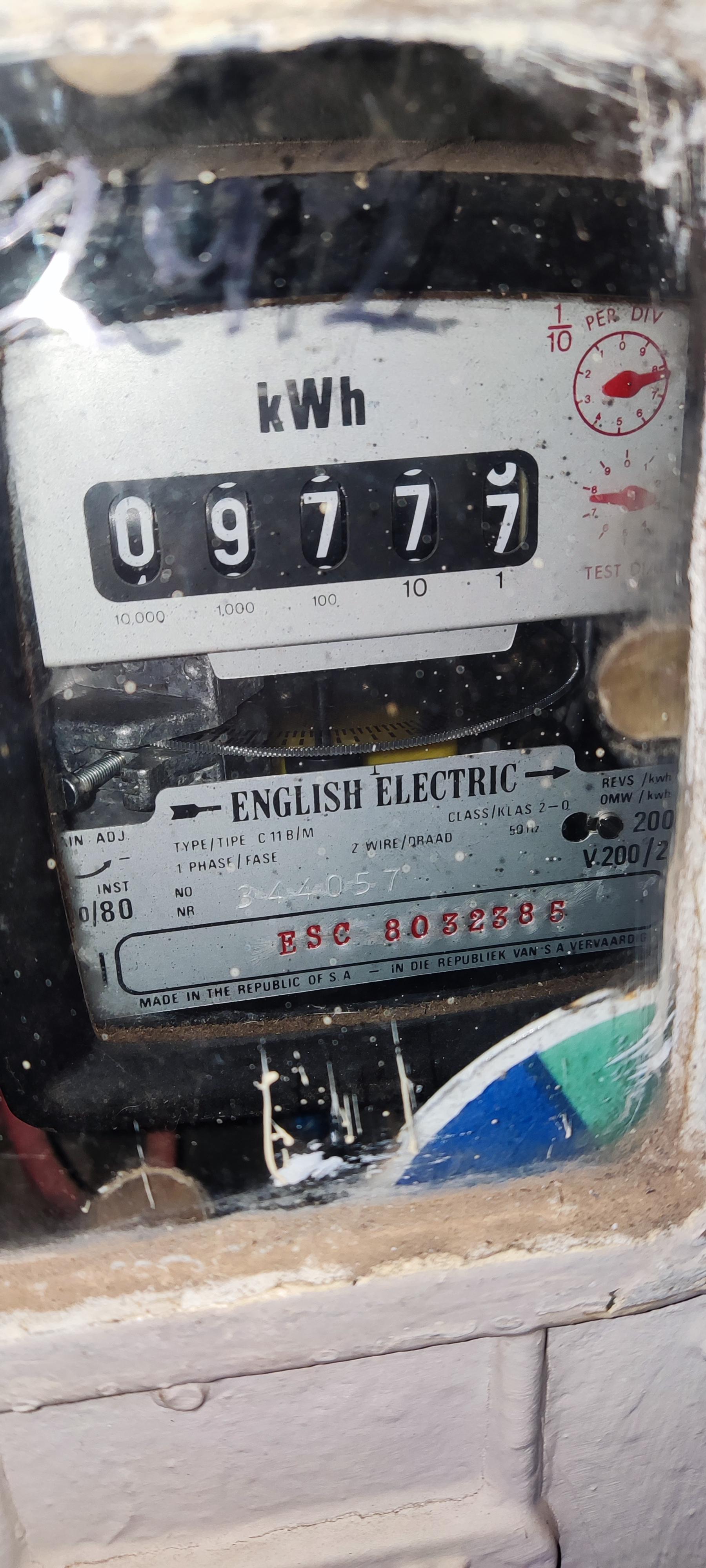
This morning I woke and immediately switched changeover back to inverter(without batteries) and straight away the inverter came to life and worked beautifully all day! I'm lucky enough to have an extremely old house meter and grid export works perfectly! This inverter works great, yes the app could be better. I put all the lights on, 2 X kettles and 2 X microwaves and reached 5500w draw and it didn't skip a beat.


-
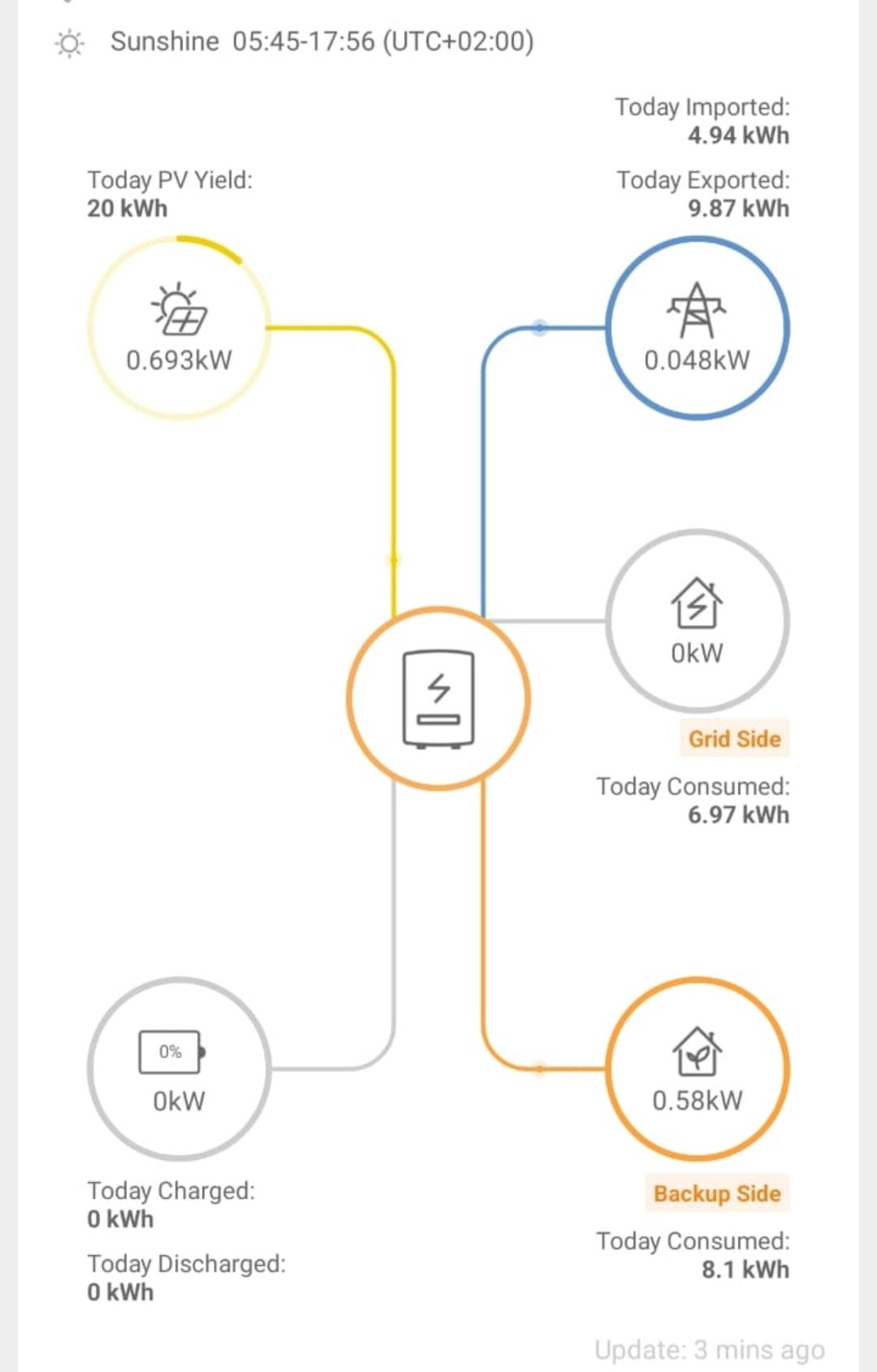
Hey @AlexTZA Hopefully you can help. I've been installing my 6kw s6 pro. I don't have batteries yet. Hopefully arrive this week but I can't seem to get an output on the backup load outputs. Also where yours says run. Mine says off. Is it because I need to have a battery connected in order for the inverter to run? Here's what my flow screen looks like.
-
Wow then it's much much older than me! Impressive. Made in SA before the Chinese came in and killed quality producing factories
-
Does mine spin I'm reverse? It looks older than me
-
Random question I would like some clarity. I'm busy with my install which is going to be single string for now. Next year I'll add more panels on a 2nd string. My question is what do need in the pv db? Am I right in thinking isolater, spd and fuses?
-
At this stage I have it with me and it looks great 🙂 I am still waiting for batteries and BMS to arrive(DIY build). Should be end of this month. Panels are going up this weekend so hopefully the S6 will be connected and running(without batteries) by the end of next week
-
@AlexTZA you should be a Solis brand ambassador!! The knowledge you have shared on this topic is of high value - infact the only reason I purchased my s6 pro. So thank you and Solis should show you their appreciation!!
-
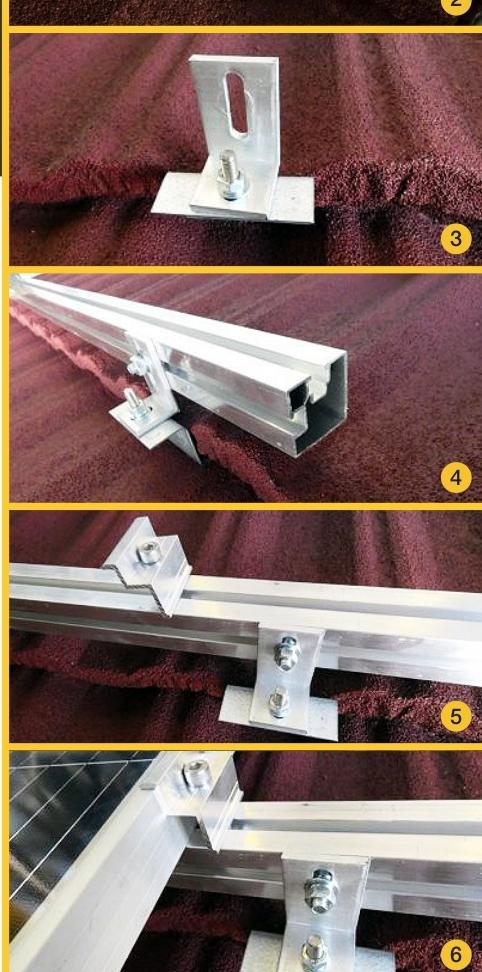
Great will do. I will rather do it once and right. Scrapping the p2000 rail idea and will get the L brackets with the 2 channel rail
-
But if I use the L bracket then I can't use the p2000 rail? Or am I missing something here
-
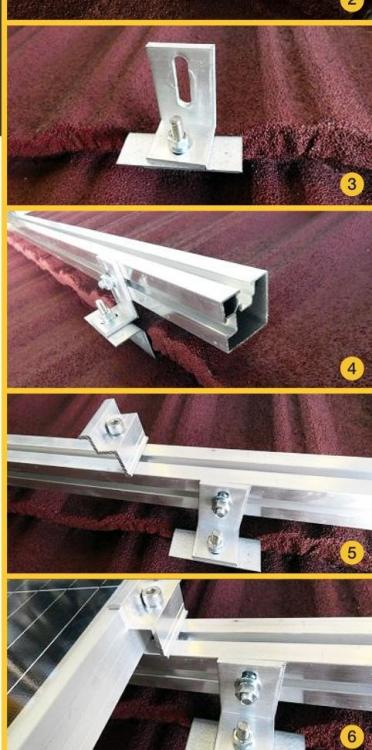
Got my Harvey tile brackets today. I see in the brochure they use a L bracket to attached the rail to the Harvey tile bracket. Can't you just use the regular p2000 rail and bolt it straight onto the Harvey tile bracket?
-
I went and collected my panels yesterday. Great guys - definitely not a scam 😄They still have a large amount of stock.
-
How many did you use? I see they recommend one every meter but I think one every 1.5m should be ok surely?
-
Great. I got in touch and it turns out I used to work with Jeandre 10years ago!! Placed my order today. I'm going to try collect this week. Whenever I get a chance to get to them!
-
Thanks for the update. I have purchased my s6 pro 6kw from powerforum. Question I have and it is a noob question I know! The 6kw has a max pv of 9600w. What is the max per mppt? I'm thinking of going with 10 x Jinko 550w panels and then another 10 later on, hopefully in December. My understanding is this will mean an 11kw PV array - to much for the inverter. I could go with the 10 panels now and an additional 7 panels later on. This will mean a total of 9.3kw. Am I right in this thinking or is there a wattage limit per mppt? The spec sheet only shows a VOC and current limit per mppt. The 10 panel string will come in below the VOC limit
-
Cool let me know if you happy to purchase from them and I will make my purchase
-
Has anyone purchased from these guys? This price is brilliant but I don't want to be caught in a scam!
-
Noob question in my DIY Solar installation. What's the best solution to mount panels on a Harvey tile roof? Harvey tile offer a mounting bracket but at R100ea and needing to be spaced every meter it's seems quite pricey to mount 10 panels? Are there any other solutions? I don't want to drill the tiles risking a leaking roof later on. Another question is. What happens if hail destroys a panel in 5 years time? My understanding is that your panels need to match 100%. In 5years time you probably not going to find jinko 475w panels anywhere?? Hopefully I'm wrong here
-
I just purchased my s6 6kw yesterday. Pretty excited I have to say
-
I'm about to order a seplos v3 bms. It's going to be around 3k landed in SA for the 150A. I can add one for you I would think if you're running 2 batteries in parallel you would need them communicating with each other?
-
Yep I made sure of that. It's the v3
-
I'm ordering a seplos BMS so if anyone would like to add one let me know. I'm getting the 16s 150a model. Price is around R3100 with shipping and vat
-
-