AlexTZA
Members
-
Joined
-
Last visited
-
I must add I am seeing much better results with the AM2's with the inverter set to AGM voltage mode. Here it is important to set the battery capacity correctly on the Battery screen as the portal uses this to determine the SoC based on actual energy charged/discharged which seems to work quite well. I've used 100Ah per battery although the battery states 120Ah on the label and the BMS is configured for 100Ah. Who to believe, without being able to confirm the actual cells used. I currently set the inverter target voltage to 53.5V and that normally ends up as 53.5-53.6V at the terminals which matches the voltage specs on the battery label rather than the 53.8V the BMS requested for whatever reason. At this stage, it wouldn't surprise me if that is a configuration error. I'm also left wondering if the battery's internal SoC calcs are even correct as although Hubble specifies the battery as 120Ah, from the internal battery data logs I've seen the battery BMS is configured as 100Ah so near 44V, the battery believes it has < 10% remaining yet the battery label specifies 42V as the cutoff. There are so many "loose" inconsistencies in this battery's technical specs/configuration that also makes me wonder if the cells (NMC chemistry) will get anywhere near the 3000 cycles (full 100% to 0% supposedly counts as a cycle according to Hubble's own website) claimed. The bulging batteries I've seen are between four and five years old and have not had a hard life yet everything, including the BMS logs pulled from the battery showing large variances in cell voltages, indicates the cells in these particular batteries are deteriorated. I can only hope this was caused by bad batch of cells or a BMS/firmware issue or will we soon be seeing large amounts of premature AM2 battery failures? Scary thing is right most people probably won't notice due to the lack of load shedding and I don't think I need to reiterate that bulging lithium batteries are not a safe thing to have in your home.
-
Nothing specific. The inverter is normally connected to the CAN port of the master battery which allows the battery to communicate a few key metrics to the inverter, such as SoC, requested charge voltage/current and so on. You can see some of this info on the LiBMS screen. It is possible to read much more info through the RS232 port using something like Solar Assistant but be advised, Hubble expressely prohibits this and can use it as grounds to void your warranty except if you use their own CloudLink product (which isn't very good in my opinion).
-
I presume you have a Sunsynk or Deye inverter connected to the battery BMS? It seems to be a peculiarity of the Sunsynk to report a voltage about 0.3V higher than the actual voltage at the battery terminals even when little or no current is flowing. I have my inverter set to voltage mode to charge to 53.5V and the inverter reports 53.8V at full charge but the voltage on the battery terminals never goes above the expected 53.5V to 53.6V at most. Incidentally, Hubble support told me to manually set the charge voltage to 54-54.2V at a low current to try and sort out a cell balance issue with one battery that was causing an internal battery over voltage alarm/protect event when the voltage was only 53.4V at the terminals so there is definitely headroom in the charge voltage before an external overvoltage BMS protection would kick in. However, I have some doubts whether the BMS requested voltage is in fact suitable/correct.
-
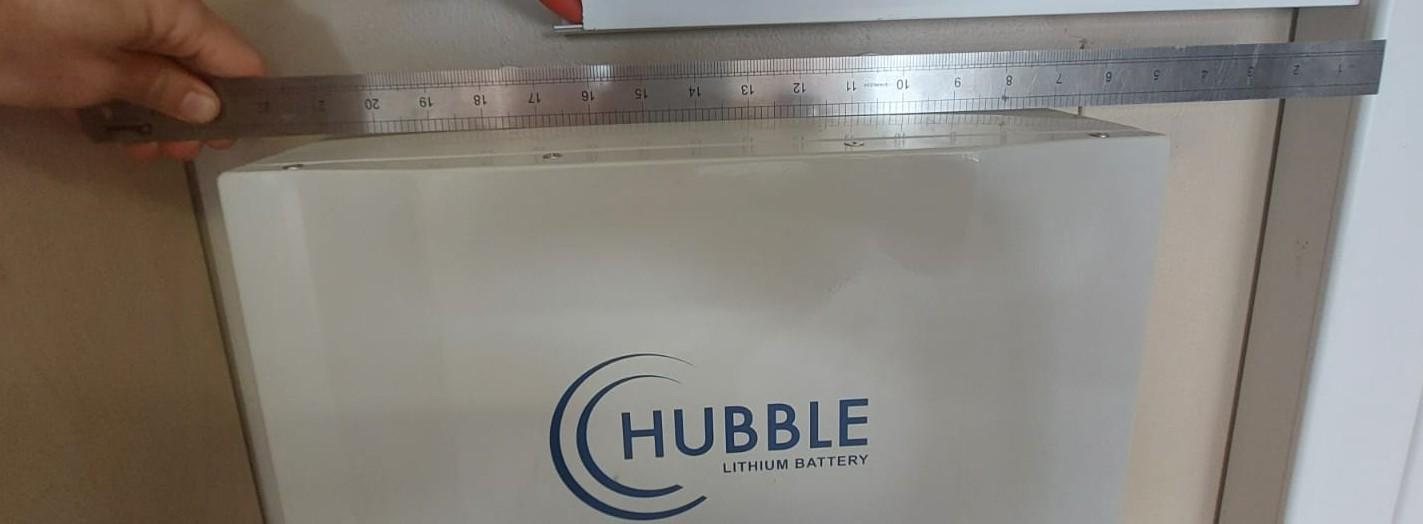
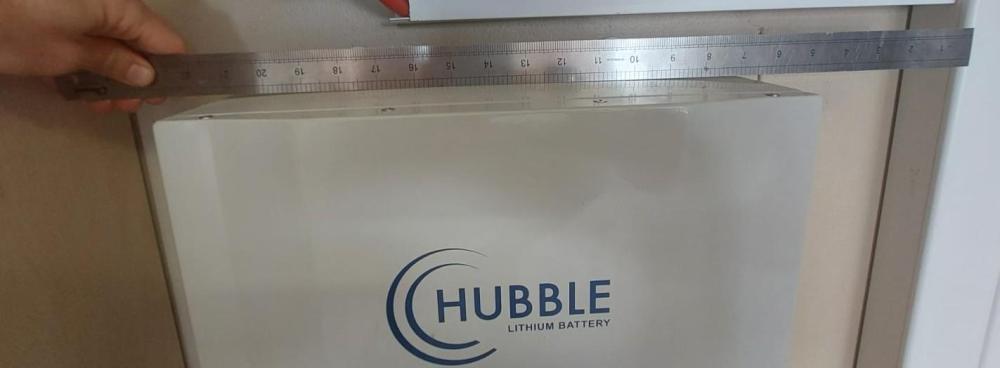
I'm curious if anyone else has seen this with older Hubble AM2's, specifically v1.5 BMS examples - subtle but definite bulging of the housing? The bulge isn't immediately obvious - but tapping the top cover gives a non-hollow sound indicating something (obviously the cells) is pressing against the metal. Tapping a healthy battery gives a hollow sound. I've come across two cases of older battery pairs, both from 2021 (Serial number starts with HL21...) that were upgraded to the newest firmware version when the additional batteries were added, but have the oldest BMS version (v.1.5), also showing reduced battery capacity. All indications are the battery cells are degraded (as per the BMS alarm report Hubble kindly provided as proof the batteries are being "overcharged" above 53.6V - which is interesting considering the BMS always requests 53.8V. The batteries are part of a larger bank that was expanded over time - not sure if that has anything to do with it at this stage. Batteries have been removed for obvious safety reasons - busy with the usual displeasurable task of having to deal with the Hubble service center on the matter.
-
Have you considered an ITS heatpump - they are very effective and economical to run if installed correctly, and work whatever the weather unlike the solar collection. Those external hot water pipes should definately be properly insulated - the water in an uninsulated 1/2" copper pipe loses almost 45W/m if the temperature differential inside the pipe to outside is 45C (https://www.engineeringtoolbox.com/copper-pipe-heat-loss-d_19.html)
-
The size of the generator ultimately determines how much faffing you have to do. You can connect a small 3.6kw generator to a 5kw inverter for example, but you have to manage the situation. This is because the inverter puts all the loads onto the generator while charging the batteries. Thus the generator supply is shared between the loads and charging the battery. You can adjust the maximum power used for the battery charging but the load part is variable. So turning on a kettle in a case like this could cause the generator frequency to drop enough momentarily for the inverter to momentarily disconnect it. And so the cycle might continue. But it is possible if you can manage the loads during the battery charging period, or just disconnecting the loads all together, which has its obvious downsides. The larger the generator, the less likely this issue becomes. Also note that you won't be able to run a generator at it's maximum rating because 1) it's going to shorten it's life 2) at high loads, most generators aren't able to handle load variations very well, again resulting in the inverter disconnecting the generator. Generally, you'll want to aim for 50-70% of the generator's rated capacity for efficient, continuous operation. Which is where the 2x inverter capacity rating rough rule of thumb thing comes from. Generally, inverter-type generators will produce a proper output sine wave - anything else is probably not a good idea for connecting to an inverter. Also, the generator should have a proper wired-in, static connection or at least a camping/caravan type socket with the proper breakers/isolators. None of this double-ended plug point stuff that is liable to kill someone. A "silent-er" diesel would be good choice - additional decent noise reducing enclosures are also available if that's an issue.
-
COJ, if they aren't busy stealing money from paying residents, see solar primarily as a threat to revenue, and secondarily as a cause for more headaches for infrastructure that is on it's last legs. I think it makes more sense, if going that route, that any additional outlay is done in preparation for complete grid disconnection.
-
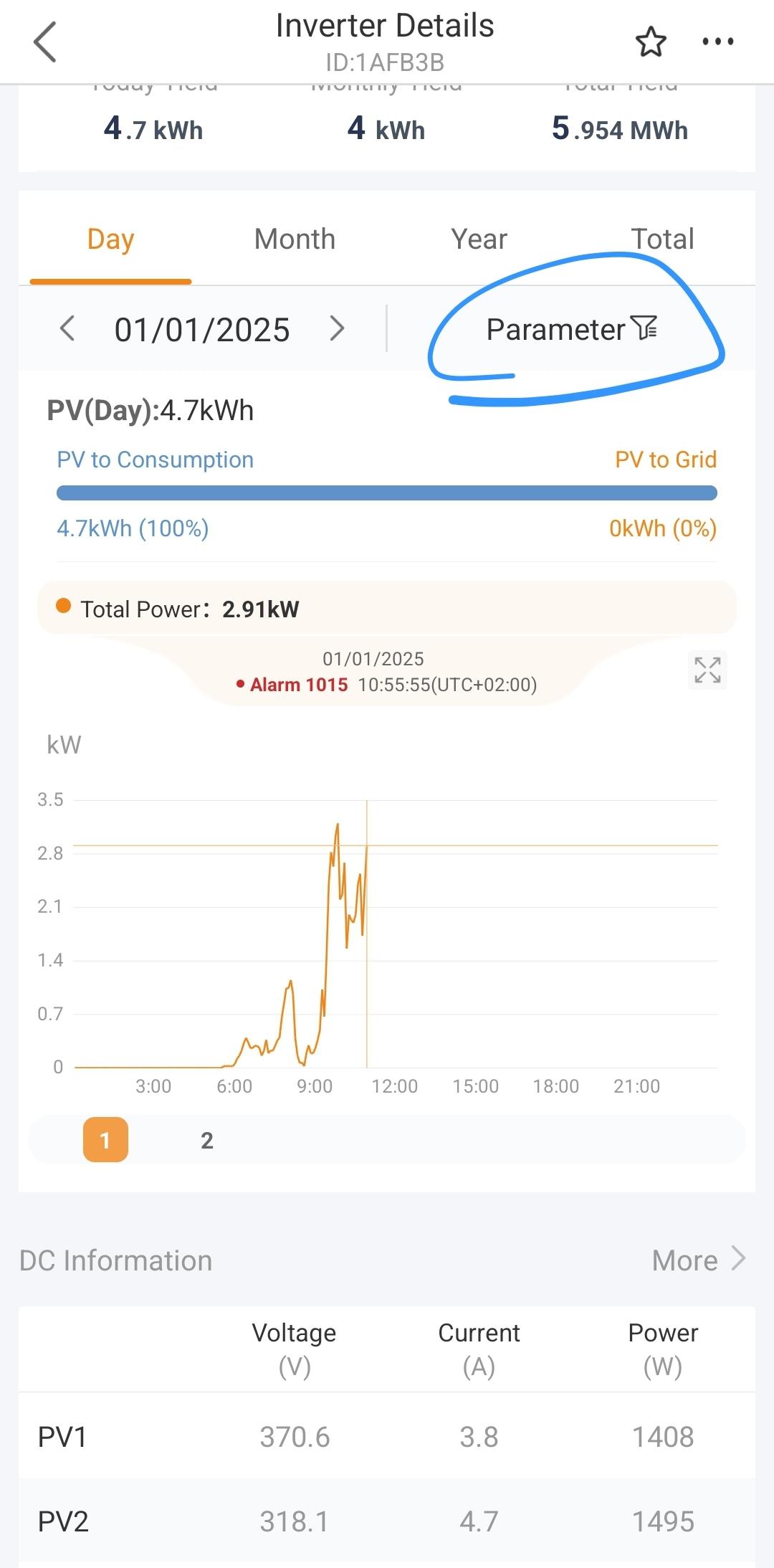
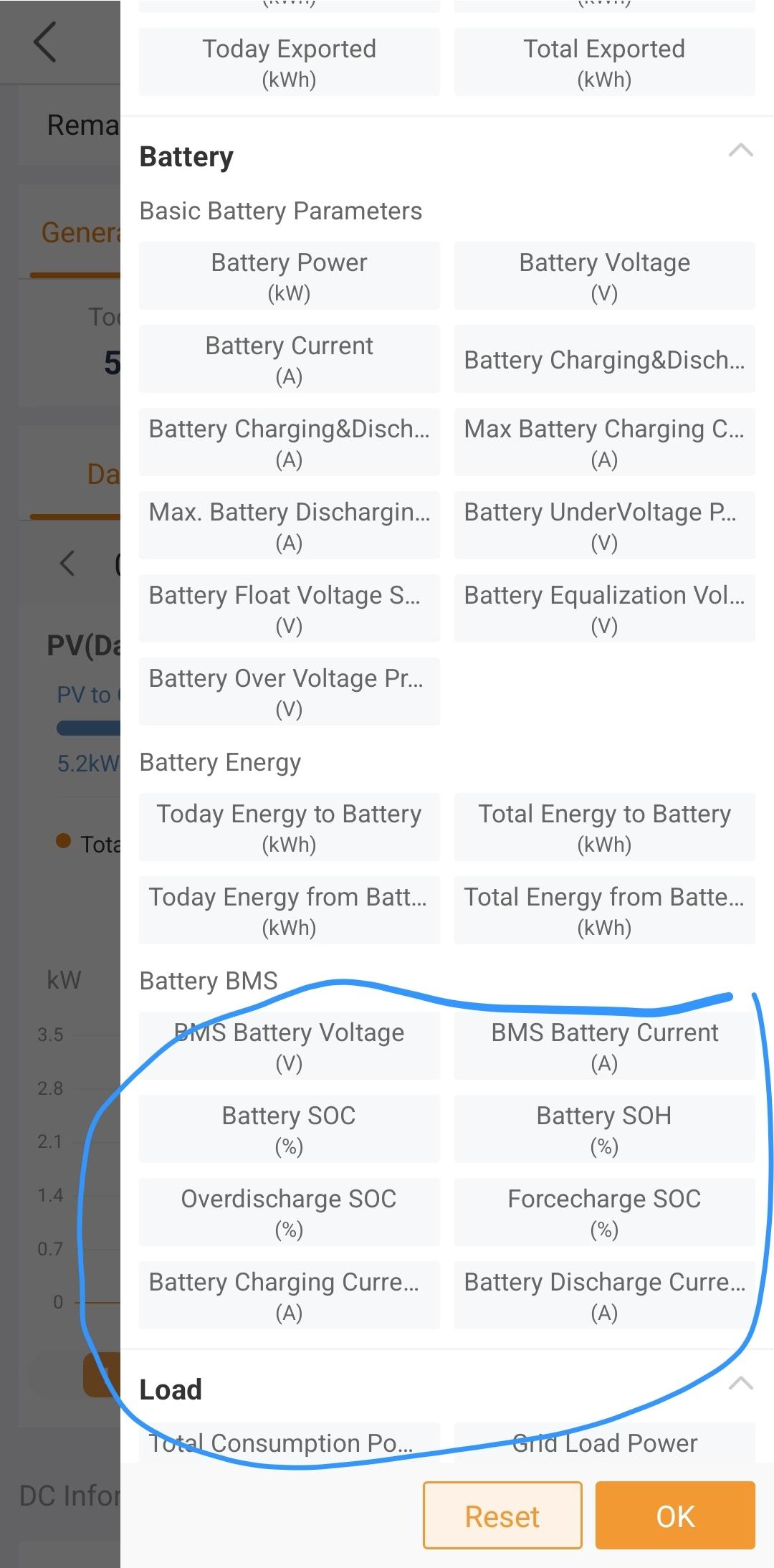
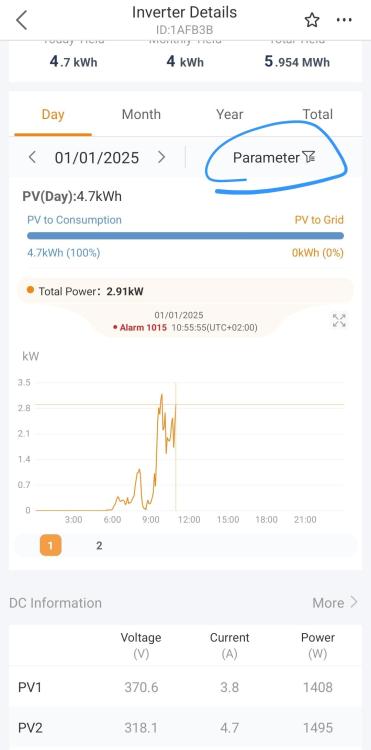
I would concur, something on the grid side sounds wrong in your setup as any grid usage on my inverter is definately reflected in the local connection in real time. On a related note, when you say you can't see the grid data via WiFi, do you mean when you are looking at the plant in this non-local connection view? This sounds like a BMS comms issue. You can validate by plotting the other BMS parameters logged by the inverter (use the same plot as the PV voltages below) to plot one or more of the parameters in conjunction with the BMS SoC. If they all drop to zero at the same time, that confirms that the comms is intermittently failing. If you are sure the cable is all good, I would contact Solis support for further assistance in this regard (I presume you have selected the FreedomWon LV battery type in the Quick Setup process?). Also plot the battery voltage for the times when you are getting an BMS overcharge error so we can see what the battery voltage actually is. Grid power readings aside (probably CT related), does the PV show zero power intermittently? Are there any errors logged in the app under the alarm tab? Can you share screenshots of your Work Mode and Battery settings? If you go to the app, select your plant and from the items on the top select Device and your inverter, scroll down to the graph and select parameter. Select the PV voltage parameter of the strings you have connected and share the result for a day when the PV power was reported as zero at times. It should look like similar to below.


-
-
-
In fact, I would personally suggest going with the Solis just because Sunsynk support is beyond pathetic. Personally, I've grown a bit tired of Sunsynk simply closing my technical support tickets when they cannot figure out the problem. For the record, the most recent issue was with a 5kw Sunsynk that was working 100% until the latest firmware update, it now "overheats" - temperature gets high under morning DC solar DC charging or when the geyser runs, inverter shuts off, no event logged on the inverter. Clearly not a software issue at all. Sunsynk support says everything is fine and they have lots of other customers without issues so I must be imagining things.
-
-
@Moffat You can supposedly set a Meter compensation/trickle charge value on the Solis, similar to the Sunsynk to avoid backflow. I personally have a prepaid meter installed but it's not a sensitive type so it just accepts the backflow and charges me for it :). Any hybrid will potentially backflow some power for short periods to the meter, since it cannot regulate power to zero instantly so you would potentially have the same issue with a Sunsynk. Both the Solis and Sunsynk will prioritise PV, battery over grid based on your configured settings. Note, that of the two, I'd say the Solis is the quieter option at high temperature. As mentioned already, it has a fan but it only turns on when needed (which isn't very often) as is very unobtrusive. The Sunsynk's have a similar setup but the 5kw Sunsynk can get seriously toasty in comparison and the fan ramps up to different speeds depending on the temperature. I've also found the fan to sound different across different installations of the same inverter - some are super quiet, others not so much.
-
Yeah, the Sunsynk support is not great in my experience and I've given up trying to use their regular support channels. Their support via the app or when raising a ticket, in all my interactions have been abysmal. There is very limited technical competence available through these channels. Tickets get closed without resolution or feedback, or the technical support received does not appear to understand the question/information presented or provide any useful solutions.
-
I wonder if Goodwe has improved their software - hardware is great but my experience on the software side was pretty mediocre at best, and that really impacts on the usability of the product.
-
-
Hi @jarno Hissink - you may have to adjust your PC's locale settings, specifically the default decimal symbol. Windows defaults to a comma for South Africa and the battery is sending decimal points so the app can't parse numbers properly. Type in Region in the Windows Start menu search box, and select the "Region" result. Go to the Additional Settings box at the bottom of the resulting dialog and change the Decimal Symbol. You'll have to restart the Pylontech application if it was already running.
-
-
I checked the operation of the Smart Port using the following settings (note this is on the 8KW version though : HMI firmware version = 0F, DSP = 09). I enabled the Smart Load Switch setting but not the GEN Port Load Open setting. Actual battery SoC was 88% and as soon as I set the ON SoC to below the current SoC, the Aux port relay clicked and I could measure 230V on the port. I also tried setting the ON value to match the current SoC and that also causes the Aux port to turn on so that value specified is for greater than and equal to logic. The OFF value operates in a similar way (you need to shuffle the ON/OFF values around to manually toggle the port OFF again as simply adjusting the ON value up/down after turning it on doesn't do anything - you need to move the OFF value to be the same or higher than the current SoC to turn off). Have you tried something similar by setting the ON and OFF SoC settings to something below/above your current SoC rather than 100% just to validate if you can get the port to toggle ON/OFF? Is you inverter on the latest firmware version? You can check in the App via the local bluetooth connection and then going to the Device Upgrade option (and do the firmware upgrade as well if a newer version is available).

-
-
I registered my system with COJ through a third party. Initial approval went fine, despite me being on a prepaid meter. Then a City Power person came to do a basic inspection and while everything was fine, the person indicator COJ was no longer giving final approval for systems on prepaid meter due to "technical" issues they were experiencing. That was somewhat disappointing but two days later I received the full/final approval letter from COJ anyway. So yeah, if they don't know what is going on, I don't know how they expect their customers to.