Mstott
Members
-
Joined
-
Last visited
Everything posted by Mstott
-
The schnider ones are not cheap ! I only took them due to my OCD , Hager and Chint also do them for a much better price . Mine are 25A . I used a Chint for over a year with no issue at all .
-
I got the DB from ACDC , the switches are available from Voltex . I really like that DB you are looking at . You should do a full hager install .
-
Yes , Hager also do them .
-
I have a Samsung smartthings platform running , this board connects to smartthings and is used to switch the contactors in my DB . I use for swiming pool , geyser control , and have 2 spare for now .
-
I have just done mine with Schnider easy 9 domestic range . ABB are great but as @plonkster said they are not cheap . I would look at hager or Schneider for a cost effective solution .

-
Now I feel like a rite tit 😂
-
Hi @plonkster please share the connection for a ET112 if you have it handy , I plan to purchase the victron cable and extend by 10M using Cat5.
-
I have personally ordered 10 for my current project .
-
Going with 5 strings , 15A fuse protection , 63 A MCB and citel surge protector

-
@plonkster I never see much mention of solar MD , what's your opinion on their battery ?
-
Hi I got mine from sonop solar online store
-
One of the main reasons I have been looking at 10 x 350w and 5 strings is to try get the best output with partial shading . So if 2 panels get shaded the remaining 8 will be unaffected? Thanks for the input guys much appreciated
-
I have a feeling I might be doing the same , the factor that is worrying me now is the MPPT max Wattage is 3440w and I would like to install 10 350w = 3500w . I'm not sure if this is potentially damaging to the MPPT ? @The Terrible Triplett how dose power limiting work ? I have not come across this as yet . Are these MPPT calculators free for anyone to use ? Very useful indeed
-
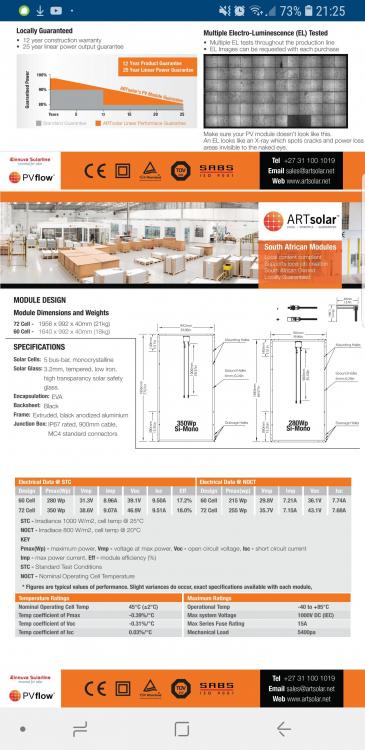
Ok @plonkster and @The Terrible Triplett I'm looking at panels and would like your opinion . I have MPPT 150-60 and only have space for 10 panels . Option 1 ) 10 panels. 2 series and 5 strings . 3500w Voc 49.6 x 2 = 99.2v Isc 9.51A x 5 = 47.55A Max cable run would be 6m Option 2) 9 panels 3 series and 3 strings . 3150w Voc 49.6 x 3 = 148.8v Isc 9.51 x 3 = 28.5A Or I'm totally messing this up ? Also not set on these panels
-
Thanks TTT much appreciated
-
This is the next job to do ! Lots to learn as I go .

-
Yip Kaloyan has been working hard on it . I'm sure he will help with any setup issues . I must admit I'm quite excited .
-
This is good to know 😂 I will be getting my Solar MD battery soon . And belive you have helped integrate with Victron ?
-
Thanks big change from this

-
DB is done , now to get going on the Inverter side

-
Can I use this in place of the CT ? As I need to run cable about 15M from DB to multi .

-
Thanks for this @plonkster it definitely clears things up . I am a little worried that when back feeding the feed is on the wrong side of the RCD ?
-
Quite correct I just confirmed on the RCD . Change over switches are hard to find these days ! I have been looking to no avail. What is the use case for Ac 2 out ?
-
Ok gents please double check my logic here . @plonkster please take a look , also keen to understand if this would also work for grid feedback ?

-
Yes I read the post and found it to be very interesting ! Thanks for the advice I will look at ABB as well 👍