Mstott
Members
-
Joined
-
Last visited
Everything posted by Mstott
-
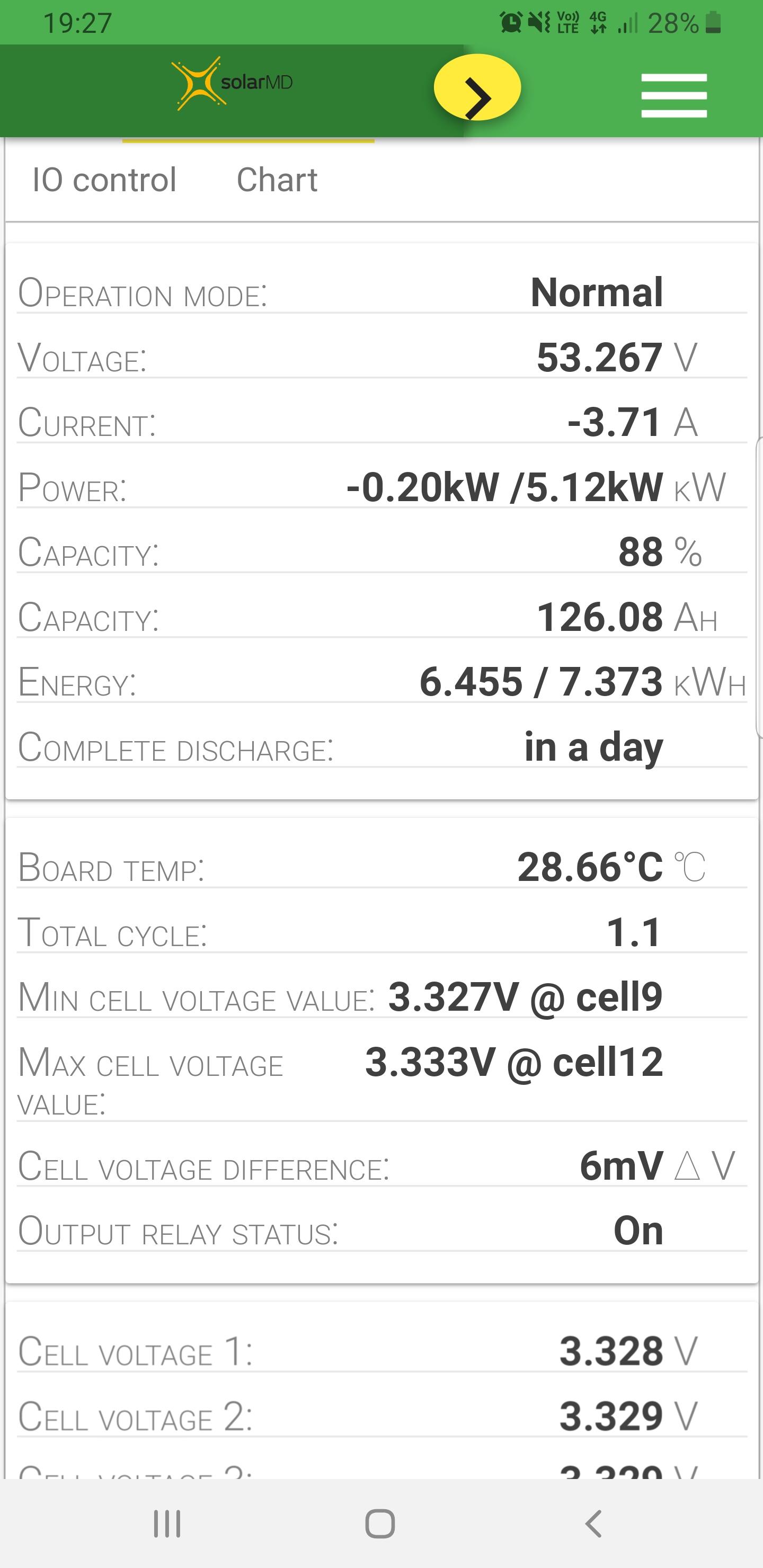
Yes @plonkster this is their logger v2 it communicates with their battery and the Venus using canbus. This also allows for web interface
-
Thanks this seems a little easier!
-
I hope so , I felt like a snot nose kid staring at my phone all day 😂
-
Ok now I really want to try do this , I'm killing my phone keeping an eye on my system , @plonkster have you come across DIY for dummy's by any chance ?
-
Thanks for that , all the inspiration and knowledge came from this group ! So Thank you for everything shared !
-
I was keen to support a local company that has a great product , the online battery interface with output control was also a factor . I have no base to judge as I have never even seen a pylontech. However I can comment on the great service from solar MD and how happy I am with the build quality .
-
Thanks , yes they did use it . I was proud to see them use it 👍.
-
I have had the 7.4kwh running for the last month now and am very happy so far !
-
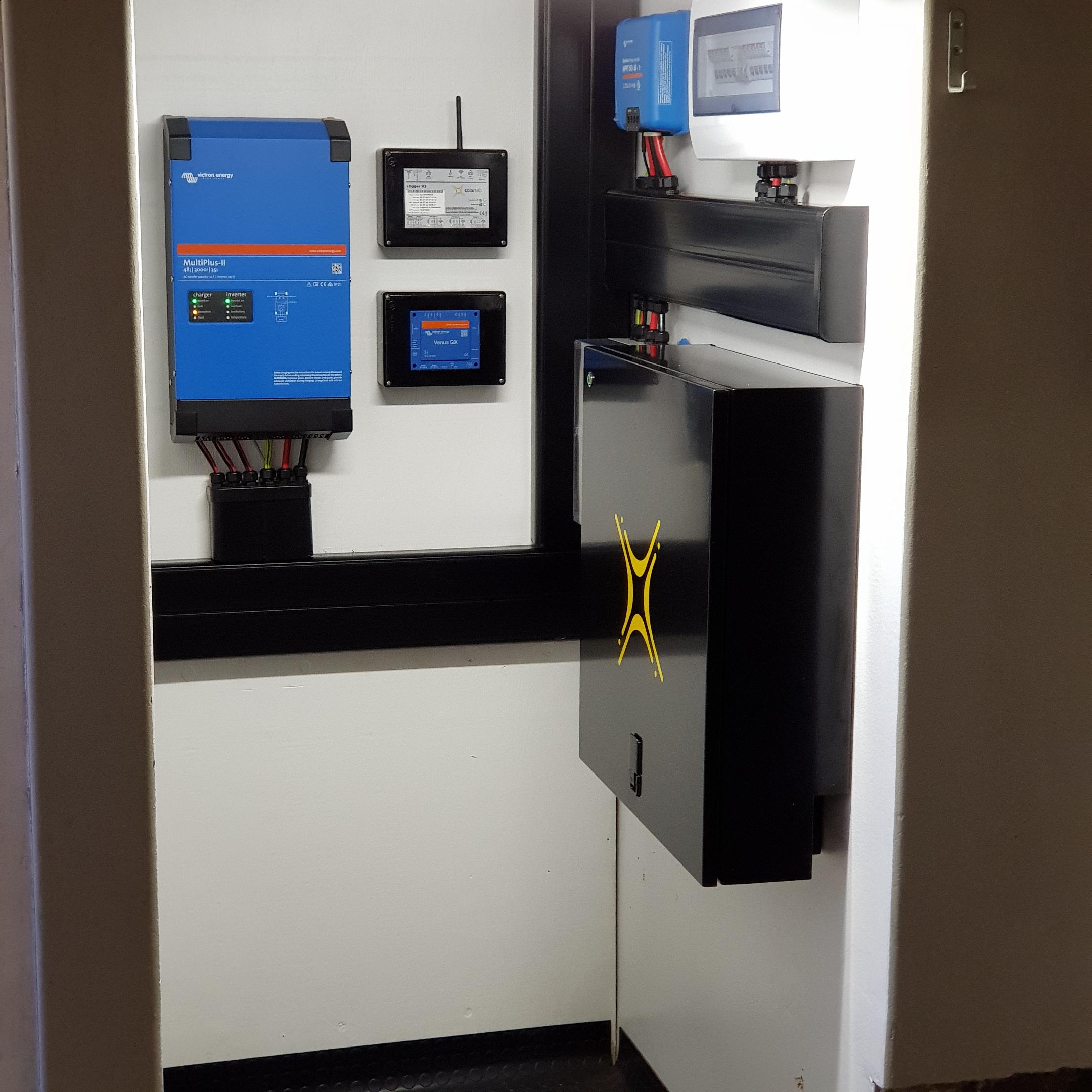
I have finally finished installing my Victron system , started by rewiring my old DB , wired from DB to Multiplus with 4mm .Then installed Solar MD 7.4kwh lithium and commissioned with the help of Kalo Yan from solar MD. With all that running smoothly I moved onto the 350w Art solar panels . I decided to go with 10 panels connected in 5 strings fed into fuses then Noarc 63A. I lazer cut my own roof mount brackets from 4.5mm stainless steel and used unistrut for the beams as I wanted a flush look if possible. I plan on running an ESS setup.

 I paid R53k for the 7.4kwh with logger .
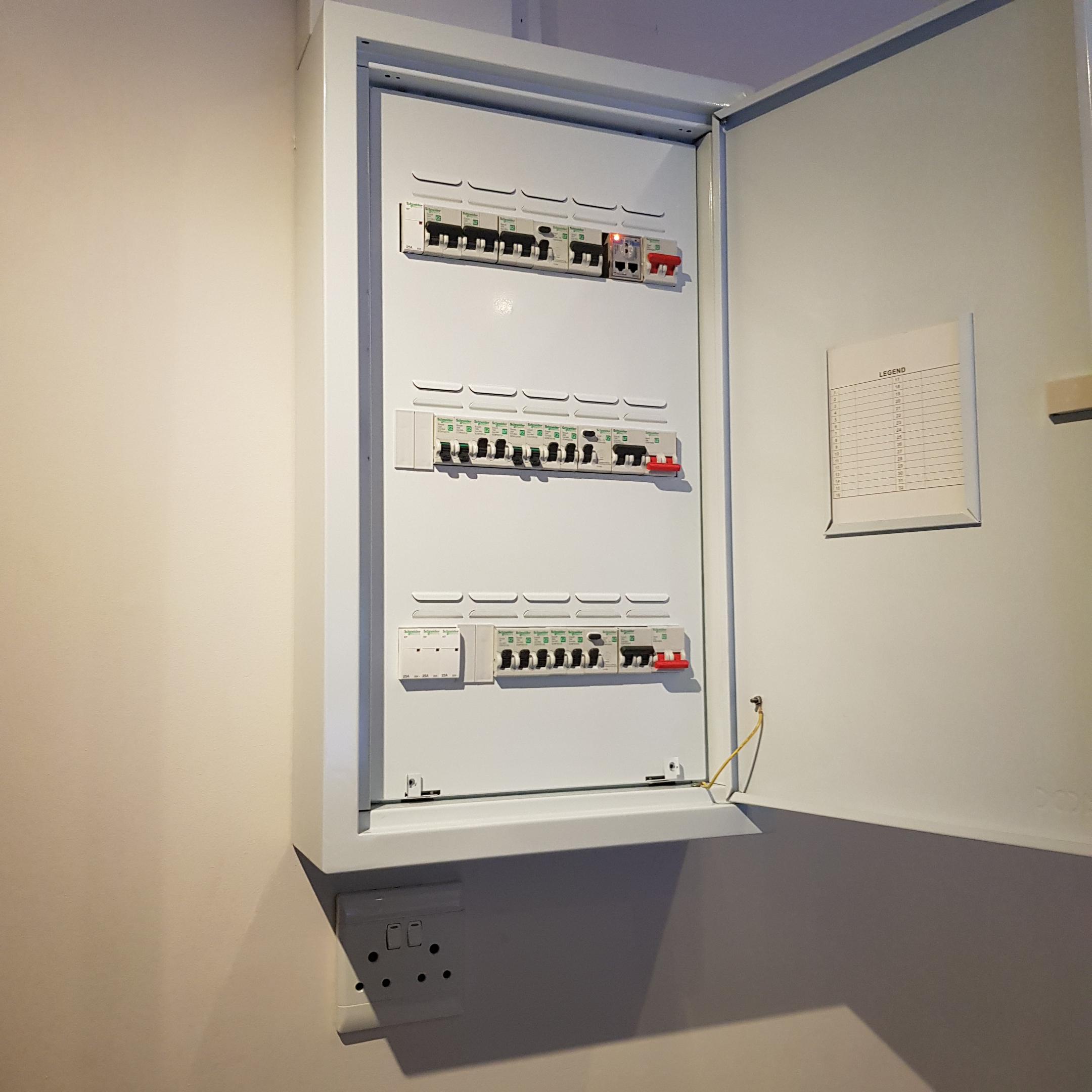
 Google konnected , awesome product that has transformed my homeZephyr projects are in pinetown and make them , I think I'm going to use unistrut with some custom made roof brackets for my 10 panels .I have received and installed my Solar MD lithium 7.4 kwh as well as their logger , I am very happy with the quality of the product so far . I have also had great support from Solar MD when I had had any questions .Hi @Greglsh did you manage to find anything?I'm not quite following on the piping? I agree on downsizing the electric element .I personally opted for 10 x 350w panels, I feel any more would be a wasteDurban area I'm on R1.74 per kWh, when the next increase comes it will move to R 1.98 per kWh.@VisN much appreciated, i hope to update next weekend.I'm thinking of installing a kwikot 300L EV tube thermosyphon as a pre feed to my current 150 L electric geyser. I hope to measure temperatures on both tanks at around 15:00 and if water in the solar is +5 deg over the electric I will circulate the hotter water into the electric geyser using a circulation pump . I will then allow the electric geyser element to turn on at 15:30 should the water still be below 60 deg . Thoughts ?@plonkster do you know the latest firmware version is for the multiplus ll is by any chance ?They are in fact m6. And do include all washers and nuts required .No I could not get at the time , I use 2 switches to do this . Orange is eskom and one to the left on all 3 rows comes from InverterSure ,TOP has large loads ( geyser , oven , garage ) MIDDLE has all other plugs and lights BOTTOM has 2 plug and 2 light that will run of lithium battery battery , All 3 rows have Earth leakage and Isolator.