


LeeMun
Members
-
Joined
-
Last visited
Everything posted by LeeMun
-
Nice one
-
If the Voc of each panel is for example 48V then you need only 2 in series. Each panel might be around 13A, in series the current remains the same. if the maximum solar charger rated current is 80A just make sure your strings don’t exceed 80A.
-
-
I equalised the SOC. thank you Coulomb.
-
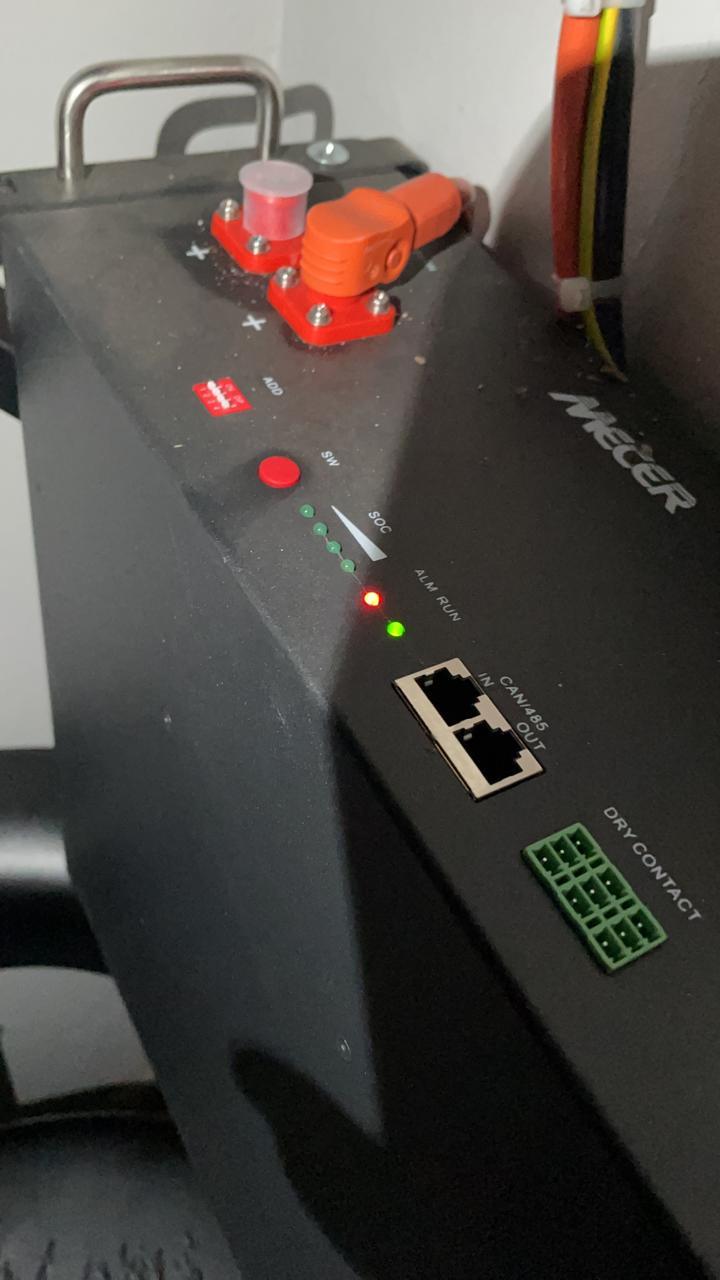
The alarm is on the Old battery which l made the Master. Thank you, I will try that.
-
I have an installation with 1 Dyness 3.6kW battery & Mecer 5kW inverter. Now am adding the 2nd battery same spec as the other 1 and configured accordingly but the Alarm light & buzzer comes on when the 2 batteries are running. Old battery shows full on SoC and the new battery shows half on the LEDs. Will the alarm & buzzer go off after some time or there is an error. Any help is much appreciated. the Old battery on the installation is 3months old. TIA
-
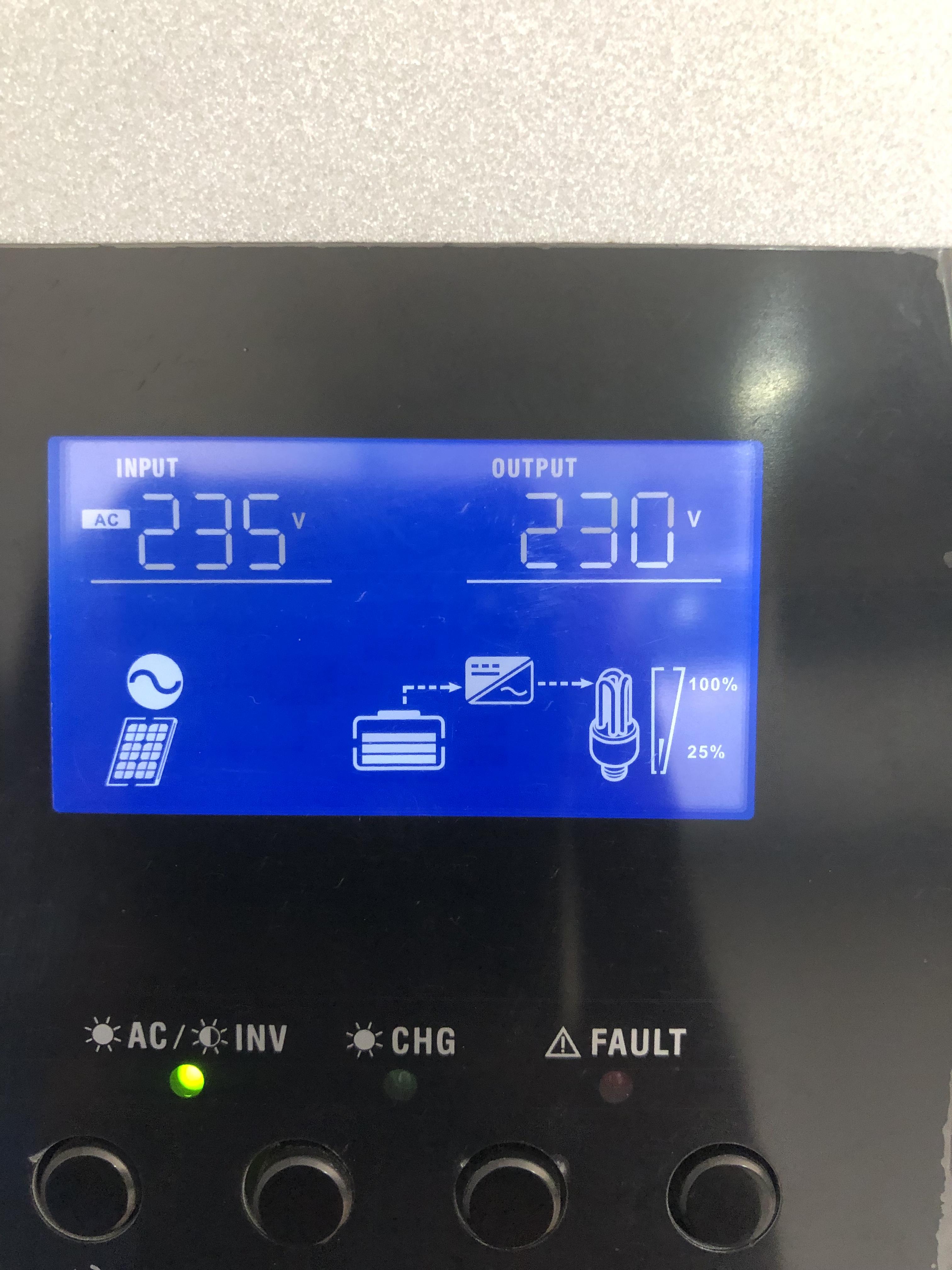
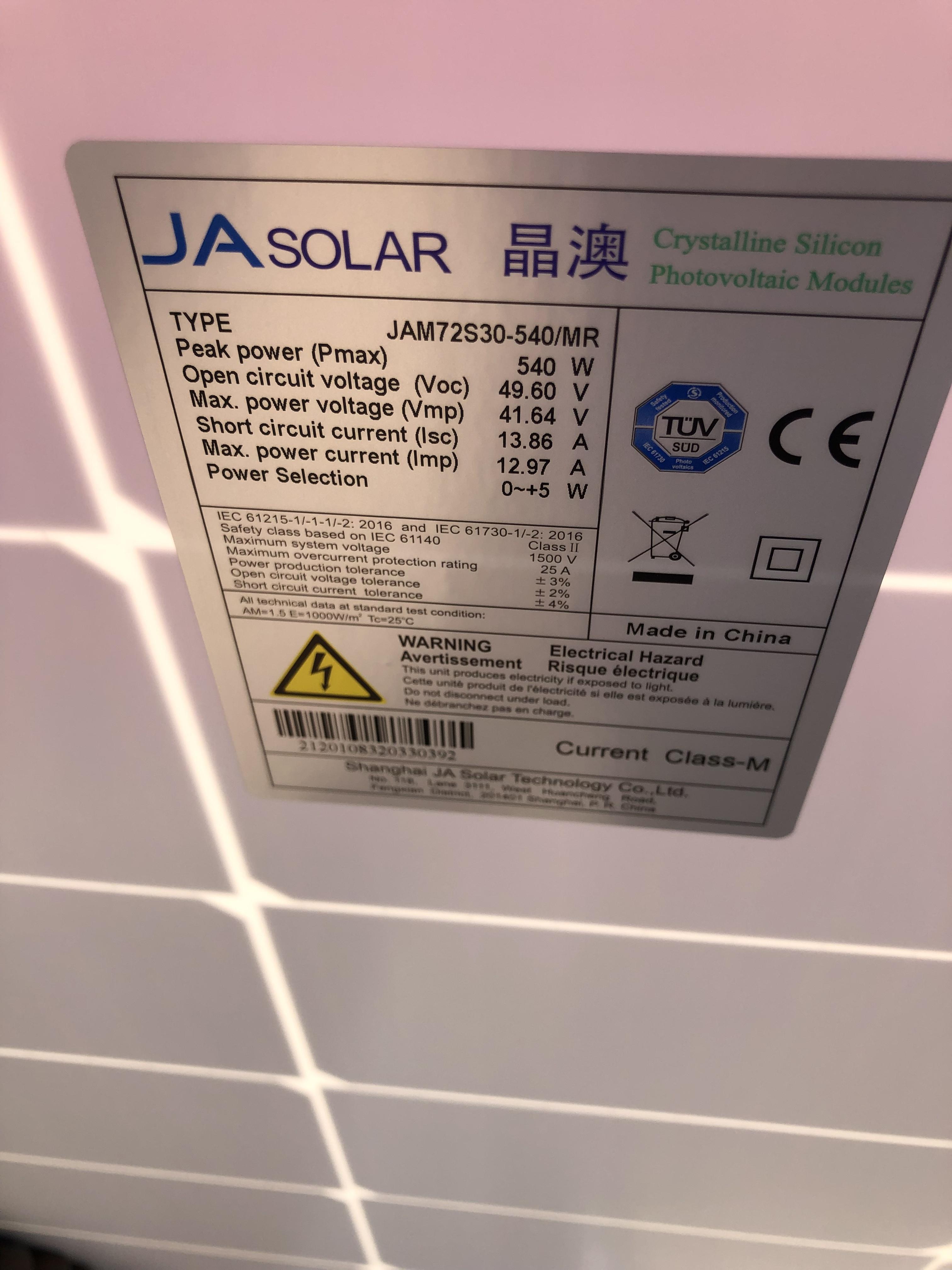
I have Mecer 5kW inverter & Mecer 3.6 kWh battery & 8 x 540W mono panels. the inverter is the 145V version. challenge is battery is flat but the inverter is detecting that it’s full. what setting do l use to correct that. see attached pics. thanks.


-
I don’t have any monitoring, planning to get 1 . I will check for the dip & freeze posts. thank you
-
It’s a lithium battery 3.5kW US3000
-
It’s a 145V model
-
You have a 145V model, This expert king will give 0V output PV on anything above 145V from solar to protect itself. connect your panels 2 in series and then the 2 strings in parallel. Don’t exceed the current rating on the inverter.
-
Good day what causes the Mecer 5kVA/5kW to cut off solar midday. Is there a setting am missing. my option 1 is Sol. I want a situation whereby during the day we use solar for loads and to charge the battery and only use eskom at night or when solar is not enough. thanks. Inverter is detecting my Pv voltage = 89V.

-
Hi, Is this through the raspberry pi? I am looking for this kind of monitoring. thanks
-
Hi @Tariq that’s like 75%, which l think Is perfect
-
Hi with 1 Li-ion battery US3000 and axpert Mecer inverter - the cat6 cable, do l need to connect that cable between the battery and inverter? thanks
-
& l quote - Do the positive and negative cables from the battery to the inverter need to be the same length? Not parallel batteries but parallel inverters - you also didn’t specify hence l sent an answer regarding parallel inverters.
-
Full Page. This is from a Manual - 5kVA/5kW Axpert inverter.

-
Full page below.

-
Hi, I think this attachment will help.
-
Good day to you all System installed and up & running. 8 x 540W mono JA panels 2s4p. Setting 1, l chose SOL but it’s not switching from Grid to Solar until l switch off Grid and then l make Grid ON again. 2ndly was getting 2kW solar input and it was around midday. Was expecting around 3kW to 4kW. We used a US3000 Li-Ion battery. setting 5 - battery type should l select User defined (USE). thanks guys.Good day is there a module that l can link to the Mecer inverter for wifi capability for client to remotely monitor it.Hi, the inverter’s max PV is 4000W. 20% of 4000W is 800W. So l can use (2S4P) ie 8 x 535W mono solar panels to get 4280W, the extra 280W is still safe?MPPT range @ operating voltage is 60v -115V. Max solar charge current is 80A.





Account
Navigation
Search
Configure browser push notifications
Chrome (Android)
- Tap the lock icon next to the address bar.
- Tap Permissions → Notifications.
- Adjust your preference.
Chrome (Desktop)
- Click the padlock icon in the address bar.
- Select Site settings.
- Find Notifications and adjust your preference.
Safari (iOS 16.4+)
- Ensure the site is installed via Add to Home Screen.
- Open Settings App → Notifications.
- Find your app name and adjust your preference.
Safari (macOS)
- Go to Safari → Preferences.
- Click the Websites tab.
- Select Notifications in the sidebar.
- Find this website and adjust your preference.
Edge (Android)
- Tap the lock icon next to the address bar.
- Tap Permissions.
- Find Notifications and adjust your preference.
Edge (Desktop)
- Click the padlock icon in the address bar.
- Click Permissions for this site.
- Find Notifications and adjust your preference.
Firefox (Android)
- Go to Settings → Site permissions.
- Tap Notifications.
- Find this site in the list and adjust your preference.
Firefox (Desktop)
- Open Firefox Settings.
- Search for Notifications.
- Find this site in the list and adjust your preference.