Files
220 files
-
Original file posted by Coulomb, added here for more visibility
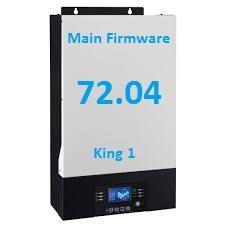
This is unpatched main firmware version 72.04 for the Axpert King 1 (standard) 5 kW. Do not use with any other model, not even an Axpert King II 5 kW (high PV voltage model).
Use at your own risk- 42 Downloads
Updated -
This is factory removable display firmware version 02.87 for the Axpert King 1
Upgrade success from an 02.60 version on a Axpert King 1 5Kw 48V
Use as your own risk- 15 Downloads
Submitted -
Update 3K VM III inverters, the third generation, to solve the lithium definition issue and also the percentage
- 76 Downloads
Submitted -
Latest updates for 3K Premium inverters and solution to error 09 when starting up the panels during the day
- 63 Downloads
Submitted -
Early detection of arc faults in the electrical installation can contribute to fire protection in residential and commercial installations, resulting in additional safety for people and valuable assets. Compliant with the international product standard “IEC 62606 – General Requirements for Arc Fault Detection Devices”, ABB's AFDDs mitigate the risks of fires caused by faulty electrical installations. The following guide will help application users to understand the physical phenomenon of an electrical arc, the functioning of the devices, the main features and benefits.
- 20 Downloads
Submitted -
- 28 Downloads
Updated -
This software is used to connect to HinaEss batteries for diagnostics cell monitoring and updating firmware (when not using Luxpower with the battery)
Hi-5, PowerGem, PowerGem Plus
Group Link - https://chat.whatsapp.com/KPUBd7ZC89RL7bIeTRVBRs- 99 Downloads
Submitted -
BME-3P-WP-15 Twin 15Kw Hybrid Inverter Service manual. This should be relevant for the BME-3P-WP-12 as well. It will also cover the Infinisolar and other voltranic derivatives of the same model.
I battled to find this, came across it randomly when looking at another board I need to replace on my unit, so hopefully this helps some one out down the road. For some reason when you search for this, it comes up with the 30Kw inverter made by infinisolar which doesn't appear to have any relevance to this unit, the components are vastly different.- 53 Downloads
Submitted -
Please be sure to turn the power switch off before starting the update. You do this update at your own risk.
- 72 Downloads
Submitted -
- 50 Downloads
Updated -
[ NOTE: I thought that this was for the VM IV, but it's for a recent version of VM II (with old style display, non-removable, not the round display) with Twin outputs.
My humble apologies to the hundreds of people that downloaded this and wasted time.
It's also not possible as-is to use in a 1500W model. ]
Main firmware for the Axpert VM II Twin 3600/5600W. Do not use with any other model. Use at your own risk. This archive is missing the Arena reflash tool .exe file. I believe that you can use the ArenaINVReflashTool.exe from some other firmware update files. That's how it came. Hex (.inv) file is dated 28/7/2023.
Firmware upload instructions.
3624MT, 5648MT_DSP 28.13 -- remove GT setting-20231114T104317Z-001.zip- 46 Downloads
Updated -
Firmware update–03/01/2023
FIRMWARE UPDATE–INSTALLATION PROCEDURE
1. Go into ‘BMS2 Updates’ and right-click on ‘Puredrive Gen2BMS ToolV2’ and click download.
2. Open the downloaded file, double click on 'bmsToolv2’, click ‘ExtractAll’, and extract into a new folder.
3. Click into the newly downloaded folder and double-click to open 'bmsToolV2’.
4. You need to plug the memory stick into your laptop and the USB end of the cable.
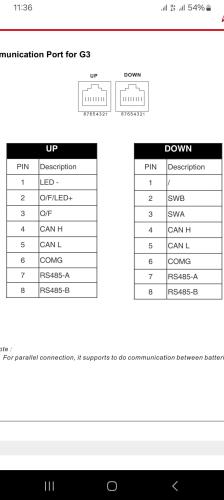
5. Then put the ethernet cable end into the "down" port of the battery (the battery needs to be on).
6. Then open the 'bmsToolV2’.
7. Once that has opened in the top left corner change CAN to COM(No.) and click open.
8. If this doesn't work, click scan and repeat. 9. Once that is open, go to the top right corner and click on the icon with the bug.
10. Then make sure the box that says file next to it has the correct firmware version selected, it should be V_2_3_5.
11 . Once that is in the box you can click upgrade.12.Then go back to the main page, look at the right side of the page where it says“firmware” and ensure this also isV_2_3_5
- 59 Downloads
Submitted -
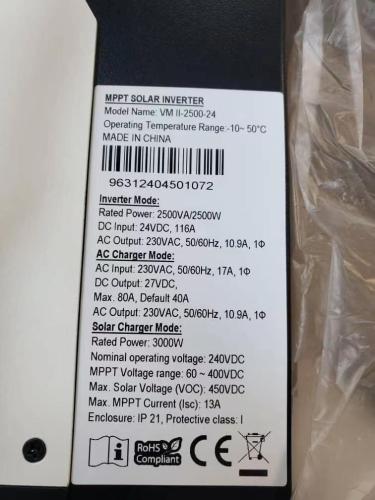
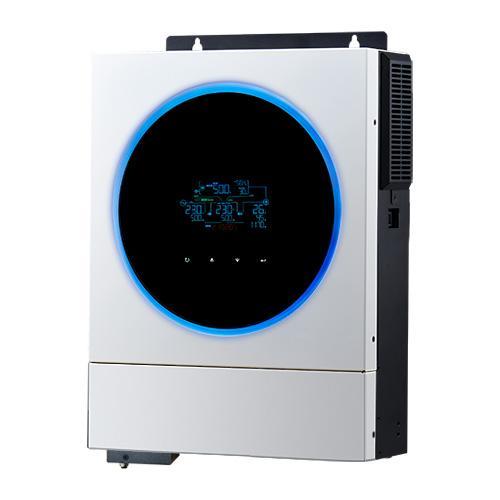
Axpert VM II Premium 1.2K-2.5K and 3K Service Manuals
- 416 Downloads
Submitted -
Do not use unless you know what your doing. Incorrect use can brick your battery.
Latest available version from Pylontech
- 328 Downloads
Submitted -
Pylontech 2.2 / 2.9 Firmware US2000C US3000C
Do not use unless you know what your doing. Incorrect use can brick your battery.
- 167 Downloads
Submitted -
JZBMS Monitor2.0.3(windows)
Apparently for Anenji battery packs, (I cannot get any data from mine at the moment using it) there is a later version 2.55 but am unable to find it at the moment
AVG reports a false positive that it is a virus, it isn't! windows defender is fine with it.
comes from JZBMS here (if you want to download it directly)
http://www.powerstaric.com/product/product?product_id=918
posted here so it's archived if they remove it
- 56 Downloads
Updated -
Software firmware updates 43.22 for 2.5&3k premium 11-2024
- 86 Downloads
Updated -
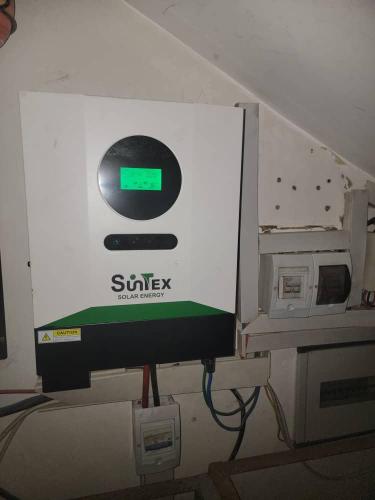
Firmware for 6 k ELITE
brand Suntex
VMII ELITE 6K ver18.74.rar
- 30 Downloads
Updated -
- 74 Downloads
Submitted -
- 107 Downloads
Updated -
Display firmware that adds BYD option for the new BYD Batterybox LV5.0 in parameter 5.
Follow update instructions and use at your own risk.
- 141 Downloads
Updated -
Display firmware that adds BYD option for the new BYD Batterybox LV5.0 in parameter 5.
Follow update instructions and use at your own risk.
- 111 Downloads
Updated -
This is a compiled SOP I use for adjusting the battery voltage reading on the Axpert inverters with the round screens. Tested on VM 4 single and twin units.
Sources of information are posts by Coloumb on the AEVA forum (thank you!) Details are listed in the document.
Please use at your own risk, publish any updates openly and PM me if there are any problems or adjustments required.
- 150 Downloads
Updated -
New BYD battery for residential use. Source website http://www.bydenergy.com
Compatible with voltronic VM 4 with the MCU firmware 22.24 (twin) and 39.21 (single)
- 39 Downloads
Submitted -
READ THE INSTRUCTIONS FIRST: https://powerforum.co.za/topic/2322-youdas-off-grid-lab/?do=findComment&comment=151032
- 1,435 Downloads
Submitted