


uDuWaR
Members
-
Joined
-
Last visited
Everything posted by uDuWaR
-
-
#Wanted Template Item Wanted: Kodak 6.2KW Packaging Essential: No Desired Age: 1 to 2 years Location: Johannesburg Willing to accept a shipped item: No Ballpark/Budget Amount: R5-8K
-
Item Wanted: Hubble AM2 Packaging Essential: No Desired Age: 6 months up to 2 Years Location: JHB / Midrand Willing to accept a shipped item: No Ballpark/Budget Amount: R9000
-
Hi There, is the deye inverter still avaliable ?
-
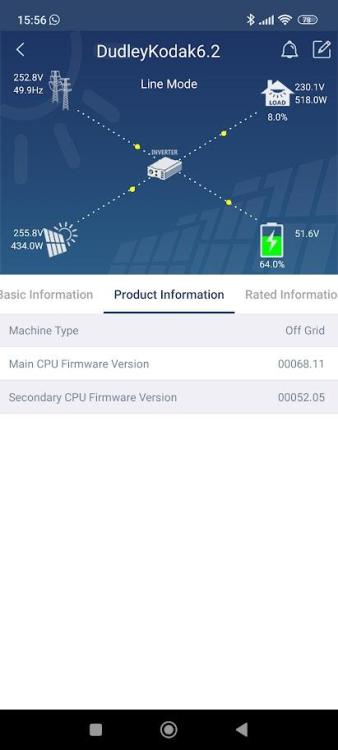
Hi @Coulomb Post updating my firmware (you would have seen my process I used in this thread), I beleve this has resolved my issue with the MPPT Dropping. The main cpu firmware has changed from 68.03 to 68.11

-
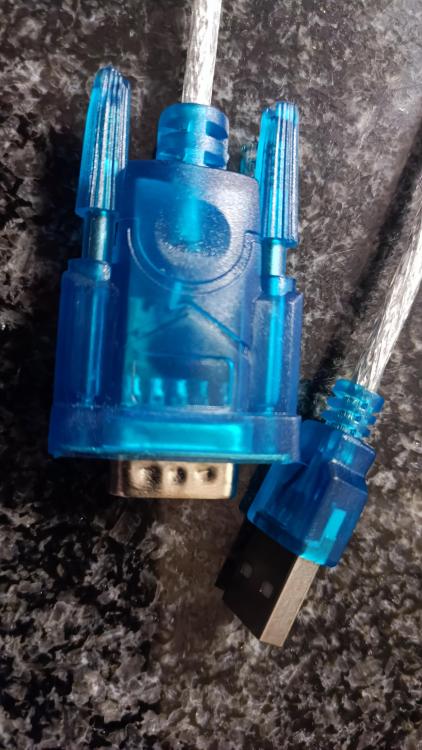
Yes pretty certain, I did attempt and update on COM7 and COM1 multiple times. all with the same step 2 error. No certain @Coulomb Got it from a friend, looks pretty generic, no markings on it at all. Yep. Yes this is a possibility, I did run the USB update 3 times each with the same error 32 result and as soon as I added the mcu.hex it worked. Not surprised, these things seem to be a little finniky. Main reason for the update it that I am getting an MPPT output drop, which I am hoping that the update will resolve. Will report back to see if it's resolved.
-
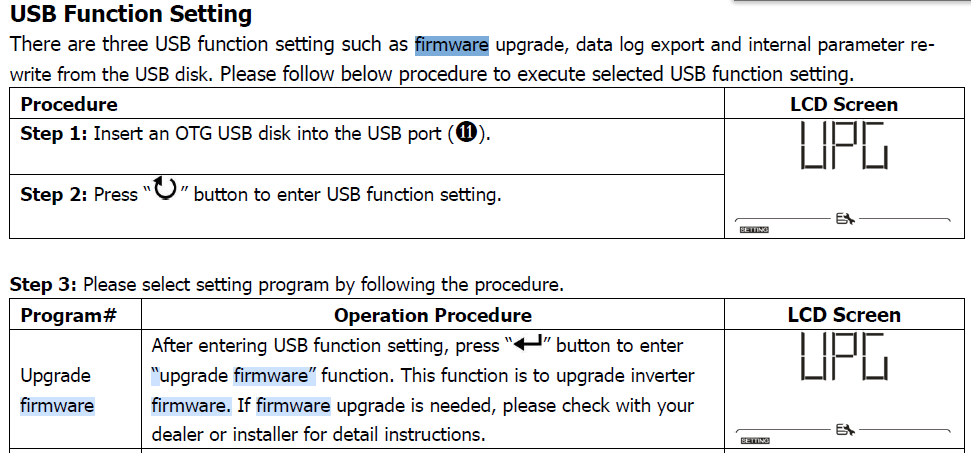
Hi All I have managed to update the firmware of my inverter. I purchased a cheap 2GB flashdrive and a USB to USB OTG converter. I copied the dsp.hex from the zip that @Coulomb provided in this topic to the usb drive, plugged it in and ran the update from the front panel of the inverter, the 1st update must have taken 20 min or so. Once the inverter restarted I got error 32 which is a "Communication failure between inverter and display panel" I have access to the distributer's portal and on there was a file called Remote Panel_Reflash_MCU(52.07) for the kodak 6.2. I have attached this rar. I copied the mcu.hex file to the flash and ran the update again ( I had to have both the dsp.dex and mcu.hex on the flash drive otherwise the update would not start). This time it started with out an issue. Interestingly the firmware versions report by watch power do not match up to the any of the versions on the update files. How ever the main cpu has changed from 68.03 to 68.11. Update process. Remote Panel_Reflash_MCU(52.07).rar
-
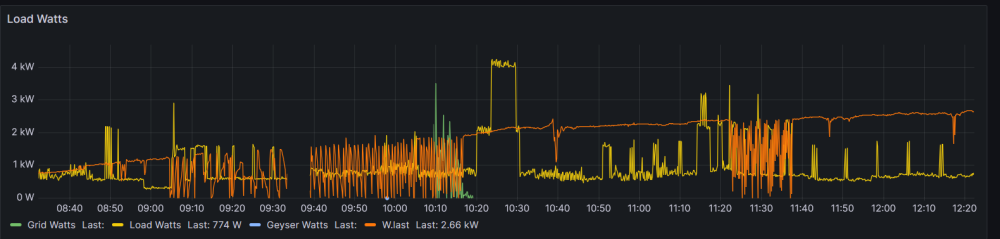
Hi Vitality I also have a king model (Axpert King II Twin 6.2 kVA) and I am experiancing a simular issue with the MPPT dropping but it seems to mostly happen between 1.2 and 1.9 kw generation, after it reaches 2kw then it's ok. I am currenty in the process of updating the firmware but as usual nothing is easy
-
Hi @Coulomb or anyone with simular experance. I have attempted to upgrade the firmware of my Kodak to version 50.13 and seem to be having and issue that with a fair amount of searching that no one has experianced. Plugged in USB to Serial (on windows 11 PC, com1 port) and connect that to the Serial to RS232 on the inverter side. Run the AxpertKINGReflash.exe excutable, make certain com1 is select and select update, the inverter shows the below image then I get the error "Can not open serial port step 2" I see that there is method where you can copy the dsp.hex file to a usb drive and connect that the inverter with a USB to USB OTG cable. I user on this forum has had sucess with this before Is this reliable method?

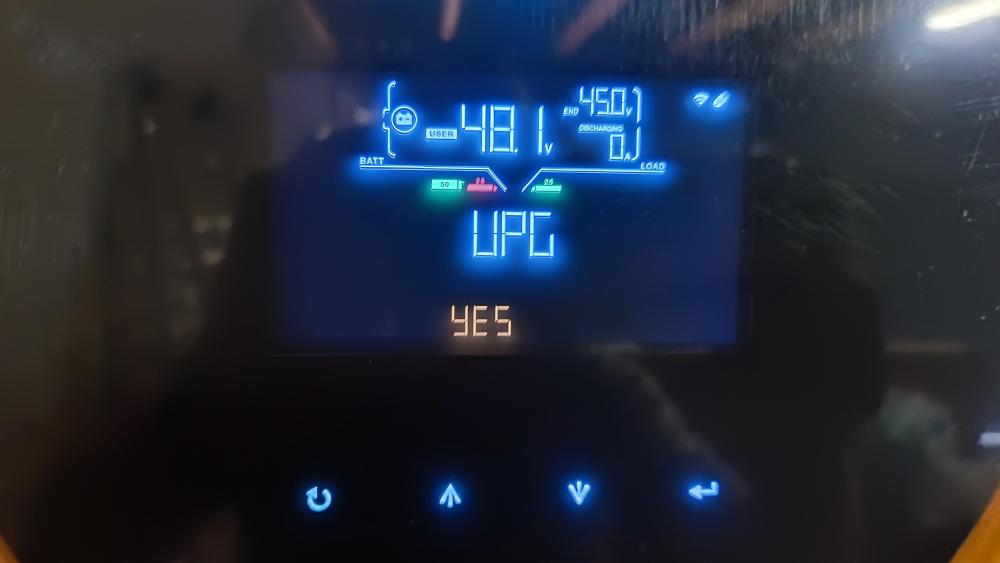
-
Thanks so much @Coulomb I'll let you know how it goes Do I need to worry about the "Important: new chipset could lead to bricking!"? From the post you made on "https://forums.aeva.asn.au/viewtopic.php?p=87767#p87767"
-
No thanks I managed to secure another
-
Hi All I have just purchased one of these inverters, working like a charm. Are there any further updates to the firmware, I see this post is around a year old so perhaps things have changed?
-
Feedback on the attempt to update my TheSunPays 4KW inverter using the recources that @Coulomb Suggested. I disconnected my inverter from the Grid, output load and solar therefore only running on battery. Connected the inverter with the RS232 cable, started up the Reflash tool, selected the approriate COM port and clicked update, I heard a click from the inverter, after about 2 /3 mins the reflash tool reported a connect failed. The inverter was non responsive from the front panel, after a complete powerdown and start up, it was back to working. I tried a few different com ports (1/2/7) with the same result. I am guessing this failure is due to there being no bootloader as Coulomb suggested. That is all

-
Thanks Gents Much appreciated
-
Hi All I found the below adaptor on communica but there is no mention of the PL2303 chip would this work or is there a recomendation on where to purchase one? https://www.communica.co.za/products/usb-serial-converter-tt?variant=17184180404297 Thanks in advance
-
Hi There, I posted a little writeup a few months ago on this thread, give it a read and should assist you with configuring the integration.
-
Excellent, Sent you a PM.
-
@Coulomb Thanks so much, I'll give it a bash
-
Hi @Coulomb It looks like I am running firmware LC1 72 70C as per below. Is there possibly a writeup on how I could update this firmware and where to download it from? I would really appreciate it

-
Item Wanted: Hubble AM2. I am looking to add a second Hubble AM2 to my current setup. My current battery is just over a year old and has about 500 cycles however they were for loadshedding so very light usage and still at 100% SOH. Now that I have my panels install I require additional storage capacity. Packaging Essential: No, buy warentee for balance of life essential. Desired Age: 1 year or less Location: Randburg / Gauteng Willing to accept a shipped item: Naaa Ballpark/Budget Amount: R20K-R24K
-
Yep that's the exact model It's also switching between grid and battery mode when the battery get's below 50%. Neither of these are severe enought to replace the inverter just annoying.

-
Hi All I was wondering if anyone would have some advice on a behaviour change I started experiancing on my inverter. As stated I have one of those Axpert TheSunpays 4kw inverters and it has been running no issue for the last year (perhaps a little longer). 4 Months ago I got 6 * 550W Jasolar panels and connected them up. Now typical behavour was that if the battery was below 100 % and the inverter was running in Grid mode, the solar would charge the battery. (usefull for those cloudy day, where you can put some sun to use) 3 days ago this stopped, now it will only pull current from the MPPT when the inverter is running on SUB or SBU modes. Could something have broken in the inverter that it will no longer charge the battery while running in Grid mode? Any advice would be welcome.
-
What version are your hubbles ? I might be looking for a second one.
-
Have you made certain to allow access to your gmail account to send email ? You need to create an App password under security... or something like that.
-
Have a look at this https://github.com/BionicWeb/AxpertPi





