
Sonoff Africa
Sonoff Africa
-
Joined
-
Last visited
Everything posted by Sonoff Africa
-
Hi It’s our pleasure and sometimes we might be slow to respond due limited time. Aleks
-
Hi How are you? Yes it will definitely work, just need to be carefull as the is a usb powerd device 5 volts but it dose have a sensor to read the state of the gate. Aleks
-
Hi We unfortunately don’t have a certified CB yet and I can wait till Sonoff one day bring them out. I am happy that there is a lot of good hardware out there that works with eWeLink which really does help and simplifies the configuration. Aleks
-
Hi I would like to help but when it comes to solar installations I get an installer as it’s not my strong point at all. Aleks
-
Hi D1 dimmer and ghosting is a very common problem this is the reason we say on our website we do not support them locally/ But I will gladly help you with a fix. Firstly what happens is the D1 was designed overseas where they don’t have load sheading yet, they would plug in the dimmer and within the first 5 seconds it you push a button on the remote and all the functions are auto programed. The problem with that is every time there is load sheading it can do that for 16 remotes x 8 bottoms and sooner or later it will ghost. If you take your remote close to the dimmer and press the bottom left hand side button and hold for 10 Seconds till it beeps. Than will delete all the frequency’s and the ghosting will stop and your remote will also stop working. Try that for a day or 2 see if stays of and just use the software. The after that you can add your remote by cutting power to it and power it up push a button. Then your remote working again. If it starts Ghosting again will have to do a mode to a Wi-Fi dimmer only. Do you have a inverter? Let me know how it goes. Aleks
-
Hi @Anarchy05 I just wanted to get a few more details about the logout. I know with some of the new updates and batter saving you have an option to kill the app or to just put it to sleep. I would just select the app as a test set to always run in background and with full permissions ie location permission set to always. Let’s see if it helps. Let me know what phone you are running and version. Aleks
-
Hi We are going for a few drinks at Urban Oaisus on corne of Witkoppen and Church from 2:30 pm please feel free to join us, I will definatly be quiet a few. You are all welcom th place is quiet small but feel free to pop in, we will be wearing Sonoff shirst its a completly informal event. Aleks

-
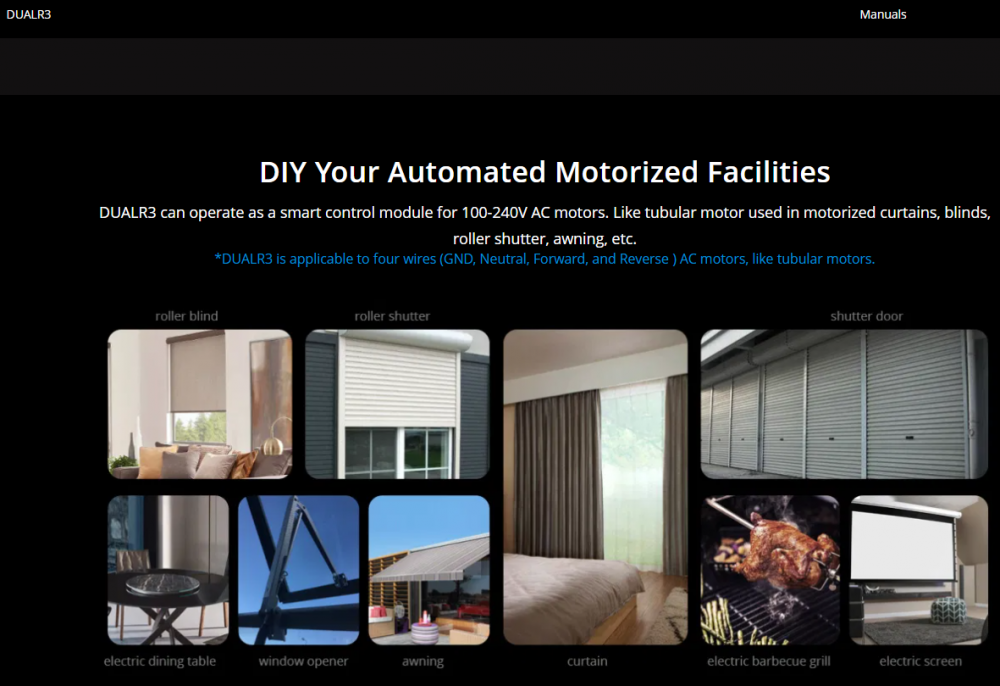
Hi Yes we do it would be the Sonoff Dual R3 it is a 22 volt systems with inter lock Aleks
-
Hi 1. The Gate controller on our site, I would configure it first at your desk and just make sure you have it working in the eWeLink app and Alex and that you can hear the click noise as you push the button in the app. 2. Because there is so many different gate motors out there I honestly don’t know, generally it would go on to the Triger port. The controller has NC/NO and inching.(Which is a timer how long the pulse needs to be.) 3. Not sure if Alexa has custom commands because the device is seen as a switch so the command Gate ON would defiantly trigger it if the device was called Gate in ewelink then linked to Alex. Getting a gate installer in once you have the device configured would be recommended. Aleks This is not a Sonoff device but works in eWelink app and we have only had one return in 2 years

-
Hi, If you are just looking to open the gate with a pulse the gate controler would be most cost effactive but it will not give you a status. Its not a Sonoff products but it work with eWelink which would then be connected to you Alexa. https://www.sonoffafrica.co.za/product/ewelink-1ch-wifi-switch-inching-self-locking/ Coupon code Powerforum5% Aleks
-
Just inbox me you address and give me a few days and I will send a test rig to you. All you will have to do is plug it in. I will make it up with plug top and a extension. It will be fairly quick and we will have results with in 24 hours of pluging it in from the log files.
-
Hi, How are you? 1. 80% off the Sonoff devices are Wifi direct and just requier internet. Sonoff does have and RF range which requiers a RF bridge. They also have Zigbee range which require a Zigbee bridge the main diffrence is the Zigbee has status on the sensors and the RF doesn't. I personally belive that batteries in a permanent installation are a bad solution unless its invertor battery's and Sonoff sensors are not great on battery usage yet. 2. Unfortunately not. Sonoff mini is probably the only device with a Low voltage input on the S1 and S2. But I dont belive it would work unless you gate is on inverter power. 3. We have very little skill when comes to HA and our current focuse is on eWelink and Google. Its becomes very costly to support HA and I do believe next year our focus will start shifting. Aleks
-
Appolagies for that it was for @Scorp007 which we are still try to help with network issues. Aleks
-
Hi, I was so upset the day they announced the fee structure, I started removing it from our websites. We where actually in negotiations with them to sign up as a suppliers and the pricing was a $10k upfront and the $1 per user per year minimum 1000 users. Then they made changes and started charging users which killed the model for us as much as it reduced our costs it would be impossible for us to achieve our SA project. Aleks
-
Welcome to give me a call if you need🙂
-
I can put together a little test rig with a router, I can configure the router and a device and we can know if its GSM network in the area is a problem. I will have one in 3 days. The Huawei 3 Pro and I will run a test loop timer and we see what the results are at my place then we can move the rig to your place and then see what the log files and we can have some information to start the debug if you are keen. Note I will add the device to a test account and share it to you and we can see the log files and see if it drops and then we can start debugging from there Let me know if you are cool with that. Aleks
-
Hi Yes we have the Sonoff dual R3 which has a bilnd motor mode built in with interlock. https://www.sonoffafrica.co.za/product/sonoff-dual-r3-wifi-smart-switch/ PowerForum5% will give you 5% off Aleks
-
Hi Yes we do it would be the 4CH PRO. https://www.sonoffafrica.co.za/product/sonoff-4chpror3-wi-fi-smart-switch-with-rf-control/ PowerForum5% will give you 5% off Aleks
-
Hi You are welcome to buy from us and use coupone code "powerforum5%" https://www.sonoffafrica.co.za/ Aleks
-
Hi We are happy to give away a bundle pack which will include: 1x Sonoff Loadshedder or (if you don’t have a Invertor we can swap for L3 PRO) 1x Sonoff POWR320 Elite with display (will give you the ability to turn off the geyser) 1x Sonoff RGB Bulb which you can scene control to change colours with the Loadshedder which lets you know there load shedding 1x Sonoff 2CH Light Switch T0US2C (Introduction to smart lighting and scene control) 1x Sonoff Basic (for any other device you would like to use it on) Thank you for all you knowledge sharing on this forum and we will do these give- ways as often as we can. Aleks

-
Hi Good morning, yes sonoff have built in a feature on some of the device to gives you an alert after 5 minutes that the device is gone offline it works really well. It will be awesome when this can be used as a trigger. Not sure how long it will take them to get that feature finalized and going. Aleks
-
Hi Ewelink should not sign you out unless you logging through a different device, please feel free to give me a call tomorrow and we can defiantly debug the issue. I have to run and will be online tomorrow night. Aleks

-
Hi How are you ? I do believe that you may be experiencing network issues as per the discussions the other night and the signal strength as per your screen shot. Also you mostly likely have a double NAT issue or a faulty Sonoff device which are far an few between. We have recommend Smart Home 21 can come out and resolve your network issues, if I am correct you run multiple router's ? Aleks
-
Hi How are you ? We have logged it with eWelink/coolkit (Sonoff software provider) a few months ago and it is already possible through IFFTT and I can promise you it’s not about selling devices but about really reducing load so the load shedding can stop and product like the Loadsedder will have no need to exist. I can gladly post the instruction manual for IFTTT which makes the Loadshedder redundant. I am also fairly sure we did have this discussion a few nights ago through the inbox about the offline devices and I completely agree. I also recall making you a video for the POW to try and help with the delay. I think I also recall having a conversation about the delay on the POW power reading and I quote you “More damage than the cost of 1 party failed unit can be done if one had to share one’s experience” which almost sounded threatening and even though your units where not bought through us but from our competition we recommended claiming warranty then we still offered you a free unit. Please don’t take us in the wrong tone when we are trying to help. Aleks
-
Hi How are you ? That is 100% correct, we really did not invent anything new, we just connected the dots for the South African market. We are really trying to make it as safe as possible so the electrician and installer on site does not get hurt. The separation between Solar power and Eskom is the reason for the Relay. As you can understand what would happen if the installer took a Sonoff Mini and plugged the S1 and S2 port in to Eskom (Please don’t). Aleks