


Sonoff Africa
Sonoff Africa
-
Joined
-
Last visited
-
-
Hi Congratulations ! Please direct message me your address and we will have your Sonoff delivered ASAP. Aleks Sonoff Africa
-
-
-
-
Hi The corect number is 082 379 3860 Just shout if you have any questions. Aleks Sonoff
-
Hi We are licensed by Sonoff to Export to SADAC countries, but unfortunately we currently don’t have any local partners or installers in those countries. The biggest challenge is the local regulation in country and having the products certified with local authorities. In South Africa we certify with National Regulator for Compulsory Specifications (NRCS) and ICASA. It’s quite costly and is only valid for 3 years then we can get 2 year extension and after that we have to get new certification. The Sonoff product need good internet and Wi-Fi to work. There is a offline solution like Sonoff iHost or HA which can run the products locally on a LAN. Regards Aleks Sonoff
-
We're running a giveaway here on the forum a great prize to help get your foot in the door on the energy-saving side of things. Sonoff will be doing quite a few of these, as we believe South Africa deserves the best when it comes to smart power tech, and we're proud to lead in that space. My experience on this forum has been awesome, always the correct answers and solid advice. BIG SHOUT OUT TO JASON, and everyone else who assists here. Awesome work keeping this all together so well! Feel free to contact me on 028 379 3860 if you need any other Sonoff products at a great price. we have some crazy deals! Aleks Rudy Have a awesome weekend 😊 Aleks Rudy SonoffAfrica.co.za
-
-
-
-
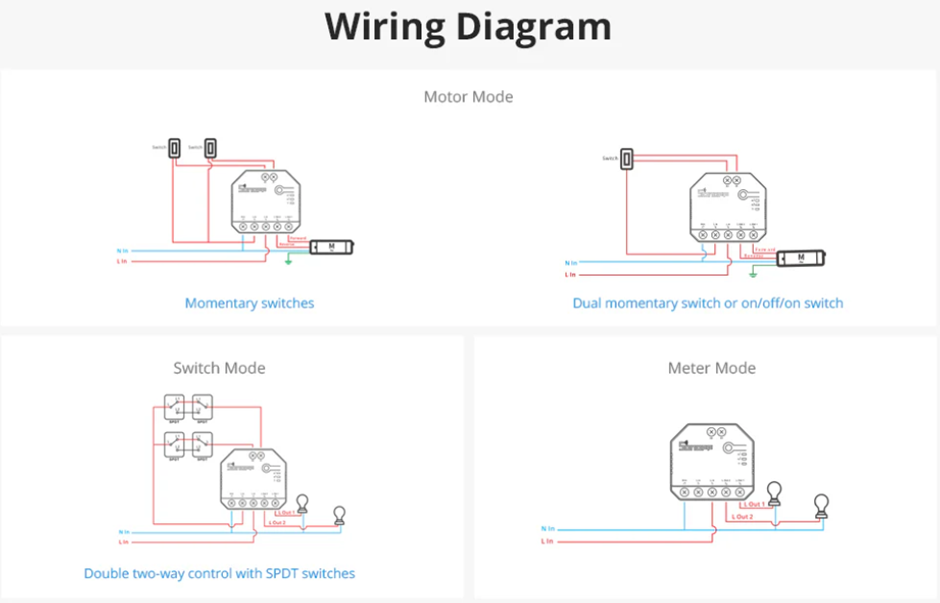
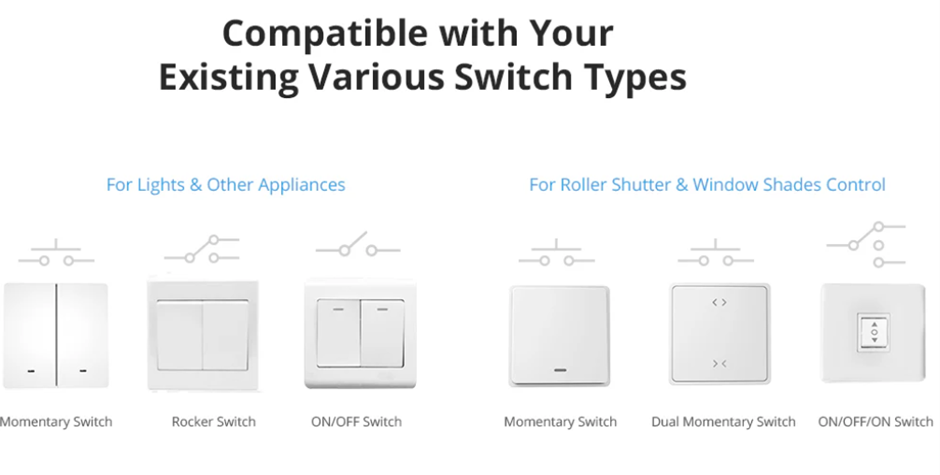
Hi, My recommendation would be to always power up the device on an extension cable. No Load. Only the “Live in” and “Neutral in” connected and no outputs connected. Then power it up and add it to the app at the comfort of your desk or work bench. There are many configurations like calibration for motors which inter lock the channels or switch mode which is most commonly used. There are also different switch types that can be used to control S1/S2, will add picture at the end. Also after having it “ON” for around 5 minutes and connected to the eWeLink app there should be a firmware update available. It’s always easier to get it done before installation. Under the device settings per channel you can select the last power state and you can set it to “OFF” and then the device will not active any channels. If nothing is connect to S1/S2 Please Reboot the device and see that all setting where save successfully. Once this is done please power down the device and connect the other half of the extension to the Sonoff device output and test with load only with app control. No S1 or S2 connected. If you are happy with everything and the power management side like threshold setting (if used.) Please have a look at the diagram, before connecting S1/S2 because this is where I have done a similar thing. Wanting to quickly switch on the switch, I accidentally put a jumper between the L1 load to S2 port and it don’t work well. Regards, Sonoff Africa
-
-
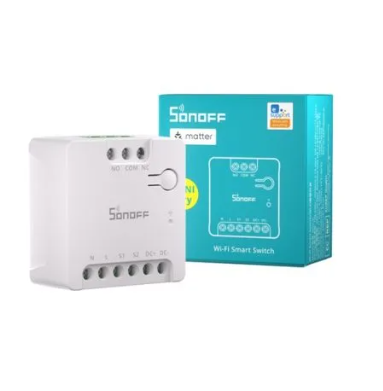
Hi Hope you are well, this is a brand new Sonoff Gate/Garage switch. Very nice because it has a input for a hard wired button and a output for gate or garages. It would assist if you wanted to keep the Automation in the Sonoff app. Regards Aleks
-
-
-
Hi madness_za Congratulations! and Sonoff Automation Kit will be on its way to you this afternoon. I will message you the tracking number shortly. Regards Aleks 😀
-
-
-
-
-
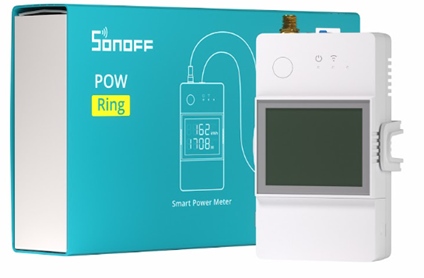
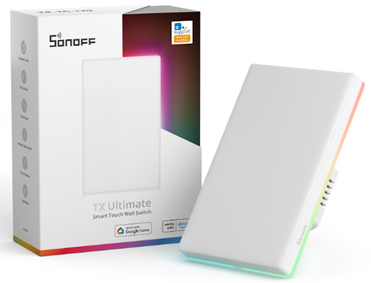
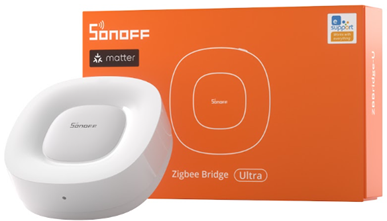
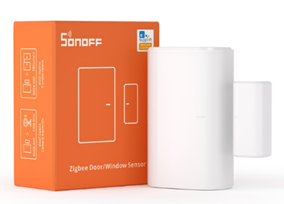
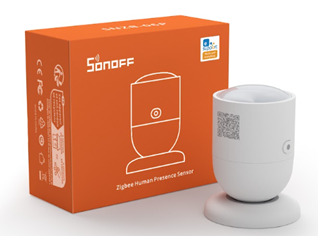
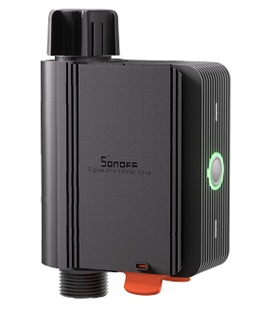
Sonoff Home Automation Starter Kit SONOFF POW CT Ring Smart Power Meter Track Energy Usage Easily: Sonoff POW CT Ring to your home’s power system to monitor how much energy your appliances or rooms are using. It gives you clear insights into where your energy is going, helping you save money and use less power. Sonoff TX Ultimate T5-120-1C Smart Light switch: Featuring a circle of RGB colour edge lights, the TX Ultimate serves not only as a switch status indicator but also as a versatile night light or ambient light, adding a touch of illumination to your surroundings. Sonoff ZigBee Bridge Ultra Seamless Smart Home Integration: Connects Zigbee devices to Alexa, Google Home, Apple Home, and SmartThings for a smoother, more connected home experience. Sonoff Door/Window Sensor (Zigbee) Real-Time Alerts: Receive instant notifications on your phone whenever a door or window is opened or closed, whether you're home or away. Sonoff Presence Sensor (ZigBee) with PSU Presence Detection: The presences Sensor is powered by 5.8GHz microwave radar, the SNZB-06P can detect movement or stationary individuals. Lights automatically turn on as you approach and stay illuminated until you depart. Sonoff Smart Water Valve (ZigBee) Seamless Smart Home Integration: Connects Zigbee devices to Alexa, Google Home, Apple Home, and SmartThings for a smoother, more connected home experience https://sonoffafrica.co.za/ Giveaway Link will be posted soon. Thank you Sonoff Africa Home Automation Starter Kit .docx

-
-
Hi Please try and reserve a static address on your router for it and just reboot and then turn the device on and off. Then switch of you phones WiFi and close the app and switch to sim data and open the ewelink app and let’s see if it can be turned on and off. its usually cause ny a NAT issue when ISP change your External IP Aleks
-
Hi I agree and we have. hope fully the newer version will come out with a Sonoffg R5 remote. Aleks
-
Hi Jacques You could use the LoadShedder to monitor the on and off us IFTTT for record keeping. Otherwise run it through a POWR32D and that will keep track of power consumption for six months and you can download to csv. Aleks Sonoff Africa
-
Hi WannabeSolarSparky I love your installs, They always get done and work well. One thing to remember is to always have the POW and the CT on the same power feed and phase for accuracy. Aleks Sonoff Africa
-
Hi We do have a din rail mount for the Sonoff MiniR2 that was made in fireproof filament 2d print, It’s on our site. I would recommend going with the Sonoff Dual R3 it will give you 2Ch and 2 inputs 220 volt. And has the can measure power. It has a S1 and S2 input port to control the out puts. Its a bit small for Geyser and Pool but great for lights and Automation. For Pool/Geyser I would always go with POWR320D they just such excellent workers and never fail. Aleks Sonof Africa
-
Hi, All I can officially say on the topic is that you should check for a valid NRCS certification if the devices are wired into the grid. I would recommend Sonoff Africa, Qi Systems, Eifere, Mica, Leroy Merlin, Key Electric, New World, Dafron, Wisp Net,Blue Planet, Incredible Connection, HiFi Corp and Lite-Glo who stock the full range. The availability and range of stock is very area-dependent. The biggest reason is the NRCS certification, which is also required by law. Again, this is just my opinion. Please let me know if I left you off the list and you do have valid NRCS certification for Sonoff products. Aleks
-
I can see the benefit of having a simpler cross-platform install and the ability to use Sonoff with Samsung and other Matter-supported platforms. Establishing communication standards was definitely needed. It's still early days for Matter, but I like how it works with Samsung phones. When you power up a device, it shows a picture of the device and offers a guided installation. The pairing process is definitely simpler, and the new Sonoff Matter-supported devices work well across platforms, but it's still early days. I now only use Google. I really liked Amazon Alexa, but having too many smart speakers in the house and managing two different top-tier platforms became overwhelming. So I can only comment on Google now. It took longer to add the device compared to syncing with eWeLink to Google, which I expected, but it was much easier overall. Adding to Samsung SmartThings was the quickest and easiest, but I’m sticking to Google as my primary platform, so I don't use SmartThings. The reason is that with Google Maps, voice commands, and the search engine, I don't need multiple apps open, which helps conserve my phone’s battery life. I also learned that, unlike before, when Google only accepted voice commands or Google-branded routines as triggers, it now supports cross-brand/platform routines and scene triggers. This has been a game-changer in the world of "Any to Any." The reality is, you don’t even need Matter devices anymore because Google now serves as a platform to facilitate cross-platform functionality, something that wasn’t possible before. I also had isses on my network with the mash systems and provider changing external IP address as they do. My best upgrade I did this year was to the Asus AX82U and I removed 3 Tenda mash nodes the speed diffrence and less NAT issues was unbelivable. As the Sonoff imports I would say keep the existing devices and spend the budget on better acces point that can handel more devices. Issues: You lose some functionality by not using the eWeLink platform. It feels like Google doesn’t handle double NAT issues in mesh networks as well as eWeLink does.


