


.png.fc23fb1808378dbbe02319f0f0fefd79.png)
.png.2e6f445ef7dd0532d0f60b888aab9c05.png)
Scabanshi
Members
-
Joined
-
Last visited
-
Good morning. I hope it's viable to ask for assistance. I am looking for someone who can assist us with fibre splicing in the East Rand erea Gauteng. Thank you in advance.
-
I thought it would be the best device, cheap best device to read the data. It gives so maybe entities. I'm trying to plan solar for our office. Just wanted the spikes and total kw/h The current is in Ampere. 5GW!? That doesn't sound right. Normally according to our bill we use about 500kw/d Not running a steel smelter. Just a very big office with about 50-60 people during the day and about 10 people at night.
-
Good day all. i am struggling with working out my office consumption. i have a ME435 Energy Analyzer. i wired it in to get the data for about 8 days. now i have more than 11k entries. it logs every minute. my question is im not sure how to work out the load per hour and then per day. i have been trying and struggling in excel. had formulas. used chatGPT but i feel like the data isnt correct what i getting out. if someone can please share some light on how can i get the correct data (per hour, per day) ill share the .csv fileHQdatalog_3P4W.zipHQdatalog_3P4W.zip
-
-
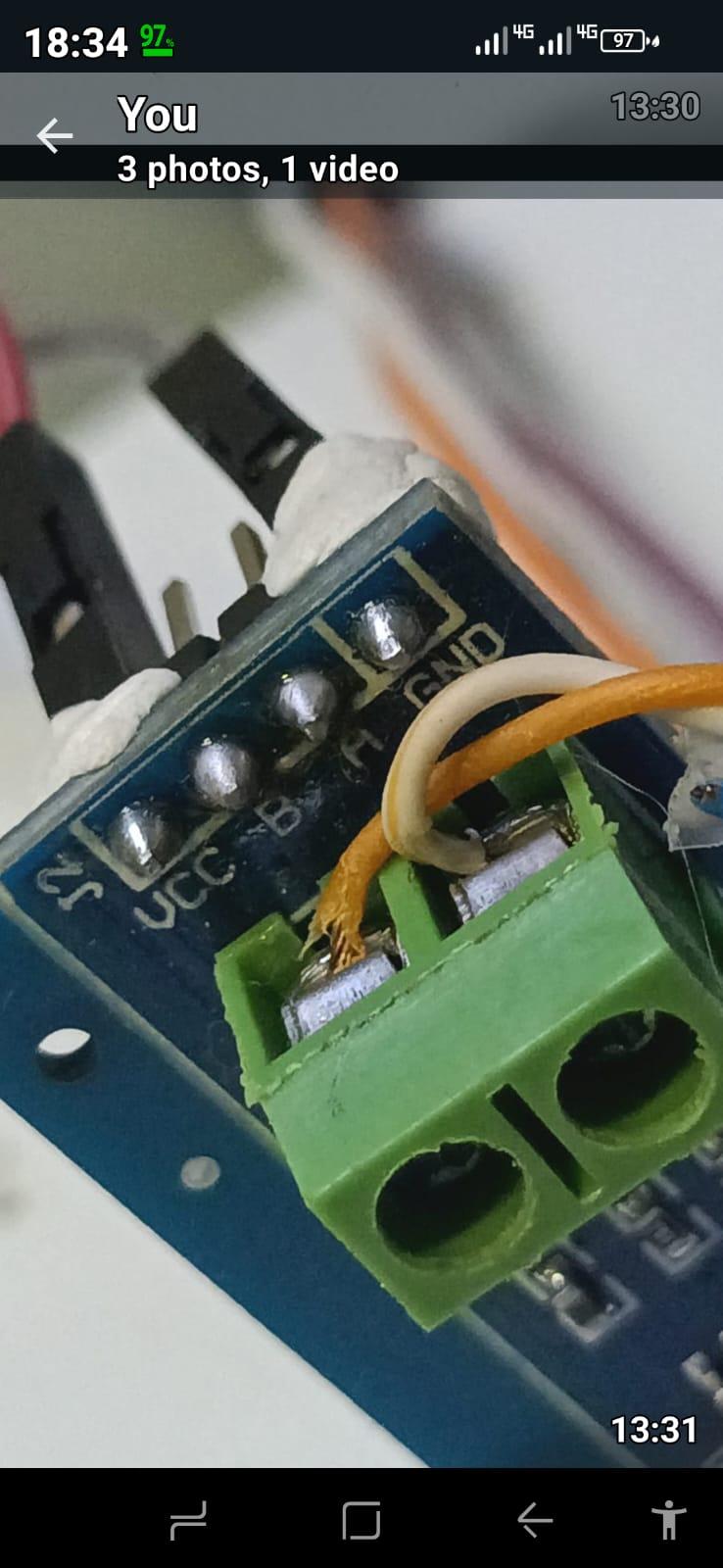
Thank you for the helpful insights! The API issue is now sorted — I appreciate you clarifying that. I've also double and triple-checked my cable color coding, even swapping the pairs around, but I’ll definitely give the brown/white-brown combination a shot as suggested. Regarding the R7 resistor, I did remove it from the board and even tested another board with the resistor still in place. I’m guessing if the cabling is incorrect, the resistor probably wouldn’t make a difference either way. So, I’ll focus on testing the other cable next and update you on the results. Thanks again for your help — I really hope this solves it!
-
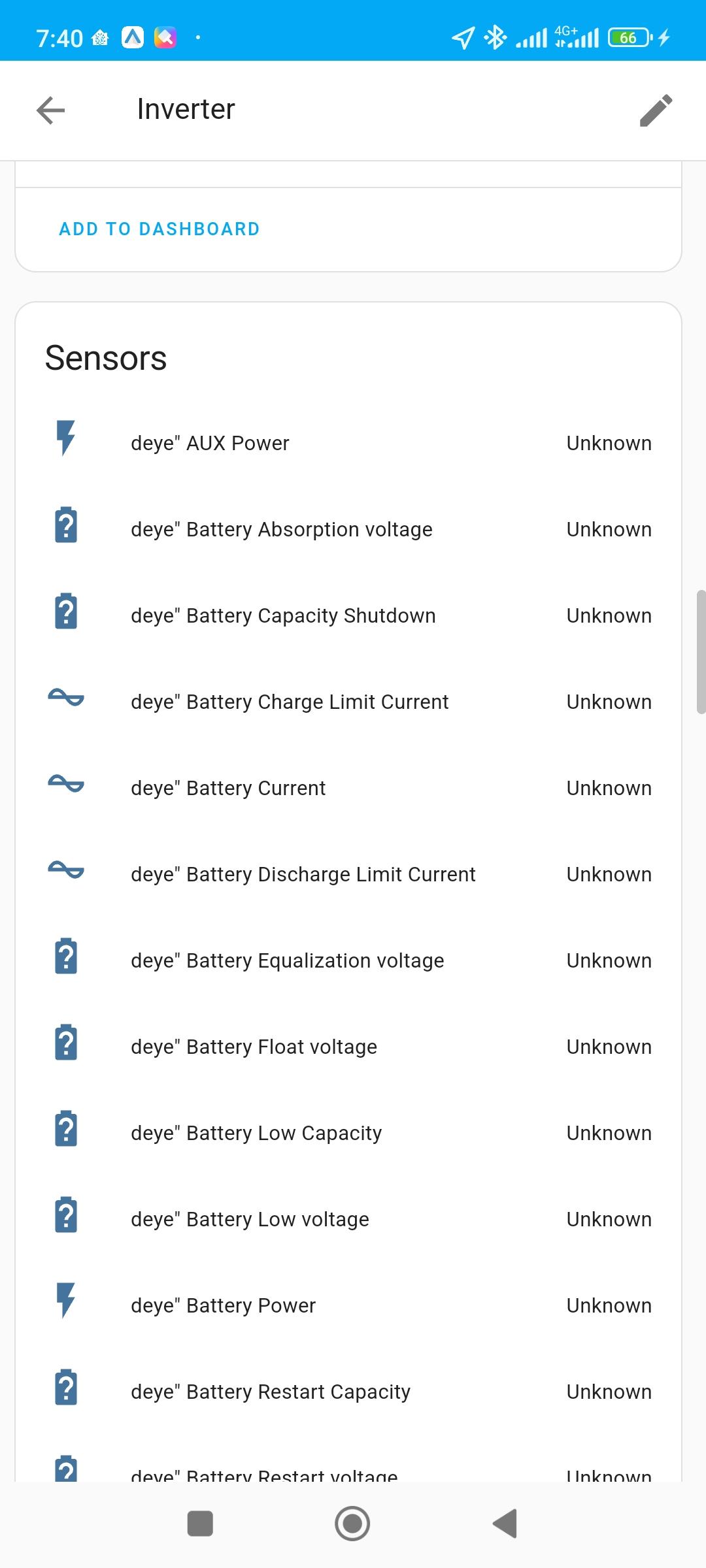
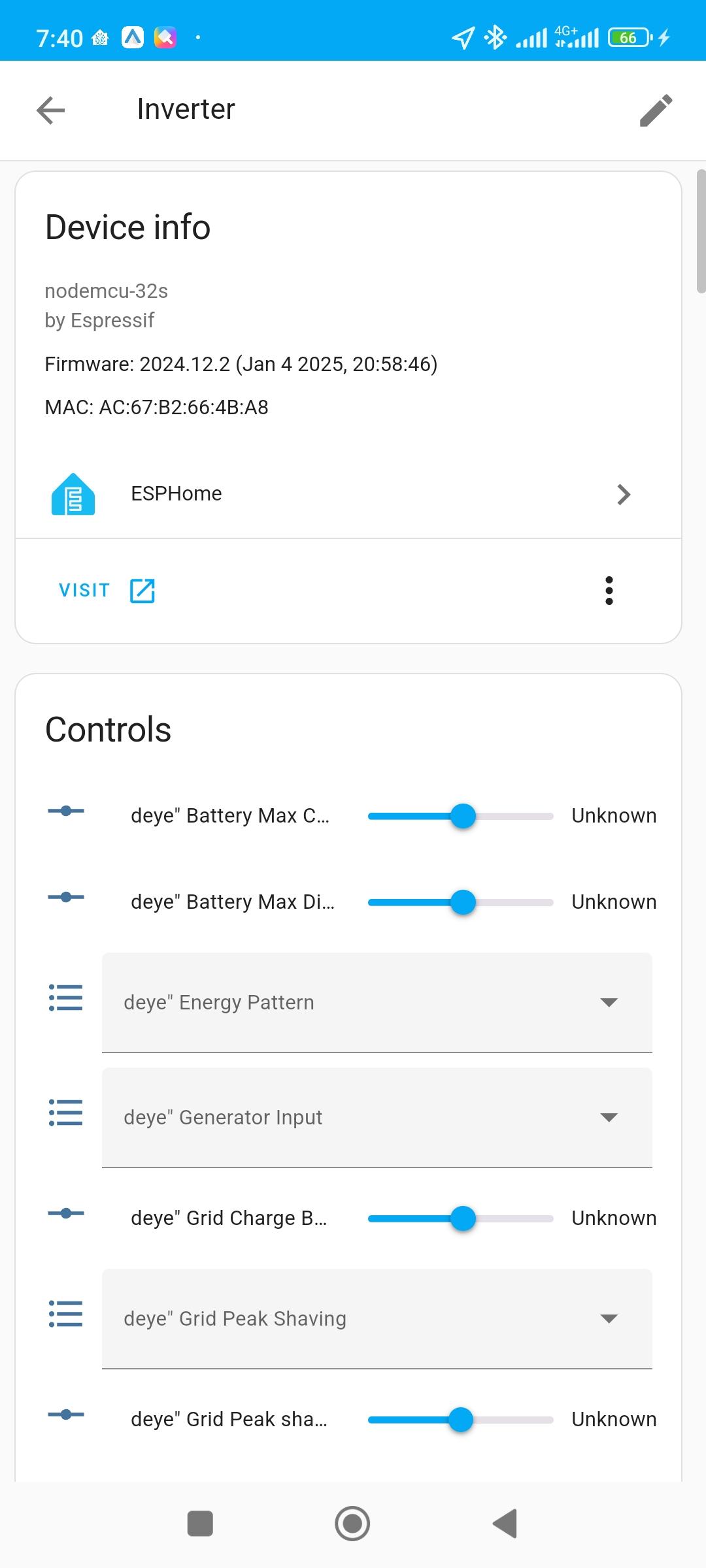
Hi everyone, I'm struggling with my ESP32 and TTL-RS485 board setup for integrating my Deye 8kW inverter with Home Assistant. I've followed the "Solar Integration" YouTube video and used the Slipix GitHub setup. While I know there are better integration methods, I've already invested in these boards and spent considerable time and effort, so I really want to get this working. Current Issue: Sensors: All sensors show as offline Control: The control options in Home Assistant show values on the sliders, but they do not actually change anything on the inverter side. Wiring: I believe my wiring is correct and have even changed the GPIO pins multiple times, but no success. What I've Tried: Double-checked the wiring. Swapped GPIO pins on the ESP32. Followed Slipix’s YAML code closely from GitHub. Added a Wi-Fi connectivity test: I've added the # Flash the onboard LED when Wi-Fi is connected to confirm the ESP is connected to Wi-Fi, and it does flash, so the ESP32 is definitely online. Additional Concern: I also don't know how to generate an API encryption key, which is why my API setup is left open (no password). If anyone can guide me on securing it properly, I’d greatly appreciate it. Attachments: Photos of my wiring and boards. YAML code I'm using. I'm sure I'm just missing something small, as I've seen others get this setup working. If anyone has experience with this integration or can spot issues in my setup, I'd really appreciate your help! Thank you in advance for your assistant. inverter-firmware.factory.bin


-
We use RDC radios for communication on our IDS alarm panels which is off-site. I am hoping there would be a way to integrate RDC with HA to be able to arm/disarm the sites and have alarms coming through. We are currently using watch manager. I searched the internet but found nothing. In my head something so simple, working with RF should be able to be integrated? I'm just not sure how. Is there someone that might have an idea? Thanks

-
Ok i will definitely try it. I would want to get it sorted tomorrow. So I'll go get what is needed. If you don't mind helping me with the calculations, I want to make sure i have what is needed. Thanks
-
Thanks. So 5v boards re not going to work?
-
Thanks @BritishRacingGreen for the info! Much appreciated. I don't see any availability on stock anywhere online and walk in. I found this one online, but i see it says it is 5v. Can this work or should i search for the 3.3v one?


-
Hi Everyone, I ordered an ESP32 - TTL Board online wanting to integrate ESP with HA. I realized when unpacking it is not the exact same TTL board that @Sc00bsshowed in his video. now I am not sure how to connect the red one, there shouldn't be much difference?


-
Hi @Sc00bs, thanks again for your input! I am excited! it is working! this is the code that is currently working, alias: Turn on/off kitchen light based on solar power description: Turn on/off kitchen light based on solar power trigger: - platform: numeric_state entity_id: sensor.solarman_total_load_power above: 6000 id: solarman total power for: hours: 0 minutes: 0 seconds: 0 - platform: numeric_state entity_id: sensor.solarman_total_load_power above: -0.6 id: solarman total power for: hours: 0 minutes: 0 seconds: 30 below: 6000 action: - choose: - conditions: - condition: numeric_state entity_id: sensor.solarman_total_load_power above: 6000 sequence: - service: switch.turn_on entity_id: switch.kitchen_1_light - conditions: - condition: numeric_state entity_id: sensor.solarman_total_load_power below: 6000 sequence: - service: switch.turn_off entity_id: switch.kitchen_1_light it switches on and off!
-
hi @Sc00bs thanks for the help! i also thought it's not necessary to reload them on CBI, the only thing is I'm not sure how to get the details I need to integrate them, like you showed on the Tuya IOT via the CBI app on the phone. do you have any tips for me? I will be trying the new code now and will update you. thanks again.
-
this is the card i have for the light. it is working on its own if i switch it on and off, but that is it.
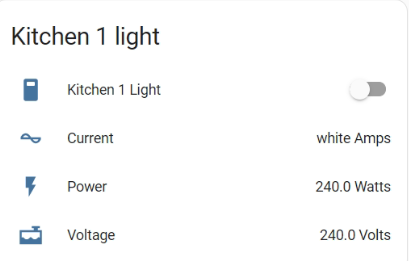
-
Good morning @Sc00bs sorry for the late reply, thank you for your input. we are monitoring the site as is now to see how we can improve. the site is well under 8000w load at the moment. the pumps aren't connected yet, but I'm sure we can monitor it and use power efficiently. I finally installed home assistant and started working on it yesterday thanks to your videos! i watched the video where you connected the geyser through Tuya app, my geysers are on the CBI app so I'm sure i should reload them onto Tuya app and then i can pull them in into HA. so yesterday i only loaded my smart lights, as i explained in this post i would like to use them for when we are pulling more than a certain amount of power to warn us about potentially pulling max load. I am struggling with the automation part. i am sure i did it correctly but it's not switching on the light when x amount of power is being pulled. would you mind looking at the code? so, I first did it myself through the normal interface and settings as you showed, i just changed the values (not working) then I used ChatGPT to write the code but still it's not triggering. when I press run the light doesn't switch off. I am sure there is something I'm missing. this is ChatGPT code, alias: Turn on/off kitchen light based on solar power description: "" trigger: - platform: numeric_state entity_id: sensor.solarman_total_load_power above: 3500 id: solarman total power action: - choose: - conditions: - condition: numeric_state entity_id: sensor.solarman_total_load_power above: 3500 sequence: - service: switch.turn_on entity_id: switch.kitchen_1_light - conditions: - condition: numeric_state entity_id: sensor.solarman_total_load_power below: 2500 sequence: - service: switch.turn_off entity_id: switch.kitchen_1_light (values are lower now just for testing purposes) If you have time, would you mind helping out please. Thanks
-
-
This is the formula I was taught to use. Hope it helps.
.thumb.png.8b83f429f7efb5bda1cdad667558c670.png)
.thumb.png.6ff0391b75b3af9249201575f6893068.png)





.png.8a4dbf6fd560d335d1e43c23cb2668bd.png)