isimobile
Members
-
Joined
-
Last visited
-
-
@plonkster Thanks for this. Checked this morning. Mine has a round bolt. Have contacted my installer. Will take it up with them further.

-
-
How can I check if I have a faulty one? Mine was installed last year end July, so I might have the faulty version. I have seen a few times the overload issue, With my batteries at around 30%. I have notified my installer but he said he did not see anything wrong. And with what happened the other day when loadshedding started and my inverted did not switch over, maybe it is related to a faulty unit.
-
-
Hi Guys, Last night when we load shedding started at my house, my Multiplus II did not "activate" ie, power went off, but it did not kick in. When I went to investigate. It showed that the batteries was low, the red light flashing next to the battery low on inverter, but the batteries, 2 x polyntech's 3500 were at 88% full. I did charged the batteries during the day, from Eskom, as with all the clouds the last 5 days, here in Centurion it was "empty" (45%). My SOC is usually set at 30%. but with the clouds around it increased it to 45% I then went to switch off the inverter for a couple off seconds, 10 or so seconds, and then I switched the inverter back on. Then it started to work again, power went back on. I then look at my logs on the GX, under notifications and it said to me battery low & inverter overload. My inverter is just over a year old, so it sill "new". So I guess when the power went off some surge or something happened, to overload the inverter and it switched itself off to protect itself, that is my thinking in any case. I am correct in my assumption or should I be more worried, this is the first time that it has happened. It happened at around 20:25 last night and at that stage our consumption was very low. The geysers were off, no tumble dryer running or any other high powered items were running that I am aware off. Regards
-
-
-
-
-
You can get the raw data from dbus Or can also download the data that is send to Vrm from the Vrm portal under advanced menu option. There is a little download icon top right hand side to download data in csv format. Start here to get access to your Venus device https://www.victronenergy.com/live/ccgx:root_access. Follow the links in the post. Also once you have access use this little tool, it will help you a lot. https://github.com/victronenergy/dbus-spy Hope it helps, Enjoy!
-
-
-
-
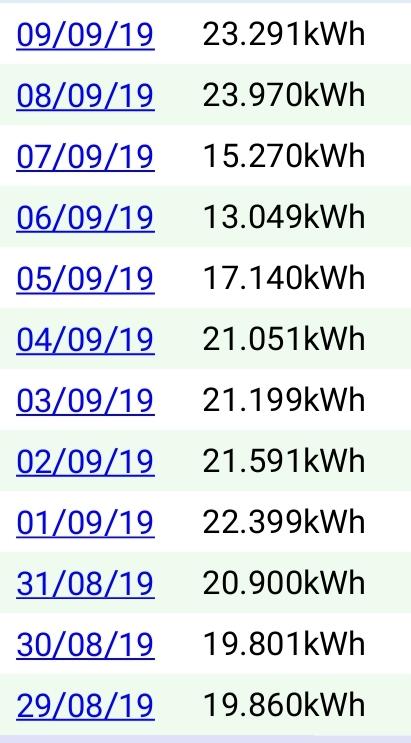
Yesterday was my best yet, in Gauteng, how was yours? Just wondering...
-
-
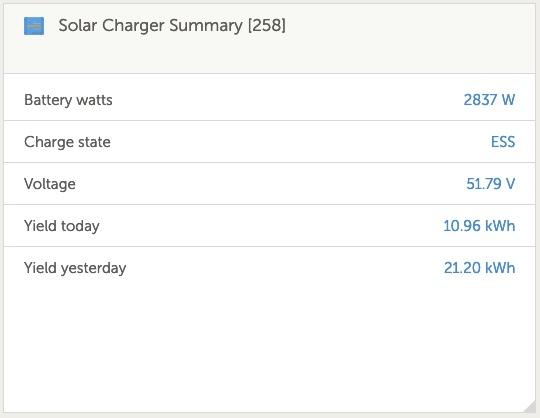
Maybe this way, thoughts below? I know did not the install myself, so the above setup seems to be what was done, I think. Also I know I have two strings coming down split equally, I think, because it go's to two fuses, to from their to the MPPT. This is what I see on VRM:

-
-
-
Yeah, this is great.. Have it running :)... This open lots of possibilities.... Play time.... Thanks for this, Ok I have to work, but will start doing some research. BTW, I added a retry function to your pvoutput.org script, busy testing it, post message would fail after a few days, hopefully the retry will work. New to python, but learning in spare time.

-
Yeah, would have like there to be an option to change you nick...., see you cannot change it on the community site. [Edit] I see you can, Under "My Preferences" change Real Name to your nickname.
-
@plonkster, I see a similar question was already asked in the Victron community, https://community.victronenergy.com/questions/212/ess-suggestion-for-better-battery-use.html, about max discharge, Have you seen it before?
-
Nope, would never think that it is. 😉 I also get regalar request in programming todo something at work, because it is easy, l always say log a request, and it will be investigated. Even if the requester(usually a manager or The boss) think it is a 5 minute task, it ends up 10 hours of work... and sometimes not... 😂. Then 5 bugs later after testing, because everything is "related", you think why do people think sometimes 1 liner requests is simple todo. 🤔. As you put it, the details seems very intricate, and you need to understand the complete design. I will put the suggestion on the official community.
-
@plonkster I was thinking, to overcome the discharge of battery when using a high powered device, like a geyser & oven, how about adding a max discharge value for battery setting in ess, when you hit it, it switches to a "scheduled charging mode X" with grid available? So pseudo : If (grid available and current usage > than threshold set in ess) Set schedule charging mode X on do normal Else Switchoff schedule charging mode X off Do normal End Just an idea? 🤔.
-
-
-
-
-
Some important learning usage as a newbie: First thing that I learned is that when your geyser is on and connected on your non-essential load DB, but the Grid is still available, ie no power failure, then it will still use the battery power to operate, if no/some PV (solar) power is available. Let me explain: Say for instance it is 17:00 in the afternoon, your PV generation is generating 500w but you have set your Geyser to switch also on at 17:00 to warm the water for two hours to be able to to bath/shower your children etc, and your battery is fully charged from your PV system, your usage will then go to say 3500w for your house , it will first draw 500w from the PV, then it will draw the remaining 3000w form your battery and or Grid, which could means it could draw 2000W from your battery and 1000w from your grid, which in theory can drain your battery very quickly, by 4 kWh, in two hours, then at 19:30 you have a power failure, then you have barely any power left to use. To overcome that you can setup schedule charging in ESS, on your CCGX, which will allow not to use the battery unless there is a power failure. For it to be effective you also need to set the SOC, to a lower value than your current SOC. I hope this explanation makes sense. (Welcome to correct me if I am wrong) What I have done is to setup schedule charging to not allow for the battery to discharge when my geyser is switch on and then also late afternoon early evening when you use the microwave and or oven for cooking etc. I fully start using the batteries at 20:45 at night, and so far I have been running my whole house until 05:00 weekdays, 06:00 weekends, in the mornings on battery power, with some reserve left on my battery of about 40%, and then it uses that for the geyser to switch on at 05:00 on weekdays and at 06:00 on weekends. This whole process has taken me about a month to figure out what works best for our household. You would say a month?, yes, because in the beginning the whole household, needs to adjust to using solar and if you have teenagers in your house... then well you have to have, patience...😃
-
-
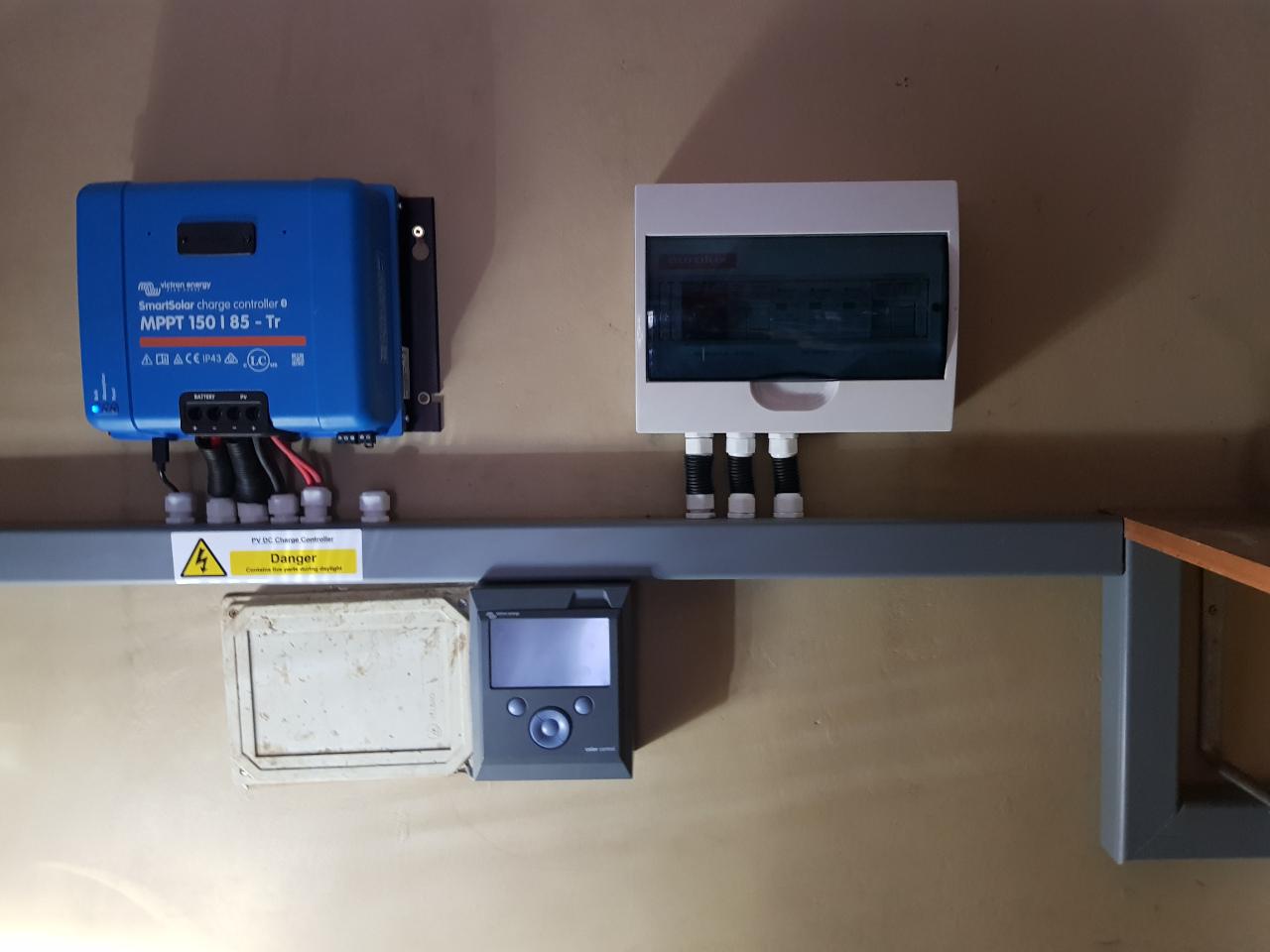
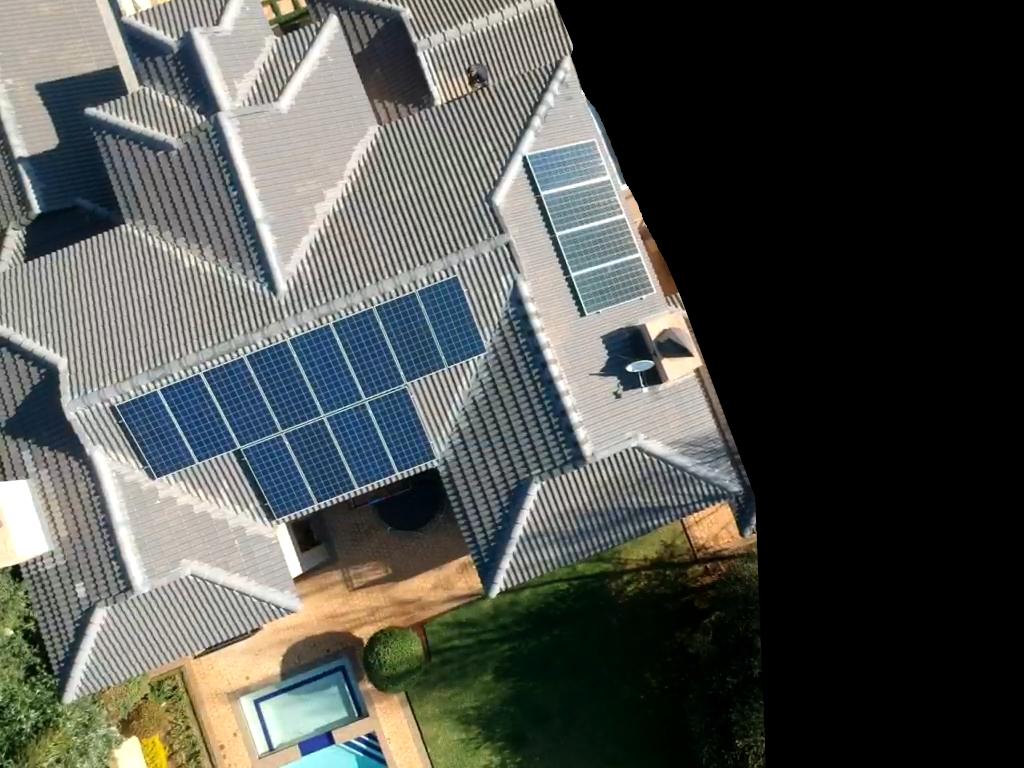
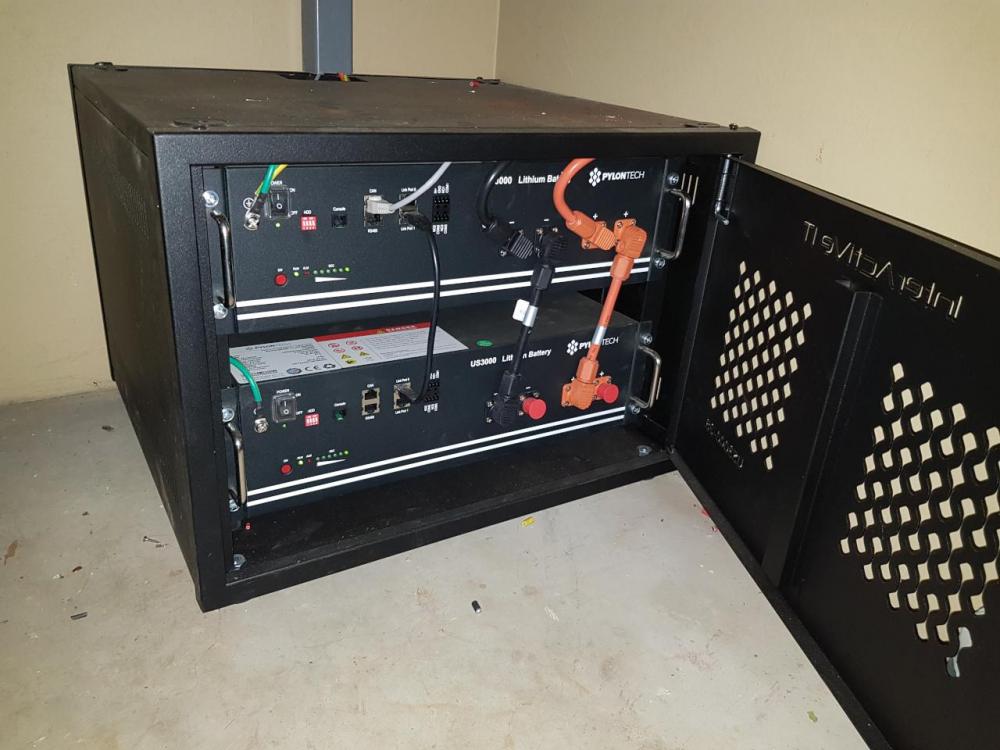
My installation started in June 2019, but the actual process started in February 2019. The installation: Victron Multipuls II 48/5000 1xVictron MPPT 150/85 1x Victron Color Control GX 2 x US3000 Pylontech Li-Ion Batteries 16 x 330w Tier 1 Solar Panels 1 x ET112 Energy Meter 2 x Timers for my geysers 1 x "new" Non-essential DB I chose Victron mostly of what I read here on the forum, and also because I felt the Invertor is the best "value" for money compared to the more expensive "German" makes and cheaper "Chinese" makes and it is extensible if you need it to be. There is probably other makes I could have chosen, but I felt most comfortable with Victron, if that makes any sense. I started by getting quotes, but I did ask for the same specs, otherwise you cannot compare apples with apples. Also I am not really a DIY type person so I chose to get a installer, but finding one is not so easy. I got some references and eventual decided on cost vs experience, I chose cost 😉, which brought it's own challenges but it was my choice. They had some issues in getting the install 100% but I never felt that they would abandon me, during the process, but my patience was tested a few times. My aim was/is to, reduce my Electricity cost a month as well as have a backup in the evenings "if/when" we get load shedding again. Yes I know it is still cheaper to use Eskom compared to solar with batteries, but I am willing to pay for that. Where I stay, we pay a sliding scale of 0-600kWh at a cheaper rate, then from 601kWh and up we pay a more expensive rate. So the aim is to try and stay below 600kWh a month. My avg consumption over a 12 month period last year was 890 kWh, with a max of 1330kWh in July. I am also allowed to feedback to the Grid where I stay as an added benefit. Which brings me to the community here, after asking a question in the "Starting In Solar? Feel free to introduce yourself" section, after struggling with the installer for almost two weeks in getting the finer details correctly setup. @Jaco de Jongh pm me to assist, and offered to come to my house, in getting the install working 100% at not cost! He even phoned @plonkster on a questioned I had regarding battery usage. I just want to again say thank you, to BOTH of them, in assisting in getting it working and explaining it to me in a manner of how it actual works and what I "thought" it is suppose to work like.



-
-
I added my generation output to dvoutput.org, I used @plonkster pythons script and implemented weather and voltage data. Thanks @plonkster ! (I did send you a merge request :), if you want to merge the code) You can find the details here: https://github.com/isimobile/dbus-pvoutput It was my first attempt at using Python, but hopefully it works. You just need to change the values in the config.ini file and copy both files onto you ccgx (*gx) or venus gx (*gx). If you have enabled ssh access on your *gx as well as setup a password you are good to go, otherwise setup these items on your *gx device. You also need to find your gx ipaddress, it will be either under Wifi or LAN under settings, whichever you used to setup you *gx device to connect to the internet. Obviously you need an active Internet connection otherwise nothing will work! Disclaimer, you run at your own risk! If something is unclear I in the instructions below, let me know I will try an clarify, but don't expect me to answer within a minute or a day, I will answer when I can 😋! You should have some knowledge of using a command line. But it is not very difficult to figure out. I have setup my ssh login with port fwd so that I can access my install anywhere in the world, but this is not within this scope on how to do that, You can connect to your environment via ssh from your internal LAN/WiFi on port 22, if ssh is enable on you *gx device. A good Windows SSH client is putty. First create a folder under /data called blue-script, /data is not overridden when you update you *gx to th latest version, from my understanding, so you will not loose the scripts . Detailed steps below. ssh -p 22 <your ip> cd /data mkdir blue-script exit Download the files to you PC and update API-KEY, SYSTEMID in config.ini and if you want to enable weather information register on openweathermap for and api key and then get your cityid. then copy the files to your venus, I am using a MAC so I sued scp to copy the files to the device, but you can use putty's copy to copy files as well, just search for how to do it. scp -P 22 ~/Projects/solar/dbus-pvoutput/dbus-pvoutput.py root@yourip:/data/scripts/ scp -P 22 ~/Projects/solar/dbus-pvoutput/config.ini root@yourip:/data/scripts/ ssh -p 22 root@<yourip> cd /data/blue-script/ Then to test your script and make sure it works run it. python dbus-pvoutput.py Then you wait a few seconds then you should see this output below, if not then something is wrong. INFO:__main__:Found solarchargers at com.victronenergy.solarcharger.ttyO2 INFO:__main__:Found grid meters at com.victronenergy.grid.cgwacs_ttyUSB0_di30_mb1 INFO:__main__:Found vebus at com.victronenergy.vebus.ttyO1 INFO:__main__:EG: 351.25, EC: 445.27, PG: 2692.72, PC: 1458.00, VO: 237.08 Press ctrl-c to stop script. To run the script you can add it at startup or this is what I am doing, I run it like this, I am to lazy to add it at startup, just remember to tun it again when you reboot the *gx or update the *gx OS : nohup python dbus-pvoutput.py & wait a minute (not realy needed but just to be save ) then press enter. To see if the process is running type: ps | grep dbus-pvoutput.py then your output should look like this: 20990 root 28876 S python dbus-pvoutput.py 21138 root 2240 S grep dbus-pvoutput.py Congrats, your output should now be publishing every 5 minutes to dvoutput.org. I like how dvoutput.org show the data, compared to VRM, but I use both .
-
Yes, my battery does show. Have a look here for the polyntech setup. https://www.victronenergy.com/live/battery_compatibility:start maybe it can help?