PhillipMarx
Members
-
Joined
-
Last visited
Everything posted by PhillipMarx
-
Dis n Plesier! Just keep an eye on those Voltage and Tempature.
-
KobusC in my opinion, I will recommend to change your PV configuration to have lower PV Voltage. Running your Inverter's charger outside its parameters can cause damage. This could be the reason for your inverter to have "solar freezes". Does your SMH track the tempature of the inverter? What is your tempature at the point of the "solar freeze"? Below is the MPPT range of the 5kw King with low voltage MPPT.

-
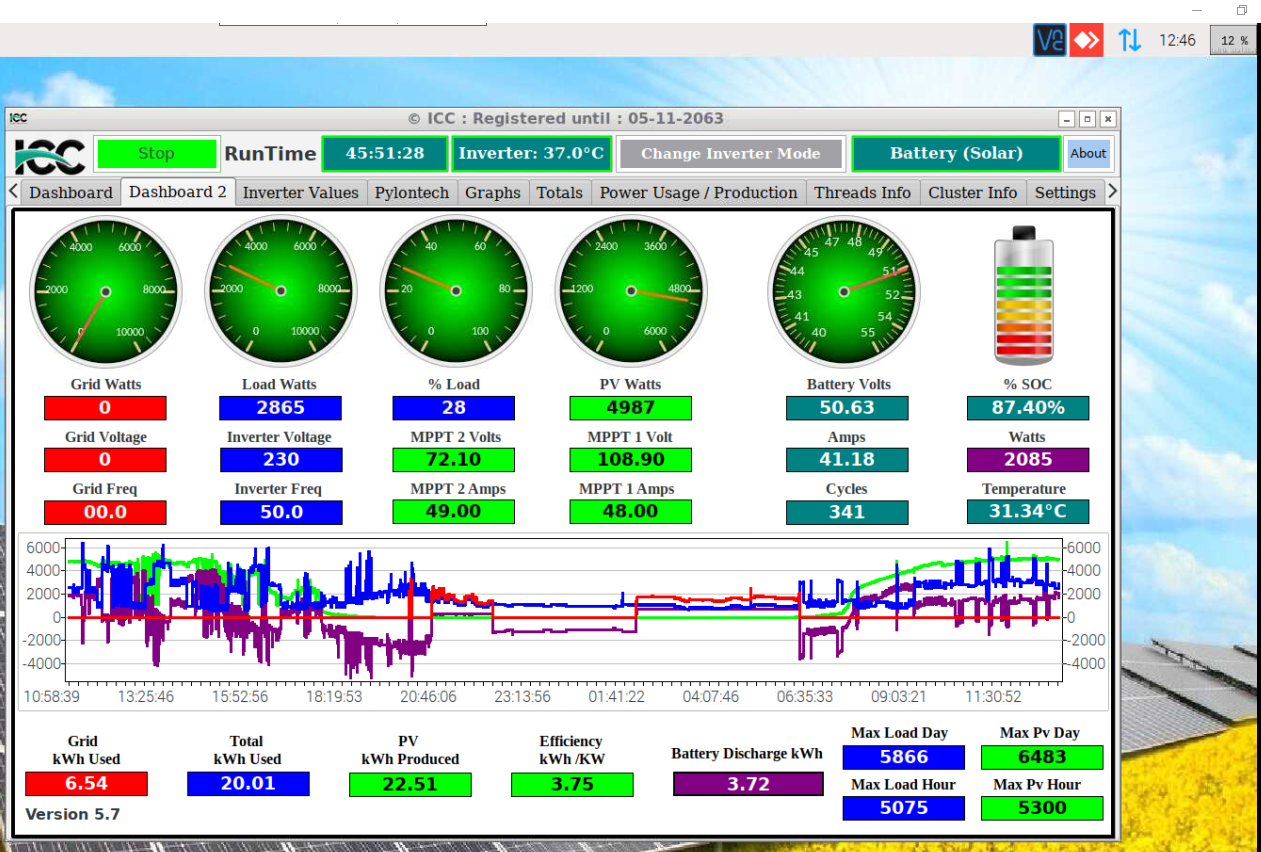
Yes yours is low voltage. Just remember it is 145Voc, but 115V max under load. How is your panels configured? What is your Mppt volts operating at? I have 2x 5kw King (Low voltage) inverters running Parralel Here are screenshots below:


-
Hi Kobus Very strange your 5kw King keeps on doing it. Mine stopped doing it after 71.94. Does your 5kw King have the High or low voltage charger controller?
-
Oh yes its fixed, it was sorted after 71.94 for me. (That is for the 5x 5kw Kings with the low voltage mppt, between me and my friends) If I recall correctly it was the 71.92 firmware my inverters came with that had that solar freeze
-
Im not sure what the newest firmware is for your particular inverter. Coulomb can maybe assist you on this, he is one of the experts on this. I had same issue with my 5kw King inverters in the beginning, but after updating my firmware the issue was resolved.
-
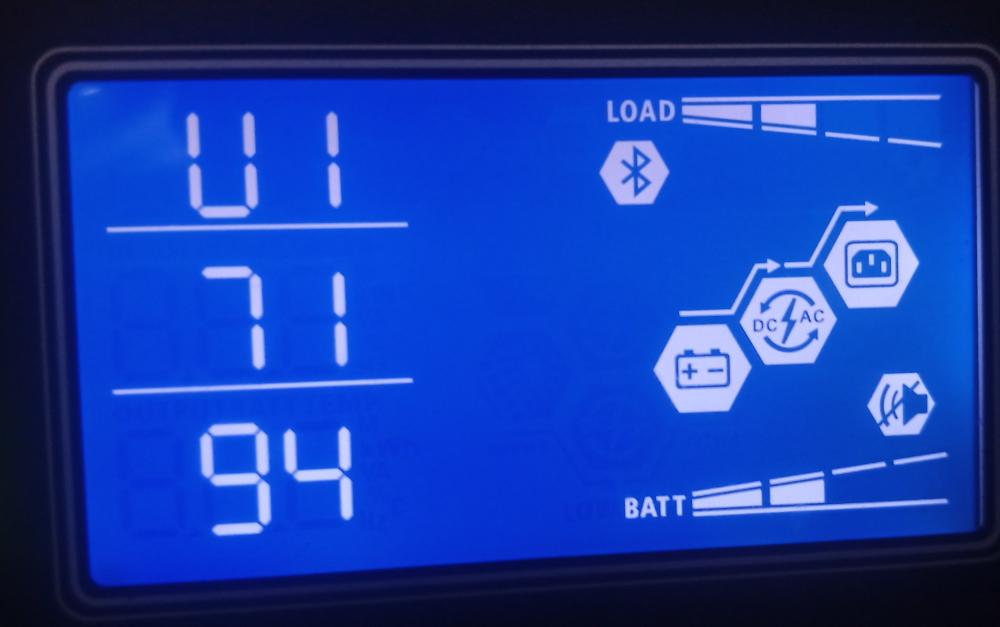
Yes you can schroll up or down the LCD screen until you will see it. Attached are an example of how it will be displayed (The example is just from different inverter.)

-
Morning derek049 What Inverter and firmware do you have? Had same issue but the latest firmware sorted it out.
-
I will definitely buy Pylontech again. Had two US3000B batteries who BMS's gave problems. Purchased from two different suppliers and both where repaired under their warrenties.
-
I agree with you, I think that sums it up for us then👍
-
Page 5 For upgrade US2000B/US3000A/Force-L series product: Please select the correct .bin file for the upgrade, by any version of Batteryview. For upgrade US2000C/US3000C/UP5000: If the 8th and 9th of the product Serial Number is not ‘E2’ or ‘C3’, it can still select the correct .bin file for the upgrade, by any version of Batteryview. If the 8th and 9th of the product Serial Number is ‘E2’ or ‘C3’, please select the correct .zip file for the upgrade, and require to use Batteryview V3.0.28 or higher. *It`s suggested to always use the .zip file and Batteryview V3.0.28 for any US2000C/US3000C/UP5000 upgrade to avoid wrong upgrade caused PCBA damage. Pylontech Low Voltage Battery Mornitoring and Maintenance Tool Guidance 0228.pdf
-
Ha ha ha Then i bought new old stock with faulty bms perhaps lol.
-
Baffled am I also, I’m just giving the replies through what everyone is saying. The production date is: 2021-04-26 on my battery What I’m trying to figure out is one of two things: 1: Does the "New" US3000C have a different BMS than the older US3000C, thus why it "Bricked" when I did update from v1.9 to v2.2(Not even the latest). I use v2.2, because I used it successfully on my other older US3000C batteries. According to Jeff there was a hardware change and if you update the “New” US3000C on the old way with the .bin file you will clear the firmware and BMS can’t be wake up again. 2: If there is no change in the US3000C BMS cards, then maybe there is a "bad'' batch of BMS cards that do that when updating Only time will tell, I see there is another guy it happened with after me. So, it’s not an isolated incident in my opinion
-
FYI On my email from [email protected] "Hi Marx, Unfortunately, the new US3000C has upgraded the hardware so the old firmware will make the BMS board break." This was a reply on my post on other forum: Pylontech-Jeff Hi everyone! We are very happy to announce that the new Pylontech US-C series batteries(US2000C/US3000C/UP5000) have made an evolution! To adapt to the new US-C batteries, we released the new BatteryView(3.0.28) software and new firmware upgrade method. Now all firmware are compressed into a compressed package, the system will automatically select the most suitable firmware to upgrade your battery. At the same time, we have also made HUGE compatibility with the new upgrade method. The new BatteryView and firmware zip packs can also be used to upgrade older US-C series batteries. The upgrade process is the same as before, the only difference is: Now you just need to “Browse” the firmware zip instead bin file before! The download link of BatteryView 3.0.28 and new firmware zip can be referred by: New BatteryView(3.0.28) – Google Drive 17 Attention that please do not load the old firmware(.bin file) to the new batteries. Otherwise the battery BMS board will be clear the firmware and cannot be waken up.
-
I read this on an other forum and just want to share here also. Hi everyone, Below are the latest firmware according to my supplier. I think Jaco above mentioned. us_c_v.7_Crc to be used for US2000c and US3000c. However my supplier told me that the v2.7 is not formally been release to public yet. So I don’t know if it works or not. My supplier updated my US2000c’s with V2.6 as below attached. us_c_v2.6_Crc.bin (224 KB) For US2000b plus the below is apparently the updated version. I think Jaco also provided that in the previous chat. us2000B_Plus_V3.4_Crc.bin (201 KB) And finally here is the firmware latest version for US3000a batteries. us3000a_V3.4_Crc.bin (214 KB) I was also given the latest battery view software: BatteryView_us2000b_series_3.0.28 Unfortunately I cannot share it on this page but If anyone is interested let me know and I will put it on Dropbox or somewhere for you to pick up. I hope this help and if I have duplicated anything I apologies. I also would like to share my experience regarding the firmware upgrade on my 3 new US2000c’s I just replaced my US2000b Plus batteries with US2000c as 1 of the b+ batteries had a bad cell and the other one’s SOC will not go higher than 69%. I also decided to purchase another one so I can have 4 in my stack. There were no issues from Pylontech to replace them however the b and b+ batteries have been discontinued. Hence they replaced it with US2000c…(I think they have been discontinued for a while now.) I brought my first US2000c home and before I installed it thought I would update the firmware first. The update stopped at 80% and the battery was dead. I could not start it up again . There was no voltage on the terminals. DEAD!!! I took it back to the supplier asked them to check it out. After a long struggle the technician could also not get it started either. He tried everything to get it started again with no luck. He ended up changing the BMS board as per instructions from Pylontech. He replaced the board with a US3000c board. There after it worked fine and he could upgrade to the latest Firmware. Now I thought this might just be a isolated instance but it was not, I replaced the other one this morning and purchased another one. While I was there I asked the technician to also update the firmware on the 2 new ones as well. However both of them gave exactly the same issue what I picked up. Luckily this time it happened to him and not me… He ended up changing those 2 BMS boards as well. Personally I think there might be a problem with the BMS boards on the US2000c range that I received. The batteries also did not have the same serial numbers as the old ones. The US2000b plus batteries started with PPTBH… but the new ones I received started with H21C… Not sure if this has any relevance but 3 brand new batteries gave exactly the same issue. Just though I would share this info with you. I would suggest when you do buy new US2000c batteries to let your supplier update the firmware for you. Just my suggestion
-
Yup unfortunately supplier also said i have to bring in. Looks like I cant do anything about it now...
-
Ive checked before i did the upgrade and it was v1.9 otherwise i wouldn't have done an update.
-
The battery is dead can't log in on bms
-
I used us3000a V2.8_Crc.bin for my US3000B and us3000c v2.2_Crc.bin for my US3000C last year to do updates. Everthing is still working, today i wanted to update my New US3000C also to v2.2 and it failed and shutdown the battery. Now it looks like its "Bricked"....
-
I used the us3000c v2.2_Crc file from this forum. The same file i used previously on my older us3000C batteries with success. Yes i know the US3000B has different file
-
Ive received today 2x new Pylontech US3000C batteries. I checked and it was old v1.9 firmware on it, so i update to v2.2-(which i have done sucesfully on my older US3000C batteries before). I must update because i have US3000B also in my stack. But today no success it stopped at 83% and lost communication with battery. Now the battery is dead and i cannot try update again, what must i do now? Any one this happend before with?
-
Hi Im not fimiliar with your inverter brand and how its setup. I had simular situation and i discovered it was due to the transfer time of inverter from grid to battery (most inverters is round 10-20ms). That quick dip is not good for the comperessor motor of fidges while its running. Hope it may shine some light on your situation. Regards
-
For pylontech batteries if you choose that route you can go and look at third party software like ICC software to hookup for commication between batteries and your inverter.
-
"4. I can get one of those Geyserwise Titanium PTC elements if it would make a difference? It is just 2 and a half people showering every day, and washing dishes once a day." I have 1.5kw one in my geyser, works fine for me but use with caution. No one told me of the statup spike it makes every time. It spikes to 3.7kw for 5seconds then dropping to 1.5kw for rest of the time.
-
You need watchpower on your laptop with a usb-RS232 adaptor to connect to the rs232 to rj45 cable supplied with inverter. OR third party software like ICC.