


An3s.
Members
-
Joined
-
Last visited
Everything posted by An3s.
-
Just enable overload bypass Works for me

-
Play with this feature on salar assistant,, on setting just use Emulated BMS Hope this helps

-
Same inverter as you,,Mine does the same,,when I increase the loads past 250w then everything works as it should
-
Made koffie on solar best feeling ever

-
Thanx for all the help,, its been a while now a lot happend, bricked my inverter had a must inverter while the kodak went for repairs,, I have 6 pannels now with 4x200ah batteries The bluetooth on the inverter just wasn't doing it for me so I got solar assistant As my house has a lot off sonoff devices I can manage my loads when there is loadshedding
-
SBU and SOL both work just check what works for you Settings 20 try 26.5v
-
I would be interested if still available
-
-
I dont have the most sonoff devices here but I have been a fan for a long time only managed to blow 1 of them ever but that was my own fault, Im looking for a device I can install in a plug
-
That is what I'm doing sonoff on inverter side with relay to mains for a trigger when mains go off,then just run you custom scene,in my case loadshedding fish tank heater,washing machine and extra outside lights off. Will add more as I get more smart switches
-
I WANT
-
This would help a lot
-
Lol forgot to say got angry a bit clipped off all my panels connetors and replaced them with no change in my problem
-
How do I update firmware with usb? Tried to upload a vid but its to big. Most I got from the panels was 600w an the rest on grid yesterday at 2 asked my wife to run the microwave. Think most amps I got was 3 to 4
-
I did and then my inverter starterd beeping and low battery alert, don't think its a cable problem as its 6mm² and 7m long Mabe over the weekend I will add a extra breaker in my DB and run my kitchen aswell. For now it seems I have an expensive loadshedding backup system for my lights an living room lol
-
North and the same angle as my tile roof lol, mabe I need one more panel?
-
DataLog_928322031010077.xls
-
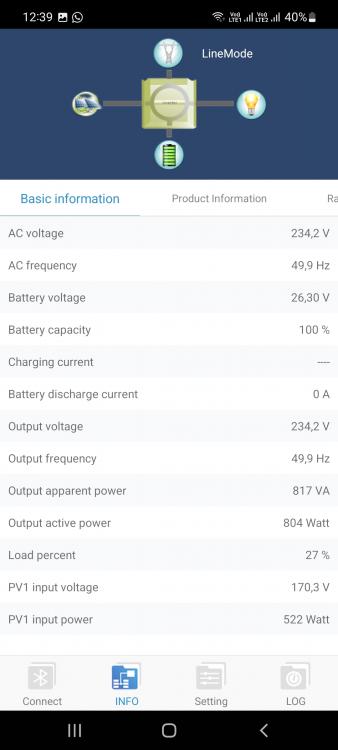
Hope this wil help,,seems my inverter only shows the Watts as the load increases most I have seen was aboat 900W
-
This was when running my washing machine, seems to draw more power from utility then pv
-
Ok so now I have 4 panels connected and seems to work but voltage and watts seems not to be stable
-
Thanx,, yes it runs as a backup system for now, installed the 2 panels I have over the weekend so now when I get 2 more panels most of the work is done,,plug and play from here. I hope
-
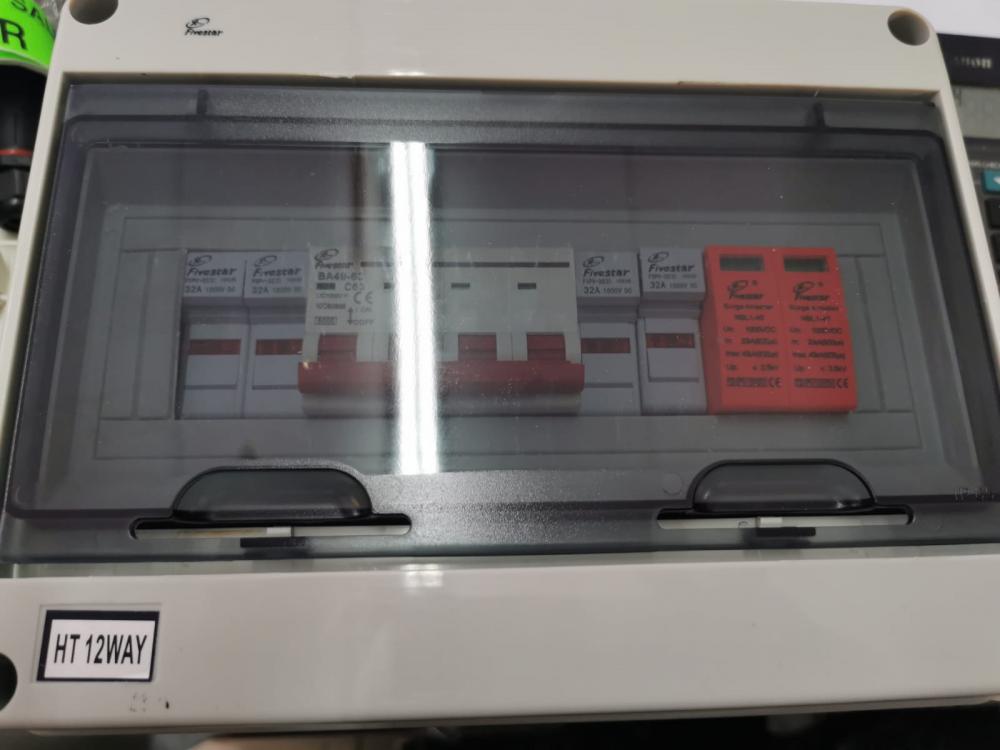
I orderd this combiner box so if I am right I can make 1 string of 4 and later add a string again. Also orders cables plugs and inline fuse
-
Lol I tinker and diy where I can, but when I dont understand I seek help from ppl that have knowledge,nother question what tipe of gland or sumting do you use for the pv cables trough a tile roof,and now I'm thinking of using flex conduite inside the roof
-
Thanx a lot for all the help i think for me personally is going to much easier to get a combiner box and fit it clos toe my inverter with all the necessary electrical components then its basically just plug and play from there, a lot easier than getting the sparky to install thing,,when all done just phone him to do coc and mabe sort out the grounding for the pannels coz that's a nother thing I dont understand and it's confusing should I get an eart spike or not he wil probably know best
-
With a breaker?? And surge protection?


