Carl Anthony
Members
-
Joined
-
Last visited
Everything posted by Carl Anthony
-
Update: Cylinder #9 : 19 April - 16 June. Cylinder #10 due to the price increases for all fuel types now costs R1490 vs the R1280 for the previous cylinders.
-
Hey @Chickenlip , I can vouch for Bernardus Rossouw - 0824160614. He wasn't my initial installer (unfortunately). He was the installer the insurance company sent out when we had the lightning strike in 2024. All I can say is that he is really passionate about his craft and workmanship is top quality. I used him again last year when we expanded the system.
-
Looks legit 😂
-
The one that comes with the battery, I’ve noticed with the Dyness batteries they come with a set of cables for the different mainstream inverters.
-
Time for winter sun now already...today was a good day though after the clouds and rain in recent weeks.

-
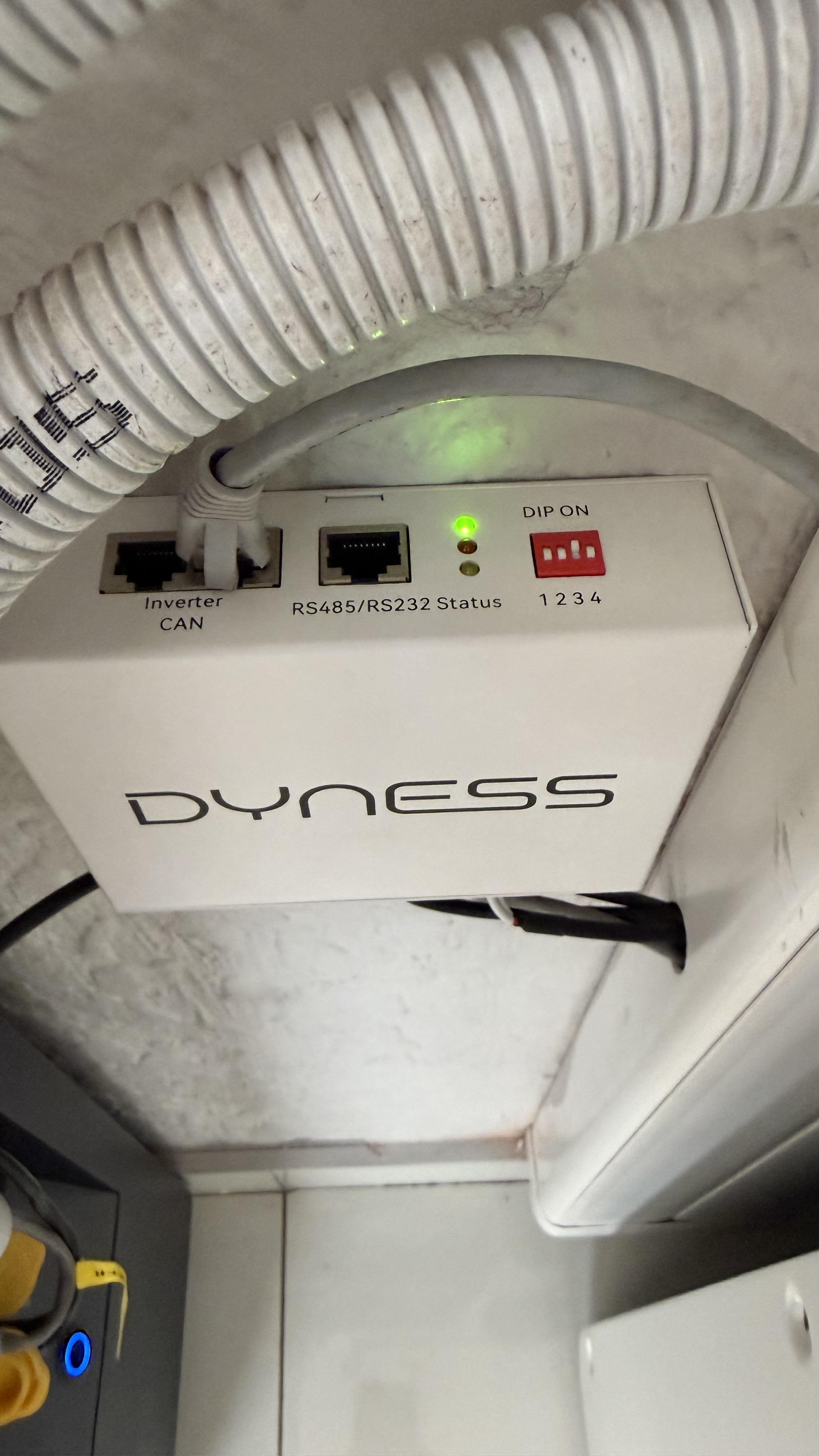
No issues, I have the Powerbox Pro's and have been all good. Using comms via CAN but they are also capable of comms via RS485, but not at the same time one or the other.
-
Update: Cylinder #8 : 31 January - 19 April
-
Good to hear you got SA working. Weird though that the fault would happen around that time only...but I have come across weird cable issues across all types of devices. Sounds like if the inverter loses comms with the batteries it shuts down, do you have a BMS Error Stop setting on the inverter?
-
Hey Barry, Yes you can use it in Trial mode, and get all the metrics. Just to be clear you are using the USB Type B cable > https://solar-assistant.io/help/inverters/voltronic/MKS-5000-48/usb-b Make sure that before hitting "Connect" that you actually select the cable (click so that it's highlighted, then its selected) that shows in the USB Ports section.
-
Sounds like your neighbour is trying to over compensate for something 😆 On the real though, very difficult comparing an apple with an orange, as the rest of the forum have already commented. I have 18 x 550w panels, and most days my peak is in the 8kw range. Once batteries are charged I have a steady load of about 3500w for the pool pump and heat pump + base load. So there are times when I have no extra load to run to make use of the PV so then the system is only pulling enough for that load of 3500w Then I have days usually weekends when everyone is home and we have pull every bit of PV available which makes me smile. I run the batteries down to 50% across all time slots so just to charge the batteries is about 15kw daily. Would be good to understand your load requirements throughout the day, battery SOC during the time slots etc. all plays a part...


-
Noooo, lets put a little more focus on this I think its almost there and you will absolutely love it. Start from scratch but this time follow the method of not using WIFI or Ethernet to get started...so you connect directly to the Pi via the SA SSID it broadcasts, then once you in we can get it setup and then connect it to your WIFI as a start and then figure out the LAN afterwards. https://solar-assistant.io/help/getting-started/start-device-wifi#start > this method...
-
Try this: https://192.168.0.88/sites/local or just https://192.168.0.88
-
If you purchased SA prior to their new License Model, you can't transfer the license yourself from one device to another. SA Support will need to do this for you - I had to request it a few times when my first Pi got fried, then I had a faulty Pi and then eventually got the one I am using now. I am surprised by the no response from them as every time I emailed I got a response at the latest the following day, wonder if your emails are getting through to them? Secondary option just get to this Pi working - Activate with a trial license for now it gives you 30 days I think.
-
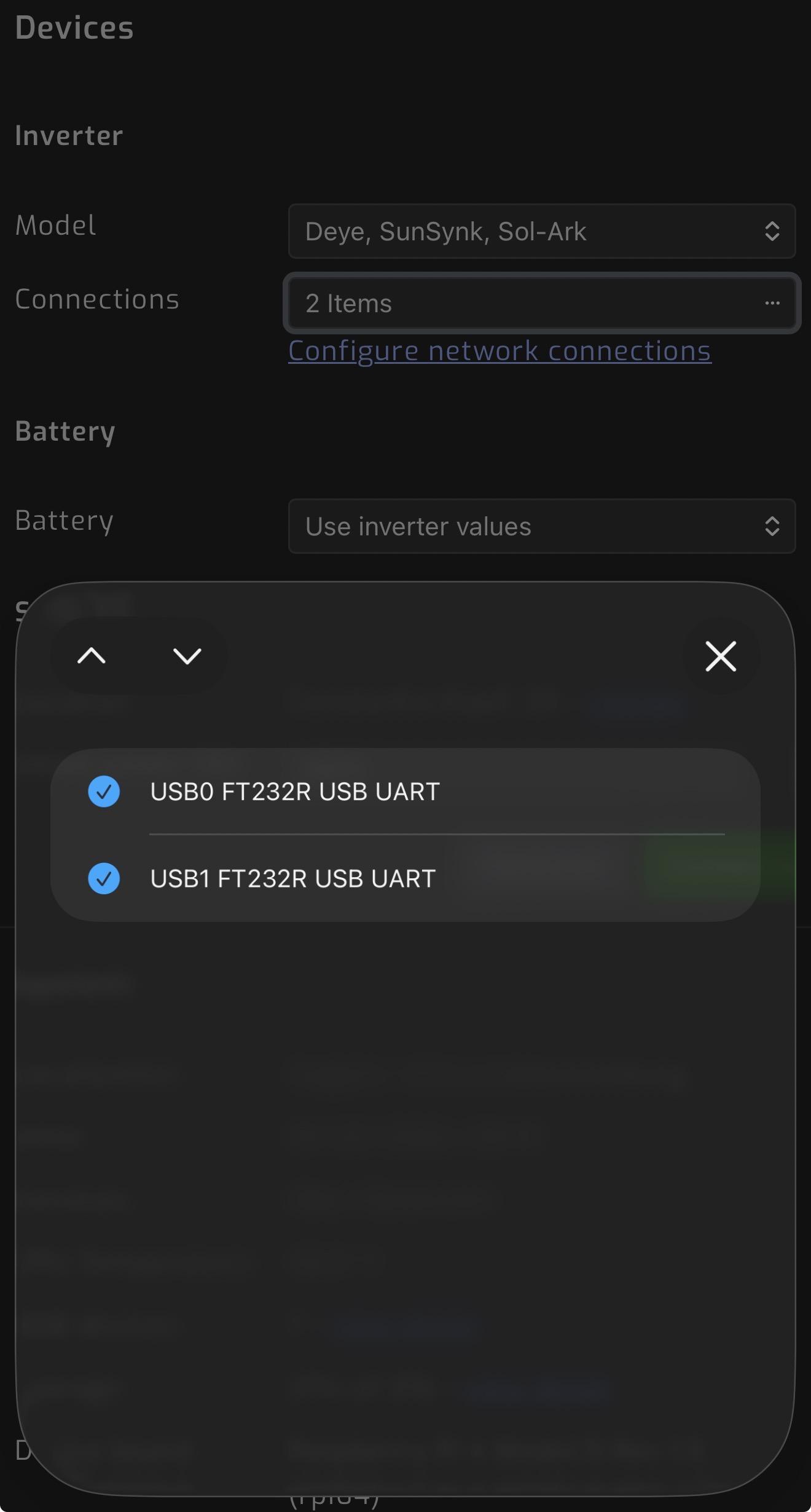
Looking at your screenshot again, under connections its showing “No matching devices found”, it seems like its not detecting the cable is plugged into the Pi. If you press Disconnect, what options do you see in the “Connections” field? You should see some options if it’s detected the cable and you would need to select the cable then hit “Save” and “Connect”. You would need to have done the same for the Inverter cable. See my pic for the inverter connections you would need to select the cable

-
https://solar-assistant.io/help/battery/seplos-bms
-
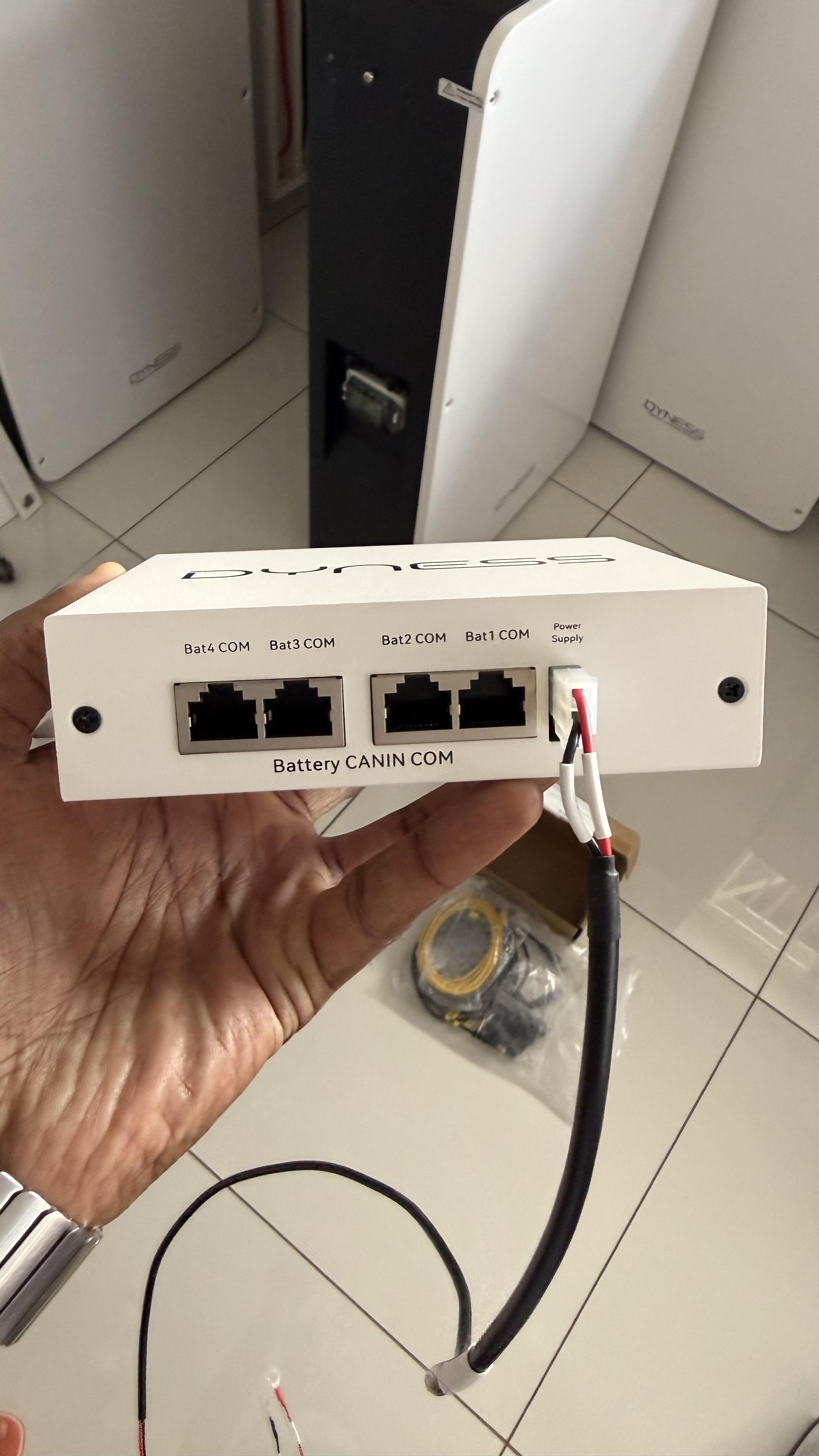
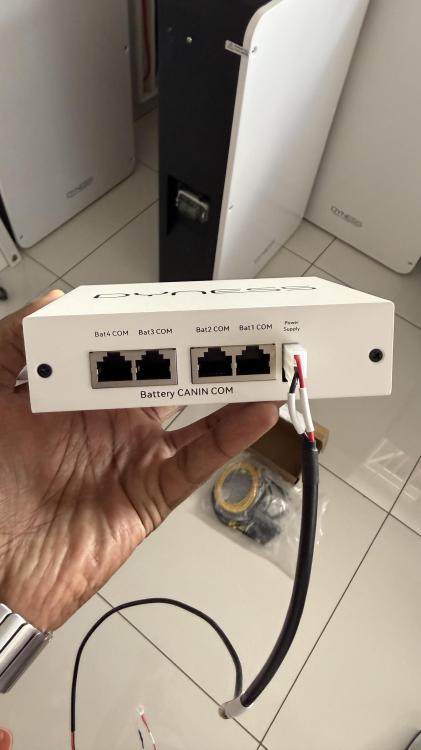
Ports for batteries to connect to…
-
Check out the Dyness LV Link, its a central hub that allows you to use different models and capacities of Dyness batteries. I had to get this when I got another Pro Box and it was a Gen2 vs the Gen1 I had. All battery comms connect to this and comms to/from inverter plugs in here as well.

-
Update: Cylinder #7 : 10 November - 31 January
-
Surprisingly even with all the rain in December production was pretty good. Additional 6 panels were installed 19 September, 3rd battery was done 9 October. New loads from 3 November is pool pump (8hrs a day) and heat pump (5hrs a day).

-
Oh yeah I can agree. I have 3 x AC, Main DB, AC DB for the system, one on the outside DB and about to install another one on another DB. Then 3 x DC…for the 3 x strings. I learnt a tough lesson a year ago with that storm early November. I also agree on the importance of an expert installer, lets just say the initial install was below par and I only found that out when the 2nd installer advised and pointed out the flaws and then corrected everything that left the system and the house vulnerable. Good people are hard to come by these days.
-
Update: Cylinder #6 : 28 August - 10 November
-
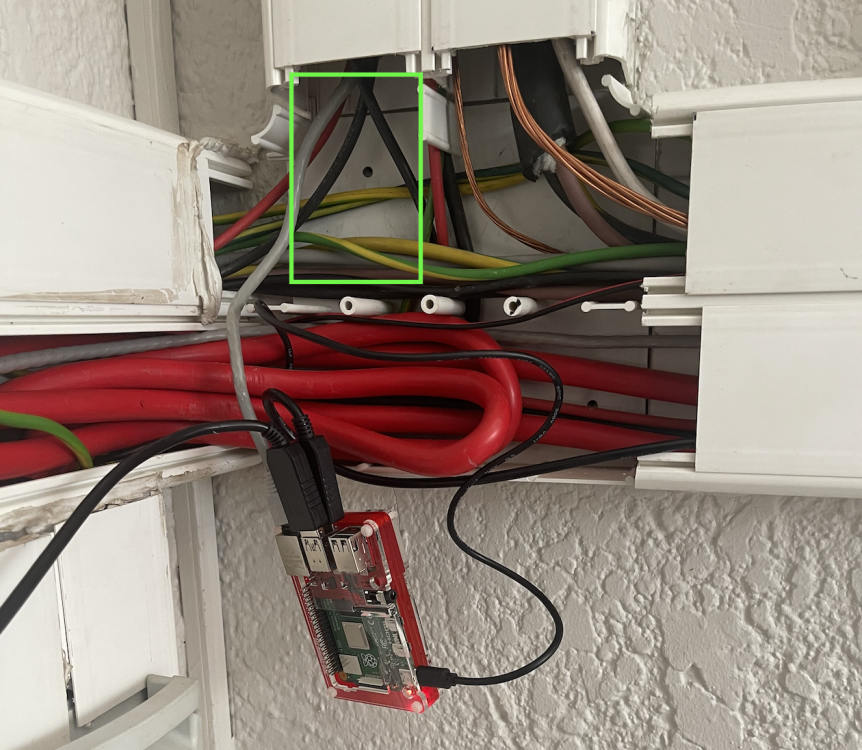
Hey guys, I have run my Cat6 ethernet cable in the same trunking as all of the solar system cables. Zero issues in the 2yrs since. The Pi itself is sitting on/against the 50mm battery cable within the trunking. Again, Zero issues in 2yrs. It sits within the green rectangle space...surrounded by DC and AC wiring and earthing cable.
-
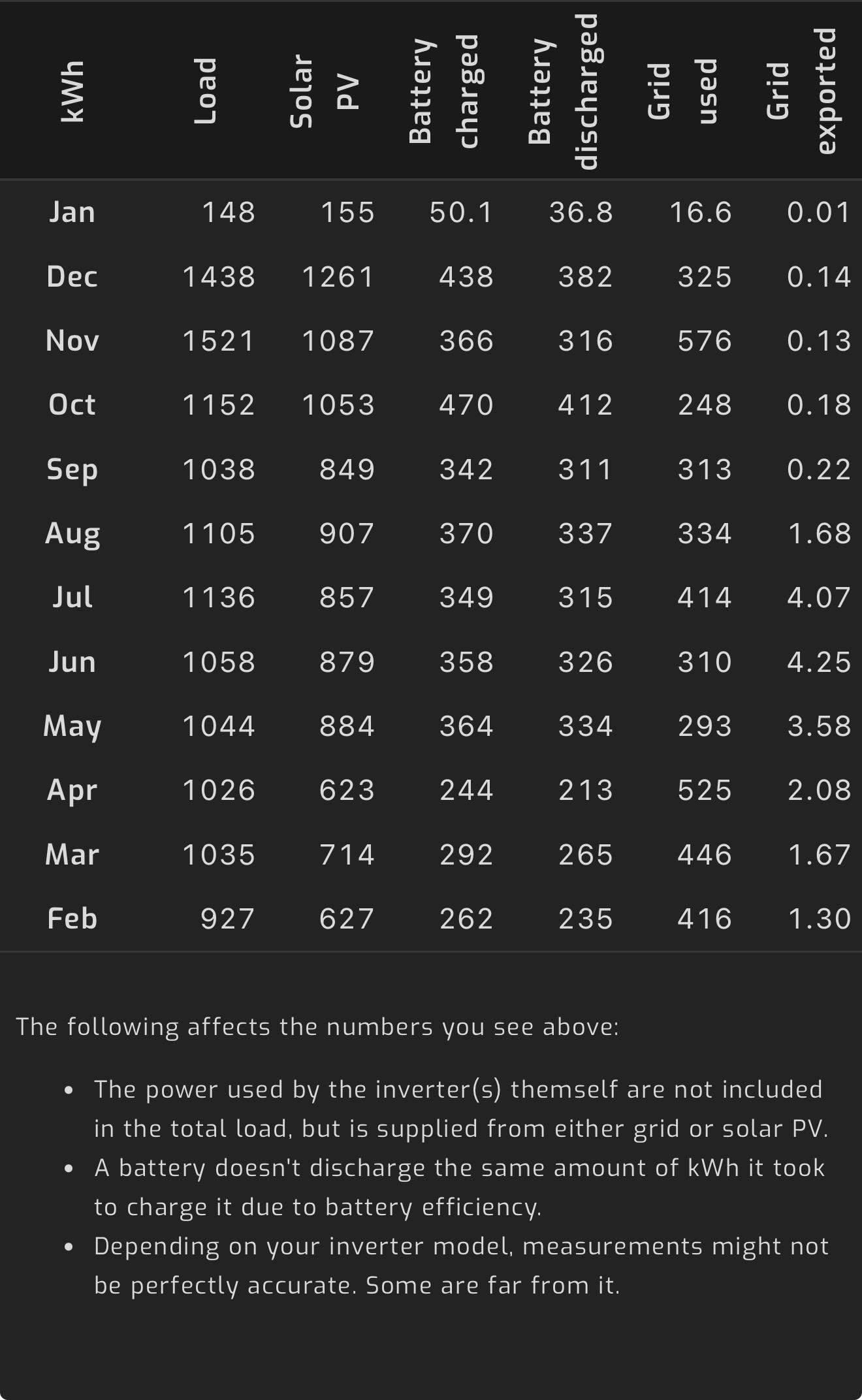
Hey dude, [email protected] drop them an email they are very responsive and very helpful. Is your system feeding back to the grid at all? I’ve read in other posts that if your meter is not capable of allowing feedback it records it as usage. What system are you running at the moment one or more inverters? Whats your settings? Have you only been using SA for the past 8 months or is it recording incorrectly for the past 8 months. Do you know which of the three readings are actually correct? Need more info to help you diagnose here.
-
Update: Cylinder #5 : 13 July - 28 August
-
Dyness Powerbox Pro - already checked with SA about it as well. "With all the battery models below, if an inverter is already reading them via CAN then SolarAssistant can not read them via RS485 at the same time. Set SolarAssistant to "Use inverter values"."