


werner.potgieter
Members
-
Joined
-
Last visited
-
Correct, of the 6.5kW generated from the panels via MPPT 1+2, 5kW - 5.5kW (max) are then inverted to AC, which is consumed by my essential loads and/or non-essential loads (if grid input is present). The balance is pushed to the batteries if required or lost if they are full, since I am not exporting anything beyond my CT.
-
-
-
-
-
 Sc00bs reacted to a post in a topic:
Will this damage a Sunsync 5KW inverter? Your System running with 550W panels?
Sc00bs reacted to a post in a topic:
Will this damage a Sunsync 5KW inverter? Your System running with 550W panels?
-
-
JA solar
-
My setup is a 5kW Sunsynk with 2 stings of 8 panels each. MPPT1=PV1=8x460W (Since July 2021) MPPT2=PV2=8x550W (Since July 2022) All the panels face the same direction and on the same tilt. Winter time in Pretoria data below. Current graph for 22 May 2023 Voltage Power


-
-
-
werner.potgieter reacted to a post in a topic:
How much has your electricity bill decreased since getting solar?
-
werner.potgieter reacted to a post in a topic:
How much has your electricity bill decreased since getting solar?
-
werner.potgieter reacted to a post in a topic:
How Sunsynk bricked my 8kw inverter after a software update
-
Also seeing about 2 cycles a day on my single AM2
-
My 5 kW Sunsynk use to limit my PV input to 6500W. Seems after a firmware update I can now set the max PV value on the inverter(Do not know if it was possible before). So out of curiosity it upped the value to 7500W. Anyone else seen this before? Can the hardware cope with it? MAIN:3380-0513 HMI:0000-E424 Result:

-
-
Also a great month in Pretoria

-
-
8x460W plus 8x540W on a 5kW Sunsynk

-
-
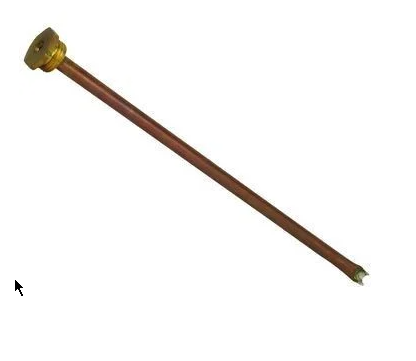
I installed a thermostat pocket on the one side of the geyser. It is in the port that is usually used when the geyser is installed vertically. For horizontal installations that port is plugged. Similar to the image below. Then used a Wemos d1 mini and three DS18B20's to read the temps, all managed with Home assistant. The DS18B20 slides into the pocket.


-
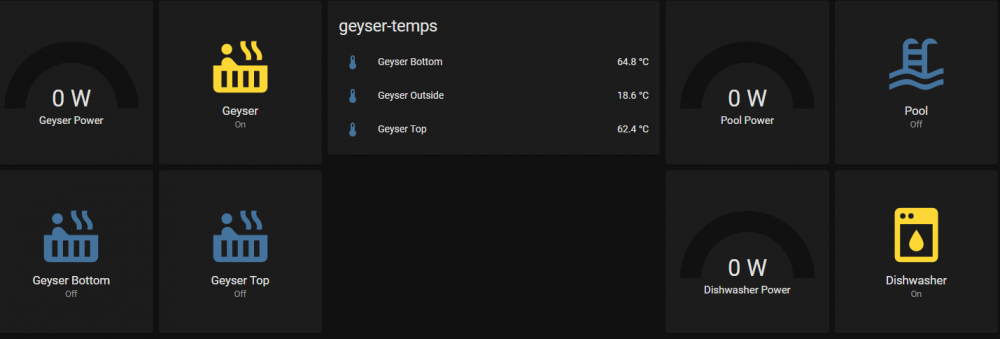
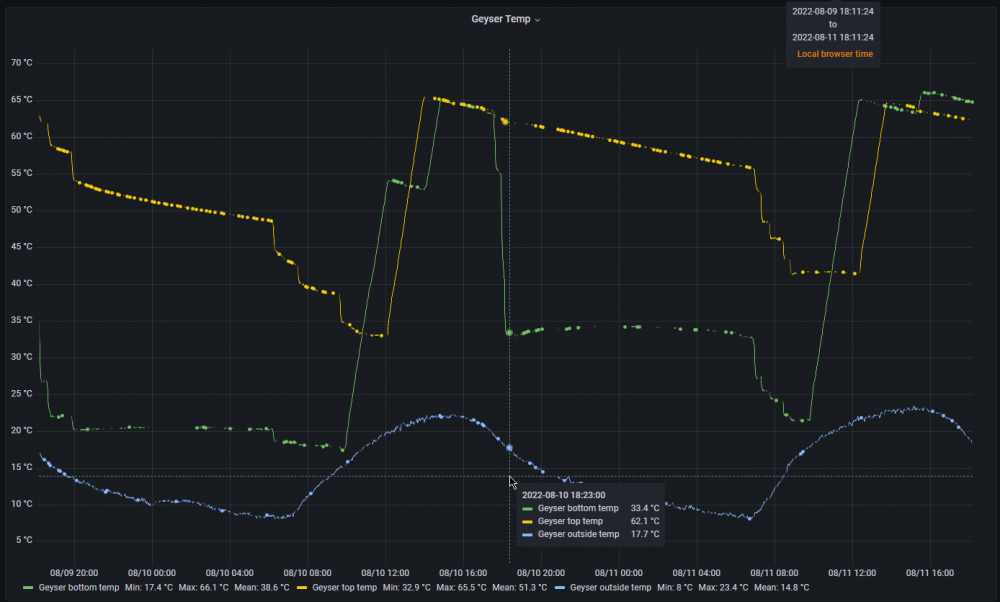
I am also using a 5kW Sunsynk. I have 2 x 150l geysers each with a 3kW element on the non-critical side. They are connected is series. The bottom geyser receives the cold water, its outlet then feeds the top geyser inlet. The top geyser then feeds the house. Only one geyser is powered at a time. Geyser controls Geyser temps for the past few days:
-
Exactly. I got one cause it would give you proper details on the AM-2 and would support remote upgrades via Hubble support. Well its now disconnected and boxed since it cant do any of the two things.
-
I tried a couple of things, however nothing helped getting additional results/information out of the AM-2. Only ever got basic info like charge/discharge from it.
-
Same on my side, mostly all info the fields are empty, regardless of view or theme selected.
-
They could not assist me via Cloudlink, had to DIY...
-
Same with me, most of the information fields were empty. I logged a ticket with support. Never got it sorted, eventually gave up on it. Hope yours get sorted.
-
PM'd you.



