


Barezzi
Members
-
Joined
-
Last visited
Everything posted by Barezzi
-
Hi Superdiy, This post is very old... Please confirm this diagram is still valid. Thanks.
-
This dashboard is too beautiful!
-
cc @plonkster
-
I actually plugged it in the VE.Bus port, and it worked correctly for several weeks. It just shut down the inverter inexplicably two nights ago. I currently have it up and running again with the MK3 USB cable as suggested by @Mazs I suspect my RJ45 cable just packed up, crimped them myself. @plonkster I'm using a Venus GX updated to the latest firmware v2.32.
-
Yes that's what I did too, but for some strange inexplicable reason the inverter shut down after several weeks of usage.
-
A few more frustrating attempts, I suspect I'd reached that bridge! 😋
-
Thanks for the assistance Mazs. I'll have to buy a proper(galvanically isolated) RJ45 cable from the Victron dealer here.
-
Yes, I have the MK3 USB cable. I've just connected to the Venus GX using the MK3 USB cable, and it's stable and connected!
-
Good day all. Thanks to all on the forum for an excellent source of information and assistance. My setup consists of: Victron Quattro 48/5000/70 (Running ESS assistant) Victron Smartsolar cc MPPT 250/100 Venus GX BMV-712 smart UFR1001E Anti-Islanding Relay 5.2KWp Array 400Ah AGM battery bank All Victron products updated to latest firmware. I've been using ESS for about a month flawlessly, when suddenly the inverter shutdown at 70% soc two nights ago showing the following LEDs: Bulk Led = Flashing Absorb Led = Flashing Float Led = ON Inverter on Led = Flashing. I switched the inverter off and on, same LEDs. I then disconnected the RJ45 utp VE.Bus cable connecting the inverter to the Venus GX, the inverter came on. Plugged back the RJ45 and the inverter trips with the aforementioned LEDs. I've bought a few RJ45 cables, tried all of them and the same thing keeps happening. Right now the inverter is on, but not connected to the Venus GX. What's the solution to this? Thanks in advance.
-
Oh great! @Jaco de Jongh I plan to replicate your system at home. Have you experienced any overload in battery mode? Looking at my loads, i see that on a few afternoons my base loads may exceed 6kw.
-
I think it's the other way round, please confirm. I read in the manual that grid should be on 2 and generator on 1. Since 1 has priority, the idea is that once you start your generator you actually want to use it.
-
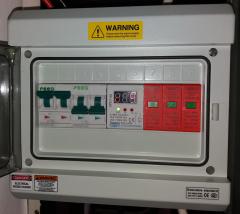 No manual bypass switch? What if you want to take out your inverter for maintenance, how will the house be powered?
 -
July it is, fingers crossed!
-
Hello Cef, Any update on your project?
-
I am very much interested in the highlighted. Any updates?
-
.
-
Hello Manie, I just paid for the ICC-PI, but it seems the download link is broken. Where else can i download the ICC-PI image?
-
 Lovely installation! Is it still churning out the amps?
 -
Can the contactor switch the heavy loads to inverter during the day when the grid fails as long as the soc is within set limits?
-
This has been an area of concern for me, as the grid is very unstable where I reside. So I can't enjoy the benefit quoted. An ATS to switch the heavy loads on/off based on the battery SOC during the day sounds like something that should work.
-
Nice! I currently have a similar dilemma. My house is split into 2 DBs, Critical Loads & Heavy Loads. I want both on solar during the day, but only the critical loads on battery at night. As you already know, the grid is non existent. Can the Axpert be operated in this mode: "At night, Use grid if available, else shutdown."
-
Hello Pranil, Did you solve this complex dilema?
-
Very lovely setup. Sent from my SM-G928C using Tapatalk

