Zombie
Members
-
Joined
-
Last visited
Everything posted by Zombie
-
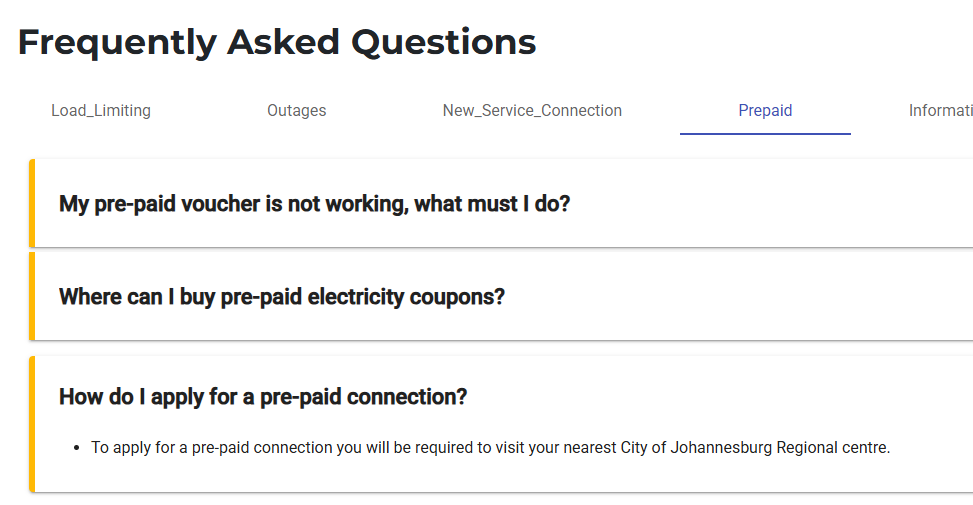
I'm guessing they are going to make it as difficult as possible for people to switch. https://www.citypower.co.za/faq
-
Got this earlier; haven't seen it validated anywhere yet but apparently approved budget stuff. Residential pre-paid electricity meters (high users): R200 (R70 service charge + R130 network charge). This was going to be around R500, but was reduced. Pre-paid tariffs will also only go up by the standard increase of 12.72% instead of the proposed 18%.
-
Just FYI.. A mate used someone in his area (in JHB) to do this for him. It's taken 3 months so far, (not converted yet) so it's not always a shortcut.
-
@Energy-Jason is dark mode making a return sometime?
-
The current used to do this on mine roundabout the one -> 1 upgrade.
-
I thought it was due to the dark mode but light mode also does it.


-
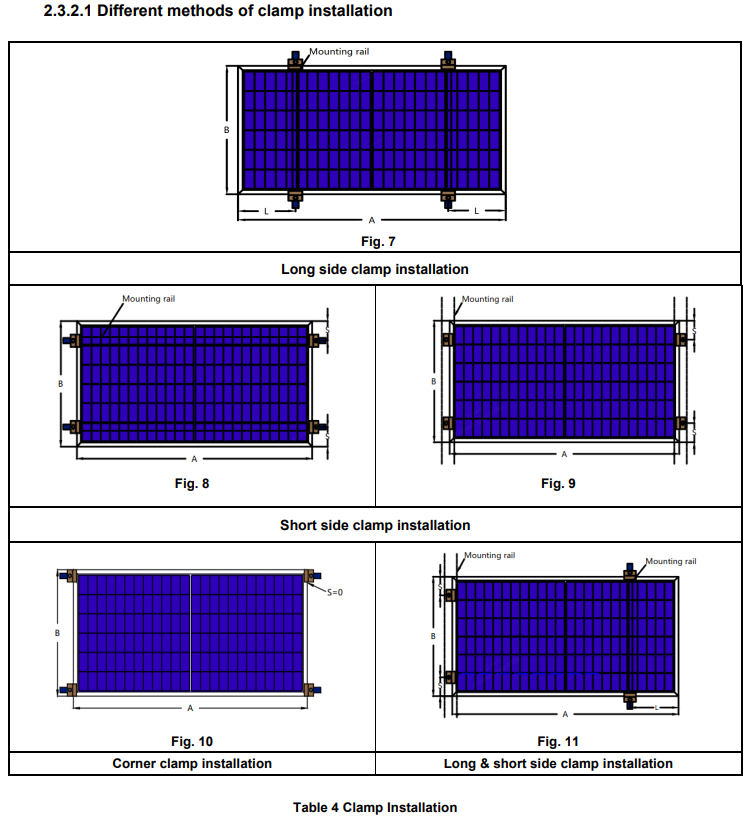
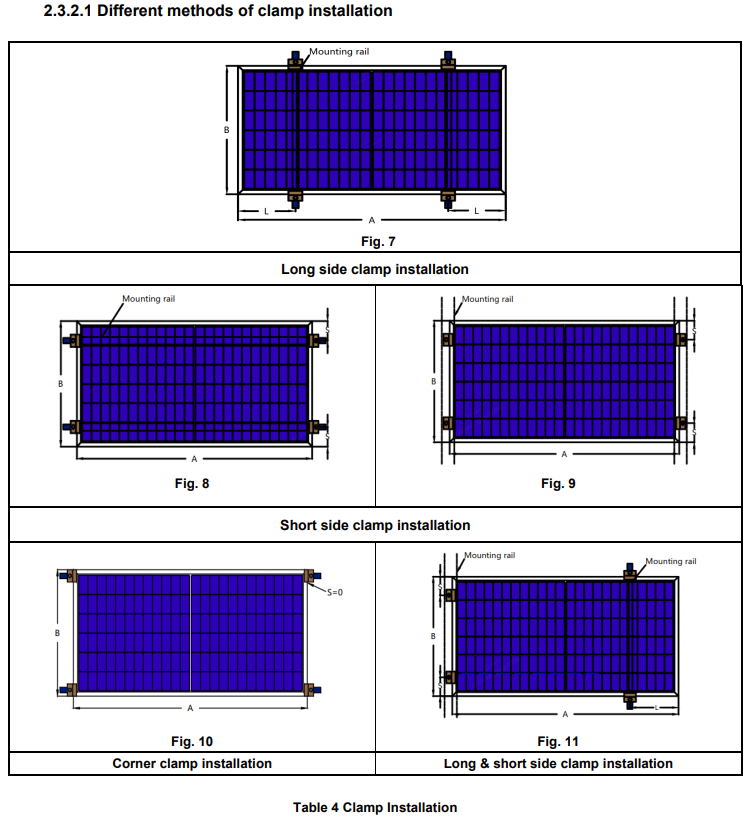
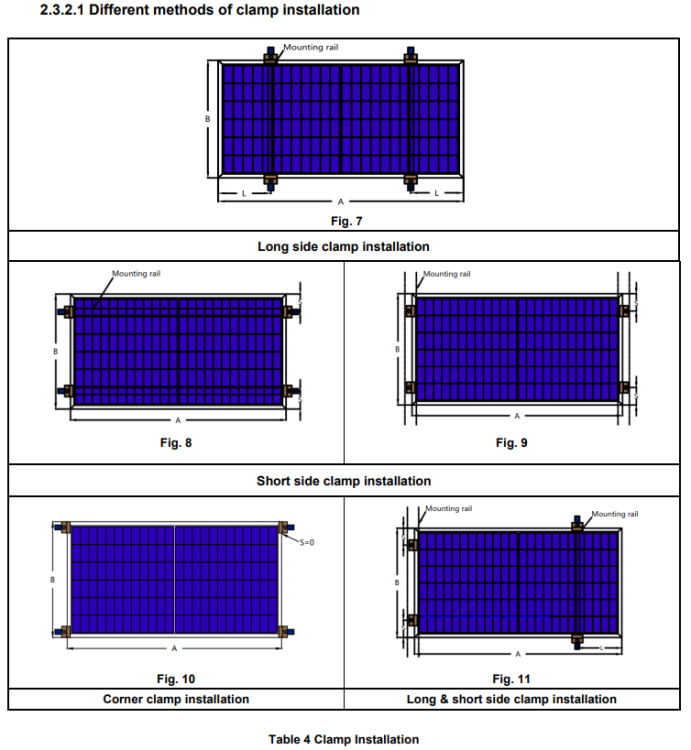
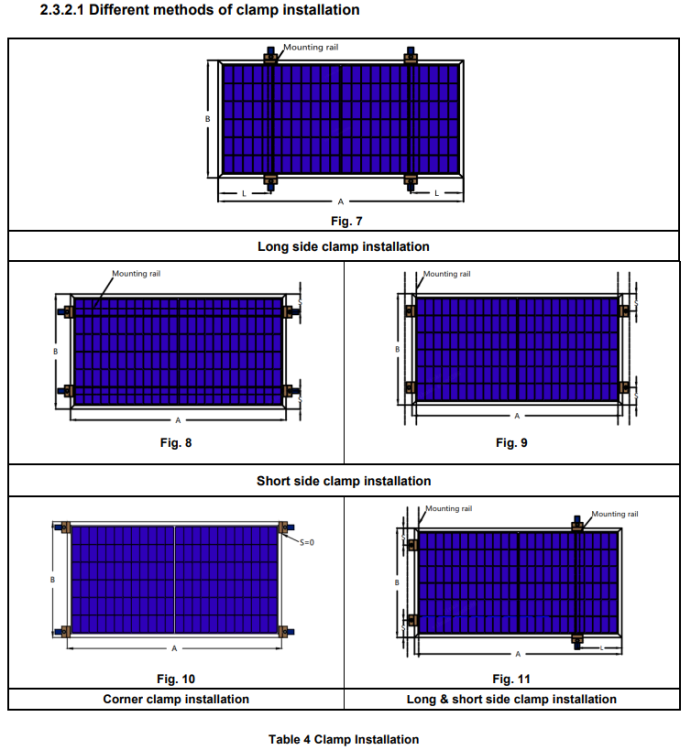
I would say it depends on the panels. Jinko allow @BobTheDinosaur's type of installation : https://jinkosolar.eu/wp-content/uploads/Installation-Manual-Jinko-IEC-updated-version-2023.07.20.pdf
-
My graph also disappeared like that when the device fell off the WiFi for a bit.
-
What's the background image? Looks fantasy game orientated... elden ring? Edit: ok seems its removed now.
-
Although it can be seen as trivial, please ensure you understand kw and kwh. Your inverter is capable of supplying 8kw of power (minus the h) at any given time to your load. That is what your max load is... 8000 If you have 10kw worth of panels on your roof, then the max solar load for the card will be 10000.
-
I'm running 2 strings of 5 x 575 into my SNA 5000. The panel's STC IMP spec is 13.5 amps but I've only seen it go as high as 12.5 (that doesn't mean it won't go higher). All is fine so far and I'm yet to see what happens (clipping) when the amps exceed 13.
-
Hi @kellerza Digging this one up, hope you don't mind. I've recently gone solar/prepaid so would like to monitor my PP balance in my HA dashboard. Is your code still relevant or has there been updates? Thanks
-
works a treat.. thanks @Sc00bs
-
Seems I bought at the height of the price curve... just like my crypto experiences. 😒
-
@Bobster. My PP meter was installed 1 Aug. I did not include anything about solar on my application as I did it many months ago (long story) and I did not have it at that time. By the time they came out to finalise my conversion, my solar installation was complete and I'd been been running it for about 2 months. My bill I received on 4 Aug included usage for July till 1 Aug (minimal due to solar). I was not at home when they came to install but they did ask my wife if we had solar to which she replied yes and that was that. Hopefully this means it is a "clean" switchover and with next month's bill I'll be 100% on prepaid.
-
hey @slipx Can you please upload this as an example config for LuxPower inverters making use of Chris Elsworth's lxpbridge mqtt integration. https://github.com/celsworth/lxp-bridge Just make a note that some of these entities (like the daily energy ones) are only available in the dev docker version and not the latest release version (v0.11.0). The code has been merged into main but a new release has not been built yet. baXXXXXXXX in the config file represents the wifi dongle number so a find/replace should be easy. Thanks Lux LXPBridge Configuration.txt
-
Uncle @slipx What happened to the great explanation you had at the end of the readme file? The Card options heading that explains your setup and how one should edit the entities to match your card is gone. Luckily I found it on google cache so could configure my things.
-
@Deonjv @Ruan1983 @RiaanC Apparently (I don't have them so can't confirm) the N Energy batteries works as follows: Straight cable Brand 8 (Dyness) Can Port All dips off
-
I've seen the following mentioned: Battery brand Protocol set to 12 Only Dip 1 on battery switched on If inverter serial number starts with 228 or higher then use a normal network cable If inverter serial number starts with 227 or lower then use a crossover network cable
-
I pull my sna inverter data from the wifi dongle into HA using lxpbridge. As a test I disabled my internet connection and the data was still being updated in HA.
-
Luckily I'm just about off grid so the cost should be minimal.
-
SUCCESS!!!!! They finally installed my PP meter this afternoon after months of nagging.
-
Haibo!!! I'm sure I looked the other day and there was no Luxpower entry. Sorry for wasting your time. PS. Had a quick scan. I don't have have any of those entities. I use the lxpbridge integration. I'll do the mappings and send to you so you can have a copy/paste solution for it. Thanks
-
Hi @slipx Thansk for your efforts here. Top notch card. I'm busy applying the card to my luxpower inverter and trying to match the sensors so would appreciate some assistance with my assumptions below. inverter_voltage_154: load_frequency_192: inverter_current_164: inverter_power_175: Is this what the inverter is sending to the house? inverter_status_59: I'm guessing I need to change the code mappings in your sourcecode to show the correct luxpower statuses? battery_power_190: battery_current_191: grid_power_169: Is this for both in and out, so a discharge current/power must be represented by a negative value? EDIT: Nevermind... I see the docs confirmed this question. day_load_energy_84: kWh consumed by the house for the day?
-
Yeah it's a server component, so not something you purely run on a phone. https://www.home-assistant.io/installation/