


Tim003
Members
-
Joined
-
Last visited
-
-
-
-
-
-
-
-
-
-
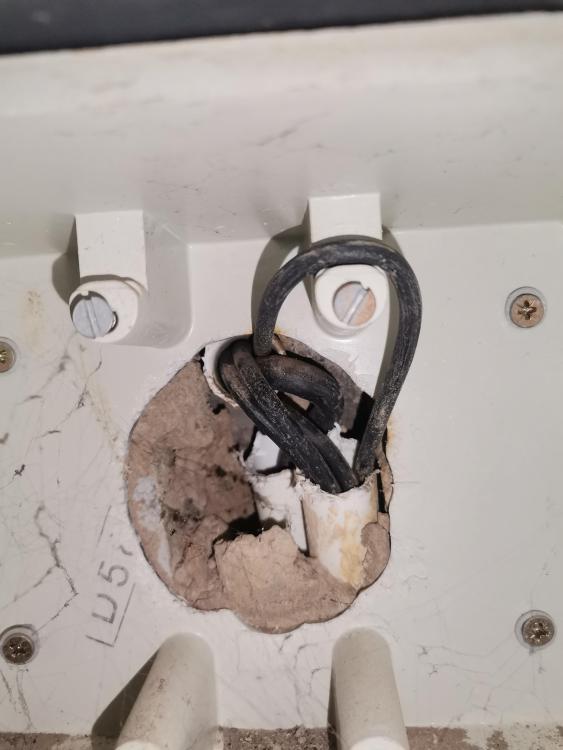
Yes, there was a wire fault inside the conduit because it many wires (including the power cable) and the a live wire was damaged thus withing intermittently. The electric fence technician had to remove all wires from the energizer to the fence and reroute them to another point on the fence to avoid removing the pavement.
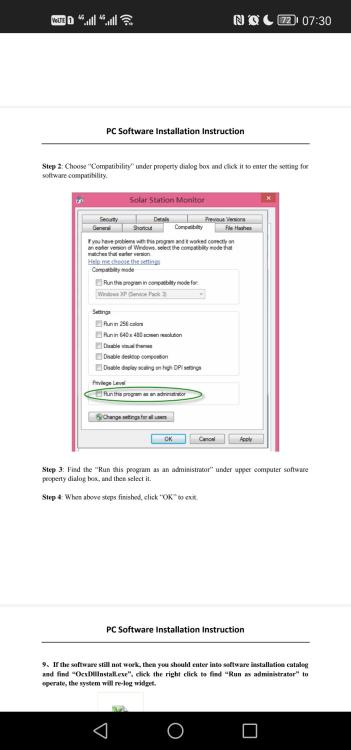
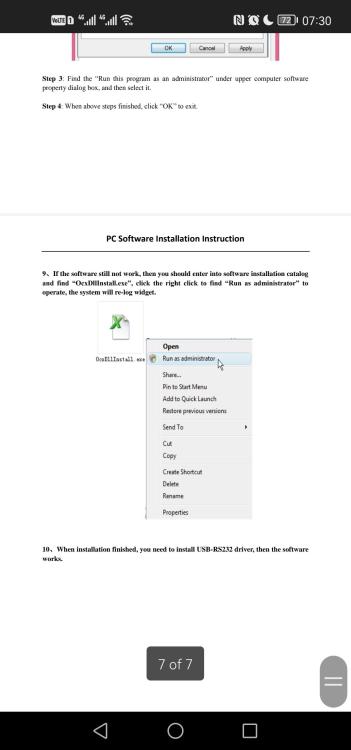
 @kayvee I'll take it if I can find someone that side to facilitate the deal.Requirement is installation of 5kw backup system and splitting of DB (single phase) , no solar panels. Quotations are requested via PM.Residential. I don't have the user requirements a.t.m.Any recommendations of solar installers in Mpumalanga Lowveld region?@Dewald Brink I'll be second in line if Calvin doesn't take them.Check in Device Manager of the computer to ensure drivers are correctly installed. Also check step 8 and 9 of the manual if you're using Windows 7 or above.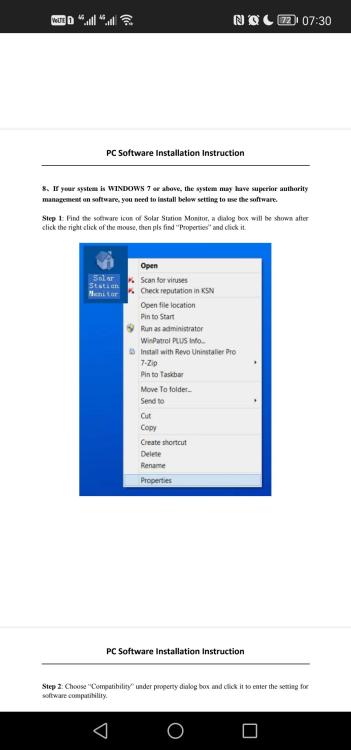
 Hi @Malcolm Sorry to hear that you didn't come right, unfortunately I'm not close to the system so I can't give proper assistance. What seems to be the problem with the drivers?Hi @Malcolm Yes, I did. The installation files are under "downloads" in the link below: https://www.communica.co.za/products/sr-ml2420-mppt-solar-controller You'll also need a cable in the link below: https://www.communica.co.za/products/sr-data-link-cableMy electric fence has been installed and running flawlessly for at least 4 years. Recently the alarm went off and I checked the fence perimeter, all good. A strange thing is that the alarm clears when I remove mains and run the energizer on battery only. Today I took the energizer to Nemtek for testing and they found no fault with it. This is giving sleepless nights as it is a security risk. What could be causing this problem?@JohanBar what is the outcome of this issue seeing you now have listed the inverter for sale?I'm a proud owner of the 12x cells, 4x will will be used in 12V and 8x in 24V configs. Below is a comparison of the seller's capacity test vs my test (based on random selection of cells). I tested to down to 2.5V@10A per cell and the results speak for themselves. I'm happy to have dealt with an honest seller. Cell Igg (Ah) my (Ah) B2 108 112.22 B7 112 116.64 B14 111 113.27 B16 111 116.58OK cool, I have a similar one@igg what did you use to measure the cells capacity?





