vulgrim
Members
-
Joined
-
Last visited
-
I will take it.
-
Is this still available ?
-
-
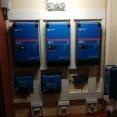
Hi guys . I am going to upgrade. These 3 units are running in Master and 2 slave configeration. (9000 kva) .They are about 3 years old.Would like to sell them together. R33 000.
-
I guys I need help the Cerbo GX are not communicating with my Pylontech.
-
Hi guys the Victron 250/100 is rated for 100 Amps , but would you run it to 100 Amps continuously? Do you think it will last or will you rather only run it to 85 Amps ?
-
Is the Quattro still available ?
-
Hi , i am looking for a broken Victron mppt controller. But it must be the older type that you can open using screws. The older reqtangular one. I want to put a venus colour control on it.
-
Is the mppt still available ?
-
Yes the batteries are still available .Sorry lost my phone.
-
-
Where are you situated ?
-
-
Hi is this still available ?
-
Batteries was brought 2020/03/ . Upgrading to 700 A/H of batteries. Make me a offer. Batteries was used in a Victron system controlled by ESS via Venus GX.
-
Are the units still available ? What batteries are you going to use yo go off grid ?
-
A question would you build a 7P 16S battery bank or would you build 16 S seven off.