


SYC
Members
-
Joined
-
Last visited
Everything posted by SYC
-
2S6P per inverter They don't feedback into grid (offgrid inverters not grid tied)
-
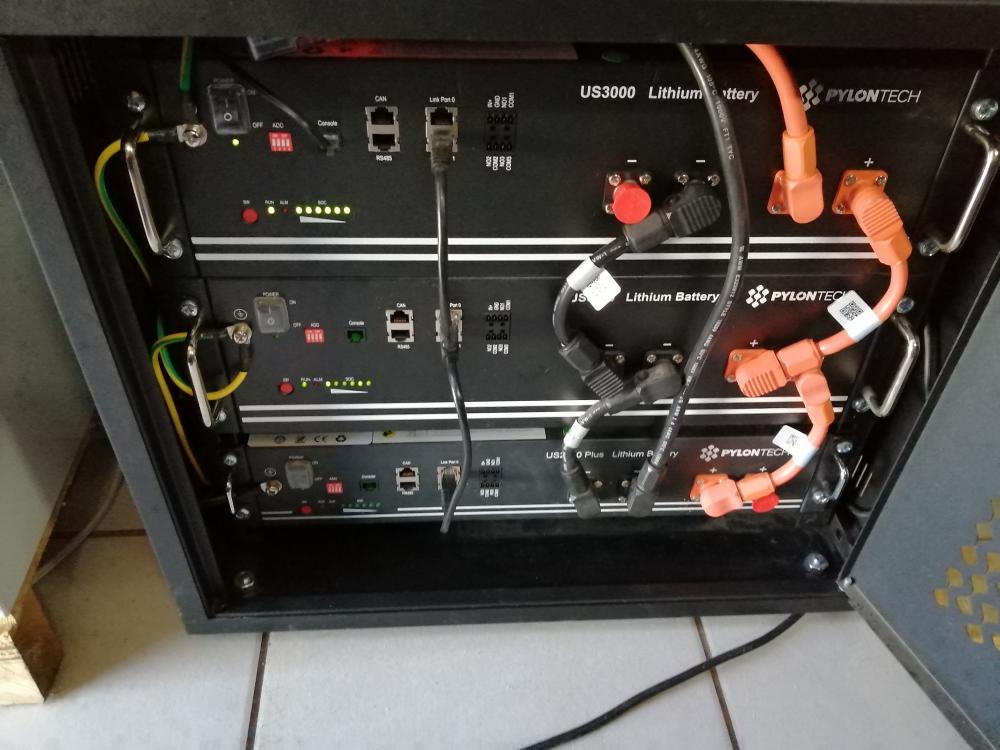
Its a short cable that comes with pylontech in the box (link port1 from master to link port 0 on secondary and so on) Please give more information as to what type of an inverter (make,model,etc) you have
-
For 2 x 2.4 it should have been 50A (25A for each 2.4) Now that you've added 3.5 Must be 80A (37A for each 3.5) Not 90A
-
Max panels = 4000w + 10% , but I connected 12 x 325w canadian solar (2s6p) Wouldn't know coz I use Pi with ICC to monitor Charge current should be 25amps per us2000, so yours should be 50amps no more (FYI if you add another one must be 70amps closest value below) Bulk: 52.5V Float: 51.8V Back to grid voltage: 48V (this is where you need to play around and figure out what works best for you - and ensure that you stay above 20% SOC. Low cutoff voltage (when your system shuts down): 46V
-
FYI Problem with this is it might void the warranty on the battery,stand to be corrected on discharge but min +-20% discharge needed daily to show usage (on Pylontech)
-
Yes and I run one as well
-
Welcome I can only comment on batteries for I installed Victron and Axpert. Yes they should give about 5.6hours at a DOD of 80%
-
Can you please post a pic. I have sent him a mail awaiting response
-
From where did you source cable ? and at what cost? (Narada rs485 to usb ie)
-
👍
-
Trips earthleakage on non-essentials side not essentials/inverter side
-
@plonkster thank you but why does it not trip at all on municipal feed? Makes no sense Replaced the float switch in the tank also thought the old one might be leaking or something
-
funny enough i tried that holding the pipe waiting for a shock or something
-
Extra info I have 3 geysers on my porperty 2x earthleakage trips 1x doesn't
-
Manually done close municipal supply and open borehole FYI borehole and booster on its own inverter
-
Sort of the supply is plastic and the house copper/galvinised
-
Hi, Long shot but does anyone know why is it that when I change my water supply over to borehole,the earth leakage trips? I put the geyser breaker down and everything works fine. (my geyser doesn't like borehole water 😢) On municipal supply everything works fine no issues.
-
Price
-
Sold
-
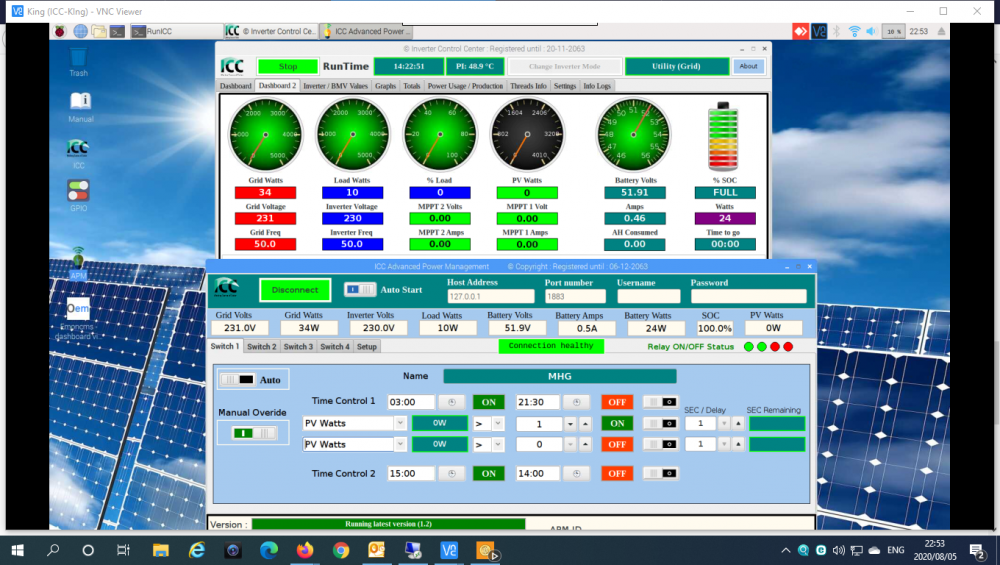
I believe anything is possible if you put your mind to it. If you have a Pi running ICC you can definitely do it. Mannie has developed an app called APM which gets values from ICC see below, so you wire the geyser with 1 x 2CH sonoff swicth with 2 x relays 30amp (1 to grid AC and the other to inverter AC) and do the automation on APM. Done.
-
FYI Whatever inverter you choose needs to be pure sine wave NOT modified sine wave (as far as I know to run fridge/freezer)
-
https://powerforum.co.za/topic/5350-lockable-pylontech-battery-4-bay-cabinet-only/ Robertsham
-
Most likely a scam coz domain was registered only on creationdate : 2020/07/03 21:22:32 Normally if it sounds/looks too good to be true it usually is STAY AWAY!!
-
Agreed Agreed but What if table top was granite/cement or steel with vents? The reason for the question is that I have 42u with one MP II and want to add another but vertically a space coz of Pylontechs below. However I have a shelve that i can mount on that is horizontal, cabinet has fans as well, so circulation is not a problem
-
Hi, I've only ever seen inverters mounted Vertically. Can an inverter be mounted or left horizontally on a shelve or table top? If no please elaborate


