Chunks
Members
-
Joined
-
Last visited
-
Also, one thing to note in your system mode2 settings, make sure you untick Solar Export. Unless you want to export your Solar to grid when the battery is charged.
-
-
Hi @Johandup Have you activated it in the menu, I think it is “Grid Signal” in the Battery Setup Menu Page 2. This should activate the 230v output on the ats240, when the grid is lost.
-
-
@Sc00bs was having a good look at the settings and nothing stands out to be incorrect. And based on your last post you might be correct, CT Coils might still be an issue.
-
@Sc00bs can you please post all the settings screenshots. Then we can rule out a settings issue before it is sent for repairs.
-
I think they discounted the fuse holder because the fuses are so expensive.
-
-
Hi Scoobs, I’ve assisted with a similar situation. The problem was the installation of the CT clamps were on the wrong phases.
-
Hi Cidi, Based on a recent blog post on the Sunsynk website, your setup should be possible, they even state that charging batteries is possible. https://www.sunsynk.org/post/boost-the-power-of-your-hybrid-inverters There must be a setting that allows you to be able to achieve it. Maybe contact Deye directly and enquire. Sorry, I don’t have a concrete answer.
-
-
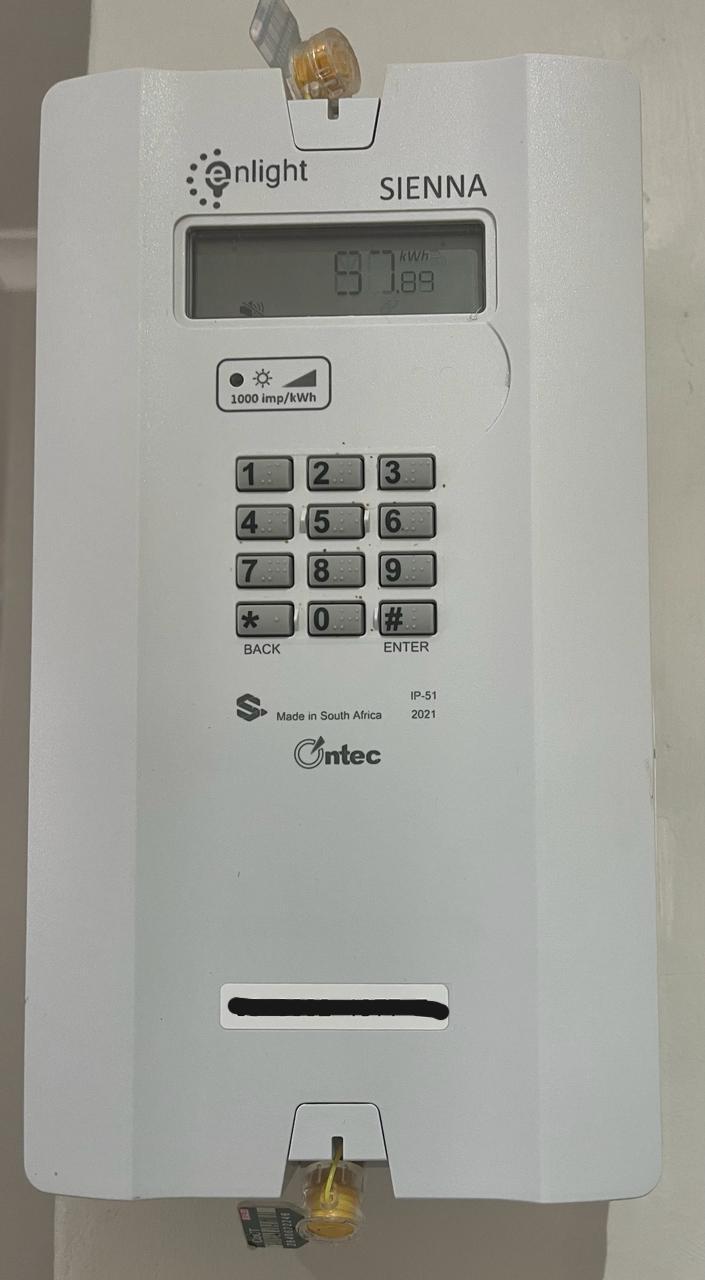
Hey @BrandonCT the CoCT installs the enlight Sienna CIU in your house and the actual meter is in the box on street for single phase house and the landis gyr meter for three phase houses. See attached pic of the single phase meter.

-
-
 Tracsec reacted to a post in a topic:
Sunsynk 8kw Inverter and CHINT DDSU666 single phase smart meter
Tracsec reacted to a post in a topic:
Sunsynk 8kw Inverter and CHINT DDSU666 single phase smart meter
-
Hi @Duke_of_Hazard, Instead of restarting Mqtt add-on in HA, try Stop and Start.
-
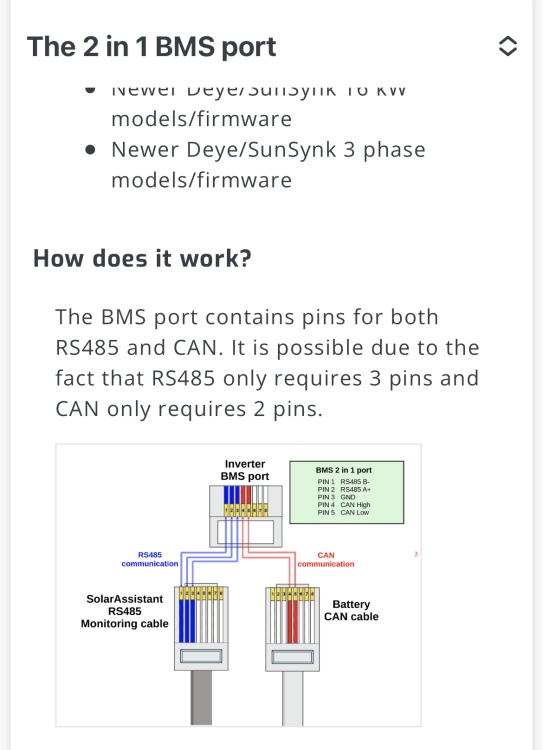
The reason I included the link was also for the troubleshooting section. Troubleshooting When using a RJ45 splitter, it might lead you to connect the RS485 pins into the battery in addition to the CAN pins. The battery might use those pins for a different purpose and disrupt SolarAssistant monitoring communication. The battery CAN cable should only connect the CAN pins to the battery.
-
Hi Guys, You have to combine the cable or use a splitter. link below: https://solar-assistant.io/help/deye/2_in_1_bms_port
-
Hi @ezanolin My understanding is that the indicator is placed on the input, as there is still power supplied to the main breaker (Grid or Inverter). Sorry, I don’t have a pic of the faceplate with the labels, although the bottom section is grid and top is inverter “Essentials”.

-
-
Hi guys, there is definitely some confusion about Separate/Splitting AC DBs. I have attached an article about the subject. I have posted it before and I think it’s in the downloads section. This should clarify the regulations. Splitting the AC DB.pdf
-
-
-
-
-
My advice, get the panels, after the 1st March and apply for the tax break. Then it will be cheaper than another battery. And you will save on your electricity bill.
-
 giorgos reacted to a post in a topic:
Sunsynk 8kw Inverter and CHINT DDSU666 single phase smart meter
giorgos reacted to a post in a topic:
Sunsynk 8kw Inverter and CHINT DDSU666 single phase smart meter
-
Hi guys, Have a look at the below YouTube link at 7:40 minutes. It has the pin outs.