
CobusK
Members
-
Joined
-
Last visited
Everything posted by CobusK
-
Yes, it is a standard accessory with a new battery
-
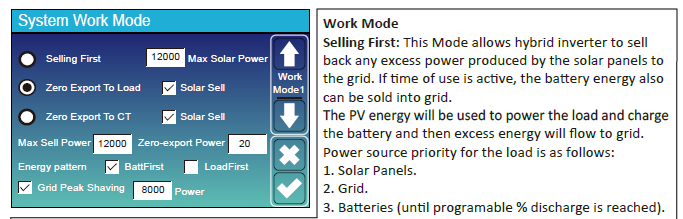
Hi Greenfields, you are correct. The activations of the Solar Sell buttons add the selling option to the workflow. Thanks
-
Hi, thanks, I see your point. I've found that the description of foreign-developed UI's can sometimes be somewhat misleading. However, if one interprets the description in the manual, it explains that the 'Solar sell' option is not only relevant to the grid export function, but also necessary for the 'Zero export to load' and 'Zero export to CT'. It influences the flow logic (in combination with other settings). It should be active in both options. See the dependencies between the different workflow options in the clip below:

-
Keep the 'Solar sell' option selected
-
That is correct. See this description.

-
Check the wiring of the CT. It may have been swapped. You can rearrange it and see if the feedback to the grid stops.


-
The 'low battery' and 'restart' values will trigger a continuous alarm signal. Change the value of the restart upwards.
-
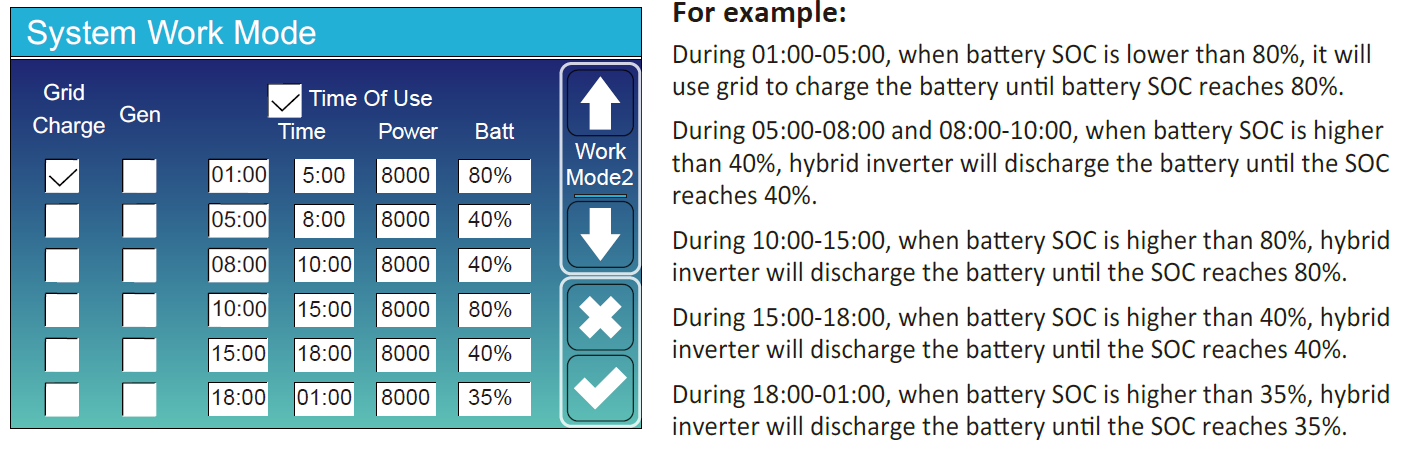
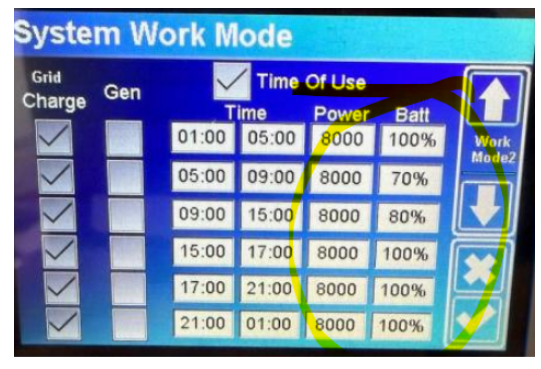
I would reconsider the percentages in the different time slots and activate grid charge options. If the battery DOD reaches 80% by 17:00, the Inverter will automatically switch to Grid power untill 05:00. But you'll know best what your requirements are. The inverter will always prioritize using PV to charge the batteries.
-
Are you intentionally selling to the grid?

-
It would have been very helpful if one could have access to the complete installation layout instead of addressing it piecemeal. I would recommend changing a couple of settings: Tick ' Zero export to CT'. This allows the hybrid function of the inverter to power the 'Non-essentials' as well. compared to your current setting of 'Zero export to load'


-
Post the current settings on Main Inverter 'SYSTEM WORK MODE' 2 (2nd Menu) This menu
-
I would say that is good service from Pylontech
-
What period of time did your previous batteries last? How is the warranty of the replacements affected?
-
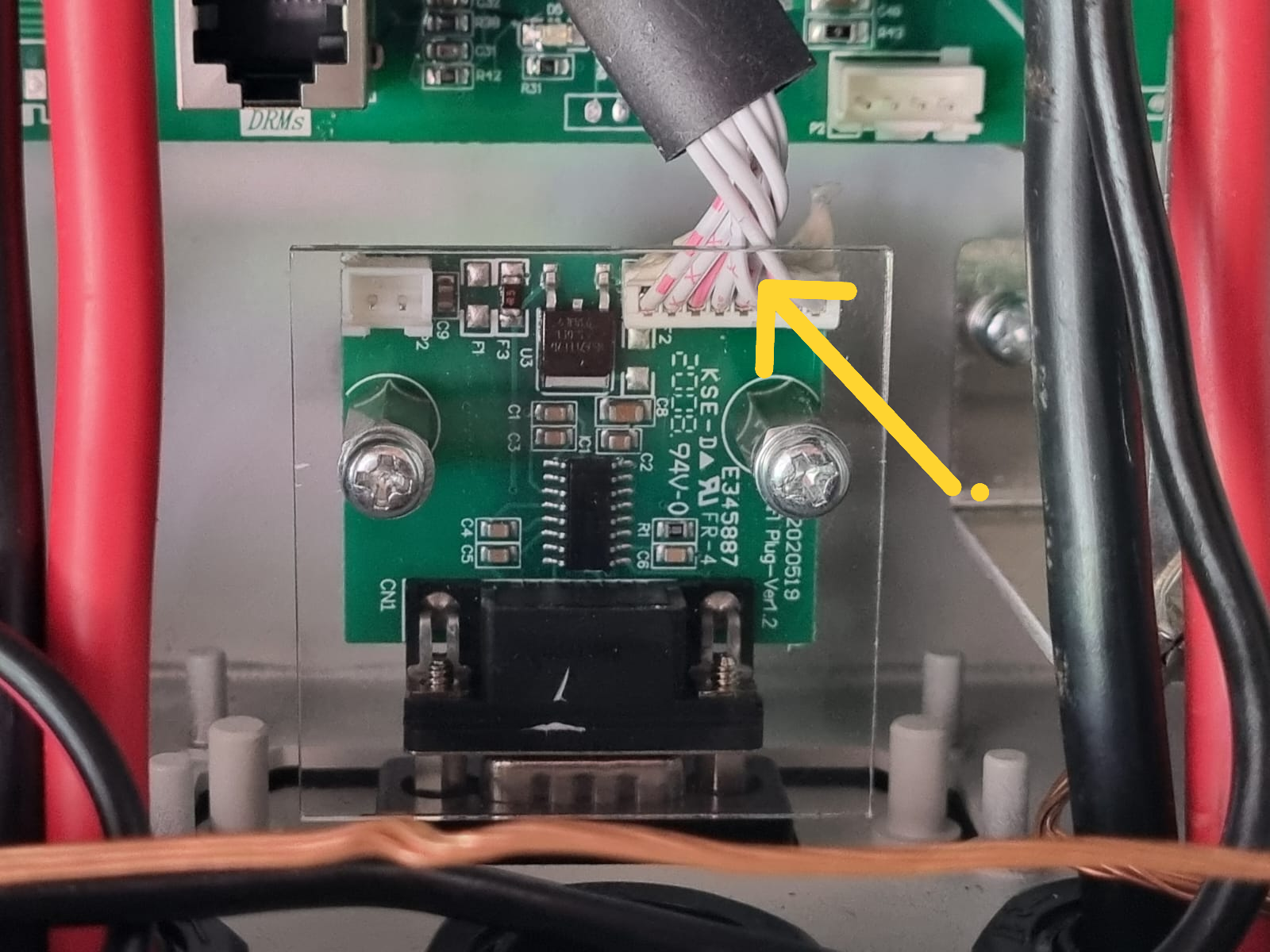
Please note that wireless data logging will not be available, as the dongle will not be functioning. The board needs to be replaced or fixed
-
Hi Tokkie, it is suspicious and really too good to be true. Don't fall for it
-
This is the logger module. Unplug the white multi-pin plug from the board. If the LCD comes to life, the board is US. It is normally the C9 resistor that goes. The replacement board is about R250.00 from Deye service centre. I just replaced a couple.

-
Ensure battery settings are correct


-
Confirm these settings

-
Check battery %. You've instructed that it would use the battery only in slots 2 and 3, and then only to 70% DOD. For the rest, it should stay at 100%.

-
-
This seems to be standard practice, not only for electricians, but for all trades. The same argument applies to building inspectors, plumbers, civil engineers, assessors, etc. A proper inspection of installations on most sites by a duly qualified and ethical person normally results in a rework and sour relations
-
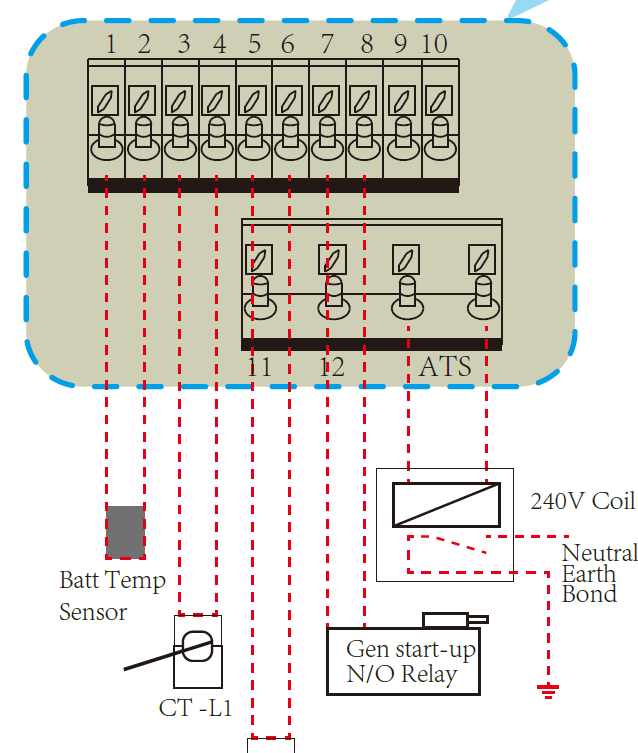
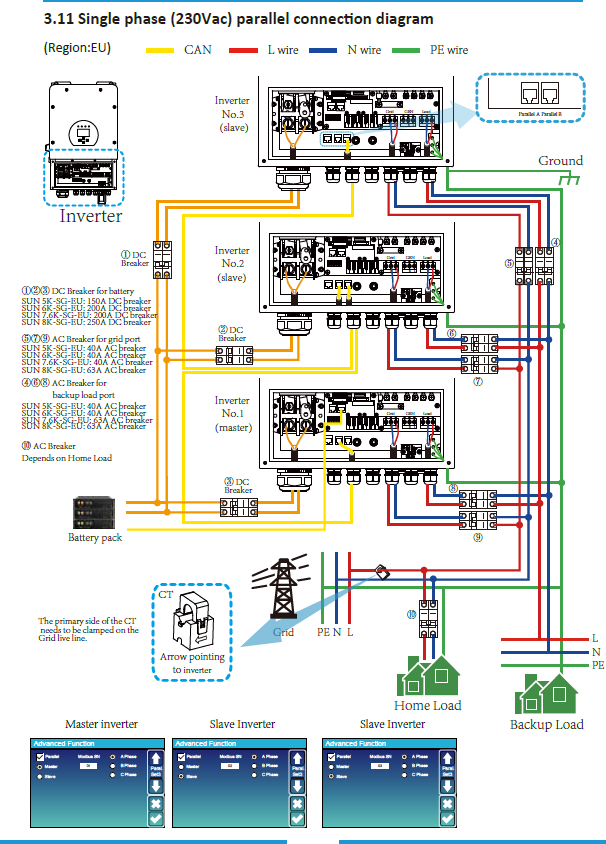
Hi, see the schematics

-
... and therein lies the crux of the matter. You can contract the best PM, Master builder, or electrician, trusting and checking their abilities and experience .... at your own peril.
-
Thanks, but maybe I'm missing something; this link is an advertisement for pre-paid management services. Non-secure website
-
Hi, would you kindly provide dealer info, i am interested, thanks