Sidewinder
Members
-
Joined
-
Last visited
Everything posted by Sidewinder
-
@Fielies23, In my view, you are keeping your battery at 100% all the time (according to your timer settings). Lithium batteries don't like that, and like to be cycled. (Discharged and then charged again). I would start to set the SOC values (much) lower as the night goes on - forcing the system to use the batteries, and then charge the system up to 100% in at least one of the time slots, maybe the last one before sunset, so you have full capacity for the night again.
-
@axisK Just power it from a standard 220V AC 12DC supply, like those you get with a Wifi router. Just insert an inline fuse and use a male plug to connect to dongle. Else just inline fuse and a switch after you've cut off the female barrel connector. Measure the voltage before connecting to dongle, so you get the polarity right. The PSU should preferably plugged in on the Essential side.
-
@JustMojo, No, the Non-Essentials will not be using PV to power them, because you have your CT coils in the wrong place. As per diagram, (freely available), you/ your electrician has installed the CT coils in the Yellow marked position. They should be installed in the Blue marked box location i.e. after your non-essential in your DB. Yes, sometimes getting from the Inverter to DB is a schlepp (30m in your case). Better that trying to install 5 core cable all that distance. Just use a good quality Shielded Ethernet Cable (like Cat 6), and try keep the Ethernet wires from running parallel to any AC wires, to minimize any interference. In this pic, " Home Loads" = Non Essentials Also, If you run this inverter above it's limit on the AC side, the built-in CB for the Grid trips, and you need to open the inverter to reset. Quite annoying.

-
@Renier Lewis Eish, almost got excited, as I also have an ITS HP & HA, but alas, it's a non-Wifi version. Maybe add a note in GH that only the newer Wifi enabled (and equipped with dongle - not sure if it is included by default)... So I keep on searching, as replacing a perfectly working 7.2kW monster doesn't make sense, no matter how frustrating the 1 ON 1OFF scheduler is.
-
@regbes I would think your location would be of interest to those who can assist. + other relevant info, e.g. Make and model of Batteries, Current installation method (Battery via SOC or Voltage Management)
-
@Rookyalways, Please elaborate about "5G Cable Internet". I suspect that is standard Internet delivered via Cable (could be even fiber?), and then transmitted using 5G Wifi in you home (which is actually 5.8GHz - if this refers to 5G "cellular" system, then that's a no go). Most of the modern Inverters Wifi system only transmit on 2.4Ghz, and that could be that your inverter dongle no longer "talks" to the internet. You need to create a 2.4 Ghz SSID (Wifi signal) on your new AP Wifi router, with the same name and password credentials as what you used previously, then info will hopefully start flowing again. Hope this helps.
-
I agree, not enough Horse Sunpower!
-
Also check Setting 6: Allow Battery Feed in to Grid. It must be disabled. Apologies, my old Infini's didn't have that feature. Then also check Setting 21: Max Feed-in power to Grid. Looks like the default is 5.5 kW (max of inverter), Set that to 0. Else Perhaps you need to check if the inverter is actually exporting to the grid - by checking your Utility Meter. It should be counting up with normal consumption, and down if exporting. If the meter counts up faster during export, it means your Utility Bill will be even higher, as some meter are not bi-directional. Also check what happens when you switch off the grid feed to the inverter. No export should be possible then, yet the load should still work via Solar/Battery. If you can't fix the export, and if it does not export after sundown, then a temporary fix would be to switch off grid every morning, and off again every night.
-
Summer vs Winter is something you need to evaluate before adding more panels. Winter = more consistent, but slightly less production. Summer, higher production, but frequent lower days, especially in Jan. That's if you are in Gauteng. WC is much worse in Winter. Some graphs to illustrate

-
@man0war69, My initial reaction is that you may have too few PV to sustain both system's batteries cycles on a daily basis, never mind a few consecutive cloudy days. It may just work out well enough, but if family is involved, I would just include a changeover switch between Eskom & Axpert, and an Axpert bypass switch as well. That way, if anything fails on your premises, you can bypass the failures. Just doesn't work well when LS happens again. It goes without saying, the Geyser should be on a timer, but the 5kW from the LA batteries could be just enough for 2 heating cycles (of which one is early morning). The final answer lies in what your daily/nightly draw from the Lithium bank + LA bank. e.g. 50% daily draw on Lithium = 15kWh * 0.5 = 7.5kWh + 2 cycles of 2h on LA = 4h * 1.5kw = 6kwh (LA batteries only use 50% in any case, else they get damaged, so already over limit!) = 13.5 kWh, Now add in your house consumption per day say ave. 10kwh. In Summer (Oct - March), one could have 8h of good sunshine (7:30 - 3:30). So the required PV to replenish the batteries & supply the load = 24kWh/8h = 4kW. You have 2 x 5 x 550W = 5500W maximum. At 85% efficiency, that will give you +-4675W peak. Which is barely enough to cover everything, never mind a few hours a cloud etc. If you use much less that in the calcs above, you might have some margin. You might need to adjust settings of the geyser timer to find a good middle way. Good Luck.
-
@Niku79, You should not need firmware for that. The assumption is that your have gotten this from someone else, who setup the inverter to feed-in, and forget to disable the function, before switch off. So you just need to Disable Setting No. 5, which is for feed-in. Check the manual for your inverter of how to do that. Only a bit tricky the first time.
-
@guyi9000, If you have roof space, I would recommend a microinverter, adds 2kW. Also connected to Aux port.
-
@Adnano, Check the download section:
-
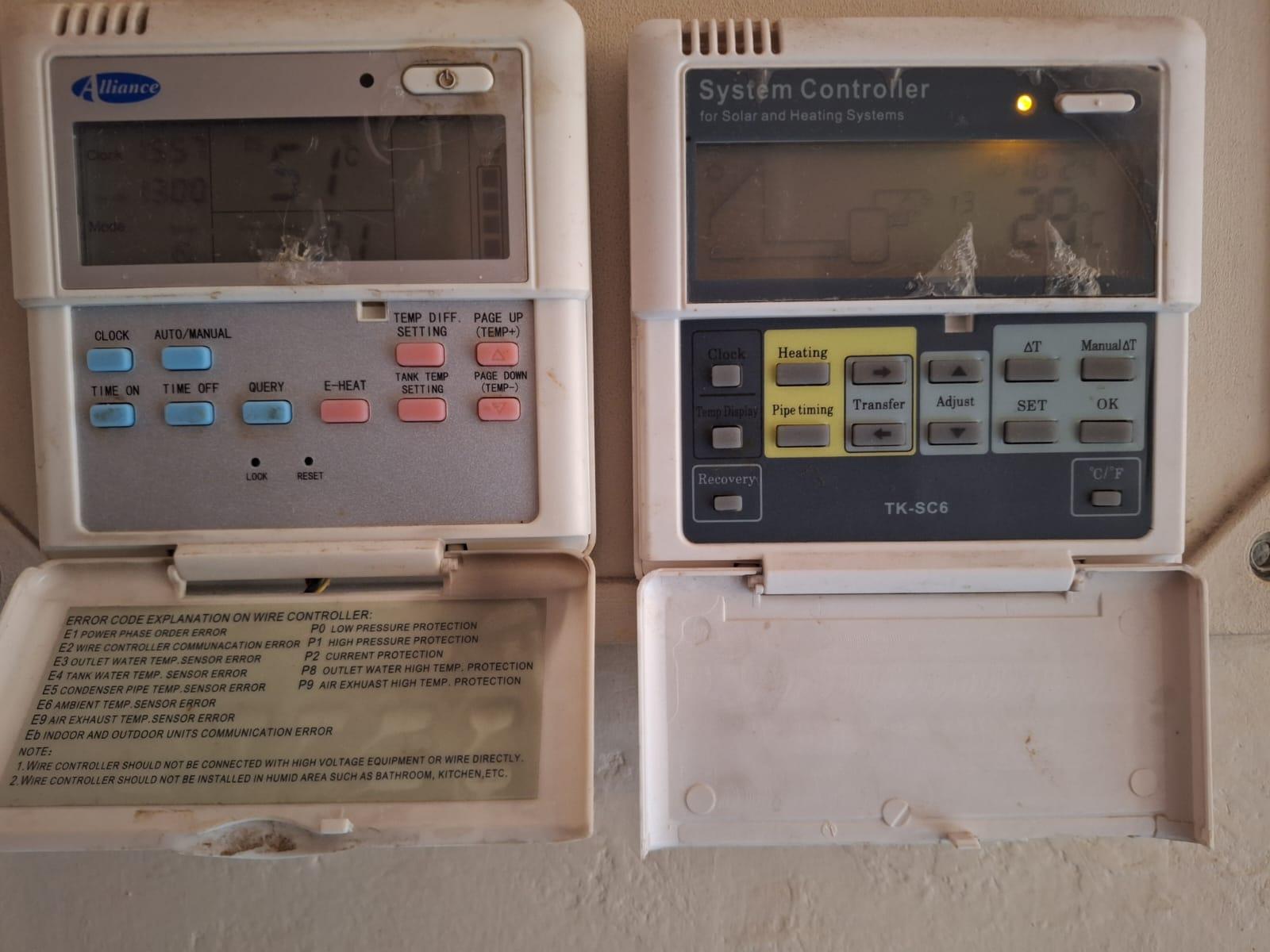
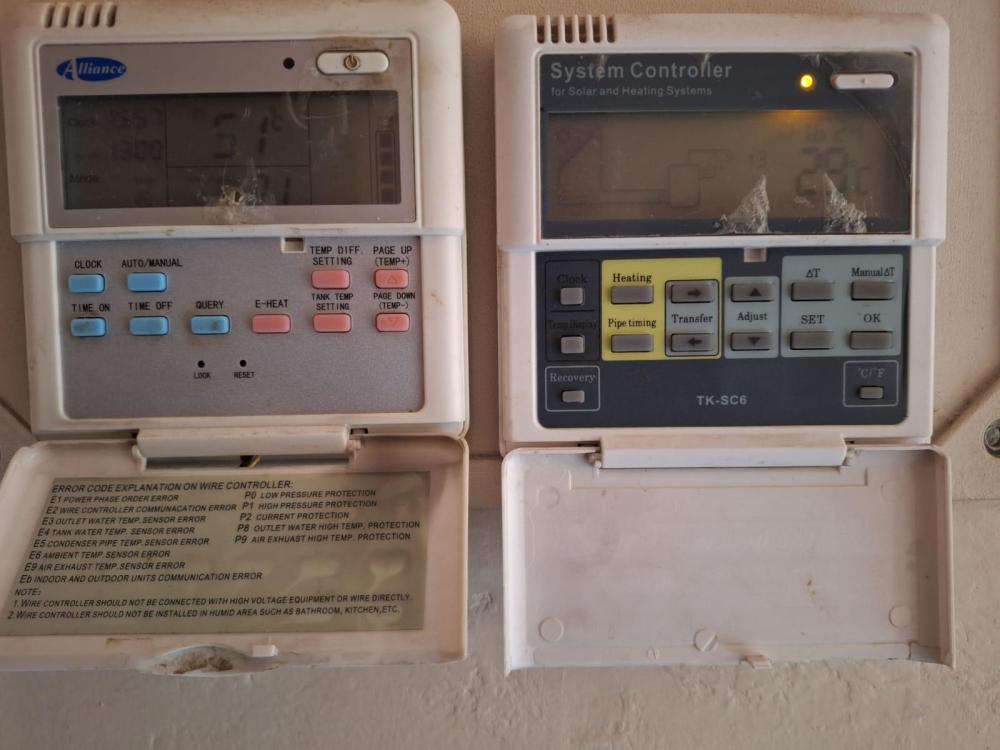
@alex71, I Googled SR81 controller, and see it is a similar controller that I have on my EV Tubes. Mine is a TK-CS6, and seems to differ slightly. See RH side on pic. the LH side controller is an Alliance Heat Pump controller, both systems from around 10 years ago. Both controllers have a 3/4-wire connection, which I assume to be GND, +5/12V(power), Rx & Tx, so my assumption is normal RS232 on common bus. See below As per OP, I would also like to integrate (i.e. control) these 2 devices into HA, which I use to control/run my Solar System. The HP is unfortunately also elderly, yet very functional, and does not seem to have an additional comms port (for a ESP32 wifi setup) If anybody has any info on how to "tap" into these devices, please let us know your findings.

-
Thanks for the clarification @Tacet, yes the 12kW 3ph does indeed have higher voltage mppt's. Hopefully your friend doesn't stay in Sutherland or Bethlehem, where 13V for grace would be too close for comfort for me. Back to the topic, I would carefully inspect the Isolator's "fingers" that clamp the fuses, to see if they show any signs for deformation/arcing, as they may have become "stretched" and the clamping force when the fuse is inserted is not to spec anymore. Maybe a small adjustment to tighten them.
-
@Tacet, "Friends of mine have a Sunsynk installation with a 12 x 550 W (Imax < 16 A, Voc < 700 V @ 0 degC) panel string" Maybe ask you friend to check his string. I was under the impression that Sunsynk MPPT Vmax = 500V, and 450V is Vmax recommended for a string. So he should rather watch the inverter than the fuses! or maybe Sunsynk have new models, as I have read about HV (on the battery side) models other than the 50kW 3ph ones.
-
@Deondti, Your HA is getting it's info from the dongle, you will see the same error/reading, that you see on the app. Maybe a Deye F/W upgrade? If you don't solve this, consider dropping the Deye app, and just install this https://smarthomeintegrations.co.za/product/smartdeyedonglev4/ The most difficult part you've already solved....the HA part. Just follow the SMI's github/youtube video's. WARNING!!!!, after this, you may become addicted to stats/graphs/animations/automations etc 😃
-
@Thunderdolt, Couldn't help but notice the contradiction between point 1 & 2. Which pins exactly on the Inverter side? 3,5 or 1,2?
-
The 2nd geyser is series is what I implemented in my house, still gives enough warmish water for morning showers, providing family of 4 takes "normal" night time showers! 7.2kW HP heats them both up daily 11 - 2.
-
@MincePie, That Hoselect battery looks exactly like a Hubble AM-2 casing. EXCEPT 1) as a nice LCD screen 2) Uses LiFePo4 sells (hopefully 16 of them) vs Hubble's NMC x 13 cells So next step would be to get the data of the battery: 1) Install latest PBMStools (search for it here on PF or google) on PC 2) get an USB -> RS232 cable 3) plug RS232 end of the cable into RS232 port of the battery. Looks like a LAN port. It's the middle port of the 5 ports on the underside of the battery. 4) Connect USB side of cable to PC USB port 5) Run BPMSTools Your screen should look something like this: 6) Look at the Cell Voltages portion and determine what cell is misbehaving. (could be under or over voltage) 7) Review the Alarm/Protect/Fault screens to see any critical info. If one or more cells are dying (i.e. low voltage), then at least you know which one to replace. 😎 Once you have removed these faulty cell/s, you would need to get a new/replacement cell. Should be a standard 100-110Ah LiFePo4 cell. You might just be able to get the exact dimensions, as these cells are used in many a battery pack. They typically look like this: They should set you back around R600-R1000, depending on source. A word of caution: You have to be handy with tools, and have all the required safety gear/precautions in order to do this. Don't use any Metal exposed tools inside the battery. You drop a spanner/screwdriver/bolt/nut/washer etc into the heart of the battery, BIG SPARKS will fly. Else try and find an expert in these repairs. I'm sure they exist. Good Luck!


-
@Robbie3337, No, ESPhome cannot be flashed on Tuya based devices, as it doesn't use ESP32 module. It's the same with the ASTUTE Wifi switch. But someone here on the forum has successfully de-soldered the Tuya chip and replaced it with an ESP32 chip, so if you have the skill, tools and a steady hand, give it a go. When I integrated my Astute into HA using the old Tuya server method, I kept loosing the power tracking ability every few days, but after moving to Tuya local, it has been working flawlessly.
-
@Mercadian, If you're still struggling with this, please read my instructions @ You just need USB -> RS232 cable +HA configured correctly.
-
Just thought I'd report my take on this. I have my 1st string (MPPT1) as 2P8S of 365W Candian Solar PV pointing just West of North. Spec: Imp = 9.18A & Vmp = 39.8V. So in theory I should see 18.4A (say 18A with losses) and around 318V (say 305V with losses) I chose those 4 years ago to match the mppt Max current of 18A, (8kW SS). Obviously, was peeved when some time later, the mppt limit was raised to 22A with firmware upgrade. My 2nd string (MPPT2) is also 2P8S, but with 8S in the same direction as MPPT1, and the other 8S mounted much more Westerly, in order to get maximum afternoon generation. What I'm actually seeing is the following: Purple = MPPT1 & Blue = MPPT2. Max I've ever seen on MPPT1 = 16.7A (may go a bit higher, as it is not peak summer yet (new homegrown management system since winter). Voltages seem spot on @ 315V under max load. So efficiency = 16.7/18.4 = 90.1% So in practice, my system is sort of under performing, as peak generation is only 8.5kW peak, with up to 10kW cloud effect have been observed. I have as spare set of 16 x 545W JA Solar (Imp = 13.04A & Vmp = 41.8V), which would give 26.08*0.901=23.5A on MPPT1. Just too high and I don't like clipping. Perhaps just replacing just MPPT2's strings might just be the right option, taking into account the 545W is quite a bit larger to mount, but fortunately, the rails of MPPT2 do have quite a bit of overhang. MPPT2 calc's: Efficiency = 15.1/18.4= 82% Thus new panels should give 26.08*0.82 = 21.4A, within the MPPT limit, but at a voltage of 335V = 7160W peak. Maybe I could add 4 panels to MPPT1 to get them to 2PS10. That will give me a Voc = 472V, leaving some headroom for Temp. drops to below 0. Yes/No?

-
@DennisM You can adjust the settings from the Inverter screen menu. Just download the manual from www, and adjust the charge setting (normally setting No. 2 & 11, but could vary, depending on your specific model)
-
@guyi9000 If you don't come right, and you serious about management and data from you inverter, then rather look at the Solar Assistant option, or, if you want to integrate/automate you inverter and manage your home one day, then rather start looking in investing into a Home Assistant + smartdeyedongle V4. solution.