mzezman
Members
-
Joined
-
Last visited
Everything posted by mzezman
-
SA wont communicate wirelessly with the dongle. SA allows comms from battery to the SA Pi either via CAN or RS485 depending on the battery and cable. If you are using RS485 then you'd need the CAN cable for SA
-
restart it?
-
you didnt want to connect them in parrallel to one of the series strings? increases your amps but voltage remains the same
-
Has he tried a firmware update?
-
There are a couple of things you will need to check: 1 - in etc/mosquitto/conf.d/ you need a file names solar-assistant.conf with the data below (using your SA's IP address of course 2 - In your solar assistant configuration you need the following setup 3 - In your mosquitto broker configuration Once thats all done you restart HomeAssistant and reload the broker and then it should all work


-
Did you get sorted?
-
Request a firmware update. Is the inverter showing any errors when it restarts?
-
Have them do a software upgrade - we had this issue at MILs place and this sorted it out. Also the BSL Batt should work on Lithium settings with CAN connectivity - you shouldnt have to use lead acid
-
@Steve87 My guess would be 2-3 8kw inverters with PV maxxed out = approx 150kwh generated / day. A thorough energy audit would be needed though especially when talking these numbers
-
Also need to consider the startup mppt voltage requirements.. Usually minimum 4 panels will do the job
-
Would be good to check the inverter side that it is actually in the correct port.. There are a multitude of ports there, RS485, 232 etc. Also check dips witch settings and restart the battery
-
If you use CAN on the Inverter and make sure you use the cable that came with the A48100 for Deye/Sunsynk it will work with no additional config.
-
And for future expansion, you're more likely to find 450 to 600w next year vs 300w ones
-
the 8kw DOES give you good headroom so go for that one. Major score if you can get those panels at below market rate. Has the installer you have lined up done a Sunsynk install before? If yes then go for it - if not then you could still get the components then contact @Leshen or @Steve87 as they are well known in these parts
-
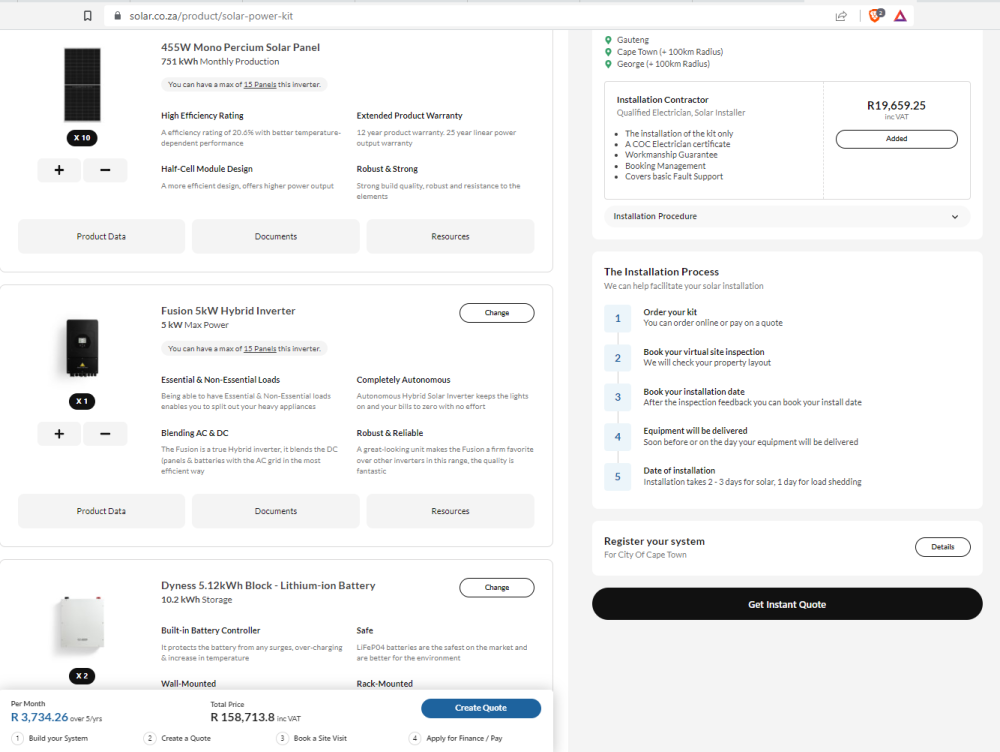
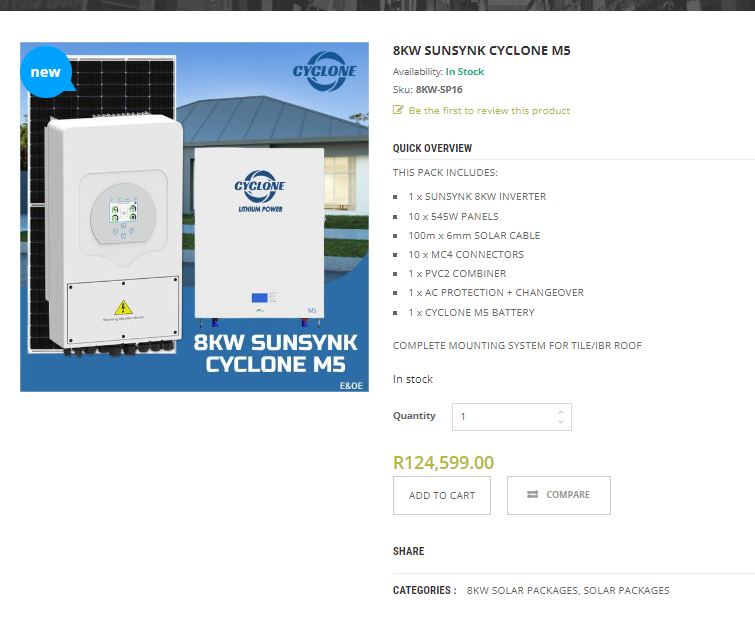
150k is doable - here is a sample quote incl installation >> And another one Both sites are decent (but overbooked) and have good track records with users here and on MyBroadband as well. But key is to understand your requirements as well as peak energy needed during the day and at night
-
they are both good quality and work well together. just to note that the Dyness is a 0.5C battery so you'd get half output power. If this is a deal breaker you could also look at 1C batteries such as the newer AM-5 Hubbles or Greenrich For an explanation on C rating see this post
-
It's difficult to answer without knowing the current and VOC of the panels in question. If you exceed the MPPT current then the inverter will clip / limit to the max. However if you exceed the voltage on the MPPT then it will blow and no warranty will fix that So you always size the string on an MPPT to be below voltage and near max current for best performance.
-
There was a spreadsheet on MyBB that had this info, will try and dig it up.
-
Some temps my end - its been VERY hot in Pretoria . I do have a big fan blowing up and a smaller fan at the top pulling hot air

-
can you share what the installer-level access looks like?
-
Most impressive by the company
-
I think it's a positive policy decision.. Lets see how it is implemented. It's also forward thinking as for CoCT they can use some of that back-fed to pump Steenbras, thereby reducing night LS impact.
-
Can you share pictures of your battery type and battery charge screens? It should show Max charge, discharge and max AC charge
-
What version of Solar Assistant do you have running?

-
Sorry to hear that - hopefully they can resolve the issues - their rolling software updates are pretty nifty in resolving bugs. Are you inverters installed in parrallel? If you're completely unhappy then maybe send it back